How to Erase a MacBook Before Selling It in Pakistan: Factory Reset in 5 Steps
Erase a MacBook before selling in Pakistan: back up, then System Settings, General, Transfer or Reset, Erase All Content and Settings, or the Recovery route.
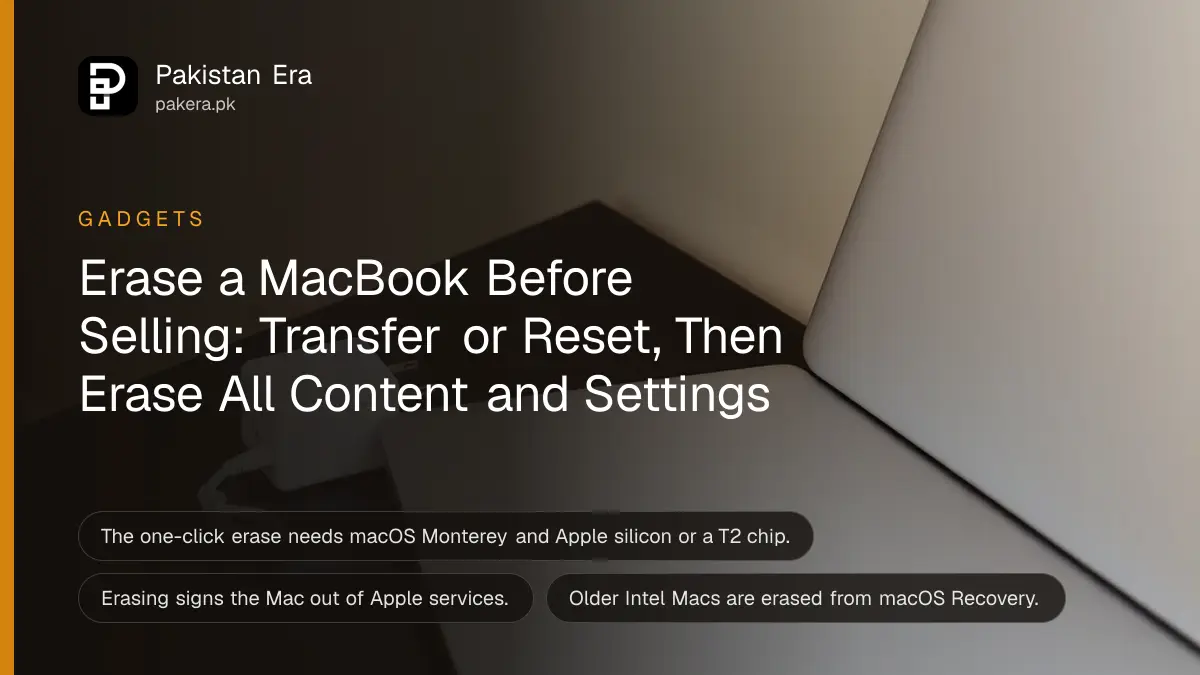
To erase a MacBook before selling it in Pakistan, back it up, then open the Apple menu, System Settings, General, Transfer or Reset, and click Erase All Content and Settings. Enter your Mac password and your Apple Account password, and the Mac wipes itself and signs out of Apple services. This works on macOS Monterey 12 or later, on Macs with Apple silicon or the T2 chip.
Older Intel Macs need the longer manual route through macOS Recovery, set out below. Either way, the buyer should see a fresh setup screen, not your files and not a lock asking for your Apple Account.
| Your Mac | Method | Time |
|---|---|---|
| Apple silicon (M1 and later), macOS Ventura or later | System Settings, General, Transfer or Reset, Erase All Content and Settings | Minutes |
| Intel Mac with T2 chip, macOS Monterey or later | Same option. On Monterey it sits in the System Preferences menu | Minutes |
| Older Intel Mac, or macOS Big Sur or earlier | Sign out manually, then erase and reinstall from macOS Recovery | Longer, as macOS reinstalls |
Back up the Mac before you erase anything
Apple warns that a reset erases all data, so the backup comes first. Use Time Machine with an external drive, or make sure iCloud Drive and Photos have finished syncing. Once the erase starts, nothing on the Mac can be brought back.
Check three things before you move on:
- Your Desktop and Documents folders are copied to a drive or iCloud.
- Photos shows its library is up to date in iCloud, if you use iCloud Photos.
- Any work files from WhatsApp Desktop, email downloads or a USB stick are saved elsewhere.
A second copy on a different drive is safer still. The 3-2-1 backup rule for phones and laptops explains why one copy is not enough.
Erase All Content and Settings wipes a newer Mac in five steps
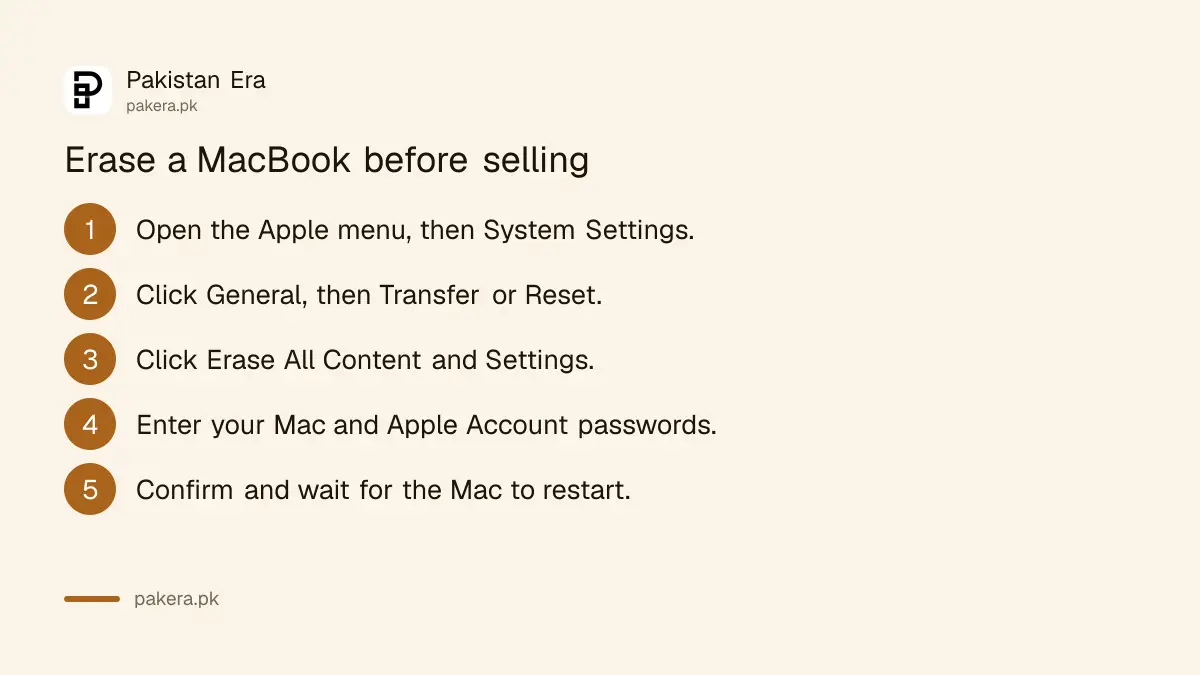
On macOS Ventura or later, Apple's path is the Apple menu, System Settings, General, then Transfer or Reset. Apple says the tool erases all data, settings and apps, and signs you out of Apple services. After it finishes, the Mac activates, restarts and opens setup like a new one.
- Click the Apple menu and choose System Settings.
- Click General in the sidebar, then Transfer or Reset.
- Click Erase All Content and Settings.
- Enter your Mac user password, then your Apple Account password when asked.
- Confirm with Erase All Content & Settings and wait for the restart.
On macOS Monterey 12, open System Preferences from the Apple menu, then choose Erase All Content and Settings from the System Preferences menu at the top of the screen. When setup appears after the erase, stop there and shut the Mac down, so the buyer sets it up with their own account.
Older Intel Macs need the manual route
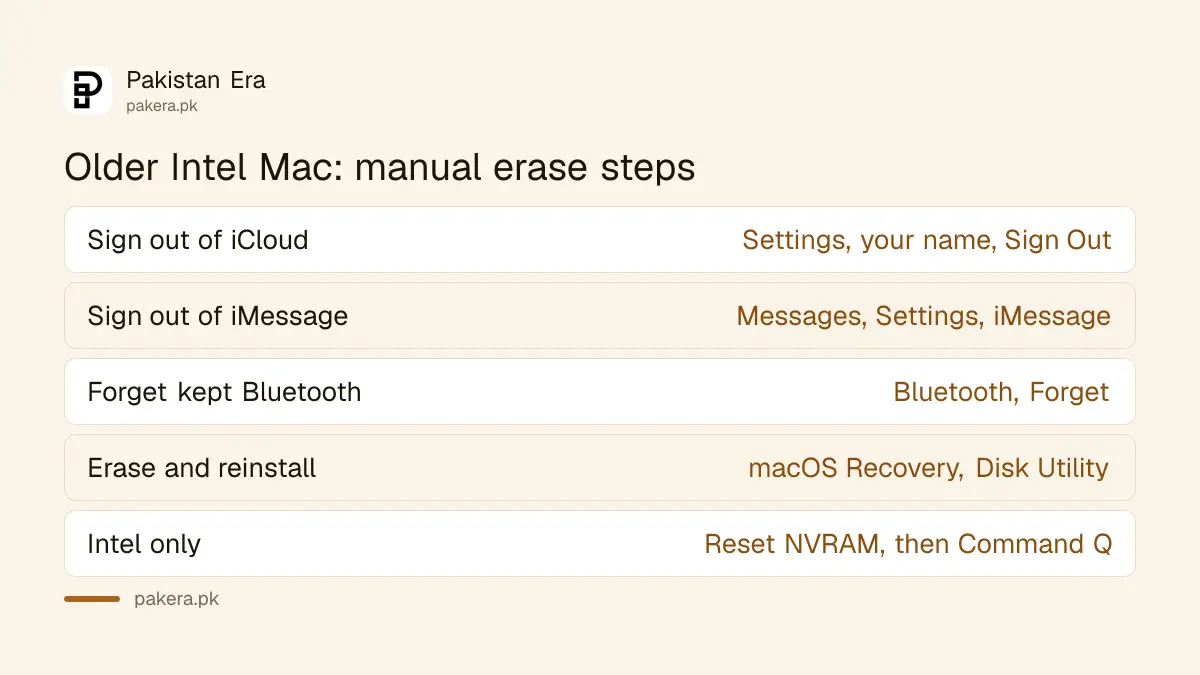
Where Erase All Content and Settings is missing, Apple lists manual steps: sign out of iCloud and iMessage, unpair Bluetooth accessories you keep, then start from macOS Recovery, erase the drive in Disk Utility and reinstall macOS. When setup appears, press Command and Q to shut down.
| Step | macOS Ventura or later | Monterey, Big Sur, Catalina |
|---|---|---|
| Sign out of iCloud | System Settings, your name, Sign Out | System Preferences, Apple ID, Overview, Sign Out |
| Sign out of iMessage | Messages, Settings, iMessage, Sign Out | Messages, Preferences, iMessage, Sign Out |
| Forget Bluetooth devices you keep | System Settings, Bluetooth, Control-click, Forget | System Preferences, Bluetooth, Remove |
| Erase and reinstall | macOS Recovery, Disk Utility, then Reinstall macOS | Same |
| Intel Macs only | Reset NVRAM, then Command and Q at setup | Same |
On macOS Mojave or earlier, also open iTunes and choose Account, Authorizations, Deauthorize This Computer. Keep your only keyboard and mouse paired until the end, because you need them for Recovery. Apple says to unpair them only if you have a USB keyboard to use instead.
Make sure Activation Lock is gone before handover
Macs with Apple silicon or the T2 chip use Activation Lock, the same protection as iPhone. If your Apple Account stays linked, the buyer's Mac stops at setup and asks for your password. Signing out properly, or the full erase, removes the link.
Already sold it and forgot? Sign in at icloud.com/find, select the Mac and click Remove. Apple says this works when the Mac is offline. While you are signed in, check the device list for anything else you have sold. The steps to check the devices on an Apple Account show the full list and how to remove old ones.
If the Mac has AppleCare, Apple says you can cancel the plan or transfer it to the new owner. Tell the buyer which one you chose.
Show the buyer it is clean, then hand over
A buyer in Pakistan will want proof the Mac is unlocked and healthy. Let them see the Hello setup screen, the serial number on the base and the battery cycle count you noted before erasing. Hand over the charger and the box if you have them.
- Note the battery cycle count and serial number before you erase.
- Erase with one of the methods above.
- Turn the Mac on in front of the buyer and show the setup screen.
- Give the buyer the charger, box and original invoice if you have them.
- Write the serial number, price and both CNIC numbers on a simple sale note and keep a copy.
Selling a phone too? The steps to erase a phone before selling follow the same order. And the buyer can run the laptop buying checklist on your Mac, so it pays to do the same checks first.
Common questions
How do I factory reset a MacBook?
On macOS Ventura or later, go to the Apple menu, System Settings, General, Transfer or Reset, and click Erase All Content and Settings. Older Intel Macs need macOS Recovery.
Which Macs have Erase All Content and Settings?
Apple says it needs macOS Monterey 12 or later and a Mac with Apple silicon or the Apple T2 Security Chip.
Does erasing a Mac sign me out of iCloud?
Yes. Apple says Erase All Content and Settings signs you out of Apple services. On older Macs, sign out of iCloud by hand before erasing.
What if I sold my Mac without signing out?
Sign in at icloud.com/find, select the Mac and click Remove. That unlinks it from your Apple Account so the buyer can set it up.
Should I finish setup after erasing a Mac?
No. When the setup assistant appears, shut the Mac down. On the manual route, Apple says to press Command and Q, so the buyer sets it up with their own account.
Can I erase a Mac that will not start up?
Not with Erase All Content and Settings, which runs inside macOS. Apple points to its separate startup troubleshooting steps first, then the macOS Recovery route.
How we verified this
What we checked and where we read it.
Last checked 24 November 2026. We read Apple Support's Erase your Mac and reset it to factory settings for the Ventura and Monterey paths and system requirements, and What to do before you sell, give away, trade in, or recycle your Mac for the manual steps, the iTunes, iCloud and iMessage sign-outs, the Bluetooth advice, NVRAM and AppleCare. The Mac Activation Lock and web removal steps come from Apple's Activation Lock for Mac page.
Free on WhatsApp
Get last dates and rule changes on WhatsApp
We post new last dates, fee changes and fixes for common problems, a few short posts a day.
Follow Pakera on WhatsAppOther followers cannot see your number.
Pakera Solves It
Which online process wasted your time this week?
A portal that will not load, a form nobody explains, a complaint that went nowhere. Tell us. Every week we pick one, solve it step by step and publish the answer.
About the author

Technology Journalist & Multimedia Producer
Ahmad Ali is a technology journalist and multimedia producer at Pakistan Era, joining the team in October 2026. He covers consumer technology and digital life for Pakistani readers, combining research with hands-on product testing.