Gemini Apps Can Now Be Published to Google Sites in One Click in Pakistan
Since 19 October 2026 the Gemini app exports interactive Canvas apps to Google Sites in one click, for personal Gmail accounts too. See who can use it and how.

You can now send an interactive app you built in the Gemini app straight to Google Sites with Export, then Google Sites, and publish it as a web page, Google said on 19 October 2026. It works for personal Google accounts as well as Google Workspace users, on the web, Android and iOS, and it is available now rather than rolling out slowly.
For a small business or a freelancer in Pakistan, this closes a real gap. Gemini could already build a working calculator, quiz or order form in Canvas. Putting it online meant copying code into a host you had to find and set up. We read Google's Workspace Updates post on the export on 20 October 2026. Here is what it does and where it stops.
Gemini apps now export to a private Google Sites draft in one click
On an interactive app in the Gemini app, choose Export, then Google Sites. Google says the app lands in a new, private site draft, still fully interactive. You can add pages and text, publish the site and share it like any other Google Site.
Google's own phrase is "no code to copy and nothing to rebuild". The app is not turned into a picture or a link. It runs inside the site as it did in Gemini.
"Interactive app" here means something made in Gemini's Canvas, the side panel where Gemini writes and runs code for you. Google's Canvas help page lists docs, apps, slides and code as things Canvas can create. A loan instalment calculator, a fee estimator for a tuition centre or a simple product picker are all the kind of small app this suits.
Who can use the export
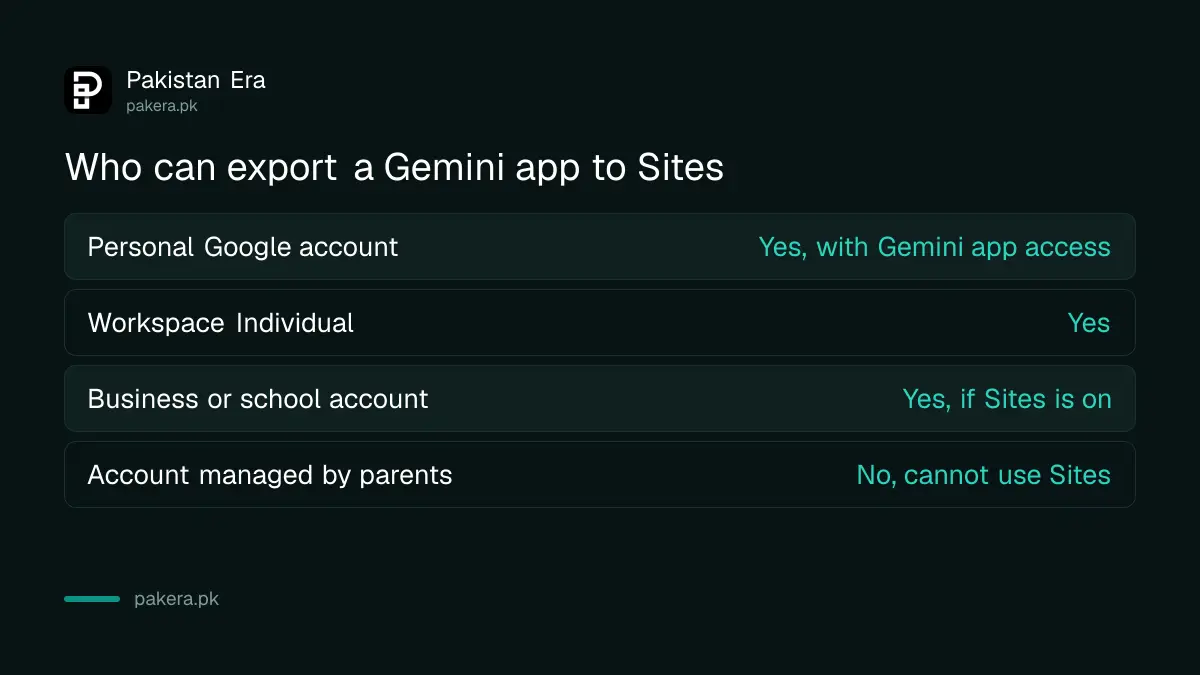
Google lists three groups: Google Workspace customers, Workspace Individual subscribers, and people with personal Google accounts who have access to the Gemini app. There is no new admin switch. Work accounts can export only if Sites is turned on for them.
| Account type | Can export to Sites? | Condition Google gives |
|---|---|---|
| Personal Google account | Yes | Must have access to the Gemini app |
| Workspace Individual | Yes | None extra listed |
| Business or school Workspace | Yes | Sites must be on, and you must be allowed to create and edit sites |
| Account managed by parents | No Sites creation | Google Sites help says these accounts cannot use Sites |
Pakistan is on Google's list of countries where the Gemini web app works. So a normal Gmail account in Pakistan qualifies. Sites made this way follow the same Sites and Drive rules as any other site in an organisation.
How to publish a Gemini app on Google Sites
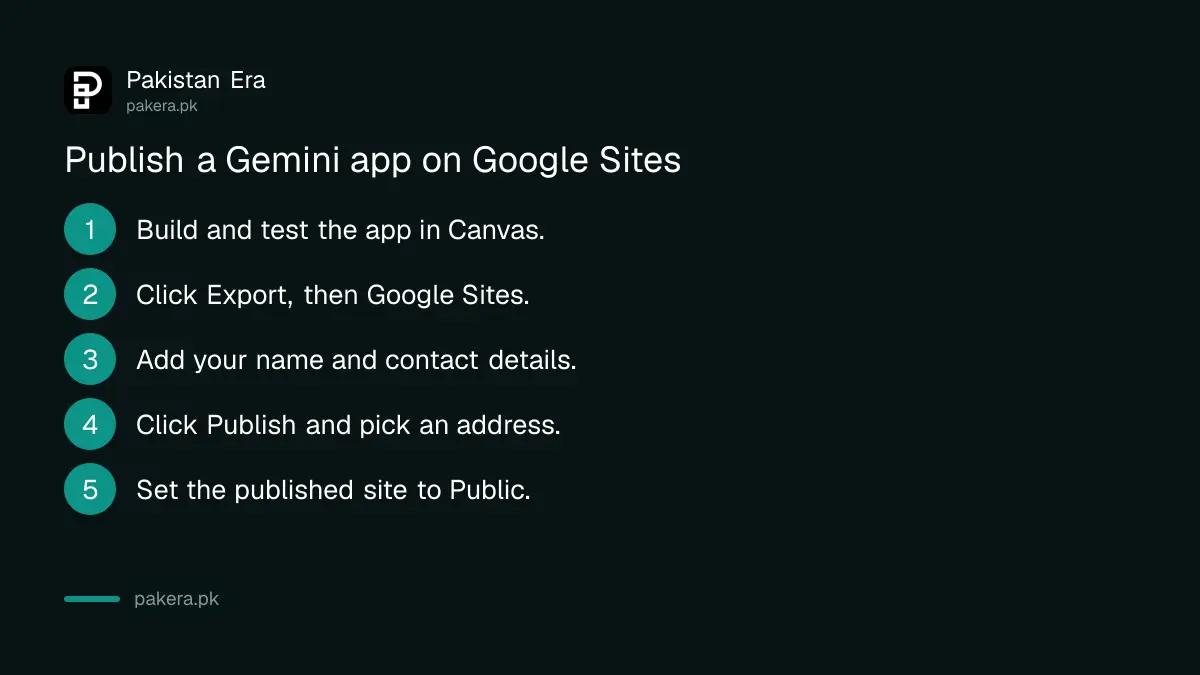
Build or open the app in Gemini's Canvas, click Export and choose Google Sites. The draft opens in Sites. Add your business name, contact details and any other pages, then click Publish, pick a web address and set the site to Public.
- In the Gemini app, start a chat with Canvas and describe the app, for example "a delivery charge calculator for Lahore, Rs 150 within 5 km, Rs 20 per extra km".
- Test it inside Canvas until the numbers and buttons work.
- Click Export, then Google Sites.
- In the new Sites draft, add a heading, your phone number and a short line on who you are.
- Click Publish and enter the web address you want.
- Under Share, set the published site to Public if anyone should be able to see it.
The delivery charge in step 1 is only an example prompt. Use your own prices. Check every result the app gives against a calculation you trust before customers rely on it.
Editing the site may still need a computer
Google says the export works on web, Android and iOS. But Google Sites' own help page says that when you edit your site, you must use a computer. So the export may start on your phone, while finishing the site works best on a laptop.
The two Google pages do not fully agree, and we have not tested the phone route ourselves. If the Sites draft will not open for editing on your phone, move to a computer with a recent Chrome, Firefox or Safari. The full steps for adding pages, a menu and your own domain are in how to make a website with Google Sites.
What this means for Pakistani small businesses
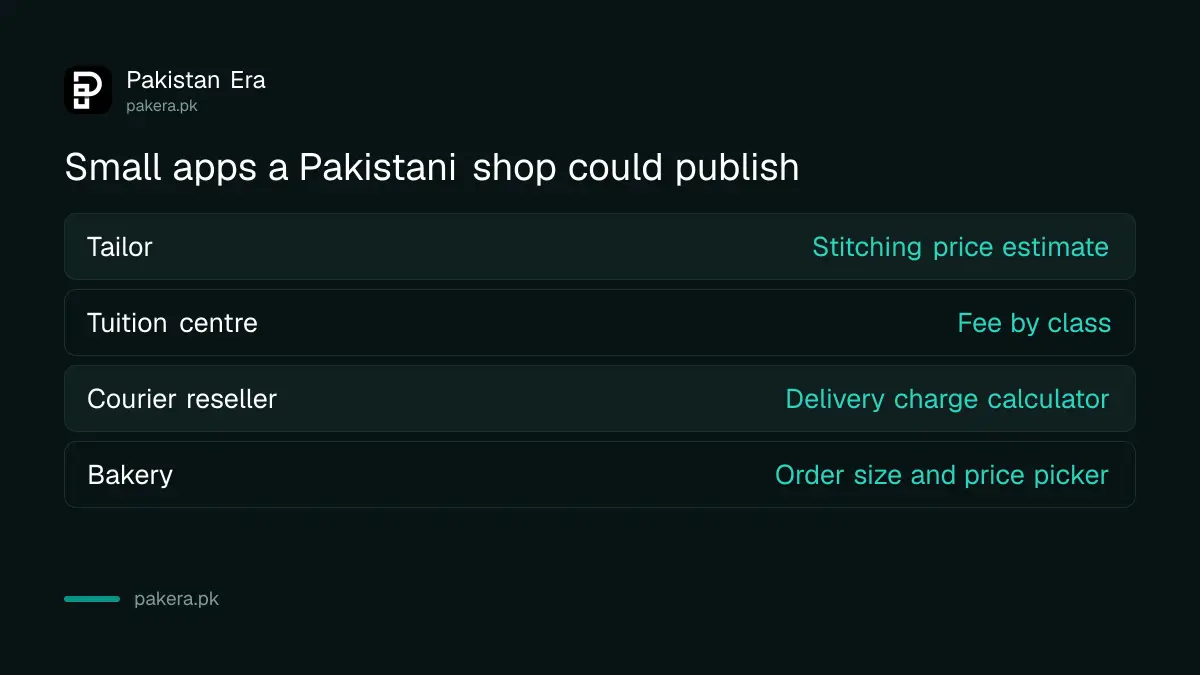
A tool on your own page gives people a reason to visit and to message you. A tailor can show a stitching price estimate. A tuition centre can show fees by class. A courier reseller can show a delivery charge. Until now, each of these needed a developer or a paid builder.
Be realistic about reach, though. A new site on a sites.google.com address will not rank on Google overnight. Share the link on your WhatsApp Business profile and social pages first. If you later connect your own domain, prove you own it with the steps to verify your website in Google Search Console, then submit it.
Keep the app honest, too. If the calculator shows a price, show the date the price applies from, and update it when your rates change. An old price on a live tool causes more arguments than no tool at all.
Common questions
When did Google launch the Gemini to Google Sites export?
Google announced it on 19 October 2026 and said it is available now on web, Android and iOS.
Does it work with a free Gmail account in Pakistan?
Google says personal Google accounts with access to the Gemini app can use it, and Pakistan is on the Gemini app country list.
Is the exported site public straight away?
No. Google says it opens as a new, private draft. You choose when to publish it and who can see it.
Will my app still work after export?
Google says the app stays fully interactive inside the site. Test it again after publishing to be sure.
Can I use my own .pk or .com domain?
Google Sites supports custom domains for the site owner. You need to own the domain and verify it with Google first.
Can a child's account use this?
Google Sites help says accounts managed by parents cannot create sites, so the export will not work for them.
How we verified this
What we checked, where we read it, and what we could not confirm.
Last checked 20 October 2026. We read the Google Workspace Updates post "Publish interactive apps from the Gemini app to Google Sites", dated 19 October 2026; Google's Gemini help page "Create docs, apps and more with Canvas"; the Google Sites help pages "How to use Google Sites", "Publish and share your site" and "What you need to use Google Sites"; and Google's "Where you can use the Gemini web app" country list, all on 20 October 2026. We have not exported an app ourselves. We could not confirm whether editing works fully on a phone, because the two Google pages differ.
About the author

Founder and Editor
Umer Kureshi founded Pakistan Era in July 2024 and runs it as administrator, SEO lead and writer, overseeing website operations, search growth, content strategy and coverage of technology and current affairs.