Fix Valorant VAN Errors in Pakistan: VAN 68, VAN 57, VAN 0, VAN 152 and Secure Boot Codes
Fix Valorant VAN 68, VAN 57, VAN 0, VAN 185 and Secure Boot errors in Pakistan with Riot's steps, and why VAN 152 is a hardware ban no reinstall can remove.
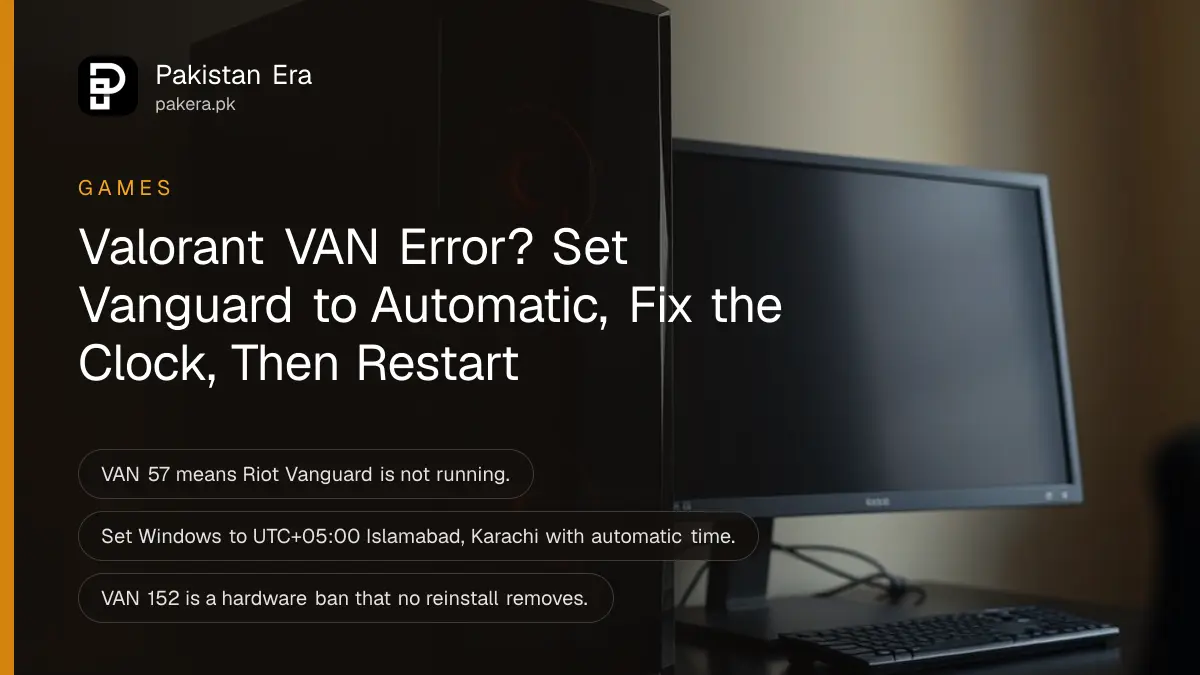
Most Valorant VAN errors mean Riot Vanguard, the anti-cheat, is not running or lost its connection. The fix that works for most codes: restart the PC, set the vgc service to Automatic (Windows + R, type services.msc, open vgc, Startup type Automatic, Start, Apply), then restart again. VAN 152 is different. It is a hardware ban, and no reinstall removes it.
Find your code in the table, then follow the steps in order. Launch Valorant after each step, and test in the Practice Tool or a custom game first so a repeat error does not cost you a ranked match.
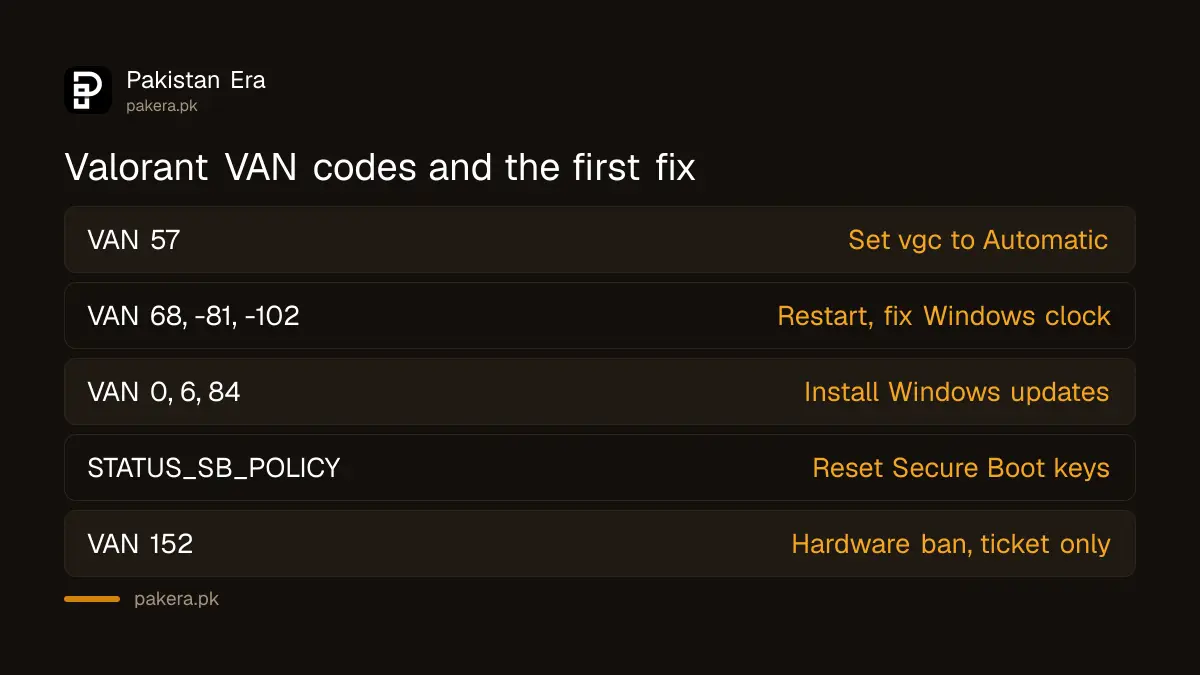
| Error | What it means | First fix |
|---|---|---|
| VAN 57 | Vanguard is not running | Set vgc to Automatic, restart |
| VAN 68, VAN -81, VAN -102 | Vanguard lost its connection or session | Restart, check Windows time |
| VAN 0, VAN 6, VAN 84 | Vanguard found the PC not ready | Install Windows updates |
| VAN 185 | Session clash between game, client and Vanguard | Log out of Riot Client on other PCs |
| VAN 1067 | Vanguard hit a startup problem | Unplug controllers, run Riot Client as administrator |
| VAN: RESTRICTION | Vanguard needs a Windows update or security setting | Do what the message names: update Windows, TPM 2.0, Secure Boot |
| VAN: STATUS_SB_POLICY | Secure Boot settings not verified | Reset Secure Boot keys in BIOS |
| VAN: STATUS_VMD_9001 | Intel VMD storage driver problem | Reinstall the Intel RST driver |
| VAN 152 | Hardware ID (HWID) ban | No fix by reinstalling, ticket only |
Set the Vanguard service to Automatic
Riot Vanguard must be running before Valorant starts. Unless you use Vanguard Pre-Check, which starts it on demand, the vgc service has to start with Windows. Setting it to Automatic fixes VAN 57 and is a step in almost every other VAN fix.
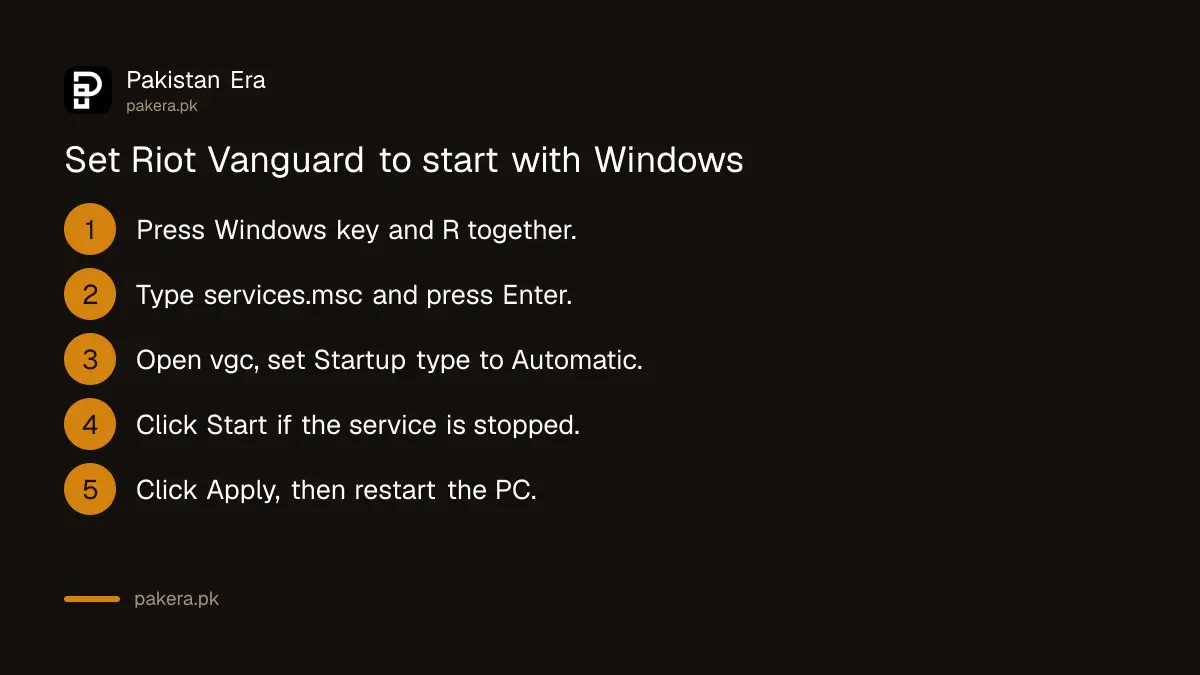
- Press Windows key + R.
- Type services.msc and press Enter.
- Find vgc in the list and double-click it.
- Under Startup type, choose Automatic.
- If Service status says Stopped, click Start.
- Click Apply, then OK, and restart the PC.
If vgc is missing from the list, Vanguard is not installed properly. Uninstall Riot Vanguard from Windows Settings, Apps, restart, and open Valorant again. It reinstalls Vanguard and asks for one more restart.
Fix VAN 68, VAN -81 and VAN -102 connection errors
These three codes mean Vanguard lost the connection or session it needs while Valorant was starting or running. Riot's order is restart, check the Windows clock, set vgc to Automatic, reinstall Vanguard, clean boot, reinstall the game, then check your connection.
- Restart the PC. It gives Vanguard a fresh start.
- Check the Windows clock. Wrong date, time or time zone breaks secure connections. In Pakistan, pick (UTC+05:00) Islamabad, Karachi and turn on Set time automatically. A PC that loses power in load shedding often comes back with the wrong time.
- Set vgc to Automatic as above.
- Remove and reinstall Vanguard, then restart.
- Clean boot Windows so no background app gets in the way.
- Reinstall Valorant to replace broken game files.
- For VAN 68, turn off Killer Network Service if your laptop has a Killer network card.
- Check your connection with Riot's PC connection guide.
On a home connection in Pakistan, restart the router as well and try a wired cable instead of Wi-Fi. PTA's speed test app shows whether your ping and packet loss are the problem before you blame the game.
Fix VAN 0, VAN 6, VAN 84, VAN 185 and VAN 1067
VAN 0, 6 and 84 mean Vanguard found your PC not ready to play, so Riot starts with Windows updates. VAN 185 is a session clash, often from being logged in on another PC. VAN 1067 often clears after you unplug extra USB devices and run Riot Client as administrator.
| Code | Steps in Riot's order |
|---|---|
| VAN 0, 6, 84 | Windows updates and restart, vgc Automatic, reinstall Vanguard, clean boot, reinstall game, check connection |
| VAN 185 | Check minimum specs, unplug controllers, restart Riot Client, log out on other PCs, restart, reinstall Vanguard |
| VAN 1067 | Windows updates, unplug controllers, Riot Client as administrator, vgc Automatic, clean boot, malware scan |
VAN 185 catches many players who share one Riot account between a home PC and a gaming cafe. Log out of Riot Client on the other PC first. Sharing an account is also how many get stolen, so keep yours to yourself.
Fix Secure Boot and Intel VMD errors
VAN: STATUS_SB_POLICY means Vanguard found a problem with your Secure Boot settings. Riot asks you to reset the Secure Boot keys to factory defaults in the BIOS, even when Secure Boot is already on. STATUS_VMD_9001 needs a fresh Intel RST driver.
- Press Windows key + R, type msinfo32, press Enter.
- Check BIOS Mode (should be UEFI) and Secure Boot State (should be On).
- If BIOS Mode says Legacy, the Windows drive must be converted from MBR to GPT before you switch to UEFI. Skipping this stops Windows from booting.
- In the BIOS, turn Secure Boot on and reset the Secure Boot keys to factory default. Menus differ by maker, so follow your PC or motherboard maker's own steps.
- For STATUS_VMD_9001, download the Intel VMD or RST driver for your PC, install it and restart.
VAN: RESTRICTION is a different message. Riot says it is not a ban. It means Vanguard needs a Windows update or a security feature before the game opens: TPM 2.0, Secure Boot, Memory Integrity or IOMMU. Some versions need Windows build 26100, which only Windows 11 has, so a Windows 10 PC must upgrade.
Many used and older PCs sold in Pakistan still run Windows in Legacy mode. The same Secure Boot and TPM work is needed for other games too, and turning on TPM 2.0 and Secure Boot walks through the BIOS side in detail.
VAN 152 is a hardware ban, not a bug
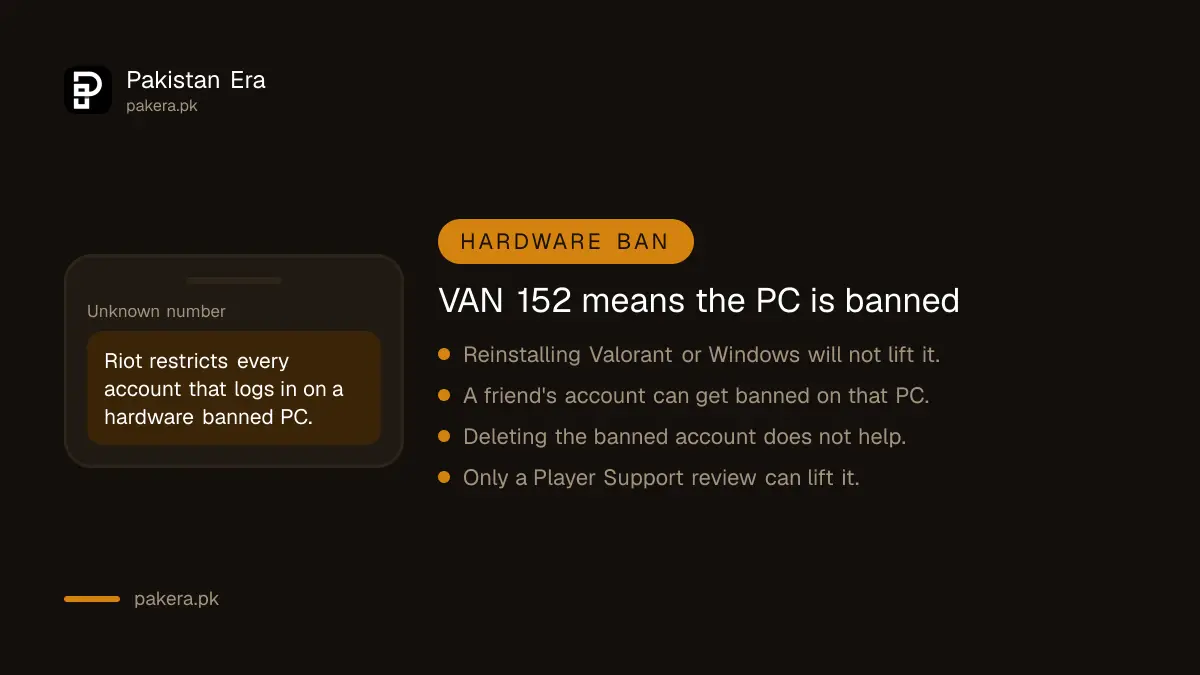
VAN 152 means the PC itself is banned by hardware ID. Reinstalling Vanguard or Valorant, changing your internet, or restarting will not remove it. Riot says any account that logs in on that PC is restricted and may be banned for a set period.
Riot gives HWID bans for repeated abuse, threats, or third-party cheat tools. If you bought a used PC or play in a cafe and see VAN 152, stop logging in with any account. Riot's advice is not to try another account on a PC you suspect is banned.
- To ask for a review, submit a ticket to Riot Player Support. Use a separate ticket for each affected account.
- Riot says a lift is possible but never guaranteed, and bans for threats of harm are not reconsidered.
- Deleting the banned account does not remove the hardware ban.
When to send a ticket to Riot
If the error stays after every step, submit a ticket to Riot Player Support and attach your logs. Riot's Repair Tool gathers them. Give the exact VAN code, when it appears, and the steps you already tried, so support does not send you back to the start.
Payment and region problems are separate from VAN errors. If the client opens but the store or server is the issue, Valorant servers and payment from Pakistan covers shards, VP and refunds.
Common questions
Why does Valorant say VAN 57 Vanguard is not running?
The vgc service is stopped or not set to start with Windows. Set vgc to Automatic in services.msc, start it, and restart the PC.
Does VAN 68 mean my internet is bad?
Not always. Riot says VAN 68 usually means Vanguard lost its session. Restart, fix the Windows clock and set vgc to Automatic before you test the connection.
Can I fix VAN 152 by reinstalling Windows?
No. VAN 152 is a hardware ID ban on the PC's parts. Riot says reinstalling does not remove it. Only a Player Support review can lift it.
Does Valorant need Secure Boot on Windows 11?
Vanguard checks Secure Boot, and STATUS_SB_POLICY appears when it cannot verify it. Turn Secure Boot on in UEFI mode and reset the keys to default.
Is it safe to set vgc to Automatic?
Yes. It is Riot's own fix. Vanguard then starts with Windows. If you prefer, Vanguard Pre-Check can start it only when you launch a Riot game.
How we verified this
What we checked and where we read it.
Last checked 25 November 2026. Each fix comes from the matching Riot Games Support article, including Error VAN 68, Set VGC as Automatic and Understanding Hardware ID (HWID) Bans. We also read Riot's pages for VAN 0, 6, 57, 84, 185, 1067, -81, -102, 152, STATUS_SB_POLICY and STATUS_VMD_9001, and its Secure Boot guide. The Pakistan time zone, load shedding and gaming cafe notes are ours.
Free on WhatsApp
Get last dates and rule changes on WhatsApp
We post new last dates, fee changes and fixes for common problems, a few short posts a day.
Follow Pakera on WhatsAppOther followers cannot see your number.
Pakera Solves It
Which online process wasted your time this week?
A portal that will not load, a form nobody explains, a complaint that went nowhere. Tell us. Every week we pick one, solve it step by step and publish the answer.
About the author

Technology Journalist & Multimedia Producer
Ahmad Ali is a technology journalist and multimedia producer at Pakistan Era, joining the team in October 2026. He covers consumer technology and digital life for Pakistani readers, combining research with hands-on product testing.