How to Subscribe to a Telenor Monthly Internet Package in Pakistan
Telenor monthly packages from Rs 434 to Rs 2,087, with codes and load prices read on telenor.com.pk. Several offers end on 10 October 2026.
To subscribe to a Telenor monthly package, dial the offer's own code, such as *345*189# for Monthly YouTube and Social, or activate it in the My Telenor app. Load at least the "load price" Telenor shows, not just the package price. Before you choose, note that Telenor has announced that several monthly offers end on 10 October 2026 and many prices change from 26 September.
We read every price and code below on Telenor Pakistan's own offer pages on 22 September 2026. We cannot dial USSD codes ourselves, so this is what Telenor lists, not a test on a handset.
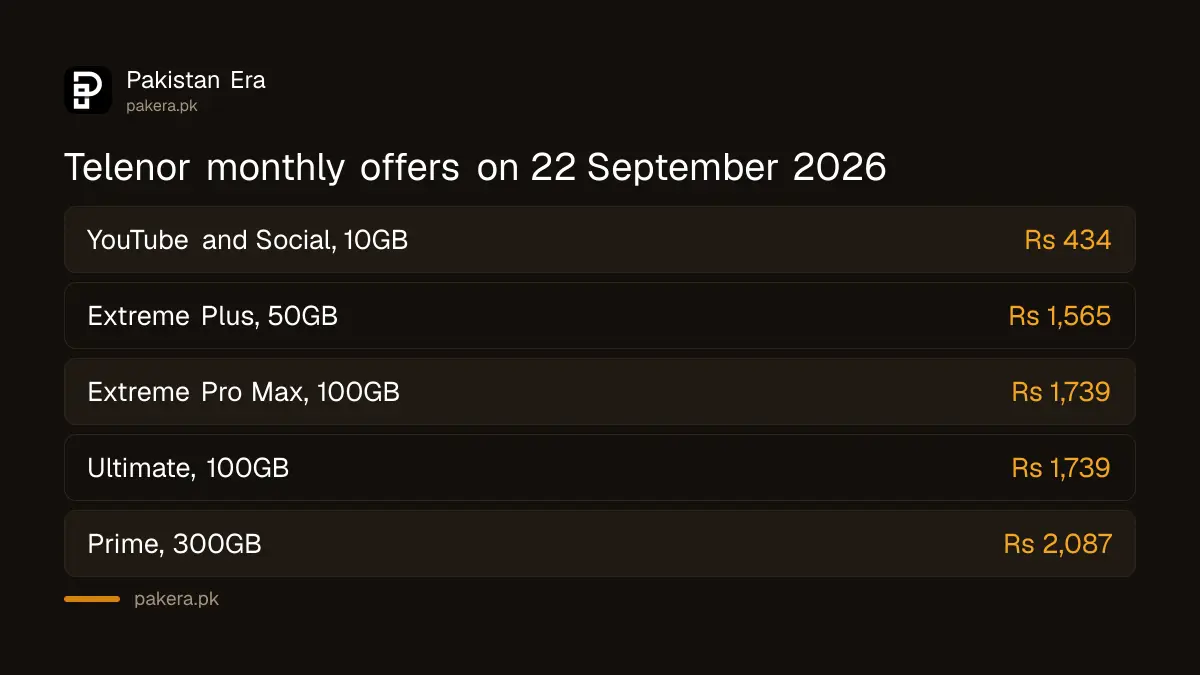
Telenor monthly packages listed on 22 September 2026
All of these are prepaid offers valid for 30 days. Telenor says prices include tax. The load price is the amount you need to recharge to cover the package once tax on the recharge is taken.
| Package | Price incl. tax | Load price | What you get | Code |
|---|---|---|---|---|
| Monthly YouTube and Social | Rs 434 | Rs 500 | 10GB for YouTube, Facebook and WhatsApp, 400 Telenor minutes, 80 other network minutes | *345*189# |
| Monthly Extreme Plus | Rs 1,565 | Rs 1,900 | 50GB, 10,000 Telenor minutes, 700 other network minutes, 7,000 SMS | Activate in app |
| Monthly Extreme Pro Max | Rs 1,739 | Rs 2,000 | 100GB, unlimited Telenor minutes, 800 other network minutes, 10,000 SMS | *345*26# |
| Monthly Ultimate Offer | Rs 1,739 | Rs 2,000 | 100GB, unlimited Telenor minutes, 1,200 other network minutes | *345*98# |
| Monthly Prime Offer | Rs 2,087 | Rs 2,400 | 300GB, 10,000 all network minutes | *345*130# |
"Unlimited" Telenor minutes are what the offer pages say. Monthly Prime notes a fair use limit of 10,000 minutes. Telenor also lists cheaper 4G data bundles in its site search, such as 4G Monthly Lite at Rs 304 for 4GB, of which 2GB is for use between 1am and 11am, and 4G Monthly Starter at Rs 370 for 8GB, of which 4GB is for 1am to 7am.
What changes in September and October 2026
Telenor's homepage carries a set of customer notices. Read them before you pick a package, because some of the offers above are about to go.
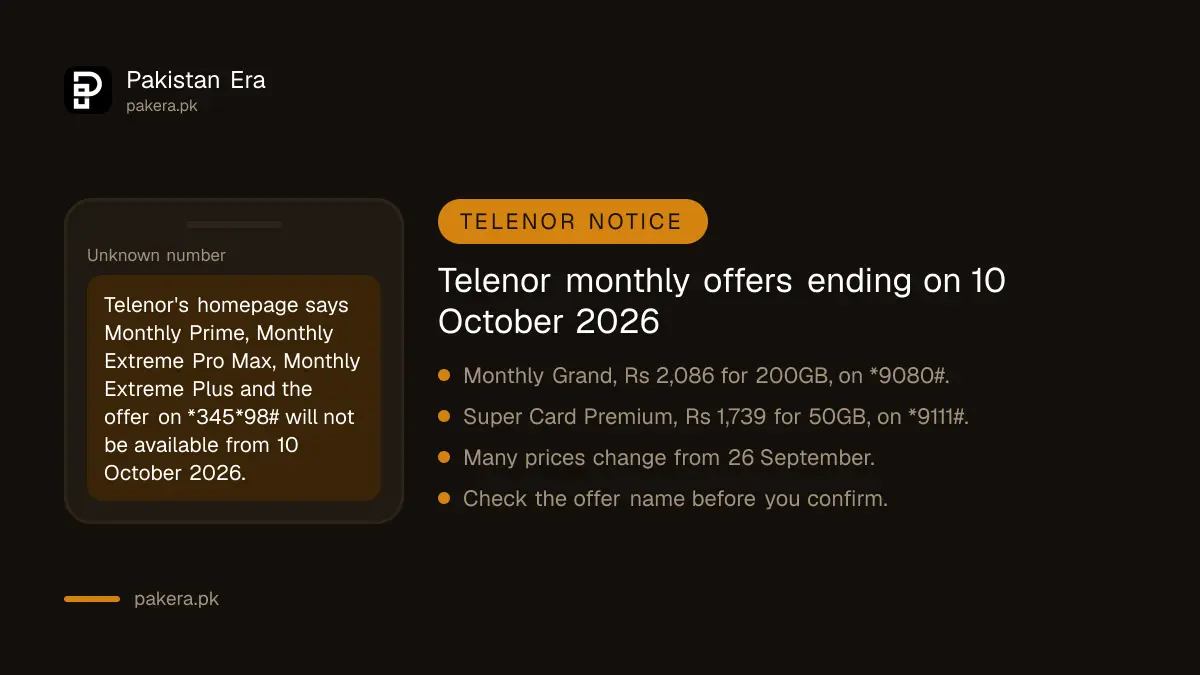
- Ending 10 October 2026: Monthly Prime (*345*130#), Monthly Extreme Pro Max (*345*26#), Monthly Extreme Plus, and an offer on *345*98# that the notice calls Monthly Extreme Ultra Max.
- Suggested replacements: Monthly Grand at Rs 2,086 for 200GB, 2,000 other network minutes, 20,000 Telenor minutes and 20,000 SMS, on *9080#; and Super Card Premium at Rs 1,739 for 50GB on *9111#.
- New prices from 26 September: for example Social WhatsApp at Rs 350 for 10GB of WhatsApp, and Social Grand at Rs 850 for 25GB of social apps with 3,000 Telenor minutes.
- Ending within 30 days: Monthly Social Extreme, Monthly Onnet Offer, Monthly Low Value and Social All In One Plus, among others.
Telenor's own pages do not agree with each other in two places. The Monthly Ultimate page lists *345*98#, but the notice says *345*98# is Monthly Extreme Ultra Max. And one notice suggests moving to "Monthly Prime" at Rs 1,913 for 100GB on *3553#, while the Monthly Prime page shows Rs 2,087 for 300GB. We report both rather than guess. Check the offer name in the confirmation menu before you press confirm.
How to subscribe step by step
- Pick the package from the table, and check it is not on the ending list if you want it for longer than one month.
- Check your balance with *444#, which costs Rs 0.24 including tax. You need at least the package price in your balance.
- Recharge the load price if your balance is short. For Monthly YouTube and Social that is Rs 500.
- Dial the code and follow the menu, or open My Telenor, choose the offer and tap activate.
- Wait for the SMS confirming the offer, then check your MBs with *999#.
You can also ask for a package through Telenor's WhatsApp chat.
Rules that affect your money
- No automatic renewal. Each monthly offer page we read says the bundle will not be renewed automatically. You must subscribe again after 30 days.
- Re-subscribing adds up. On Extreme Plus, Extreme Pro Max and Ultimate, subscribing again adds the new resources to what is left and extends validity by 30 days.
- Social bundles stay separate. On Monthly YouTube and Social, resources from each subscription do not merge.
- Reserved MBs. Telenor says its billing system reserves some MBs each time an app opens, so you can be charged the standard rate even while a check shows MBs left.
- AJK and Gilgit-Baltistan have separate offer pages. The packages above say they are not available there.
When the package does not activate
If the balance was taken but the offer is not active, Telenor's FAQ says to lodge a complaint in the My Telenor app or call 345. From another phone, the helpline is 042-111-345-100. Telenor's contact page says a call connected to an agent costs Rs 2.69 including tax. If Telenor does not fix it, complain to PTA.
To protect your balance when the bundle ends, turn on Balance Saver with *342#. To check what is left during the month, check your remaining Telenor MBs with *999#.
Safety warning
Only use codes from Telenor's own pages or app. Fake "discount package" messages ask you to dial a code that is really a balance transfer. A code with a phone number and an amount inside it sends money, not a bundle. If you did not ask for a package and one appears, unsubscribe from it straight away.
Telenor Pakistan now sits in the same company as Ufone after a merger reported as closing on 1 July 2026. The package changes above may be part of that. Telenor's notices do not say why the offers are ending, so we do not speculate.
Common questions
What is the code for the Telenor monthly package?
Each offer has its own code. Monthly YouTube and Social is *345*189#, Monthly Extreme Pro Max is *345*26# and Monthly Prime is *345*130#, as listed on 22 September 2026.
Which is the cheapest Telenor monthly internet package?
Of the offers we read, 4G Monthly Lite was lowest at Rs 304 for 4GB, half of it for use between 1am and 11am.
Do Telenor monthly packages renew automatically?
No. The offer pages say the bundle will not be renewed automatically.
What is the Telenor load price?
It is the recharge amount Telenor tells you to load so that, after tax on the recharge, you have enough balance for the package.
Is Monthly Prime ending?
A Telenor notice says Monthly Prime on *345*130# will not be available from 10 October 2026.
How we verified this
What we checked, where we read it, and what we could not confirm.
Last checked 22 September 2026. Prices, load prices, resources, codes and terms are from Telenor Pakistan's offer pages for Monthly YouTube and Social, Monthly Extreme Plus, Monthly Extreme Pro Max, Monthly Ultimate Offer and Monthly Prime Offer on telenor.com.pk. The 4G Monthly Lite and 4G Monthly Starter prices are from Telenor's site search listing. The ending dates, replacement offers, new prices from 26 September and discontinued offers are from customer notices on Telenor's homepage; the notices name the day and month, and those ending on 10 October give the year as 2026. Complaint routes are from Telenor's FAQ and contact page. Prices change often, so check the offer page before you pay.
About the author

Tax, Bills and Technology Writer
Ali Akhtar is a young and curious voice here at Pakistan Era. He is currently pursuing his A-Levels and has a growing interest in Pakistan’s changing industrial landscape and educational trends. Ali likes to write in a way that helps him explain and explore the world around him. His writing reflects the perspective of the new generation navigating the evolving trends of Pakistan where technology, youth innovation, and shifting opportunities are reshaping the country’s future.