How to Unsubscribe From Telenor Packages and Services in Pakistan
Stop Telenor packages in the My Telenor app, on 345 or by SMS. Monthly bundles do not auto renew, so weekly services usually cause deductions.
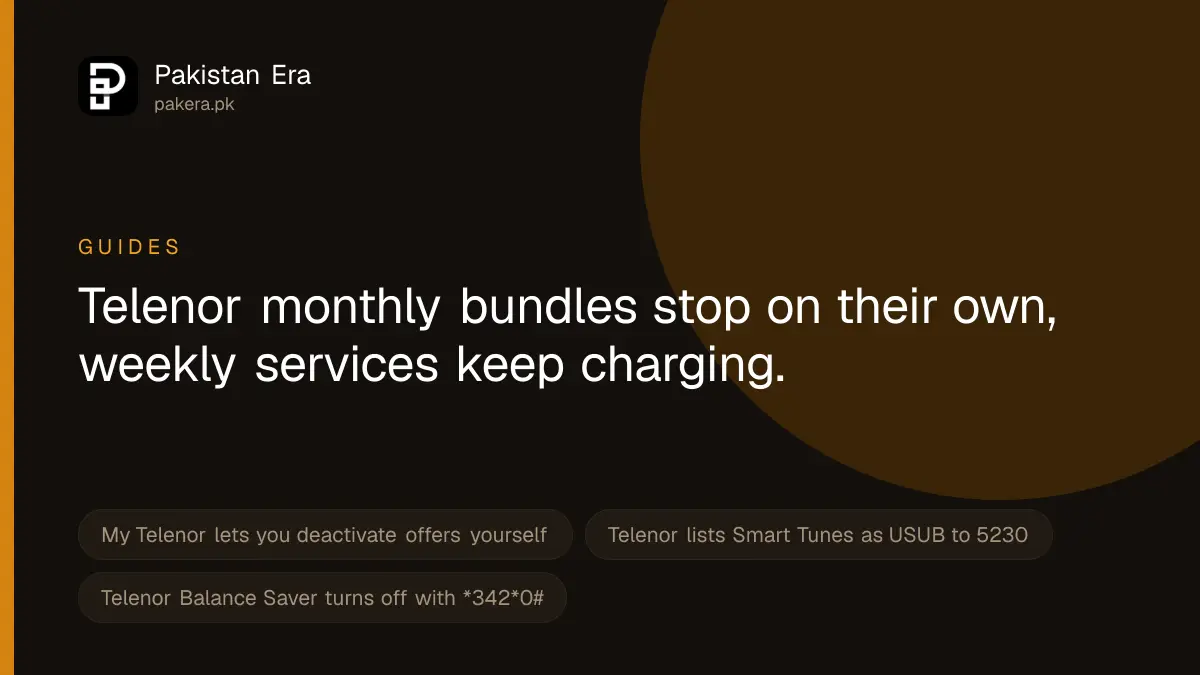
The quickest way to stop a Telenor package or service is the My Telenor app, which Telenor says lets you view, activate and deactivate your offers. Most paid add-on services also stop with an SMS: the unsubscribe word goes to the service's own short code, which is in the SMS you got when it started. If you cannot find it, call 345 and ask Telenor to list and remove your subscriptions.
Update, 10 October 2026: On Zong instead? We listed every Zong UNSUB code. See the Zong codes.
One thing surprised us when we read Telenor's own offer pages on 22 September 2026. The monthly internet bundles we checked all say they will not renew automatically. So if your balance keeps falling every week, a monthly bundle is usually not the cause. A weekly value added service is far more likely.
Find out what is active on your number first
You cannot cancel what you cannot see. Telenor's website shows a notice asking customers to view all subscribed services on their number at telenor.com.pk/dl/subscription and pick the option to unsubscribe. When we opened that link in a desktop browser on 22 September 2026, it returned "Page not found". It may only work from a phone, where it can open the app. So use one of these instead:
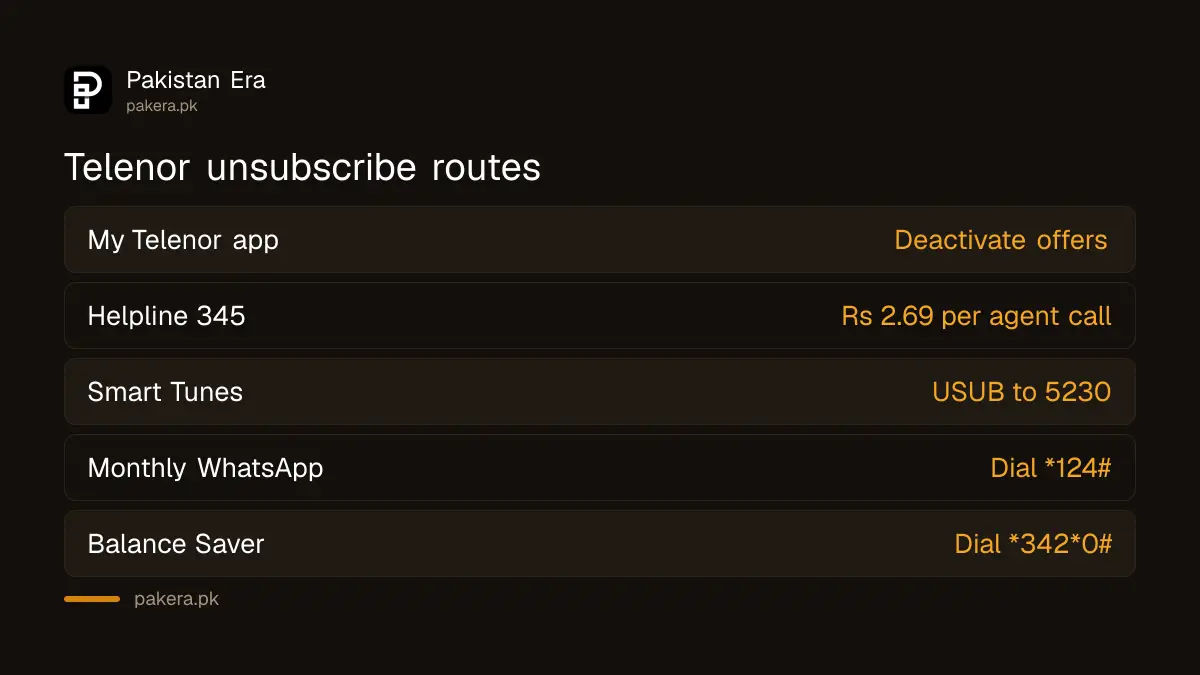
- My Telenor app. Sign in with your number. Your active offers are listed, and Telenor says you can deactivate them from there.
- Helpline 345. Ask the agent to read out every active bundle and value added service, and to remove the ones you do not want. Telenor's contact page says a call connected to an agent costs Rs 2.69 including tax.
- Your SMS inbox. Search for "subscribed" or "renew". Every paid service sends a message when it starts, and that message usually carries its stop code.
Services that renew every week, and how to stop them
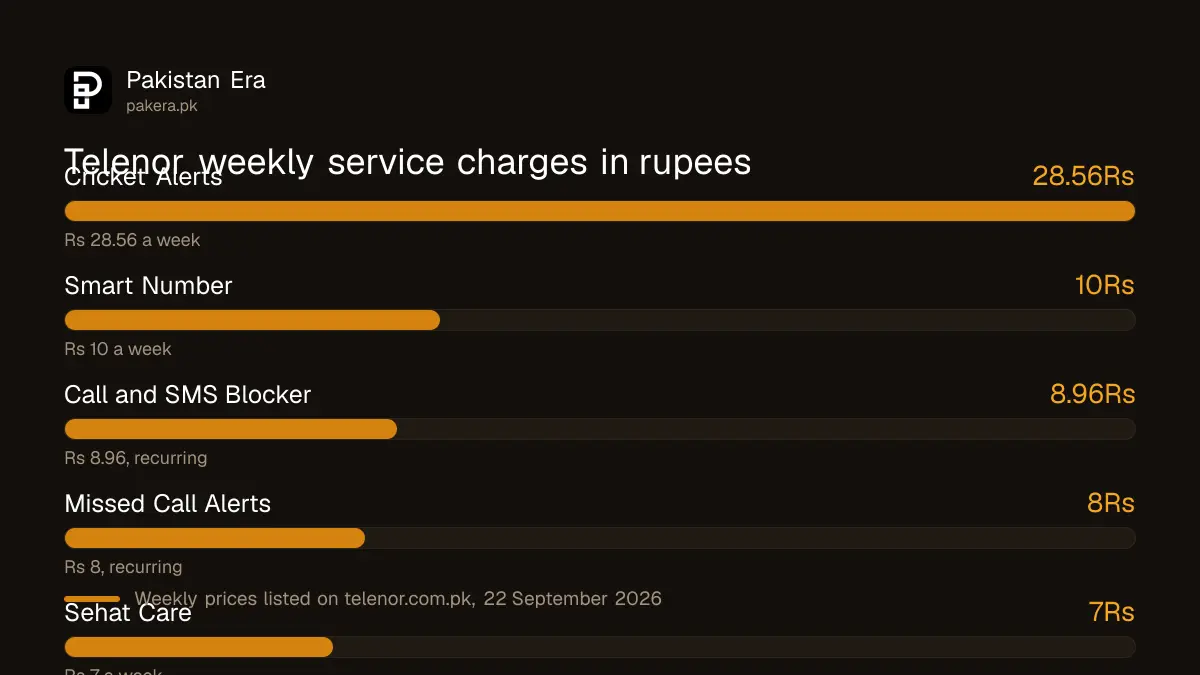
These are paid services listed on Telenor's own website when we searched it for "unsubscribe" on 22 September 2026. The weekly price is what Telenor shows. Several are marked "weekly recursive", which means they charge again each week until you stop them.
| Service | Price Telenor lists | How to stop it |
|---|---|---|
| Call and SMS Blocker | Rs 8.96 a week, recurring | App, 345, or the stop code in its SMS |
| Missed Call Alerts | Rs 8 a week, recurring | App, 345, or the stop code in its SMS |
| Smart Number | Rs 10 a week | App, 345, or the stop code in its SMS |
| Cricket Alerts | Rs 28.56 a week | App, 345, or the stop code in its SMS |
| Sehat Care | Rs 7 a week | App, 345, or the stop code in its SMS |
| Smart Tunes | Rs 100 listed | Send USUB to 5230 |
| Monthly WhatsApp Package | Monthly bundle | Dial *124# |
| Balance Saver | Free, or Rs 10 per the FAQ | Dial *342*0# |
The Smart Tunes, Monthly WhatsApp and Balance Saver codes are the only ones Telenor states outright on the pages we could read. Other services give their own short code in their FAQs, such as UNSUB to 5005 or UNSUB to 7046. Those codes belong to different services, so do not send them at random. Use the code for the service you actually have.
What happened to *345#
Some websites say that dialling *345# unsubscribes packages. We could not find that on any Telenor page. Telenor uses *345 codes to subscribe to offers, for example *345*189# for Monthly YouTube and Social. So *345# is best treated as the offers menu, not a cancel button. If you use it, read each screen before you press anything, or you may buy a bundle instead of stopping one.
How to confirm the unsubscribe worked
- Wait for the confirmation SMS. Save it.
- Open My Telenor again and check the offer is gone from your active list.
- Note your balance with *444#, which costs Rs 0.24 including tax.
- Check again after seven days. A weekly service that is still active will show up as another deduction.
If money is still going, the cause may be internet use outside a bundle rather than a subscription. Telenor's Balance Saver on *342# blocks that.
When a charge keeps coming back
- You stopped a bundle but not a service. Bundles and value added services are separate. Check both lists.
- You have two copies of a bundle. Telenor's offer pages allow multiple subscriptions of the same bundle. Each one needs to be checked.
- The offer was not active but balance was taken. Telenor's FAQ says to lodge a complaint in the My Telenor app or call 345.
Safety warning
Some services start from a single tap on an advert or a pop-up in a game. Do not tap "subscribe" or "confirm" boxes in apps you do not trust. Never dial a code a stranger gives you. A code that includes a phone number and an amount can send your balance away.
Where to escalate
Start with Telenor: call 345 from your Telenor number or 042-111-345-100 from another phone, or use the complaint option in My Telenor. Telenor's complaints procedure says you should get a unique complaint number and a likely time to fix it. Ask for a refund of any charge for a service you did not ask for. If Telenor does not resolve it, file with PTA, and quote the Telenor complaint number.
Telenor Pakistan is now part of the same company as Ufone after a merger reported as closing on 1 July 2026, but its codes, app and helpline still worked when we checked. If you want to add a new bundle after cleaning up, subscribe to a Telenor monthly package.
Common questions
What is the code to unsubscribe Telenor packages?
Telenor does not list one code for all packages. Use the My Telenor app, call 345, or send the stop word to the short code in the service's own SMS.
Do Telenor monthly bundles renew automatically?
The monthly offer pages we read on 22 September 2026 all say the bundle will not be renewed automatically.
How do I stop Smart Tunes on Telenor?
Telenor's FAQ says to send USUB to 5230.
How do I turn off Telenor Balance Saver?
Dial *342*0#, according to Telenor's Balance Saver page.
Why is my Telenor balance deducted every week?
Usually a weekly value added service is active. Check My Telenor or call 345 to find it, then stop it.
How we verified this
What we checked, where we read it, and what we could not confirm.
Last checked 22 September 2026. The app's deactivate feature is from telenor.com.pk/my-telenor-app. The subscription notice and the dl/subscription link are from Telenor's homepage notice; that link returned Page not found to us in a desktop browser. Weekly service prices are from Telenor's site search results for "unsubscribe". The USUB to 5230 code is from Telenor's Smart Tunes FAQ, *124# from its Monthly WhatsApp Package FAQ, and *342*0# from its Balance Saver page. The no automatic renewal terms are from Telenor's Monthly Extreme Plus, Monthly Ultimate, Monthly Prime, Monthly Extreme Pro Max and Monthly YouTube and Social pages. Complaint routes are from Telenor's Offer Related Issue FAQ, its contact page and its complaints procedure page. The merger date is reported by Developing Telecoms. We did not dial any code or send any SMS.
About the author

Tax, Bills and Technology Writer
Ali Akhtar is a young and curious voice here at Pakistan Era. He is currently pursuing his A-Levels and has a growing interest in Pakistan’s changing industrial landscape and educational trends. Ali likes to write in a way that helps him explain and explore the world around him. His writing reflects the perspective of the new generation navigating the evolving trends of Pakistan where technology, youth innovation, and shifting opportunities are reshaping the country’s future.