How to Issue a Credit or Debit Note for Punjab Sales Tax on Services: 90 Day Limit on PRA Iris
Service refund or return in Punjab? Add a credit note or debit note in PRA Iris and claim it in Annex I within 90 days. See who must start it and the steps.
Short answer: Add the note in PRA Iris under Invoice Management, with the original invoice's reference number, then claim it in Annexure I of your sales tax return within 90 days of the sale. If your buyer is registered, the buyer must start the process with a debit note.
A client cancels a booking. A customer returns a service and you give the money back. The tax you already declared on that sale was too high. The PRA's system lets you correct this with a credit note or a debit note, not by changing the old invoice.
We read the PRA Iris return manual and FAQs (2024 editions) on 14 October 2026. We did not log in, so check each screen name on your own account.
Know who raises a credit note and who raises a debit note
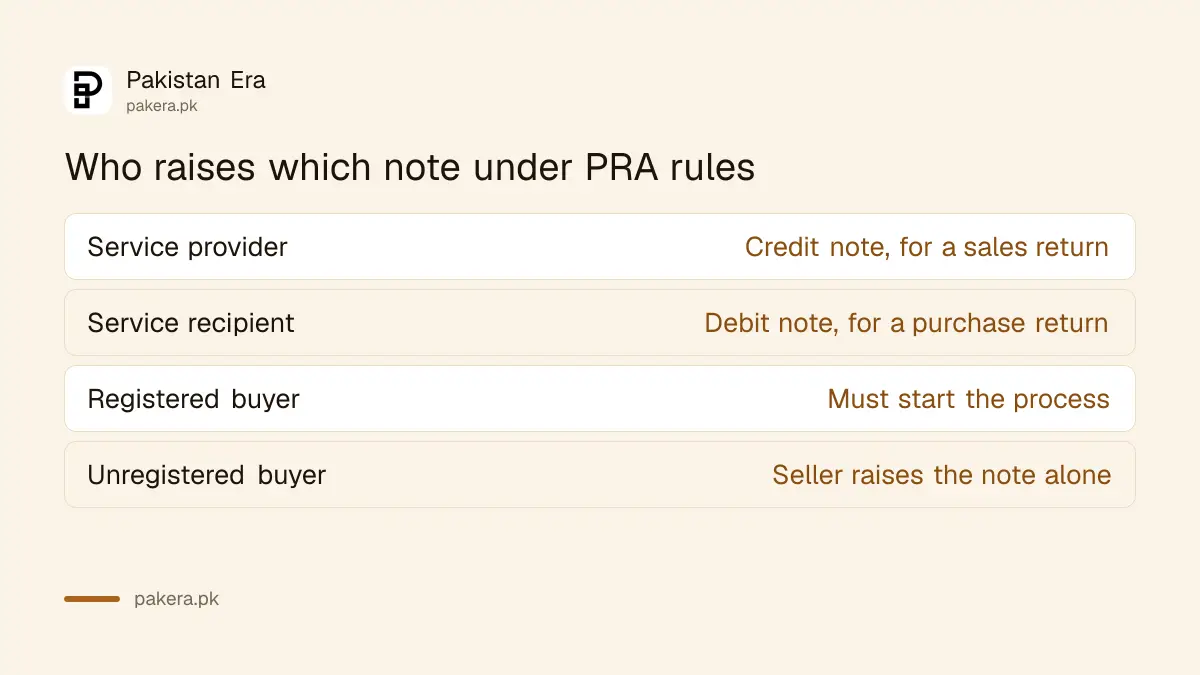
The PRA manual says credit notes are claimed mainly for sales returns by the service provider. Debit notes are claimed mainly for purchase returns by the service recipient. Both are claimed in Annexure I of the sales tax return.
The FAQ describes it the same way. A credit or debit note adjusts a sale or purchase that is already in a return. You load notes you entered earlier in Invoice Management into the annexure, so the invoice must exist first.
| Who you are | Note you raise | Where you claim it |
|---|---|---|
| Service provider | Credit note, for a sales return | Annexure I of your return |
| Service recipient | Debit note, for a purchase return | Annexure I of your return |
Count 90 days from the date of the sale
Notes must be claimed in Annexure I within 90 days from the date of sales, under the provisions of law, says the PRA manual. We did not read the Act itself, so rely on this wording and not on a longer period you hear from others.
Count the 90 days from the date on the original invoice, not from the day the customer complains. If you are close to the limit, add the note at once. Late claims may be refused, and we found nothing in the manual that allows an extension.
If you are late with the return itself, see how to revise or extend a PRA return. That is a separate matter from the 90 day limit on notes.
Registered buyers must start the process
When you sold to a registered person, you cannot get a credit note allowed in Annexure I unless your buyer claims the matching debit note in their return. So for registered buyers, the process starts with the service recipient.
Plan for this. Ask your registered customer to raise the debit note first, in their own account. Then raise your credit note against the same sale. If the customer is slow, the 90 day window keeps running.
The FAQ adds that sales to unregistered buyers are entered against the number 9999997, or with the buyer's name and CNIC. That matters when you later try to find the invoice to attach a note to.
Add a credit note step by step
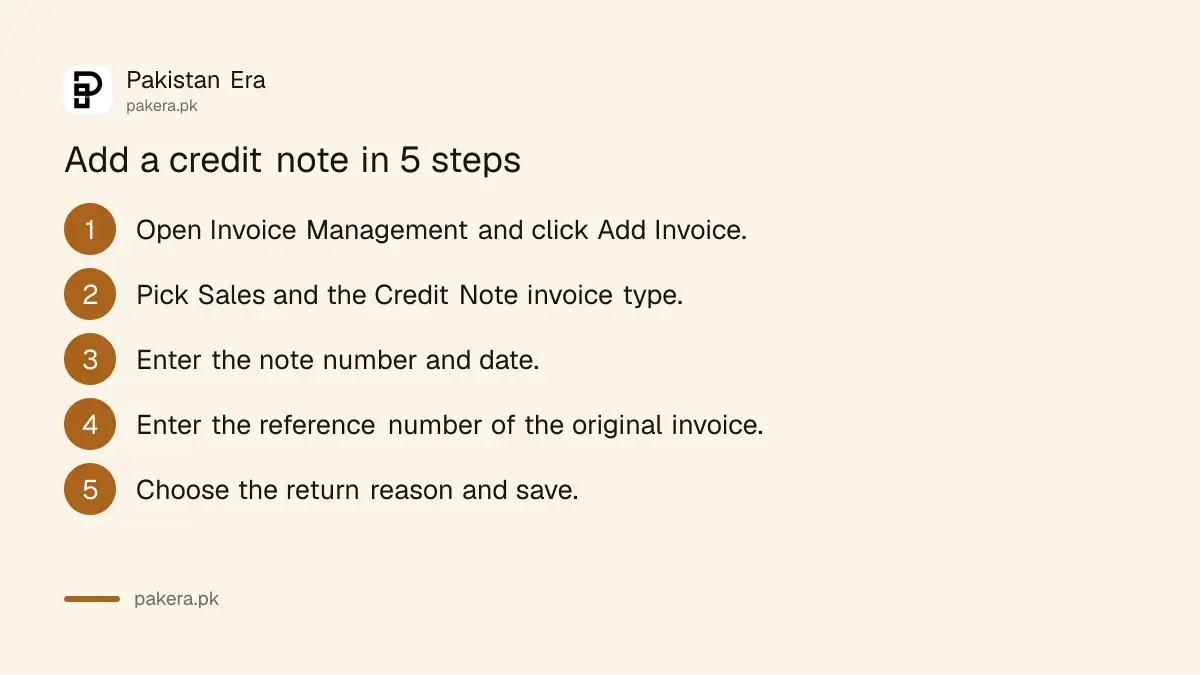
The PRA manual gives the steps for a credit note. Use the same path for a debit note, but choose Purchase instead of Sales and pick Debit Note as the invoice type. Both need a reason for the return.
- Click Invoice Management, then Add Invoice.
- Select Sales, then choose Credit Note as the invoice type.
- Enter the credit note number and date.
- Enter the system reference number of the sale invoice it relates to.
- Choose the reason for the sales return and type a remark.
- Save. The note appears in your invoice list.
Click the reference number in the list to see the original invoice. This lets you check you are attaching the note to the right sale.
Add a debit note as the buyer
As a buyer you select Purchase, choose Debit Note, give its number and date, and enter the reference number of the sales invoice you claimed as a purchase. Pick the reason for the debit note and write your remark. Save.
The reference number is allocated by the system, not by the seller. If your supplier did not enter the invoice on PRA Iris, you will have nothing to point to. In that case ask the supplier to enter it first.
Load the note in Annexure I and file
Open your monthly return and go to the Annexure I tab. Load the notes you saved. They then flow into the return. Verify with your PIN and submit as usual. The steps for a whole return are in filing a Punjab sales tax on services return.
The PRA also says invoices can be marked non-creditable, in full or in part, if the seller is registered. That is a different adjustment from a note. For the federal side, compare it with the FBR monthly sales tax return.
Common questions
How long do I have to claim a credit note?
The PRA manual says within 90 days from the date of sales. We did not read the Act text, so treat the manual as your guide and add notes early.
Where is a credit note claimed?
In Annexure I of the sales tax return. You must enter the note in Invoice Management first and then load it.
Who starts the process if my customer is registered?
Your customer does. A credit note to a registered buyer is not allowed unless the buyer claims the debit note in their return.
What do I need to enter on the note?
A note number and date, the system reference number of the original invoice, a reason for the return, and a remark.
Can I just edit the old invoice instead?
Not once it is declared in a return. The FAQ says notes are the way to adjust sales or purchases already declared, so use a note.
How we verified this
What we checked, where we read it, and what we could not confirm.
We read the PRA Iris sales tax return user manual and return FAQs, both 2024 editions, and the PRA homepage at pra.punjab.gov.pk on 14 October 2026. The PRA helpline on the homepage is 042-111-000-772. We could not confirm the Act text behind the 90 day period or the current screens, so confirm with the PRA before a deadline depends on it.
About the author

Global Affairs & Political Economy Writer
Muhammad Hatim is a book lover who started writing because he enjoys it. At Pakistan Era he writes about international relations, geopolitics and the global economy, with a particular interest in South Asia and the forces behind current events.