How to Revise or Extend a Punjab Sales Tax on Services Return on PRA Iris
Made a mistake in your Punjab sales tax on services return? Apply on PRA Iris under 35(6) for approval, then submit the draft. Also how to ask for more time.
Short answer: A submitted PRA return cannot be edited. To fix it, prepare a revised draft under 35(6), file the 35(6) application with that draft attached, wait for the tax officer's order, then open the draft and press Submit. A separate application asks for more time.
You filed your Punjab sales tax on services return and then found an error. Maybe an invoice was missed, or a figure was typed wrong. Do not try to file again from scratch. The PRA has a set route, and it starts with approval.
We read the PRA Iris return manual and FAQs (2024 editions) on 14 October 2026. We did not log in to the live portal, so check each screen name against what you see.
A submitted return is revised, never edited
The PRA FAQ says a sales tax return cannot be edited after it is submitted. It can be revised under the PRA's law and rules. The revised return goes through an approval step, so a correction takes more than a few clicks.
The FAQ says approval comes from the relevant Commissioner, and the manual says the relevant tax officer. In both, someone at the PRA must approve before you can submit. Until then your revised return stays as a draft in your account.
If the first return is not yet filed, none of this applies. Read how to file the return instead, and check it with care before you submit.
Prepare the revised draft first
You build the corrected return before you ask for approval. The officer needs to see exactly what you want to change. Make the draft complete, then save it.
- Click Sales Tax on the top menu, then Returns / Statements (Revised).
- Select 35(6) Revised Sales Tax Return.
- Click Period, enter the tax year, search and select the period.
- Edit the data where needed in the form that opens.
- Open the Verification tab, enter your PIN and press Verify PIN.
- Press Save. The draft now sits in your Draft folder.
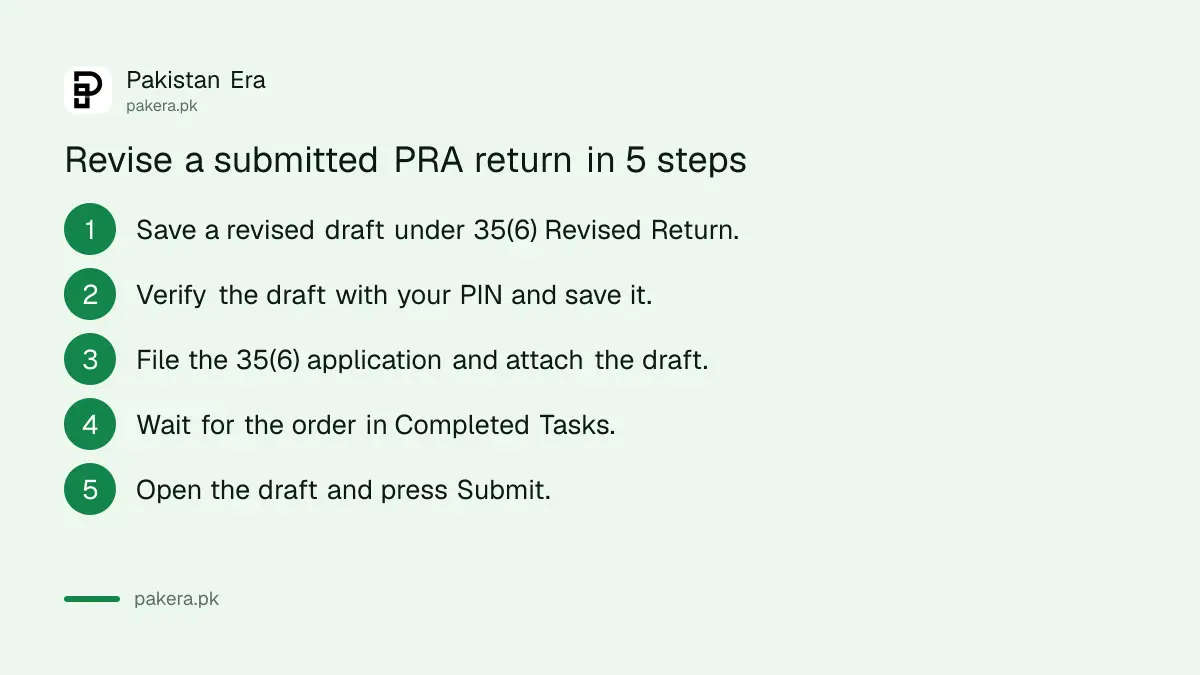
Do not press Submit at this stage. The system will not let a revised return go through until the application is approved.
File the application and attach the draft
Next, file the application under Sales Tax, then Revision Applications, then 35(6) Application to Revise Sales Tax Return. Choose the period, type your reasons in the Contents tab and link your saved draft in the Reference Notice/Order tab.
In the Contents tab explain what was wrong and what you changed. Use plain words and give figures. You can attach supporting papers with the plus icon in the Attachment tab. Then press Submit on the top menu, and Print to keep a copy of the application.
| Menu item | What it does |
|---|---|
| 35 (Monthly Sales Tax Return filed voluntarily) | Files the normal monthly return |
| 35(6) Revised Sales Tax Return | Builds and saves the corrected draft |
| 35(6) Application to Revise Sales Tax Return | Asks the officer to approve the draft |
| 35 (Application for Extension of Filing of Sales Tax Return) | Asks for more time to file |
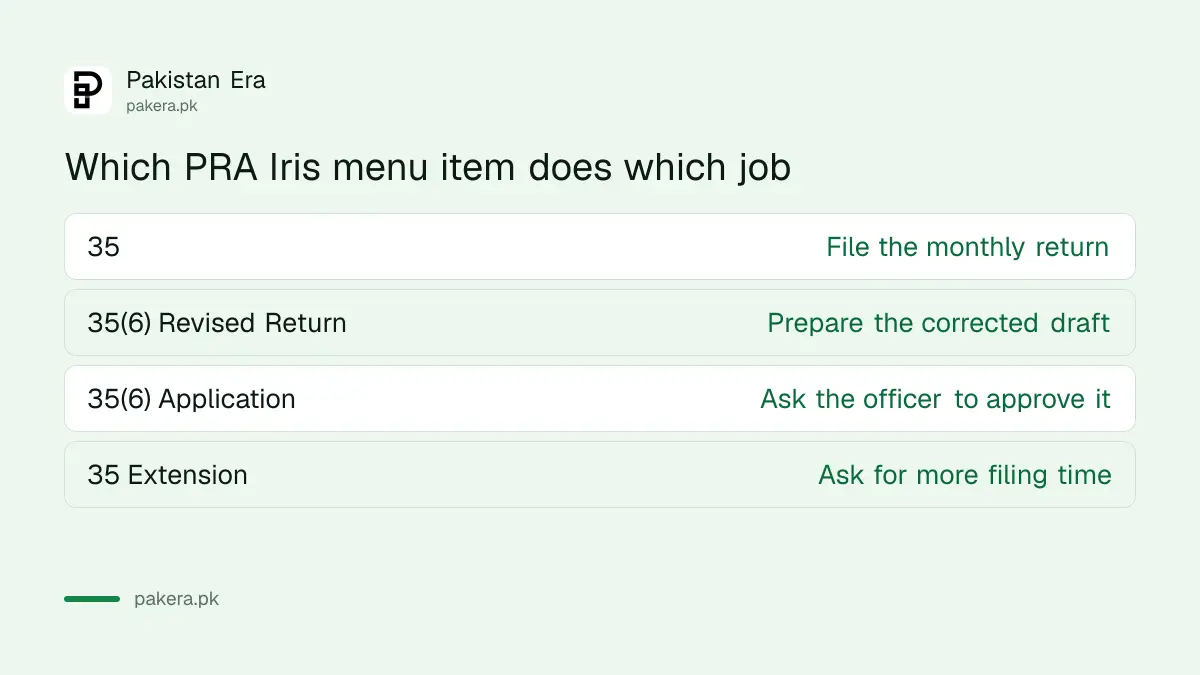
In the Reference Notice/Order tab, click the search icon. Your saved draft appears. Click Select and its details load into the tab.
Collect the order and submit the revised return
When the officer passes an order, it appears in your Completed Tasks folder. If it approves the revision, open the saved draft in your Draft folder, press Edit and then Submit. The system then shows that the return was submitted.
If the officer refuses, the order says so and your draft cannot be submitted. Read the order carefully. You may need to correct your reasons or add papers and apply again. We did not find an appeal route for this step in the manuals.
FBR income tax works differently, as shown in revising an income tax return. Do not copy those steps for a Punjab return.
Ask for more time before the filing date passes
If you cannot file on time, apply for an extension through PRA Iris. Under Sales Tax, Extension Applications, choose 35 (Application for Extension of Filing of Sales Tax Return). Select the period, type your reason, attach papers if you have them and press Submit.
Print the application for your file. The tax officer's order will appear in Completed Tasks. Do this before the due date, not after. We did not find the due date or the late penalty in the manuals, so we cannot say how much time you have.
For a comparison with the federal side, see how FBR handled a similar request in the August 2026 sales tax return extension. For FBR's late penalties, see late sales tax return penalties. Neither sets the PRA's rules for Punjab.
Common questions
Can I edit a PRA return after I submit it?
No. The PRA FAQ says a submitted sales tax return cannot be edited. You can only revise it, with approval, through the 35(6) route.
Who approves a revised return?
The FAQ says the relevant Commissioner approves it. The manual says the relevant tax officer. Either way, the order comes to your Completed Tasks folder.
Where do I find my draft revised return?
It is in your Draft folder after you verify with your PIN and press Save. After approval, open it, press Edit and then Submit.
Can I just file the return again?
Not once it is submitted. The FAQ says a submitted return can only be revised under the PRA's law and rules, so use the 35(6) route described here.
How do I ask for more time to file?
Use 35 (Application for Extension of Filing of Sales Tax Return) under Extension Applications. Give a reason, attach papers if you have them and submit before the date passes.
How we verified this
What we checked, where we read it, and what we could not confirm.
We read the PRA Iris sales tax return user manual (sections 4 and 5) and the return FAQs, both 2024 editions, and the PRA homepage at pra.punjab.gov.pk on 14 October 2026. The helpline on the homepage is 042-111-000-772. We could not confirm the time limit for revision, any penalty, or the current screens, and we did not log in, so confirm with the PRA.
About the author

Senior Writer, Public Services and Technology
Shahid joined us in 2024 as an author. He is a senior contributor to Pakistan's leading technology websites. He writes detailed articles, mostly covering his expertise in the latest tech, mobiles, apps, gadgets, and step-by-step guides. His ideology is to help people understand the latest trends and explain complex methods through very easy-to-understand guides.