How to Lend Your Android Phone Safely With App Pinning in Pakistan
Lend your Android phone in Pakistan without handing over your chats or wallet. Turn on app pinning, pin one app and unpin with your PIN. Steps explained simply.
Short answer: Open Settings, go to Security, then Advanced, then App pinning, and turn it on. Open the app you want to share, swipe up and hold, tap the app icon and tap Pin. The person can then use only that app. To unpin, you must enter your PIN, pattern or password.
A stranger at the bus stop asks to make one call. A cousin wants to look at one photo. A child wants a game. You say yes, and then you worry about your chats, your wallet app and your bank messages.
Android has a free tool for this. We read Google's help page on pinning and unpinning screens on 13 October 2026. We did not test it on a particular Samsung, Xiaomi or Infinix phone, where menu names can differ.
Turn on app pinning in Settings
Open Settings, tap Security or Security and location, then Advanced, then App pinning. Turn App pinning on. Google says that with it on, you need to enter your PIN, pattern or password before you can unpin the screen.
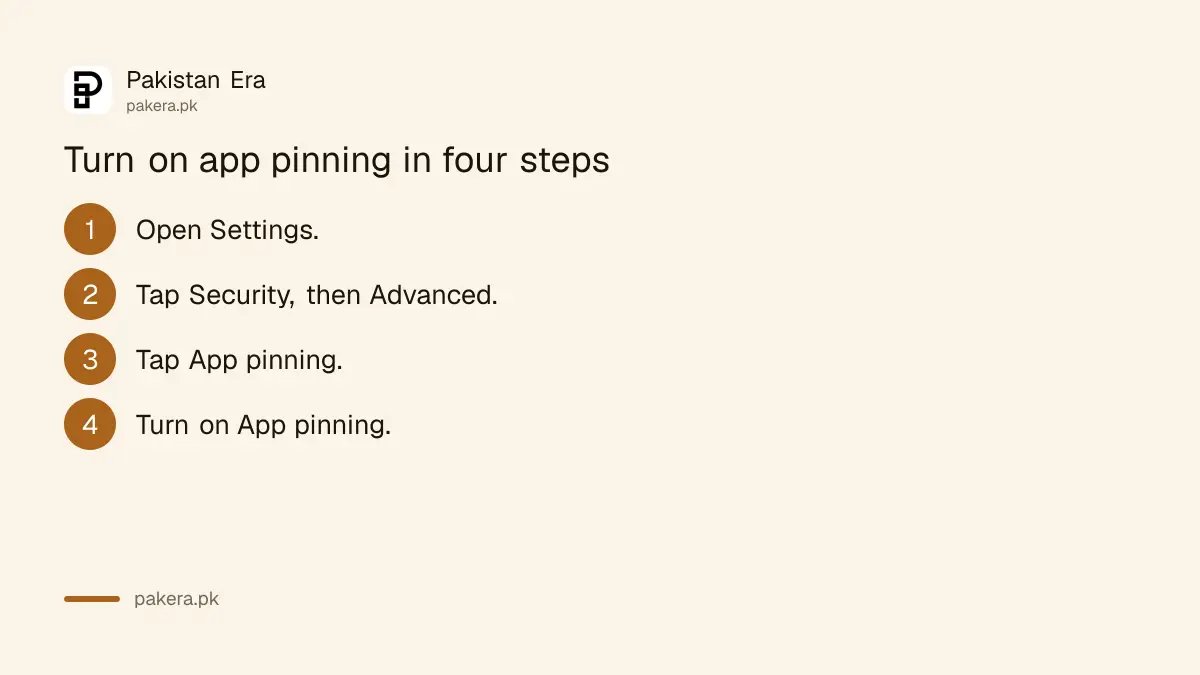
- Open your phone's Settings app.
- Tap Security, or Security and location.
- Tap Advanced, then App pinning.
- Turn on App pinning.
If you cannot find it, Google says to get help from your device maker. On some phones the option has another name, so try searching "pin" in Settings.
Pin the app before you hand over the phone
Go to the screen you want to share. Swipe up to the middle of the screen and hold, to open Overview. At the top of the image, tap the app's icon, then tap Pin. With 3-button navigation, tap Overview first. Google says some steps need Android 11 on a Pixel.
Choose the right screen first. If you pin the dialler, the person can only call. If you pin the camera, they can only take photos. Pin the one thing you agreed to share.
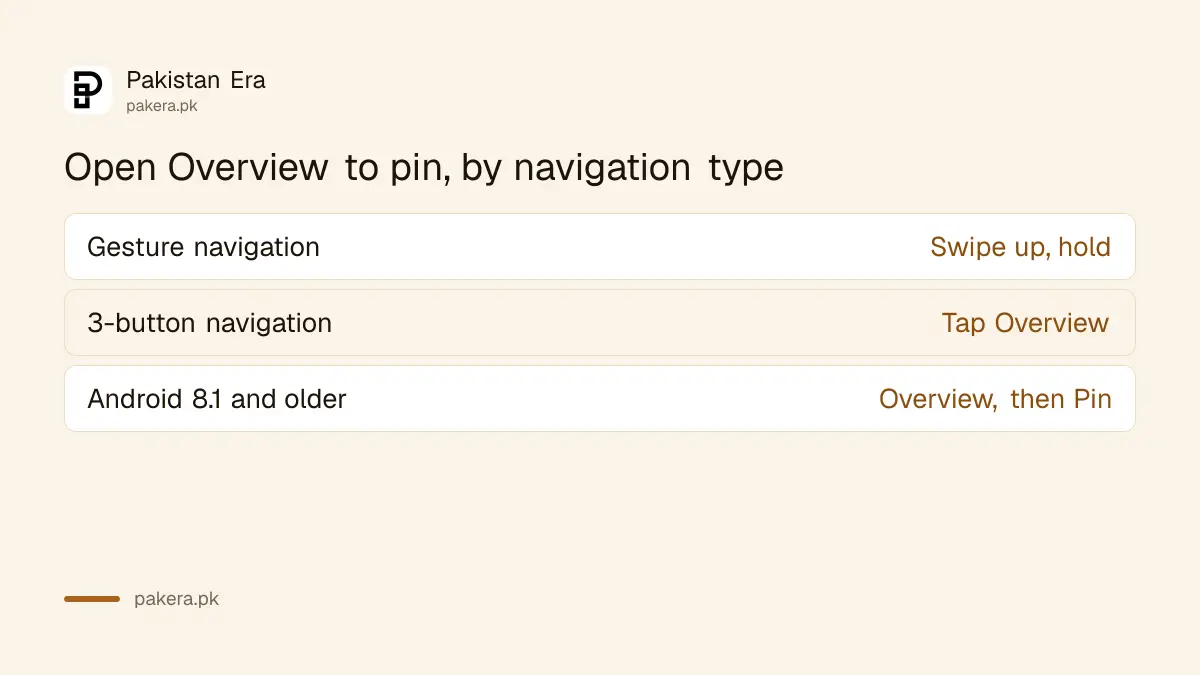
| Your navigation | How to open Overview |
|---|---|
| Gesture navigation | Swipe up to the middle of the screen and hold |
| 3-button navigation | Tap the Overview button |
| Android 8.1 and older | Tap Overview, swipe up, then tap the Pin icon |
Unpin the screen when you get the phone back
With gesture navigation, swipe up and hold. With 2-button navigation, touch and hold Back and Home. With 3-button navigation, touch and hold Back and Overview. If asked, enter your PIN, pattern or password. The phone then works normally again.
Practise once before you need it. Pin your calculator, then unpin it. It takes less than a minute, and you will not fumble in front of a stranger.
Keep your own lock on. Pinning does not replace a screen lock. If the phone has no PIN, the unpin step has nothing to ask for.
Know what pinning does not protect
Pinning limits what is on screen. It does not stop a person from running away with the phone, and it does not stop the app you pinned from showing its own content. Google describes it as keeping an app's screen in view until you unpin it.
Think about the app you pin. A browser may show your history. A photo app may show every picture in the gallery. If that bothers you, hide private apps instead, as our steps to hide sensitive apps with Private Space explain.
For a child who plays often, a daily limit is better than lending the phone each time. See how to set a screen time limit with Family Link.
Use a safer habit for payments and codes
Never unlock your phone and hand it over for a stranger to "send a message" or "make a payment". Scams often start with a request to use your phone. Make the call yourself on speaker, or dial the number and then hold the phone.
Never read out a code that arrives by SMS, even if the person says it is for a parcel or a bank. The page on fake courier calls asking for a code shows how that trick works.
If something feels wrong, say you cannot lend it. Nobody is owed your phone.
Common questions
What is app pinning on Android?
It keeps one app's screen in view until you unpin it. Google says you can pin an app and hand your phone to a friend, who can use only that app.
Where do I turn on app pinning?
Open Settings, tap Security or Security and location, then Advanced, then App pinning, and turn it on.
How do I unpin an app?
With gesture navigation, swipe up and hold. Enter your PIN, pattern or password if asked.
Do I need a PIN for unpinning?
Google says that when app pinning is on, you need to enter your PIN, pattern or password before you can unpin.
Which Android version do I need?
Google says that on a Pixel, some of the steps work only on Android 11 and up. Other makers may differ.
Can I find the setting on a Samsung or Xiaomi phone?
Likely, but the name may change. Google says to ask the device maker if you cannot find it. We did not test those brands.
How we verified this
What we checked, where we read it, and what we could not confirm.
Last checked on 13 October 2026, Pakistan time. We read Google's help page on pinning and unpinning screens. We did not test on a phone, so menu names on brands such as Samsung, Xiaomi, Vivo and Infinix may differ from the page.
About the author

Technology Journalist & Multimedia Producer
Ahmad Ali is a technology journalist and multimedia producer at Pakistan Era, joining the team in October 2026. He covers consumer technology and digital life for Pakistani readers, combining research with hands-on product testing.