Mobile Internet Not Working on Jazz, Zong, Ufone or Telenor? 6 Fixes in Order
Mobile internet not working in Pakistan? Check data SIM, remaining MBs (*102#, *706#, *999#), APN and 4G mode, then old SIMs, balance save and outages.
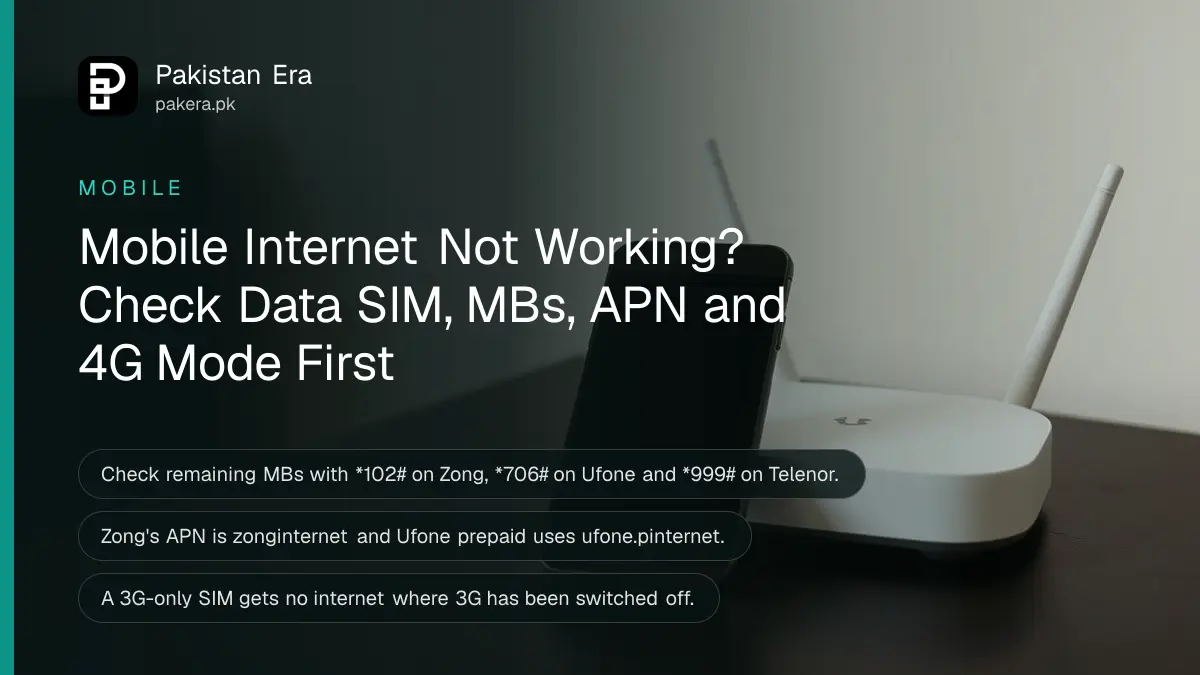
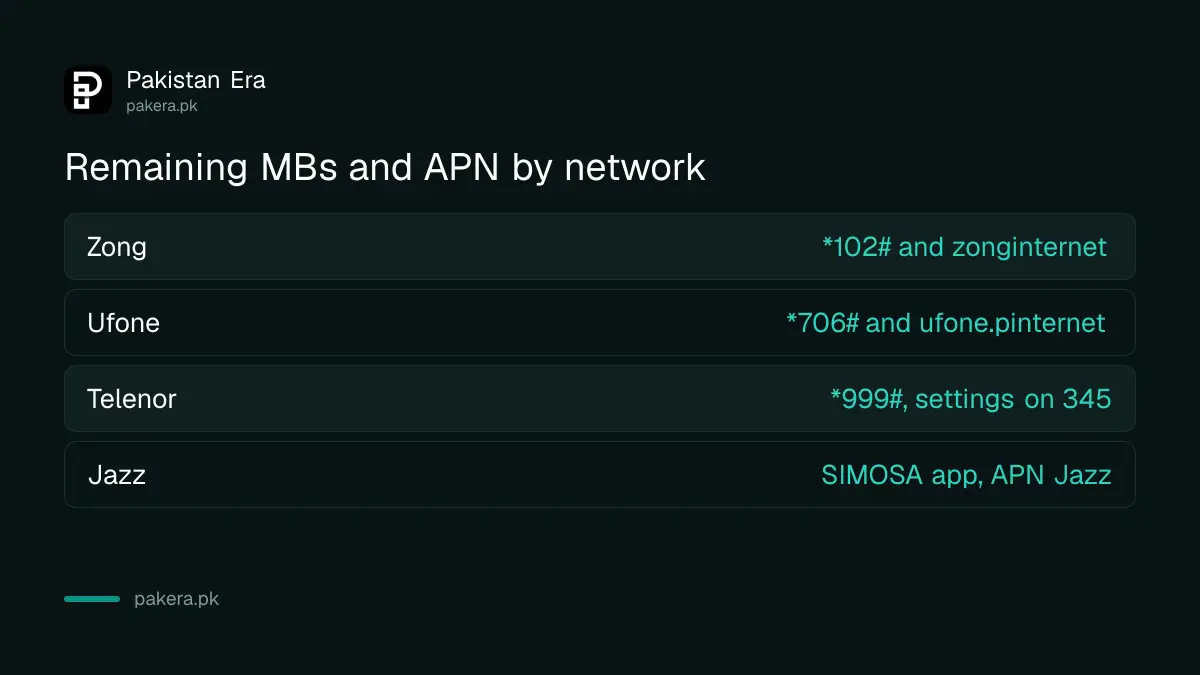
Mobile internet not working on Jazz, Zong, Ufone or Telenor? Do these four checks in order: turn mobile data on for the right SIM, check your remaining MBs (Zong *102#, Ufone *706#, Telenor *999#, Jazz on the SIMOSA app), set the correct APN, and switch the phone to 4G or LTE. Most cases are fixed by one of these in under five minutes, with no visit to a franchise.
If none of them works, the cause is usually an old 3G SIM, a balance save block after your bundle ended, or a fault in your area. Each one has its own fix below.
| Network | Check remaining MBs | Internet APN | Get settings by SMS or code |
|---|---|---|---|
| Jazz | SIMOSA app or WhatsApp 0300-3008000 | Jazz | *444*6*5# prepaid, or blank SMS to 7342 |
| Zong | *102# | zonginternet | SMS "all" to 2161, free |
| Ufone | *706# | ufone.pinternet (prepaid), Ufone.internet (Postpay) | Add it by hand |
| Telenor | *999# | Ask 345 for settings | Call 345 |
Start with mobile data and the right SIM
The most common cause is simple: mobile data is off, or the phone is using the other SIM for data. Turn mobile data on, pick the SIM with your bundle as the data SIM, and turn airplane mode on for ten seconds and off again.
- Pull down the quick settings and make sure Mobile data is on.
- On a dual SIM phone, open Settings, SIM manager or SIM cards, and set the data SIM to the one with your package.
- Check the signal bar. You should see 4G, LTE or 5G next to it. "E" or "H" means you are on 2G or 3G.
- Turn airplane mode on, wait 10 seconds, then turn it off.
- If the icon shows but pages do not load, restart the phone.
On an iPhone, the same switch is under Settings, Mobile Service (or Cellular), Mobile Data. On a dual SIM iPhone, pick the data line under Mobile Data as well.
Check whether your bundle has run out
When a data bundle ends, internet either stops or starts eating your balance at pay as you go rates. Check your remaining MBs first: *102# on Zong, *706# on Ufone and *999# on Telenor. Jazz shows it free on the SIMOSA app.
Two things catch people out here:
- Balance save is on. PTA lists free balance save codes that stop internet when a bundle finishes: Jazz *275#, Zong *4004#, Ufone *6611# and Telenor *342#. If you set one, the internet stops on purpose until you buy a new bundle. This is working as designed. See the balance save code for every network.
- Night or social bundles. Some bundles give data only at set hours or only for named apps. Outside those hours, or in other apps, they do not work.
Zong's own FAQ says a user with no bundle is charged a default rate of Rs 4 per MB, and Ufone's offer terms give Rs 2.75 plus tax per MB after a bundle is used up. A few minutes of video at those rates can empty a small balance.
Set the correct APN for your network
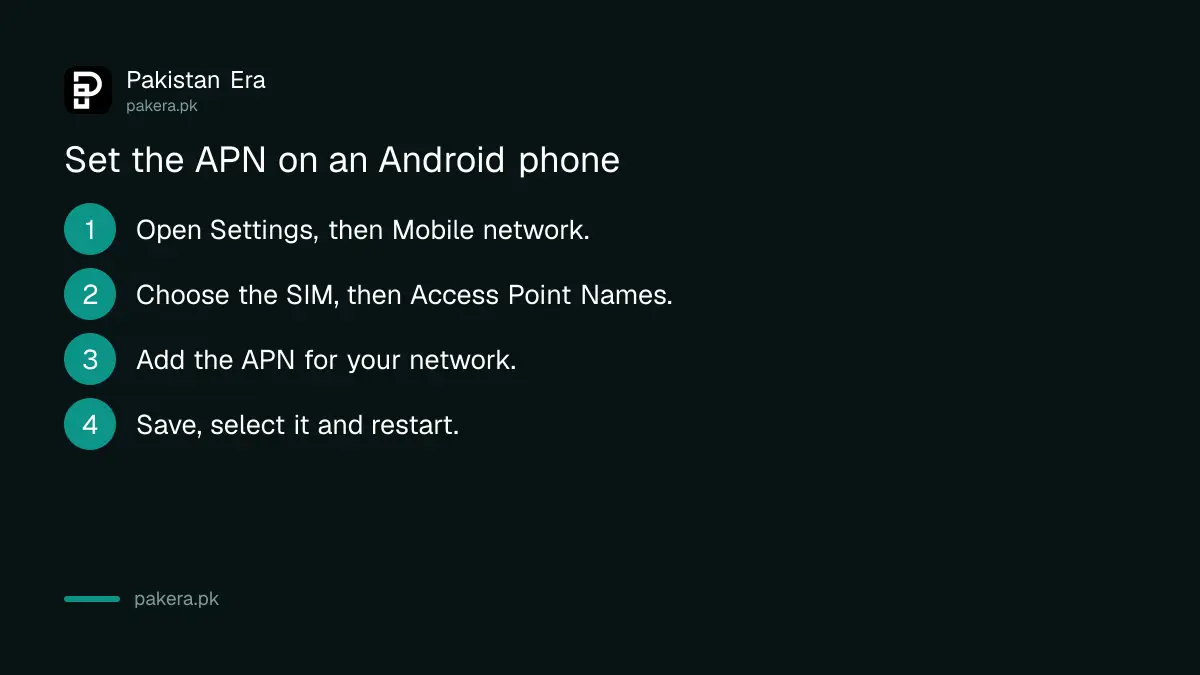
The APN (access point name) tells your phone how to reach the network's internet. A wrong APN shows the 4G sign but loads nothing. Zong uses zonginternet, Ufone uses ufone.pinternet on prepaid, and Jazz sends its settings when you dial *444*6*5#.
- Open Settings, then Mobile network or SIM and network.
- Choose the SIM, then Access Point Names.
- Tap + or Add, and type the APN for your network from the table above.
- Leave other fields as they are, save, and select the new APN.
- Restart the phone.
Full steps for each network are in Zong internet settings, Ufone internet settings and Jazz internet settings. On iPhone the APN sits under Mobile Data Network, and most iPhones set it on their own.
Switch to 4G and replace an old 3G SIM
PTA's 2025 annual report says Jazz has switched off 3G across Pakistan and Ufone is in the last phase of doing the same. A 3G-only SIM or phone then gets no internet at all. Set the phone to 4G or LTE; if 4G never appears, replace the SIM.
| What you see | Likely cause | Fix |
|---|---|---|
| 4G sign, nothing loads | Wrong APN or no bundle | Set APN, check MBs |
| Only E or H, very slow | Phone on 2G or 3G | Set network mode to 4G or LTE |
| 4G never appears | Old SIM or 3G phone | Replace SIM with CNIC at franchise |
| Internet stopped when bundle ended | Balance save is on | Buy a new bundle |
| Everyone nearby has no internet | Area outage or suspension | Wait, use Wi-Fi, complain if it lasts |
A SIM replacement keeps your number and balance, but needs your original CNIC and a fingerprint. The checks are set out in checking if your SIM is 4G. Ufone users can dial *4# to test the SIM.
When the fault is not on your phone
If other people on the same network nearby also have no internet, it is an outage or a government suspension, and no phone setting will fix it. Use Wi-Fi if you have it, and if the problem lasts, complain to the operator and then to PTA on 0800-55055.
During a suspension, calls and SMS usually still work. What still works when mobile internet is down covers payments and messaging on those days. If only your phone is affected and every step above has failed, resetting network settings clears stuck connections without deleting photos or apps.
When you complain, ask for a complaint number. Call 111 on Jazz prepaid, 310 on Zong, 333 on Ufone or 345 on Telenor. PTA asks for that number if you escalate.
Common questions
Why does my phone show 4G but the internet is not working?
The signal is fine but the data path is not. Check your remaining MBs, set the correct APN for your network, and restart. A balance save block after a finished bundle also looks exactly like this.
Why did my internet stop even though I have balance?
If you turned on balance save, internet stops when the bundle ends instead of using your balance. Buy a new bundle, or switch the blocker off with your network's code if you want pay as you go data.
How do I check remaining MBs on each network?
Zong *102#, Ufone *706# and Telenor *999#. Jazz shows remaining MBs free in the SIMOSA app or on WhatsApp at 0300-3008000.
Is my SIM too old for internet?
If the phone supports 4G, the network mode is set to 4G or LTE and you are in a 4G area, but the 4G sign never shows, the SIM is probably an old 2G or 3G one. Replace it at a franchise.
Internet works on Wi-Fi but not on mobile data. What is wrong?
The phone is fine; the problem is the SIM, bundle or APN. Work through the mobile data checks above in order, starting with the data SIM setting on dual SIM phones.
Who do I complain to if the operator does not fix it?
Complain to the operator first and keep the complaint number. If it is not fixed, call PTA free on 0800-55055 or file at complaint.pta.gov.pk.
How we verified this
What we checked and where we read it.
We read Zong's FAQs (bundle usage on *102# at 10 paisa plus tax, default rate of Rs 4 per MB) and Ufone's Super 5 offer terms (Rs 2.75 plus tax per MB after the offer volume) on 24 November 2026, along with Ufone's roaming troubleshooting page for its two APNs. The balance save codes are PTA's list from its advisory of 19 March 2026. The 3G shutdown status is from PTA's Annual Report 2025, and the Jazz, Zong and Telenor codes are those recorded from each operator's own pages in the linked guides. PTA's complaint portal is the escalation route.
About the author

Technology Journalist & Multimedia Producer
Ahmad Ali is a technology journalist and multimedia producer at Pakistan Era, joining the team in October 2026. He covers consumer technology and digital life for Pakistani readers, combining research with hands-on product testing.