Netflix Household Error in Pakistan: Fix "Your Device Isn't Part of the Netflix Household", TV Steps and the 4-Digit Code
Fix the Netflix message "Your device isn't part of the Netflix Household". Update it from your TV, use the 4-digit travel code, and see every limit and error.
If Netflix says "Your device isn't part of the Netflix Household for this account", connect the device to the same home Wi-Fi as your main TV, then update the household from that TV: Get Help or Settings, Manage Netflix Household, Update Netflix Household, and confirm the email link within 15 minutes. Away from home, choose I'm Traveling or Watch Temporarily and enter the 4-digit code Netflix sends to the account owner.
The message appears on TVs, phones and laptops, and it confuses families who split one account across two homes in different cities. Below are all the fixes in order, the code limits, what to do when no email arrives, and the honest answer for relatives who live elsewhere. We read Netflix's help pages on 28 October 2026.
Netflix ties an account to the Wi-Fi at your main home
Netflix defines a household as the devices connected to the internet at the main place where you watch. It sets this from your TV using IP address, device IDs and account activity, not GPS. A device on a different connection can be blocked until you verify it.
Netflix also says it may link only one Wi-Fi network to a household. If your home has two connections, say a fibre line and a backup wireless device, update the household from the one your TV uses most.
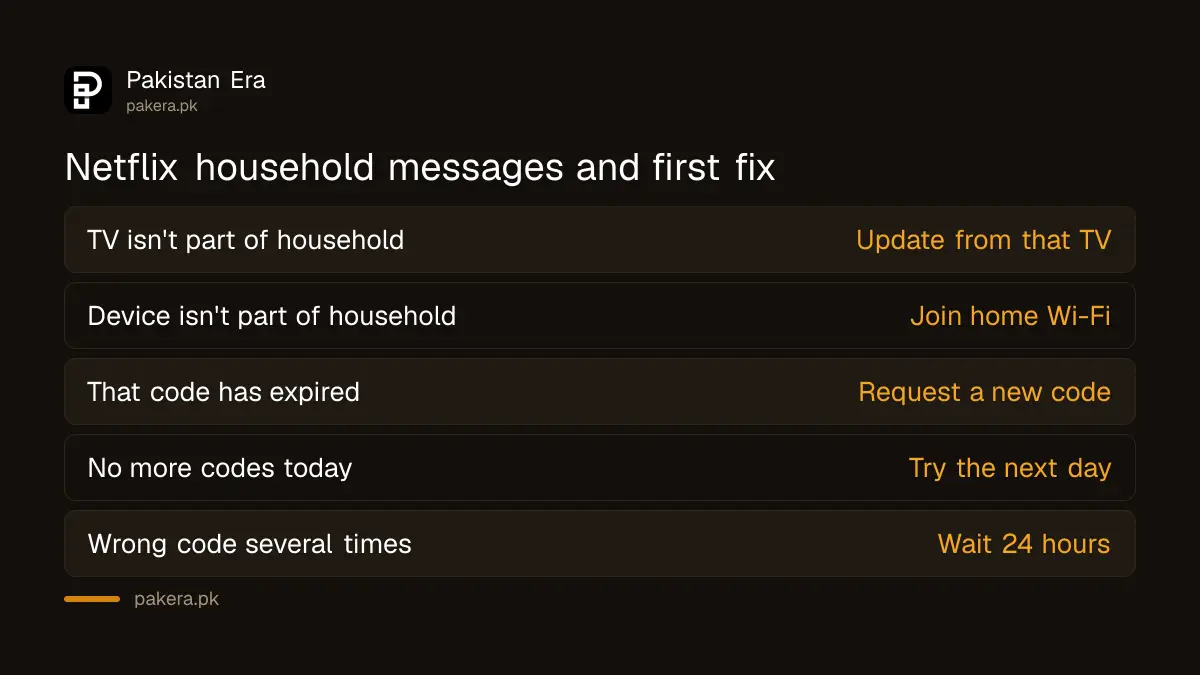
| Message you see | What it means | First fix |
|---|---|---|
| Your TV isn't part of the Netflix Household for this account | The TV is not on the household connection | Update Netflix Household from that TV |
| Your device isn't part of the Netflix Household for this account | A phone or laptop is outside the household | Join home Wi-Fi, then reopen Netflix |
| This device isn't part of your Netflix Household | Same check on another screen | Use Watch Temporarily or update from the TV |
| That code has expired | The 4-digit code is older than 15 minutes | Request a new code |
| You can't request any more codes today | The device hit its daily limit | Try again the next day |
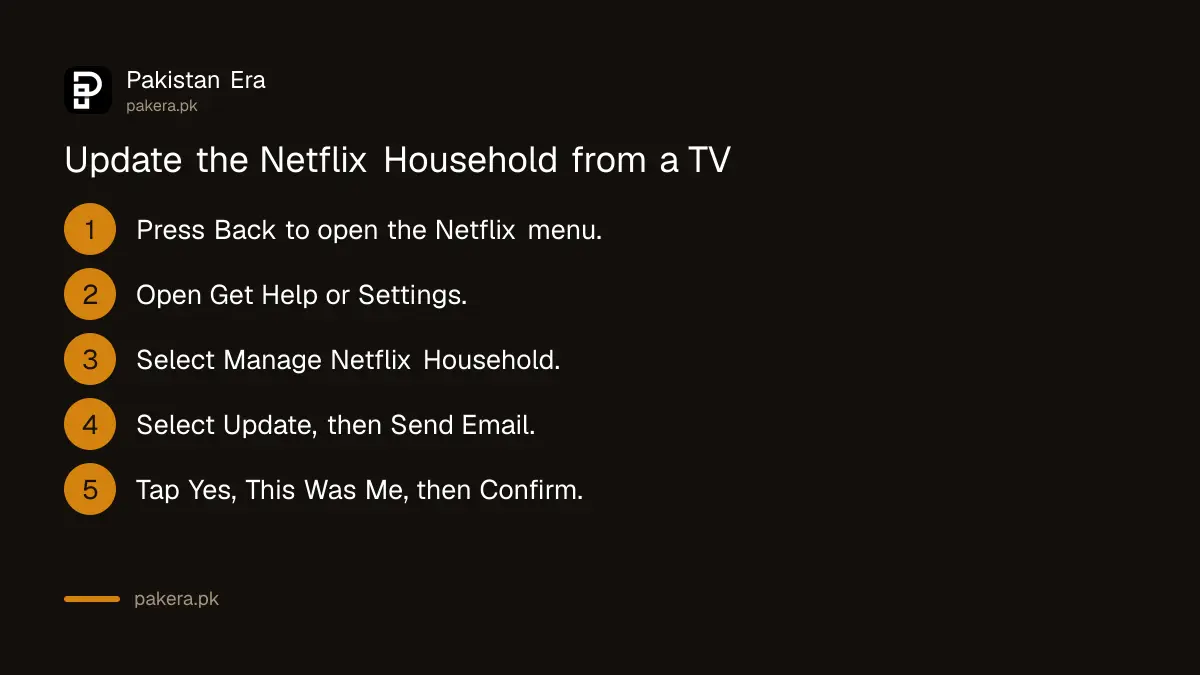
Update the Netflix Household from your TV in 7 steps
On the main TV, press Back on the remote to open the menu, go to Get Help or Settings, pick Manage Netflix Household, then Update Netflix Household and Send Email. Open the email, tap "Yes, This Was Me" and Confirm Update within 15 minutes.
- On the Netflix home screen, press the Back button on your remote to open the menu. On Apple TV, press Menu.
- Go to your profile icon or the bottom of the menu, then choose Get Help or Settings.
- Select Manage Netflix Household. If it is missing, use a different TV.
- Select Update Netflix Household.
- Select Send Email. If the account has no email, choose Send Text.
- In the email, select "Yes, This Was Me", then Confirm Update.
- Wait for the confirmation email. The TV refreshes on its own.
The verification link expires after 15 minutes. If it does not arrive, use Resend Email from the TV and check your spam and promotions folders. Netflix says the whole process takes about 8 minutes.
Phones and laptops need the home Wi-Fi once, not every day
Netflix says a phone or computer should be on the same Wi-Fi as a household TV. If the error stays, update the household from the TV and then restart the app or refresh the page. Opening Netflix on home Wi-Fi at least once a month prevents most interruptions.
That monthly check-in is the step people forget. A student who takes a laptop to a hostel in Lahore and does not come home for six weeks may hit the block on the first night back at university. Opening Netflix on the family Wi-Fi before leaving is enough.
Mobile data is a different connection from your home line, so it does not count. Switch Wi-Fi on at home and open Netflix, which is what Netflix asks for.
Away from home, a 4-digit code unlocks Netflix for a while
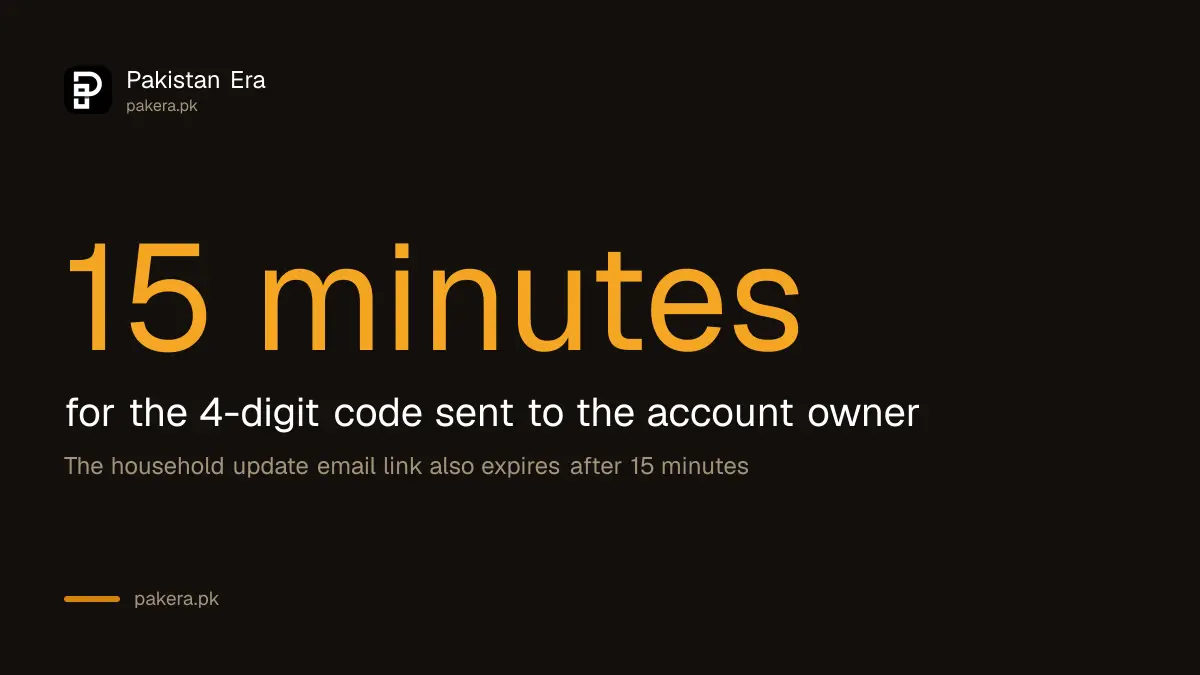
When travelling, pick I'm Traveling on a TV or Watch Temporarily on a phone or laptop. Netflix sends a 4-digit code to the account owner's email or phone. Enter it on the device within 15 minutes. Several wrong codes block that device for 24 hours.
- Code expired: codes last 15 minutes. Request a new one.
- Wrong code too many times: the device is blocked for 24 hours.
- No more code requests: each device has a daily limit. When the I'm Traveling option disappears, the TV has reached it.
- Kids profile: use a non-Kids profile to request a code.
If the code goes to a parent's email and you are in another city, a quick WhatsApp to them solves it. Netflix says to share codes only with people in your household, and never with someone who messages you out of nowhere asking for a Netflix code.
When the steps fail, sign out of devices you do not recognise
Netflix says another device on the account, such as one left signed in at a hotel, can stop the update working. Sign out of unrecognised devices on the account's access page, or choose Sign out of All Devices, then repeat the TV steps.
Netflix's Troubleshoot this TV option is another route. Choose it on the TV, scan the QR code with a phone on home Wi-Fi, tap Next and Get Code, then scan the new code and pick Start Watching. On Apple TV this option is missing, so use the mobile check-in or update the household instead.
If your Netflix account email is wrong or old, fix it first. Netflix sends every household and code message there, and an invalid email blocks the update. Change it in the account settings on a web browser before you try again.
Relatives in another city need their own Netflix account
Netflix says you may not share an account outside your household, and people who are not in it must create their own. Its extra member add-on, which some countries offer, was listed as unavailable in Pakistan when we checked Netflix's Pakistan pages.
So a cousin in Karachi on a Lahore family's account will keep hitting this screen. The cheapest legal fix is the Rs 250 Mobile plan, the lowest of the four Netflix plan prices in Pakistan. If you would rather stop paying altogether, the steps to cancel Netflix stop the next charge.
Common questions
Why does Netflix say my device is not part of the household?
Netflix could not link that device to the Wi-Fi at the account's main home. Join that Wi-Fi or update the household from the TV.
How long does the Netflix temporary code last?
15 minutes. After that, Netflix shows "That code has expired" and you request a new one.
Can I use Netflix on mobile data away from home?
Yes, if the phone has been on home Wi-Fi recently. Netflix recommends opening it on home Wi-Fi at least once a month.
Who gets the Netflix household code?
The account owner, by email, or by text if the account has no email.
Can I pay for an extra member in Pakistan?
No. Netflix's Pakistan help pages listed the extra member feature as unavailable when we checked.
What if I entered the wrong code several times?
Netflix blocks that device for 24 hours. Wait, then request a fresh code.
How we verified this
What we checked, where we read it, and what we could not confirm.
Last checked 28 October 2026. We read Netflix's help pages Your TV or device isn't part of the Netflix Household (messages, codes, limits, troubleshooting), How to update a Netflix Household (TV steps, 15-minute link, one Wi-Fi network), What is a Netflix Household and Sharing your Netflix account on 28 October 2026, and the Pakistan plans and pricing page the same day, which still lists Rs 250 to Rs 1,100. The extra member status for Pakistan comes from our Pakistan-selected read of Netflix's Extra Members page on 28 September 2026. Netflix does not publish the daily code limit per device, so we could not state a number. We did not trigger the block on a test account.
About the author

Technology Journalist & Multimedia Producer
Ahmad Ali is a technology journalist and multimedia producer at Pakistan Era, joining the team in October 2026. He covers consumer technology and digital life for Pakistani readers, combining research with hands-on product testing.