PTCL Wi-Fi Router and Extender Price in Pakistan: 4 Devices From Rs 4,875
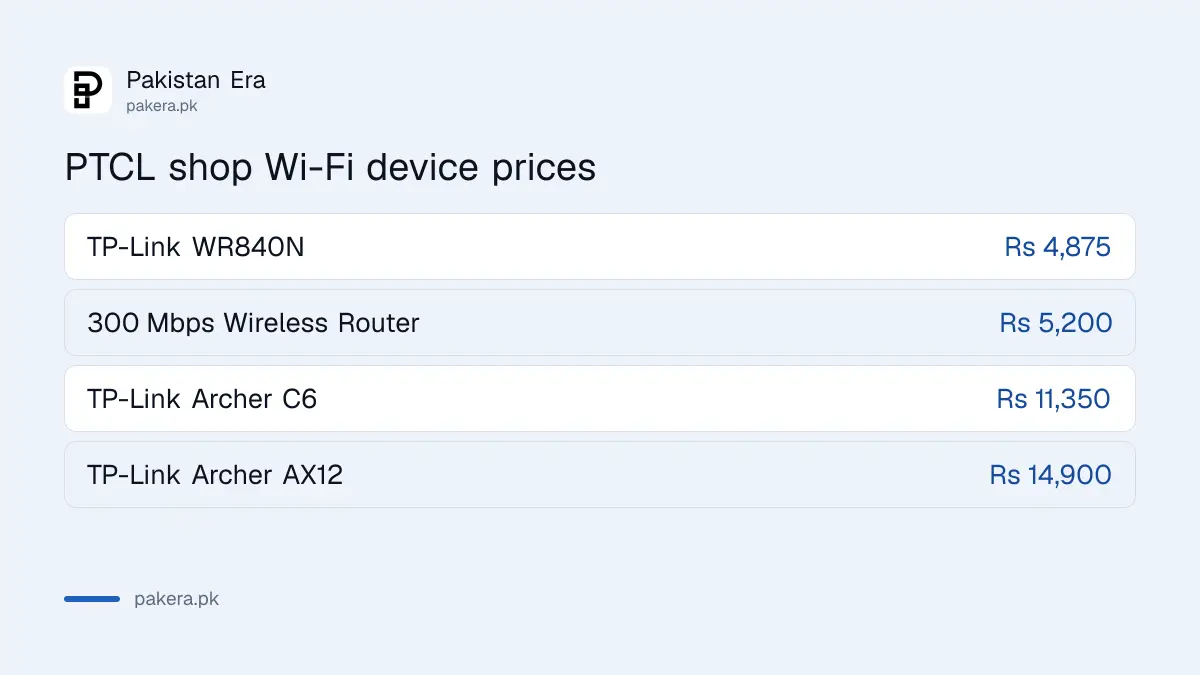
PTCL's shop sells 4 Wi-Fi devices: TP-Link WR840N Rs 4,875, a 300 Mbps router Rs 5,200, Archer C6 Rs 11,350 and Archer AX12 Rs 14,900. Specs, tips and a catch.
PTCL's online shop sells four Wi-Fi devices for home internet: a 300 Mbps dual-band router for Rs 5,200, the TP-Link WR840N for Rs 4,875, the TP-Link Archer C6 for Rs 11,350 and the TP-Link Archer AX12 (Wi-Fi 6) for Rs 14,900. PTCL says the TP-Link models work with any broadband provider. Before you buy one, try moving your router: PTCL's own guide says placement fixes many weak signals.
We went through PTCL's shop, ptcl.com.pk/Shop/Category/Devices, and its "Extend your Wi-Fi" page on 12 November 2026. The shop lists the routers next to curtain motors, an air purifier and landline phones, so the Wi-Fi devices are easy to miss. Below is each one with its price and what the listing says, plus a mismatch in the listings you should know about.
PTCL lists 4 Wi-Fi devices from Rs 4,875
These are the prices on PTCL's Devices page on 12 November 2026. Each has a "Buy Now" button. We did not add any to the cart or go to checkout.
| Device | PTCL price | Wi-Fi | Best for |
|---|---|---|---|
| TP-Link WR840N | Rs 4,875 | 2.4 GHz only, up to 300 Mbps | Small flat, slow connection |
| 300 Mbps Wireless Router | Rs 5,200 | Dual band, Wi-Fi 5, 2.4 GHz 300 Mbps and 5 GHz 867 Mbps | Up to 40 devices, fibre up to about 100 Mbps |
| TP-Link Archer C6 | Rs 11,350 | Dual band, up to 1,200 Mbps, mesh supported | Larger house, more rooms |
| TP-Link Archer AX12 | Rs 14,900 | Dual band Wi-Fi 6, up to 1,500 Mbps | Many phones and TVs at once |
The "Best for" column is our own reading of the specifications, not PTCL's wording. PTCL does not show a picture of each model that we could reuse here, so this page has no product photos.
Each device, and what PTCL's listing says
TP-Link WR840N, Rs 4,875
The cheapest option. PTCL lists it as single band up to 300 Mbps, with 1 WAN and 3 LAN ports and 2 external antennas. Single band means 2.4 GHz only. That reaches through walls well but is slower and crowded in apartment blocks. On a 50 Mbps or faster fibre line it will hold you back.
300 Mbps Wireless Router, Rs 5,200
PTCL does not name the brand in the listing. It lists band steering, MU-MIMO, smart QoS, Alexa support and parental control, with up to 40 connected devices. The ports are 2 x 100 Mbps, so a wired device cannot go above 100 Mbps. Over Wi-Fi, PTCL lists 300 Mbps on 2.4 GHz and 867 Mbps on 5 GHz.
TP-Link Archer C6, Rs 11,350
Dual band up to 1,200 Mbps, with gigabit WAN and LAN ports, 4 external antennas and mesh support. Mesh means you can link it with other mesh units to cover a large house as one network. This is the one to look at for a two storey house.
TP-Link Archer AX12, Rs 14,900
The only Wi-Fi 6 device in the shop. Dual band up to 1,500 Mbps, gigabit ports and 4 external antennas. Wi-Fi 6 handles many devices at once better, but only phones and laptops that support Wi-Fi 6 get the full benefit.
The listings call three routers "wall-plugged" extenders
This confused us, so check it before you pay. PTCL's listings for the WR840N, Archer C6 and Archer AX12 all say "Extends the Wi-Fi range (Wall-Plugged)". A wall-plugged extender is normally a small unit that plugs straight into a socket.
But the same listings give a WAN port, three LAN ports and two or four external antennas. Those are the specifications of a desk router, not a plug-in extender. A router can extend your Wi-Fi if you set it up as an access point with a cable from your main router. It will not do it by just plugging into a wall.
So ask PTCL on 1218 how the device will be set up in your home before you order. If you want one network across the house, the Archer C6, which PTCL lists as mesh supported, is the clearer choice.
Try PTCL's free placement steps first
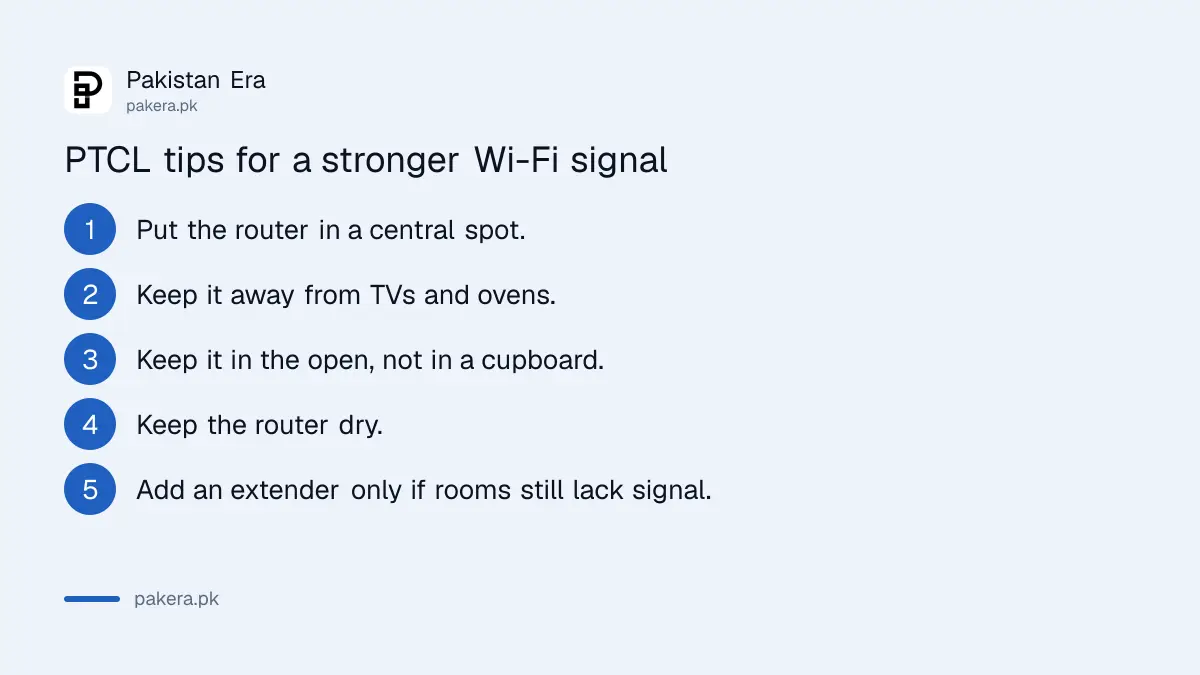
PTCL's "Extend your Wi-Fi" page says Wi-Fi signals suffer from other appliances. It recommends these steps before you buy an extender:
- Put the router in a central spot, so the signal can reach every room.
- Keep it away from TVs, ovens and other electronics that give off waves.
- Keep it in the open, away from windows. Do not put it inside a cupboard or under a shelf.
- Keep the router and its cables dry.
- If some rooms still have no signal, then use an extender.
One more check before you pay. If you still have an old wired PTCL modem with no Wi-Fi, PTCL's Smart Spot page says it gives a free Wi-Fi modem on all new installations, and a free wired modem to Smart Spot conversion on 4 Mbps and faster connections. Ask on 1218 whether you qualify before you buy a router.
PTCL says its extenders "are provided by our partners to you on a discounted rate". The page did not say how big the discount is. More tips on placement are in our Wi-Fi router placement guide.
After you buy: change the password and check speed
A new router comes with a default Wi-Fi name and password printed on it. Change both on day one. Our guides cover changing the PTCL Wi-Fi password and the TP-Link router login at 192.168.0.1.
Buying a router outside PTCL's shop is fine, but it should be PTA type approved. Our page on checking a router is PTA approved explains how. If speed is still low after the upgrade, the problem may be the line, not the Wi-Fi. Complain on 1218, as in our PTCL complaint guide.
Frequently asked questions
What is the price of a Wi-Fi router on PTCL's shop?
From Rs 4,875 for the TP-Link WR840N to Rs 14,900 for the TP-Link Archer AX12, as listed on 12 November 2026.
Does PTCL sell Wi-Fi extenders?
PTCL's Devices page lists three TP-Link models as range extenders and says partners provide extenders at a discount. Their specifications describe routers, so ask PTCL how they will be set up.
Do PTCL's TP-Link routers work with other internet providers?
Yes. PTCL's listings say they work with all broadband providers.
Which PTCL router supports mesh?
The TP-Link Archer C6, at Rs 11,350, is the one PTCL lists as mesh supported.
Which PTCL router has Wi-Fi 6?
The TP-Link Archer AX12, Rs 14,900, dual band up to 1,500 Mbps.
How do I fix weak PTCL Wi-Fi without buying anything?
Move the router to a central, open spot away from TVs, ovens and cupboards, as PTCL's own guide recommends.
Sources
PTCL, Shop, Devices and Extend your Wi-Fi, both read on 12 November 2026.
About the author

Technology Journalist & Multimedia Producer
Ahmad Ali is a technology journalist and multimedia producer at Pakistan Era, joining the team in October 2026. He covers consumer technology and digital life for Pakistani readers, combining research with hands-on product testing.