Remove Your Phone Number and Address From Google Search in Pakistan, Free
Your mobile number, home address or CNIC showing on Google? Ask Google to remove the result for free. The exact steps in Pakistan, and what Google refuses.
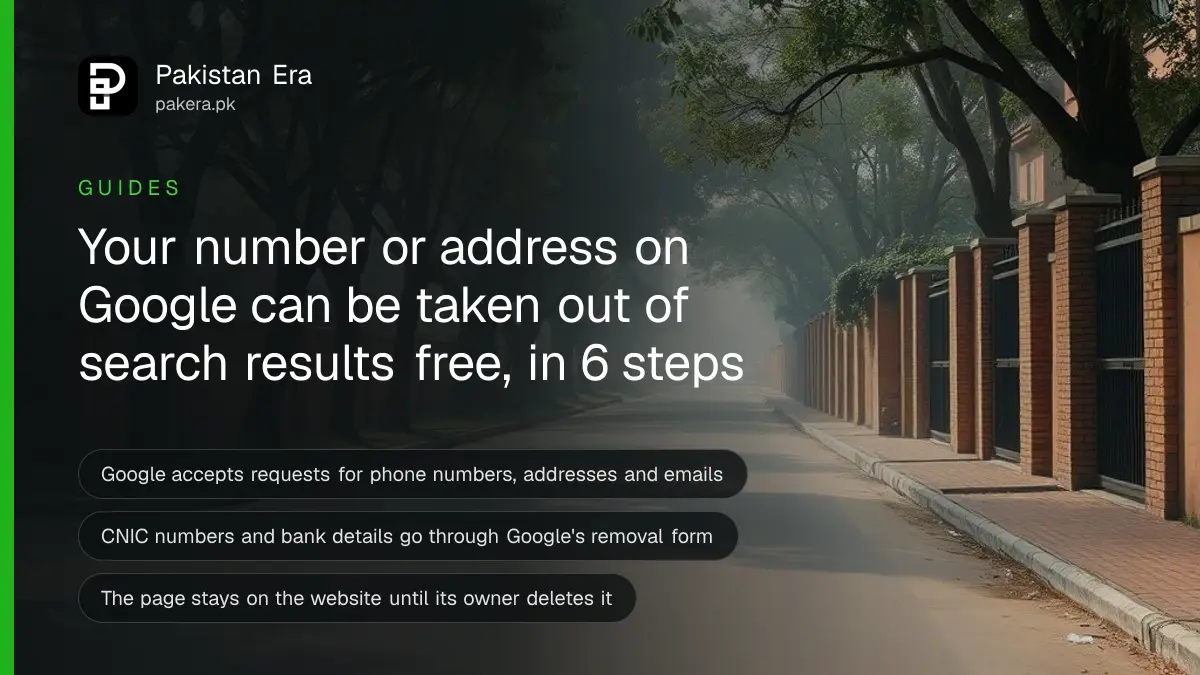
You can ask Google to remove a search result that shows your phone number, home address or email. Search your name on Google, tap the three dots next to the result, choose Remove result, then "It shows my personal info". Google also accepts requests for CNIC numbers, bank account numbers and pictures of your signature through its removal form. It is free.
Plenty of Pakistanis find their mobile number on a random directory page, or their home address on an old classified ad. That number then gets spam calls, fake prize offers and worse. Google cannot delete the page itself, but it can stop the page appearing in its search results.
We read Google's two help pages on personal information removal on 9 October 2026: the page for "Results about you" and the page titled "Remove my private info from Google Search". Everything below follows those pages. We did not file a removal request ourselves.
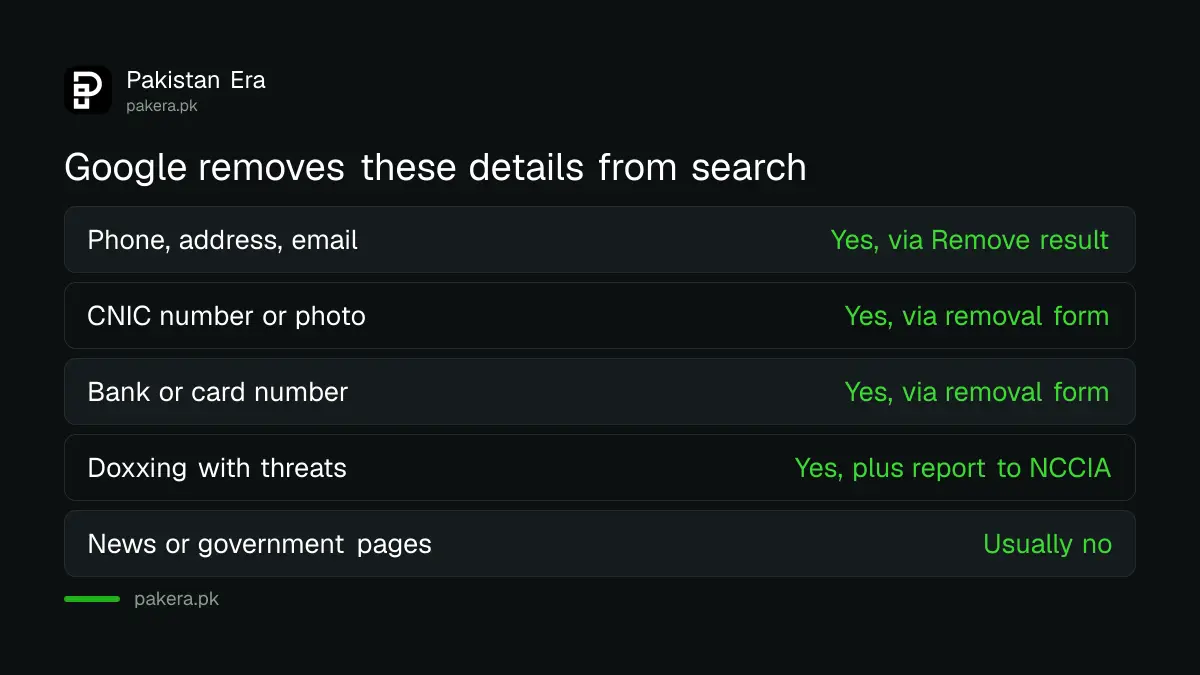
Google removes contact details, ID numbers and bank details from search
Google's policy covers your phone number, home address and email, plus confidential ID numbers, bank or card numbers, pictures of your signature or ID, medical records and passwords. For a Pakistani reader, a CNIC number fits Google's "resident ID card number" category.
Google also removes doxxing content. Doxxing means someone has shared your private information to harm you. Google accepts these reports when the page pairs your details with threats, or collects a large amount of your personal information with no real purpose.
| What shows up | Can you ask Google to remove it? | Best route |
|---|---|---|
| Your mobile number or home address | Yes | Remove result button or Results about you |
| Your personal email | Yes | Remove result button or Results about you |
| CNIC number or a photo of your CNIC | Yes | Google's removal request form |
| Bank account or card number | Yes | Google's removal request form |
| Details with threats against you | Yes, as doxxing | Removal request form, plus a police or NCCIA report |
| Your details on a government or news site | Usually no | Contact the site owner |
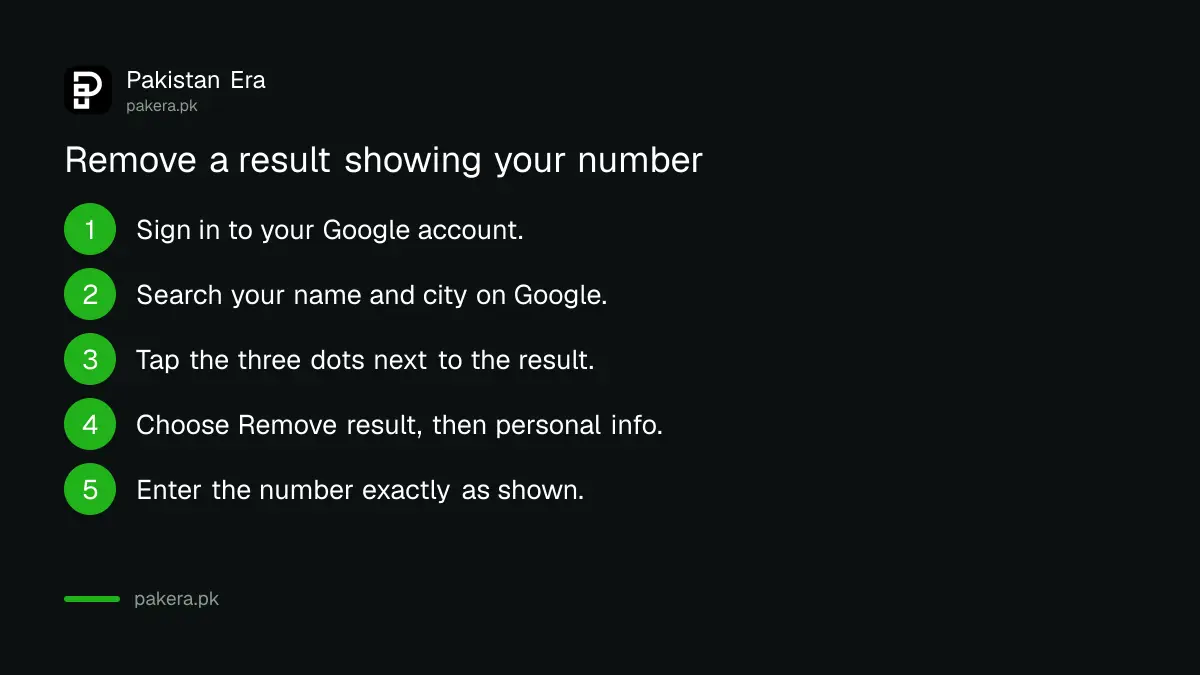
How to remove a result straight from Google Search
The quickest route needs only your Google account. Search your name, open the menu beside the result, pick Remove result, and say it shows your personal info. Google emails you a confirmation within a few hours and updates you on the decision.
- Sign in to your Google account on a phone or computer.
- Search your name on Google. Add your city, such as "Lahore", or your street to find address pages.
- Next to the result, tap the three dots to open "About this result".
- Choose Remove result, then "It shows my personal info and I don't want it there", then Contact info.
- Type your number or address exactly as it appears on that page, then submit.
- Tap "I'm done" and wait for Google's confirmation email.
Copy the details exactly. If the page shows your old address, enter the old address. If it shows a nickname, enter the nickname. Google checks your request against what the page actually says, so a mismatch slows things down. One type of contact info is enough for one URL; you do not need separate requests for your phone and your address on the same page.
Results about you can watch for new pages
Results about you is a Google dashboard that scans search results for your name with your phone, address or email, and can alert you when new ones appear. Google says some of its features are still rolling out in certain markets and only for adults.
Open it from the Google app by tapping your profile picture, or go to myactivity.google.com/results-about-you on a browser. Enter your name and the details you want to track. You can add more than one phone number, address or email, which helps if you have changed SIMs or moved house.
Found results sit in a "To review" tab. Each has a Request to remove option. If you see no remove option, the page is probably from a government body, a school or a news site, which Google treats as valuable to the public. Google's help page does not list which countries have the full dashboard, so if it does not open for you, the search result route above still works.
Your mobile number often leaks through caller ID apps too, not just websites. Learning how to remove your number from Truecaller closes one of the biggest sources.
Use Google's removal form for CNIC, bank and doxxing cases
For anything beyond contact details, use Google's detailed removal request form. You give the exact page URLs and screenshots. Use it also when you are reporting for someone else, a child under 18, or when you do not want to sign in.
Google says only the URLs you list are reviewed, so collect every link first. Take screenshots on the same device you will use to file. You can crop out other people's information.
If the page threatens you or a person is blackmailing you, do not stop at Google. Removal from search does not stop the person behind it. File a complaint as well, following the steps to report a cybercrime to the NCCIA, Pakistan's National Cyber Crime Investigation Agency. Where private photos are involved, follow the separate route to report online blackmail with private photos.
What happens after Google approves your request
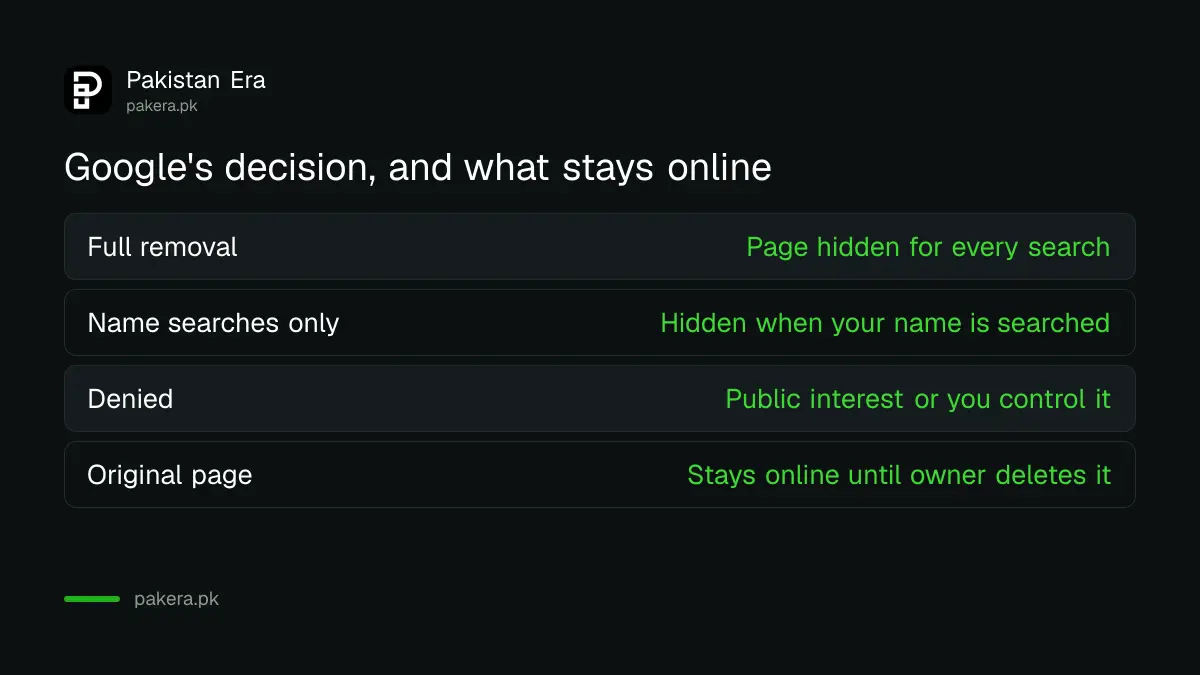
Google either hides the page for every search, or only for searches that include your name. The second is called a query-based removal. Either way the page still exists on the website, so ask the site owner to delete it too.
Google uses the partial option when the page also has public-interest content or other people's details. Approved removals can take a little time to disappear from results. You can track each request as In progress, Approved, Denied or Undone on the Results about you page.
Your details remain on the original website until its owner deletes them, and other search engines may still show the page. Message the site owner through its contact page. Google also publishes advice on contacting site owners.
Requests Google usually refuses
Google will not remove details you can delete yourself, such as your own Facebook page or blog. It also keeps pages from government bodies, schools and news sites in most cases, and it will not remove business contact details unless they were posted to harm you.
So if your number is on your own Instagram bio, edit the bio. If your shop's phone appears on a business listing you control, change the listing. Google is the last step, not the first.
A quick privacy clean-up on your phone helps too. Running WhatsApp's privacy checkup and silencing unknown callers cuts the spam that often follows a leaked number.
Common questions
Is it free to ask Google to remove my phone number?
Yes. Google charges nothing for removal requests. Anyone who asks you to pay to "remove you from Google" is selling a service you can do yourself in a few minutes.
How long does Google take to decide?
Google sends a confirmation email within a few hours of filing. Its help page gives no fixed time for the decision itself. Track the status on the Results about you page.
Can I remove my CNIC number from Google?
Yes. Google's policy covers confidential government ID numbers and pictures of your ID. Use the detailed removal request form and list every URL that shows it.
Will the page be deleted from the internet?
No. Google only removes it from Google Search results. The website keeps the page until its owner deletes it, so contact the owner as well.
Can I file for my child or a family member?
Yes, a representative can file. For someone under 18, Google points you to the detailed removal request form rather than Results about you.
How we verified this
What we checked, where we read it, and what we could not confirm.
Last checked 9 October 2026. Sources: Google Search Help, Find and remove personal info in Google Search results; Google Search Help, Remove my private info from Google Search. Menu labels can change; follow the wording Google shows you.
About the author

Founder and Editor
Umer Kureshi founded Pakistan Era in July 2024 and runs it as administrator, SEO lead and writer, overseeing website operations, search growth, content strategy and coverage of technology and current affairs.