How to Remove Your Number From Truecaller in Pakistan
Remove your number from Truecaller in Pakistan: deactivate in Privacy Center, unlist at truecaller.com/unlisting, and know what unlisting does and does not do.
To remove your number from Truecaller, first deactivate your account in the app under Settings, then Privacy Center, if you have one. Then open truecaller.com/unlisting, enter your number with +92 and confirm. Truecaller says removal can take up to 24 hours, and unlisting cannot be reversed.
Update, 11 October 2026: Google lets you remove your phone number and address from Search results too.
When a stranger searches your number on Truecaller, the app may show a name for it, and it is not always one you chose. Removing a number from Truecaller is free and takes a few minutes. But it has limits, and Truecaller's own pages spell them out.
We read Truecaller's unlisting page and its support articles on deactivating, unlisting, spam labels and customer care on 30 September 2026. We did not unlist a number ourselves. We also noticed that truecaller.com did not open on our office broadband connection that day, so we read it through a reader service. If it will not open for you, try another connection.
Unlisting stops your number showing up in Truecaller search
Unlisting removes your number from Truecaller's searchable directory, so people who search your number should no longer see your name. Truecaller says it cannot be reversed, and you lose caller ID, spam protection, one-tap sign-in and Call Reason on your own phone.
Truecaller lists exactly what you give up on the unlisting page:
- Unlisting cannot be reversed.
- People will not know it is you when you call.
- No spam protection and no caller identification.
- No one-tap sign-in on other apps that use Truecaller.
- No Call Reason, the note that tells you why someone is calling.
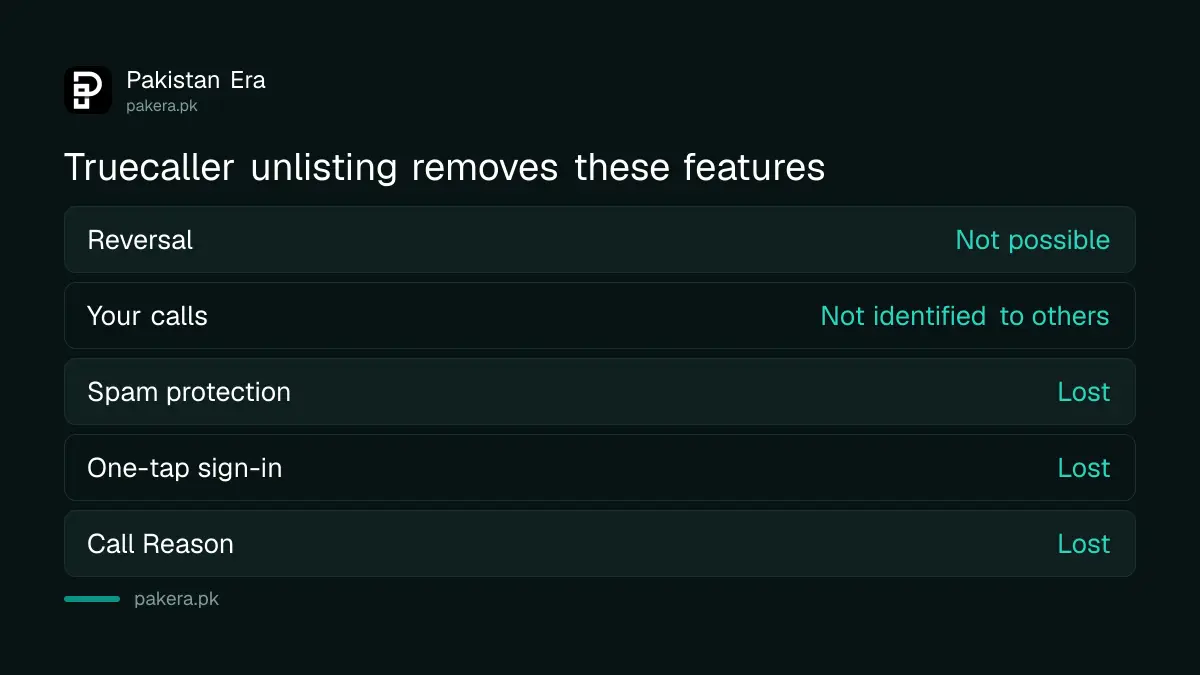
That is a fair trade for some people and a poor one for others. If your only problem is a wrong or embarrassing name, the unlisting page itself points out that you can change the name Truecaller shows instead. That keeps your spam protection.
How to remove your number from Truecaller in Pakistan
If you use the Truecaller app, deactivate your account in Privacy Center first. Then go to truecaller.com/unlisting, enter your number and confirm. If you never installed Truecaller, you can go straight to the unlisting page. Allow up to 24 hours.
- On Android, tap the profile icon, then Settings, then Privacy Center, and choose Deactivate.
- On iPhone, tap the profile picture at the top left, then Settings, then Privacy Center, and choose Deactivate.
- Open truecaller.com/unlisting in a browser.
- Tap "No, I want to unlist", then enter your number in international form, starting +92.
- Confirm, and wait up to 24 hours for the number to be removed.
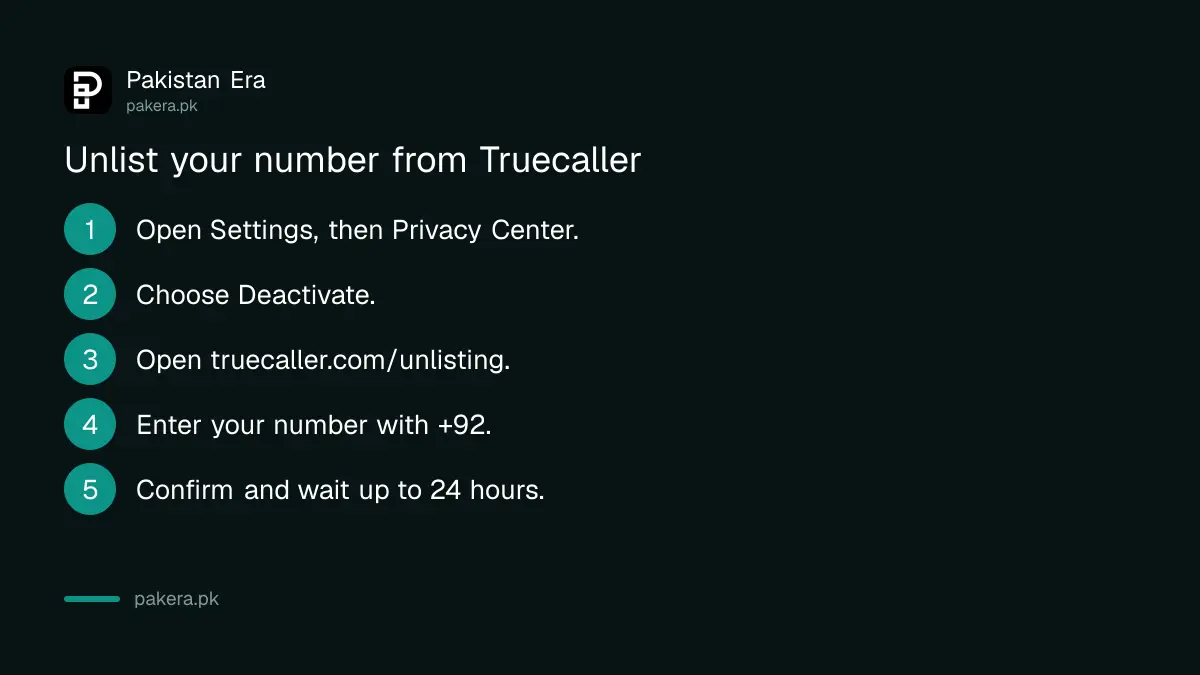
The order matters. Truecaller's support article says to unlist your number after deactivating it. So do them in that order.
Writing the number as +92 followed by the number without its first zero is the normal international form. So 0300 1234567 becomes +92 300 1234567.
Deactivating a Truecaller account is a separate step
Deactivating removes your Truecaller account. Unlisting removes your number from search. Truecaller treats them as two steps. Deactivate in the app under Settings, then Privacy Center, then unlist on the website, and Truecaller says full deletion can take up to 24 hours.
| Step | What it does | Where |
|---|---|---|
| Deactivate | Closes and deletes your Truecaller account | App: Settings, Privacy Center |
| Unlist | Removes your number from Truecaller search | truecaller.com/unlisting |
| Change name | Fixes the name shown for your number | Inside the Truecaller app |
| Spam label dispute | Asks Truecaller to review a spam tag on your number | Truecaller support ticket |
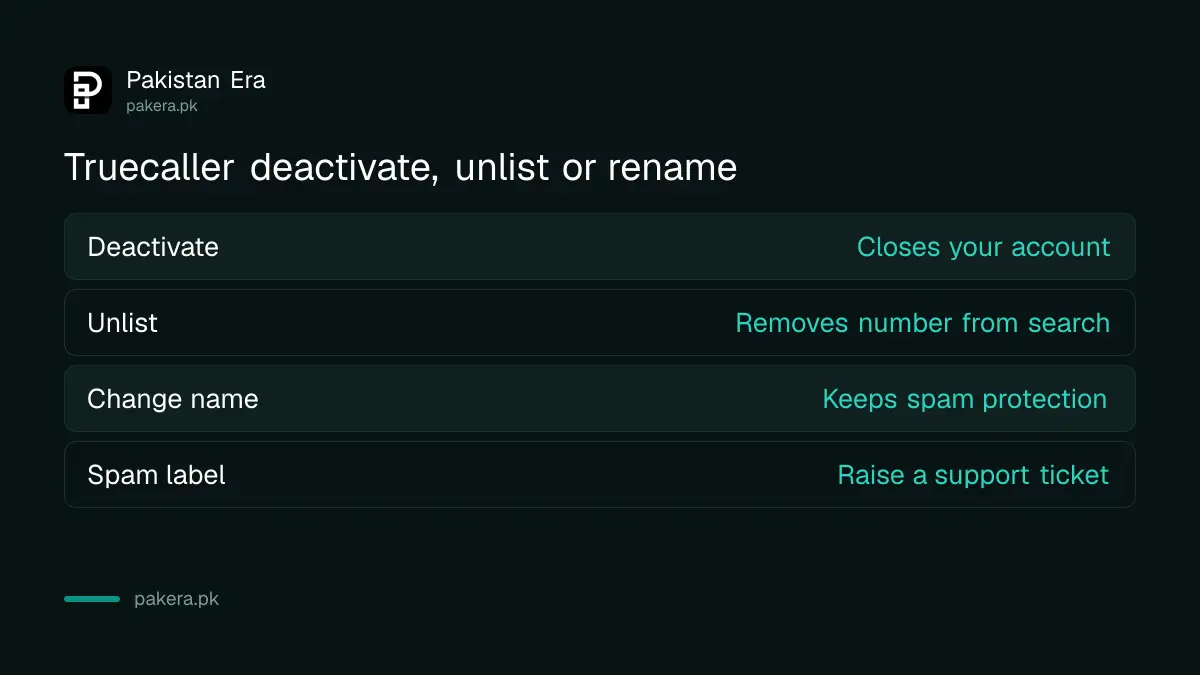
Truecaller's steps use the Deactivate option, not uninstalling. So deactivate before you delete the app, rather than assuming that removing it closes the account.
Truecaller has a separate support article for deactivating a web account, for people who signed in on the website rather than the app.
What unlisting does not fix
Unlisting does not remove a spam label, and Truecaller says numbers marked as spam cannot be unlisted. It also cannot clear old results saved on someone else's phone. And it will not stop spam calls reaching you, because that is a job for your network and PTA.
A spam label. Truecaller says spam lists are made by its users, and a number is listed as spam when there are multiple reports of nuisance, marketing or spam calls. If you think your number was tagged by mistake, contact Truecaller support through its ticket form.
Old search results. Truecaller says that if your number is still searchable after unlisting, it is usually stored locally on the phone that searched it earlier. Clearing that phone's history or cache should help.
Spam calls to you. Unlisting protects your identity from searches. It does not block anyone. For calls and texts you do not want, stopping spam SMS and calls through PTA's 3627 service is the tool built for Pakistan's networks.
If you want to share your WhatsApp without giving out your number at all, a WhatsApp username that hides your number is another option. And if a stranger has your number because a SIM was issued on your CNIC without your knowledge, checking the SIMs registered on your CNIC is the first thing to do.
Truecaller has no customer care number
Truecaller says it does not have a customer care number, and any number claiming to be one is a scam. Its support channels are the ticket form on support.truecaller.com, the email support@truecaller.com, and its official accounts on X and Facebook.
This matters because people searching "Truecaller helpline Pakistan" can land on fake numbers. Truecaller's own article is blunt about it. Do not call any number that says it is Truecaller, and never share an OTP with one.
For help, use the ticket form or the email. Users in the EU, EEA or UK use support.eu@truecaller.com instead, which does not apply to readers in Pakistan.
Common questions
Is removing my number from Truecaller free?
Yes. The unlisting page and the in-app Deactivate option cost nothing. Truecaller does not charge to unlist a number.
How long does Truecaller take to unlist a number?
Up to 24 hours, according to the unlisting page and Truecaller's support article. The delay is caused by caching.
Can I undo unlisting on Truecaller?
No. Truecaller's unlisting page says unlisting cannot be reversed. Change your name instead if that is your only problem.
Why can I not unlist my number?
Your number may be marked as spam. Truecaller says numbers marked as spam cannot be unlisted. Raise a support ticket if you think the label is wrong.
Does uninstalling Truecaller remove my number?
Do not rely on it. Truecaller's steps say to deactivate in Settings, then Privacy Center, and then unlist your number on the website.
Is there a Truecaller helpline in Pakistan?
No. Truecaller says it has no customer care number and any number claiming to be one is a scam. Use its ticket form or support@truecaller.com.
How we verified this
What we checked, where we read it, and what we could not confirm.
Last checked on 30 September 2026. What you lose by unlisting, the irreversibility and the 24 hour removal time come from Truecaller's Unlist phone number page. The Privacy Center steps on Android and iPhone, the rule that spam-marked numbers cannot be unlisted and the local cache note come from Truecaller's support article How do I deactivate and unlist my phone number?. The deactivate-then-unlist order and the support emails come from How do I deactivate and delete my Truecaller account?. The spam list rules come from Why is my number listed as spam?, and the warning about fake numbers from Truecaller Customer Care number. We did not unlist a number ourselves. The +92 format note is ours, as the page did not show a format example.
About the author

Senior Writer, Public Services and Technology
Shahid joined us in 2024 as an author. He is a senior contributor to Pakistan's leading technology websites. He writes detailed articles, mostly covering his expertise in the latest tech, mobiles, apps, gadgets, and step-by-step guides. His ideology is to help people understand the latest trends and explain complex methods through very easy-to-understand guides.