How to Report Spam, Block a Sender and Unsubscribe in Gmail in Pakistan
Use the right Gmail tool for junk in Pakistan: Report spam, Block a sender, Unsubscribe or Report phishing. Steps read from Google, and how to rescue real mail.
Short answer: In Gmail, select the email and click Report spam. To stop one sender, open the message, click More next to Reply and choose Block. For newsletters you signed up to, use Unsubscribe instead. Blocked senders then go straight to Spam.
The inbox fills up with fake prize emails, fake bank notices and job offers that ask for a "registration fee". Some are only annoying. Some are built to steal your password. Gmail gives you three different tools, and each one suits a different problem.
We read Google's own Gmail Help pages on blocking senders and on reporting spam on 12 October 2026. The steps below are the computer steps those pages give. We did not test them on a live inbox, and Google can rename buttons without notice.
Pick the right tool for the email
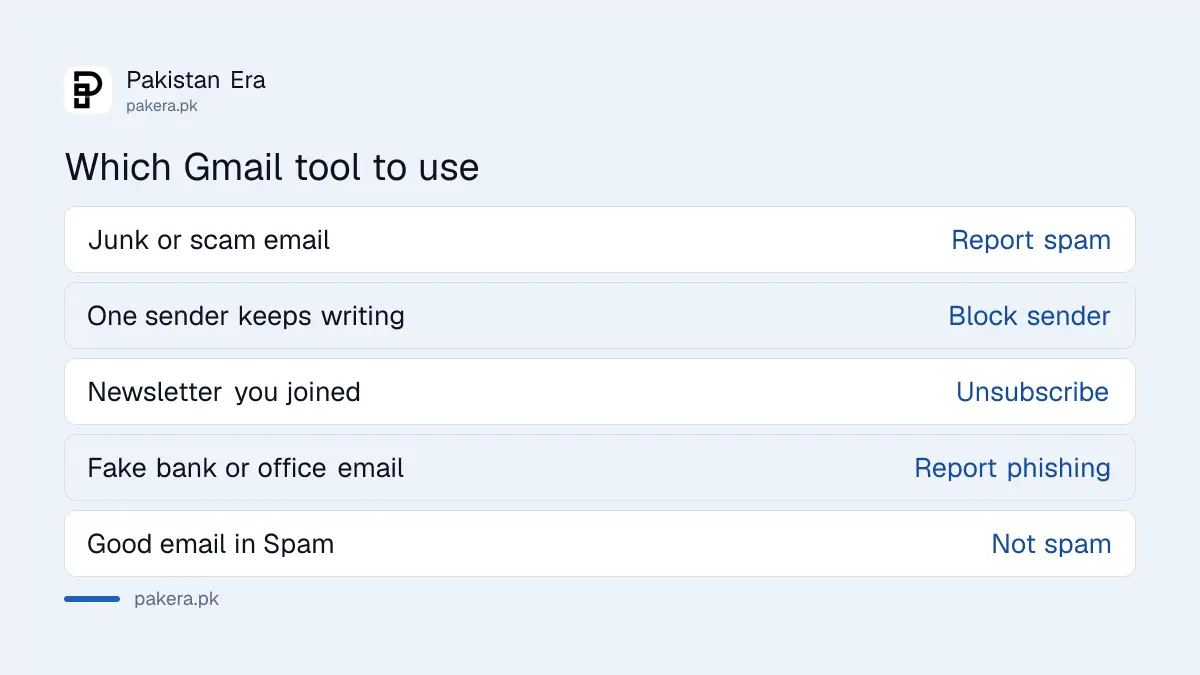
Use Report spam for junk, Block for one sender who keeps writing, Unsubscribe for lists you once joined, and Report phishing for emails that pretend to be a bank or a government office. Choosing the right one gets a better result.
Many people just delete. Deleting removes one message and teaches Gmail nothing. Reporting spam is different: Google says the more spam you report, the more efficiently Gmail finds similar emails.
| Problem | Use | What happens |
|---|---|---|
| Junk or scam email | Report spam | Message goes to Spam, Gmail learns the pattern |
| One sender keeps writing | Block sender | Future emails from them go to Spam |
| Newsletter you joined | Unsubscribe | Sender is asked to stop mailing you |
| Fake bank or office email | Report phishing | Google's abuse team receives it |
| Good email in Spam | Not spam | Message returns to your inbox |
Report spam so Gmail learns
Open Gmail, select one or more emails and click the Report spam button at the top. Google says reported emails are added to Spam and that Google receives copies for analysis. Do this for junk that came from many different senders.
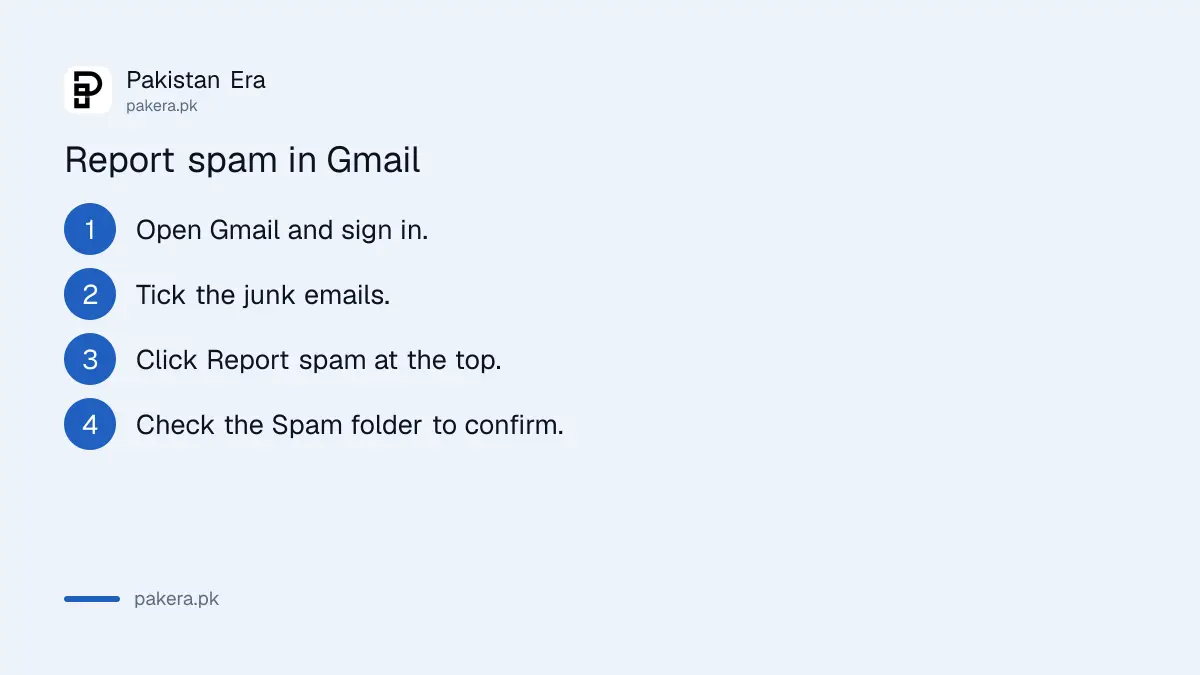
- Open Gmail in your browser and sign in.
- Tick the box next to each junk email.
- Click Report spam at the top of the list.
- Check the Spam folder if you want to confirm the emails moved.
Do not open attachments or click links in an email before you report it. Even a "stop receiving" link in a scam email can confirm to the sender that your address is live.
Block a sender who keeps writing
Open the message, click More next to Reply and choose Block followed by the sender's name. Google says that after you block someone, all future emails from them go to Spam. You will not see them in your inbox again.
Blocking works best for one address that never stops. It does little against scammers who use a new address each time, which is why reporting spam matters too.
To undo a block, open Gmail Settings, click See all settings, go to Filters and Blocked Addresses, tick the sender and click Unblock selected addresses. Use this if you blocked a real contact by mistake.
The help page lists computer steps. On a phone the same actions sit in the menu of an open email, but the labels may differ by app version, so look for Block and Report spam there.
Unsubscribe from newsletters you joined
For a real newsletter or shop mailing, click Unsubscribe or Go to website in the email. Google's page advises unsubscribing from the email rather than blocking the sender when you once subscribed. Never use Unsubscribe on an email you think is a scam.
The difference matters. A real company should honour the request. A scammer treats your click as proof that your address works. If you are unsure who sent it, report it as spam and move on.
A quick test: did you ever give this company your email? If yes, unsubscribe. If no, report spam.
Report phishing and check before you click
Phishing means an email that pretends to be a bank, a courier or a government office to steal your login. Use the report link inside a suspicious Gmail message, or send it to Google's abuse team at support.google.com/mail/contact/abuse. Then delete it.
Check any email that claims to be from a Pakistani authority against the official site. Our guide on checking whether an FBR notice or email is real shows the method. If you already clicked and typed a password, change it from a safe device and see how to recover a Gmail account if you were locked out.
A passkey makes a stolen password far less useful. Our steps to set up a passkey on your Google account take a few minutes.
Clear the Spam folder or rescue a good email
In the left menu, click More and then Spam. Choose Delete all spam messages now to empty it, or tick specific emails and click Delete forever. If a real email landed there, tick it and click Not spam to move it back.
Look through Spam once a week before you empty it. Job offers from real employers and delivery notices sometimes land there. A quick look costs one minute and avoids a missed interview.
The page we read gives no number of days after which Spam clears itself, so we do not state one.
Common questions
What is the difference between block and report spam in Gmail?
Block sends one sender's future emails to Spam. Report spam moves the selected emails to Spam and helps Gmail spot similar messages from other senders.
Should I click Unsubscribe on a scam email?
No. Use Unsubscribe only for senders you joined. For anything you did not ask for, use Report spam, because replying or clicking can confirm your address is active.
How do I unblock someone in Gmail?
Open Settings, click See all settings, then Filters and Blocked Addresses. Tick the sender and click Unblock selected addresses.
Where do I report a phishing email?
Use the report link inside the suspicious Gmail message, or contact Google's abuse team at support.google.com/mail/contact/abuse.
How do I move a real email out of Spam?
Open the Spam folder, tick the email and click Not spam. It then goes back to your inbox.
How do I empty the Spam folder?
Click More, then Spam, and choose Delete all spam messages now. You can also tick certain emails and click Delete forever.
How we verified this
What we checked, where we read it, and what we could not confirm.
We read Google's Gmail Help pages on blocking senders and on reporting spam on 12 October 2026. We could not read phone specific steps on either page, and we did not test a live inbox.
About the author

Technology Journalist & Multimedia Producer
Ahmad Ali is a technology journalist and multimedia producer at Pakistan Era, joining the team in October 2026. He covers consumer technology and digital life for Pakistani readers, combining research with hands-on product testing.