How to Order, Track and Activate a SadaPay Debit Card in Pakistan
Order a SadaPay Mastercard or PayPak card in the app for Rs 1,724 plus tax, track the TCS delivery, fix late or returned cards, activate with a 6 digit code.
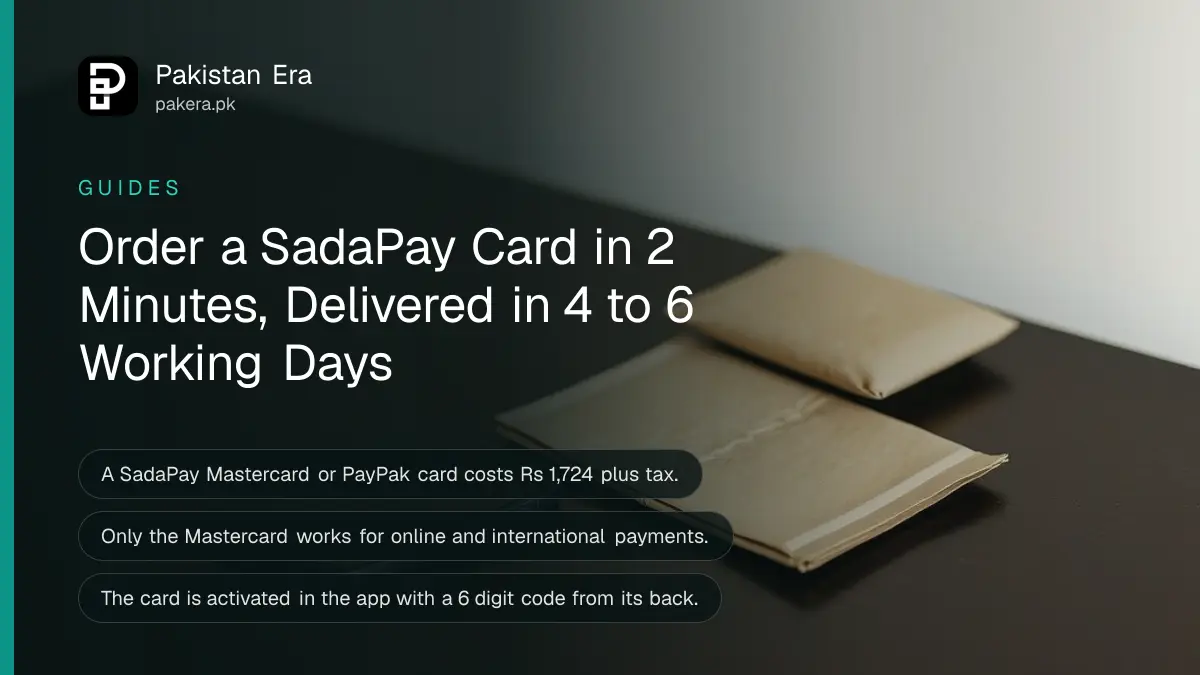
To get a SadaPay debit card, tap the teal Current balance tile in the app, swipe to the physical card, tap "Order your SadaPay card", pick Mastercard or PayPak, and enter your address. The card costs Rs 1,724 plus tax and arrives in about 4 to 6 working days. When it comes, tap "Proceed to activation" and type the 6 digit code from the back of the card.
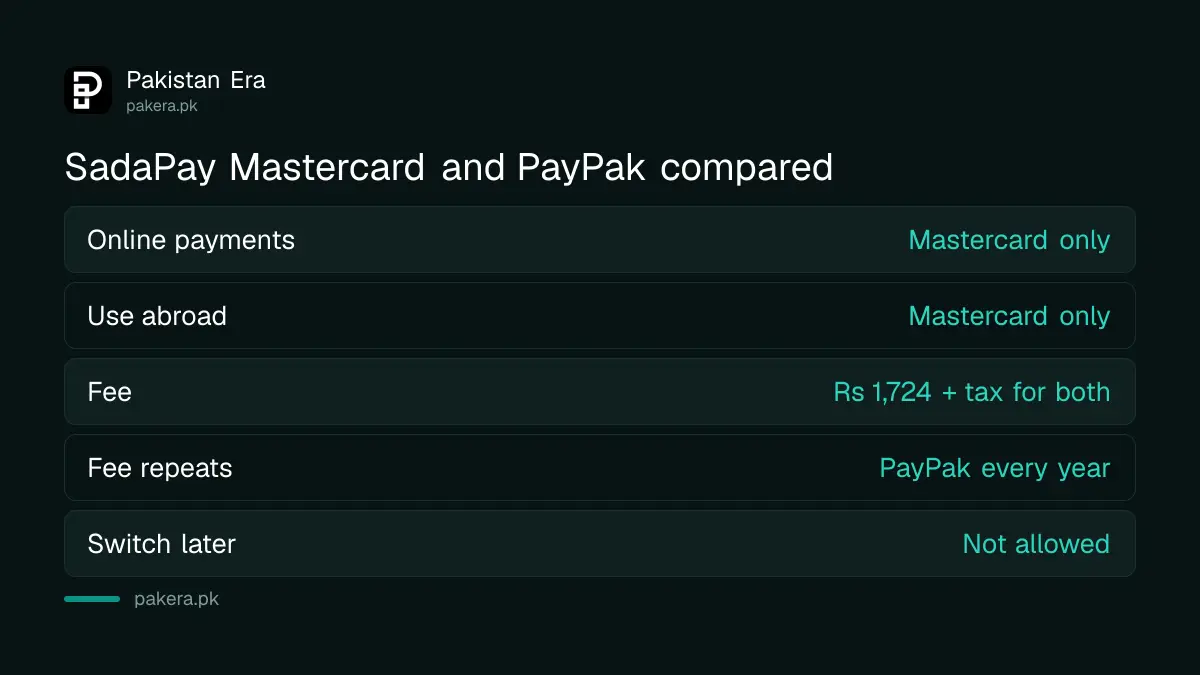
The choice of network is permanent. SadaPay says you cannot switch from PayPak to Mastercard, or the other way, after you order. So decide first, using the table below.
| Feature | Mastercard | PayPak |
|---|---|---|
| Local ATM and shop payments | Yes | Yes |
| ATM and shop payments abroad | Yes | No |
| Online payments, Pakistan | Yes | No |
| Online payments, international | Yes | No |
| Card fee | Rs 1,724 plus tax, one time | Rs 1,724 plus tax, every year |
| Insurance cover and discounts | No | Yes |
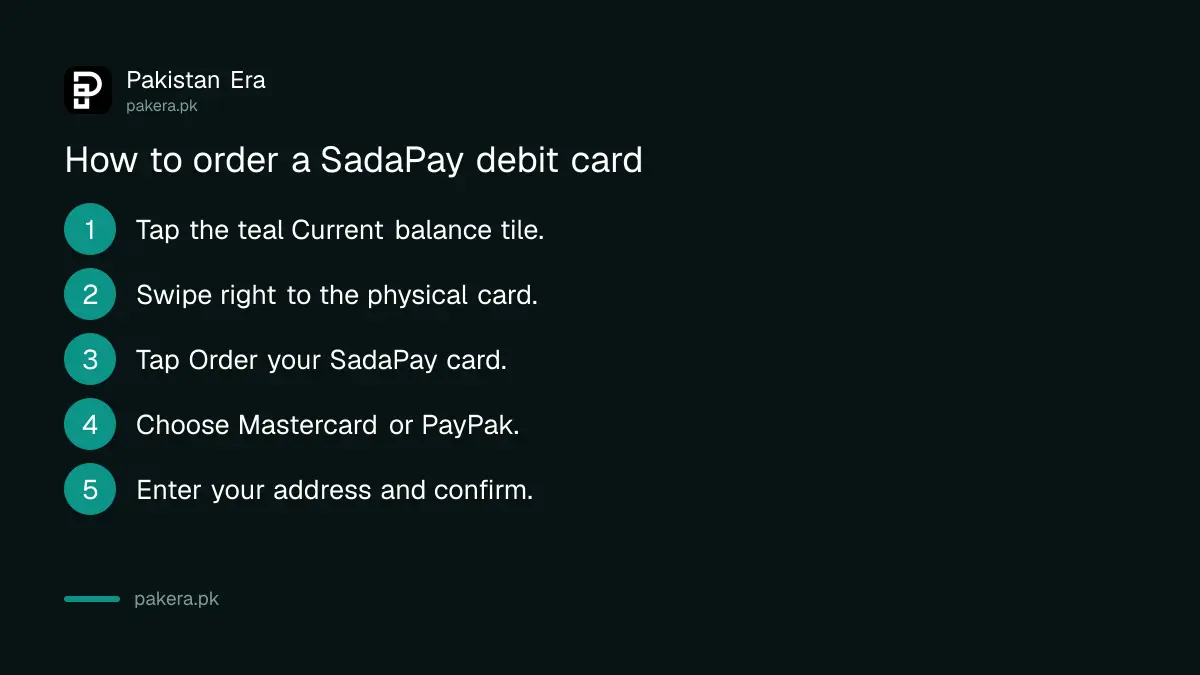
How to order a SadaPay card in the app
The order takes about two minutes. Open the card section from the teal balance tile, swipe to the physical card, choose a network, type your home address and confirm. Your tracking number appears on the same screen once the order goes through.
- Open SadaPay and tap the teal Current balance tile at the top left.
- Swipe right to the physical card screen.
- Tap Order your SadaPay card.
- Choose Mastercard or PayPak.
- Enter your home address in full, with a landmark if your street is hard to find.
- Tap the order button, such as Order my Mastercard, and note the tracking number shown.
Keep enough money in the wallet for the fee before you start. Your free virtual card already works for online payments while you wait, as long as the wallet has funds.
How long SadaPay card delivery takes
SadaPay says the card is printed and delivered within 4 to 6 working days. Its older ordering article says 3 to 5 working days. Count from the order date, skipping Sundays and public holidays, before you raise a missing card.
The tracking number does not work straight away. SadaPay says it goes live only after the card is printed and picked up by the courier, and that can take up to 24 hours after printing. Track it on the TCS tracking page with the number from the app.
Fix common SadaPay card delivery problems
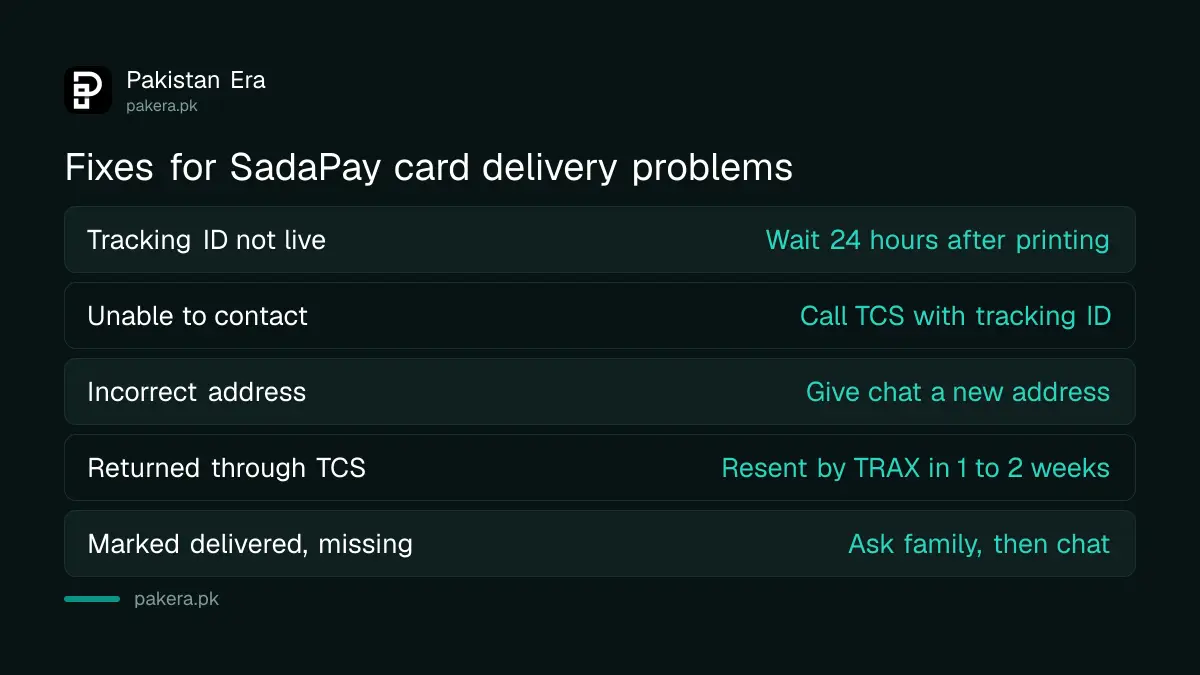
Most delivery problems are fixed through SadaPay's in-app chat or a call to TCS. Address changes, returned cards and wrong deliveries all go to chat. An "unable to contact" or "incorrect address" status goes to TCS first, on 021-111-123-456.
| Problem | What to do |
|---|---|
| Tracking ID not working | Wait up to 24 hours after printing; chat if the expected date has passed |
| Status says unable to contact | Call TCS on 021-111-123-456 with the tracking ID and your number |
| Status says incorrect address | Call TCS, then give SadaPay chat an alternate full address |
| Card returned through TCS | SadaPay resends it by TRAX, who call you; allow 1 to 2 weeks |
| Non-service area | Give chat an address where you are regularly available |
| Marked delivered but not with you | Ask family, the guard or neighbours, then chat |
| Courier charged you for delivery | Tell SadaPay chat |
Change the delivery address or phone number
Send the new address or number to SadaPay in the in-app chat. If TCS is delivering the card, SadaPay says the address can only change within the same city. If the card comes back and goes out again with TRAX, you can move it to any city.
How to activate your SadaPay card
Activation happens inside the app. Swipe to the physical card, tap Proceed to activation, and type the 6 digit card identification code printed on the back of the card. The app then asks you to set a 4 digit PIN for ATMs and shops.
- Open the card section and swipe to Physical Card.
- Tap Proceed to activation.
- Type the 6 digit code from the back of the card.
- Choose a 4 digit PIN that is not your birth year or 1234.
Forgot that PIN later? It can be reset in the app without a new card, as set out in resetting a SadaPay app PIN or card PIN.
Replace or reissue a SadaPay card
A reissue costs Rs 1,724 plus tax and blocks your current card. In the app, open the physical card, tap Reissue card, tick the box, confirm and enter your PIN. Subscriptions move to the new card unless you ask chat to stop that.
- Want Netflix or other subscriptions to move to the new card? Reissue from the app.
- Want old subscriptions to stop? Ask in-app chat to issue the new card instead.
- Card lost or stolen? Freeze it in the app first. The full steps are in what to do when a phone or wallet card is stolen.
Fees and ATM limits for the card are in SadaPay limits and charges.
Stay safe with a new card
Couriers deliver SadaPay cards, but they never need your PIN, activation code or OTP. Nobody from SadaPay asks for them on a call either. Only use SadaPay's in-app chat for card problems.
If you receive someone else's card, or more than one card, do not use it. Tell SadaPay chat. Fake support calls are common, and the real numbers are listed in fake SadaPay and NayaPay calls.
Common questions
How much does a SadaPay card cost?
Rs 1,724 plus tax. For Mastercard it is a one-time fee. For PayPak, SadaPay charges it every year.
How many days does SadaPay card delivery take?
SadaPay says 4 to 6 working days in its newer help article, and 3 to 5 working days in its ordering article.
Why is my SadaPay tracking ID not working?
It goes live only after the card is printed and picked up by the courier, which can take up to 24 hours after printing.
Can I change my SadaPay card from PayPak to Mastercard?
No. SadaPay says once you order one network, you cannot switch to the other later.
How do I activate my SadaPay card?
Swipe to the physical card in the app, tap Proceed to activation, enter the 6 digit code from the back of the card, and set a 4 digit PIN.
What happens if TCS returns my SadaPay card?
SadaPay resends it with TRAX, who call you to confirm your address and send a new tracking ID by SMS. It can take 1 to 2 weeks.
How we verified this
What we checked and where we read it.
We checked SadaPay's help centre on 24 November 2026: the articles on ordering a card, activating it, the PayPak and Mastercard comparison, first-time and reissue fees, reissuing from the app, and every article in its Card Delivery section. The ordering article gives 3 to 5 working days; the tracking article, updated in October 2026, gives 4 to 6, so we show both. The Rs 1,724 issuance and replacement fees for both cards match SadaPay's schedule of charges for July to December 2026, checked the same day, which states fees before tax.
About the author

Technology Journalist & Multimedia Producer
Ahmad Ali is a technology journalist and multimedia producer at Pakistan Era, joining the team in October 2026. He covers consumer technology and digital life for Pakistani readers, combining research with hands-on product testing.