Swollen Phone Battery in Pakistan: What to Do Now and What Not to Do
A swollen phone battery lifts the screen and can overheat if punctured. Stop charging, do not pry it open, and use Google's steps and an authorised repair.
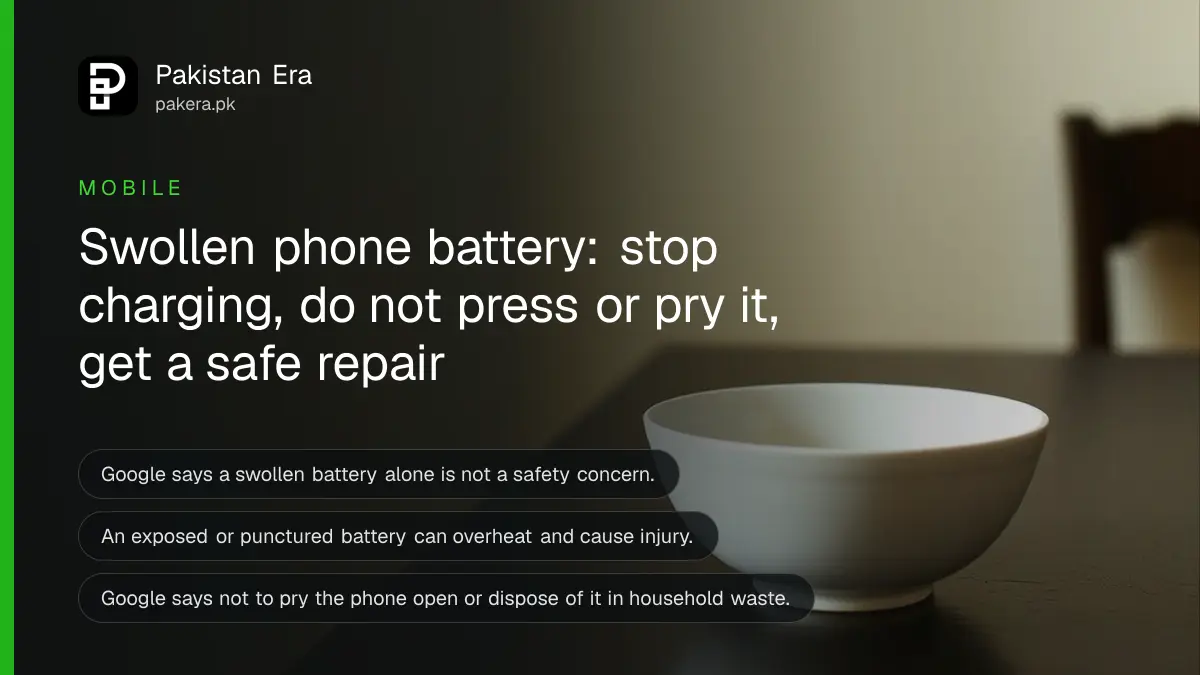
Short answer: If your phone back cover is bulging or the screen is lifting, stop charging it and stop pressing on it. Google's guidance for Pixel phones is to leave it on a table to drain over several days, never pry it open, and get the battery replaced by the brand or an authorised service centre.
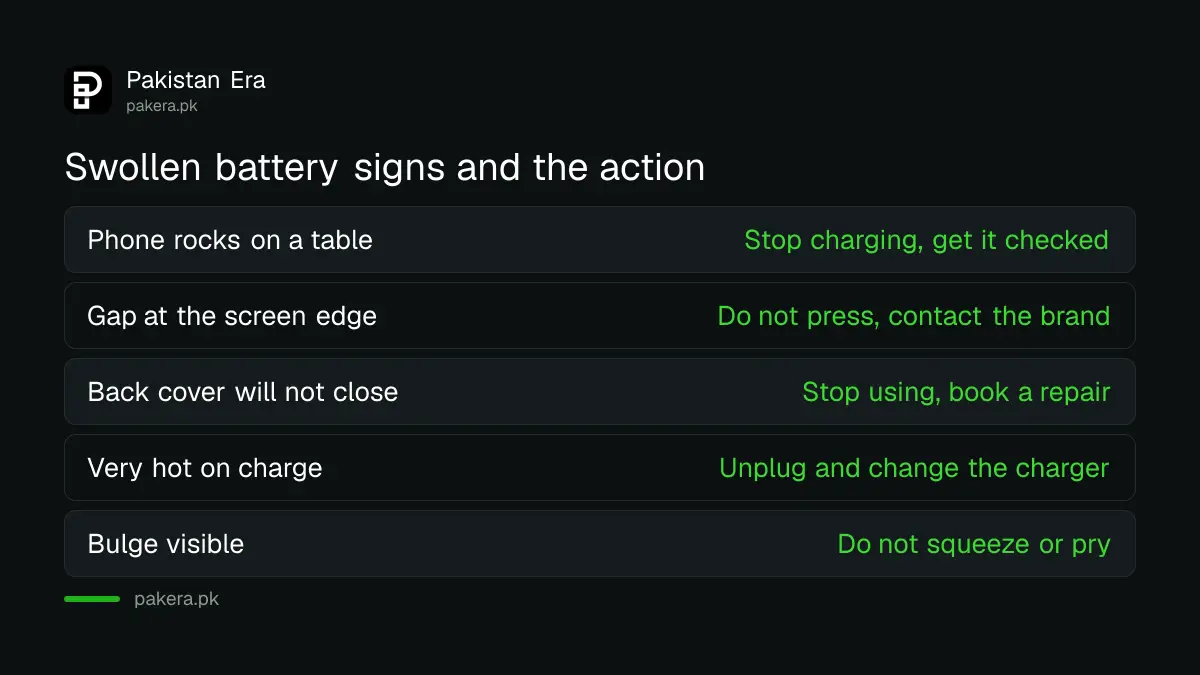
The first sign is usually small. A phone that no longer lies flat on the table and rocks when you touch a corner. Or a gap along the edge where the screen has started to lift. Many people keep using it for weeks because it still works.
We read Google's Pixel battery help page and Apple's battery service and recycling page on 12 October 2026. This article gives what they say, then our own plain precautions, which we mark as ours. We did not open or test any swollen battery.
A swollen battery is a worn battery that has built up gas
A phone battery is a lithium-ion cell. When it ages or is damaged, it can swell, and the pressure pushes the back cover or the screen outward. Google says a swollen battery alone is not a safety concern, but it can cause the screen to lift and let liquids or dust in.
The risk grows if the battery is exposed or hit. Google's page says an exposed battery is open to damage that could cause overheating and injury. So the aim is simple: stop stressing it, and get it out of the phone in a controlled way.
| What you notice | What it can mean | What to do |
|---|---|---|
| Phone rocks on a flat table | Back of the phone is bulging | Stop charging, get it checked |
| Gap along the screen edge | Screen is lifting | Do not press, contact the brand |
| Back cover will not close | Battery has grown | Stop using, book a repair |
| Phone gets very hot on charge | Battery or charger fault | Unplug, switch charger, see below |
Stop charging and let the phone sit unused
Google tells Pixel owners to place the device on a table and leave it unused for several days so the battery drains naturally. Do not charge it again. This is the lowest risk step, and it costs nothing.
Our own precautions, not Google's: keep the phone away from beds, sofas and anything that burns, and do not leave it in a bag or a hot car. A table, away from the window sun, is the right place.
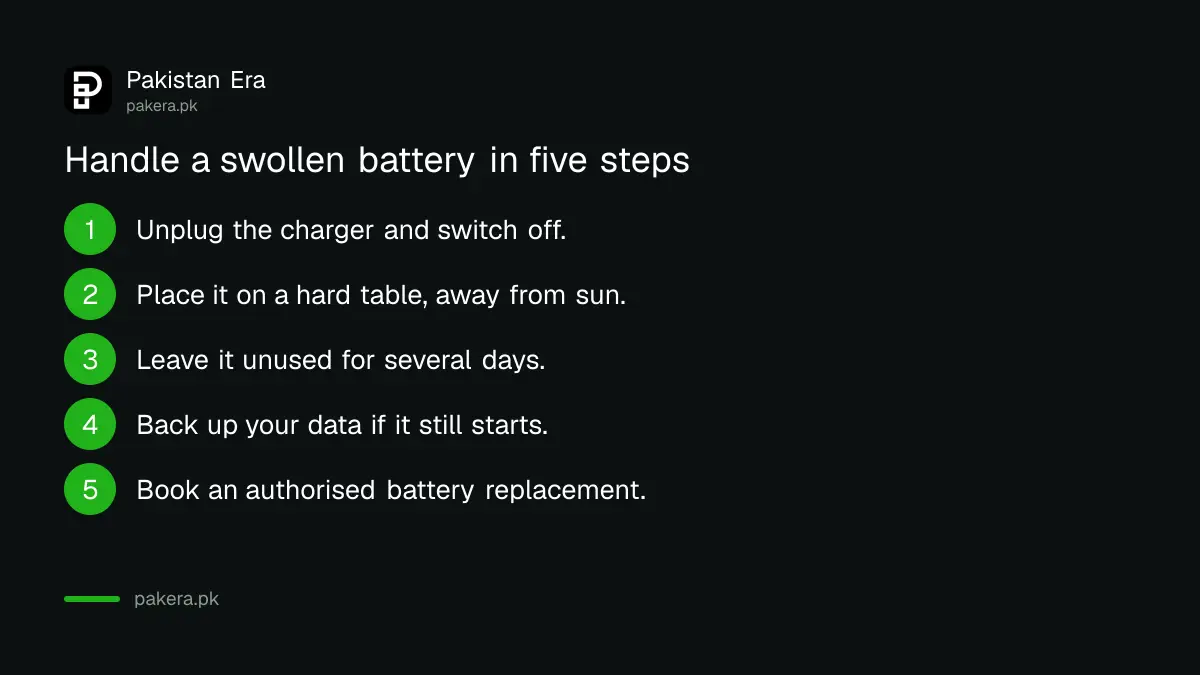
- Unplug the charger and switch the phone off.
- Put it on a hard table, away from sun and from anything that burns.
- Leave it unused for several days so the battery drains.
- Back up your data first if the phone still turns on.
- Book a repair with the brand or an authorised service centre.
If you can still use the phone briefly, a backup first is wise. Our guide to backing up and restoring WhatsApp chats covers the one most people forget.
Do not press, pry or open the phone yourself
Google lists what not to do: do not press on the cover glass or back cover, do not pry the device open, do not try a repair or take it apart yourself, and do not put it in the household waste. A punctured battery is the real danger.
This is where the roadside repair stall is the risky choice. A shop that heats the screen to open the phone can puncture a swollen cell. If you use a market shop at all, ask them directly whether they have replaced a swollen battery before, and watch that they do not pry at it.
Also avoid the quick fix of squeezing the phone back flat. It does not cure the battery, and it can break it.
Get the battery replaced by the brand or an authorised centre
Apple's page says to use Apple or an authorised service provider for battery service. Google points Pixel owners to its repair page. For other brands, use the official service centre in your city and ask for a genuine battery. Cheap unbranded cells are part of how swelling starts.
Apple's page also says putting batteries directly in the trash is dangerous for the environment. Ask the centre to take the old one. Before handing a phone over, erase your data using the steps in how to erase a phone before selling it, or at least sign out of your accounts.
To judge whether a battery is only worn and not swollen, see how to check battery health on Android and iPhone. Google says to replace a battery when capacity drops below 80%.
Use the right charger and keep the phone cool to avoid it
Google says a battery drains faster when it is hot, and that kind of drain can damage it. Keep the phone cool and use the charger that came with it. A fake charger is one of the usual causes of heat, covered in how to check a fake phone charger or cable.
Heat on charge is the early warning. If your phone is warm every night, read how to stop a phone overheating while charging. Power banks have their own rules on flights, in power bank rules on flights from Pakistan, and a swollen power bank should be treated the same way as a swollen phone.
One limit on what we can say: neither page gives a number for how many months a battery lasts before it swells, and we did not find one. Treat age and heat as the main risks, and do not trust a figure from a shop.
Common questions
Is a swollen phone battery dangerous?
Google says a swollen battery alone is not a safety concern, but an exposed or punctured battery can overheat and cause injury. Treat it with care and do not open it.
Can I keep using a phone with a swollen battery?
It is better not to. Stop charging it, because the screen can lift and let in dust or liquid. Get the battery replaced.
Can I replace a swollen battery myself?
No. Google says not to pry the phone open or repair it yourself. Use the brand or an authorised service centre.
How do I throw away a swollen battery?
Not in household waste. Apple says batteries put straight into the trash are dangerous for the environment. Hand it to the service centre.
Does a fake charger cause a swollen battery?
A bad charger can cause heat, and Google says heat can damage a battery. We found no source tying one brand of charger to swelling, so use the maker's charger.
How we verified this
What we checked, where we read it, and what we could not confirm.
Last checked on 12 October 2026 against Google's Pixel battery help page, Google's Android battery help page and Apple's battery service and recycling page. Apple's page did not give swelling steps, so the steps here follow Google's wording. Our own precautions are marked.
About the author

Technology Journalist & Multimedia Producer
Ahmad Ali is a technology journalist and multimedia producer at Pakistan Era, joining the team in October 2026. He covers consumer technology and digital life for Pakistani readers, combining research with hands-on product testing.