Zong Book Your Number: Choose Your Own Zong Number Online for Free and Collect It in 3 Days
Book a Zong number online for free on byn.zong.com.pk: pick 0310 to 0319, 0370 or 0371, choose your digits, then collect the SIM in 3 days with your CNIC.
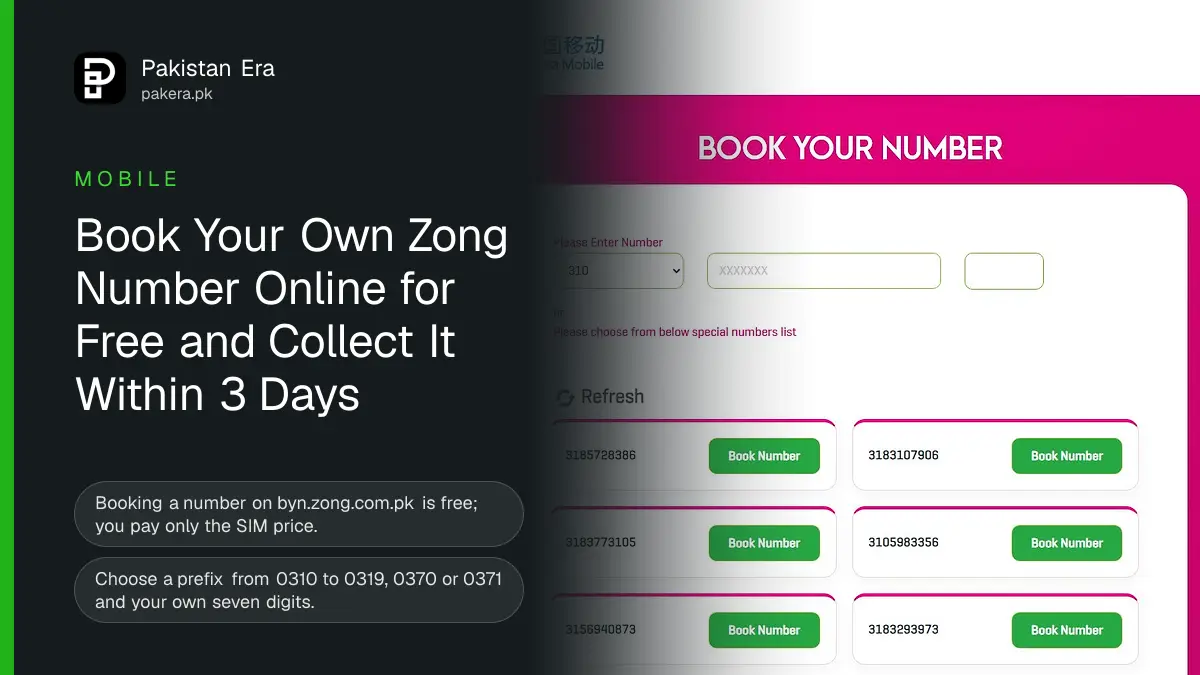
Zong lets you choose your own mobile number online and reserve it for free on its Book Your Number page, byn.zong.com.pk. You pick a prefix from 0310 to 0319, 0370 or 0371, type the seven digits you want or choose from a list of special numbers, and book it. You then collect the SIM within 3 days from a Zong service centre or franchise, with your original CNIC. Only the SIM price is paid, at pickup.
That makes it the easiest way to get a number that is simple to remember, such as one that repeats your old digits or a family member's. Anyone can use it, including people on Jazz, Ufone or Telenor today. This guide covers the steps, the rules, and what to do if your number is taken.
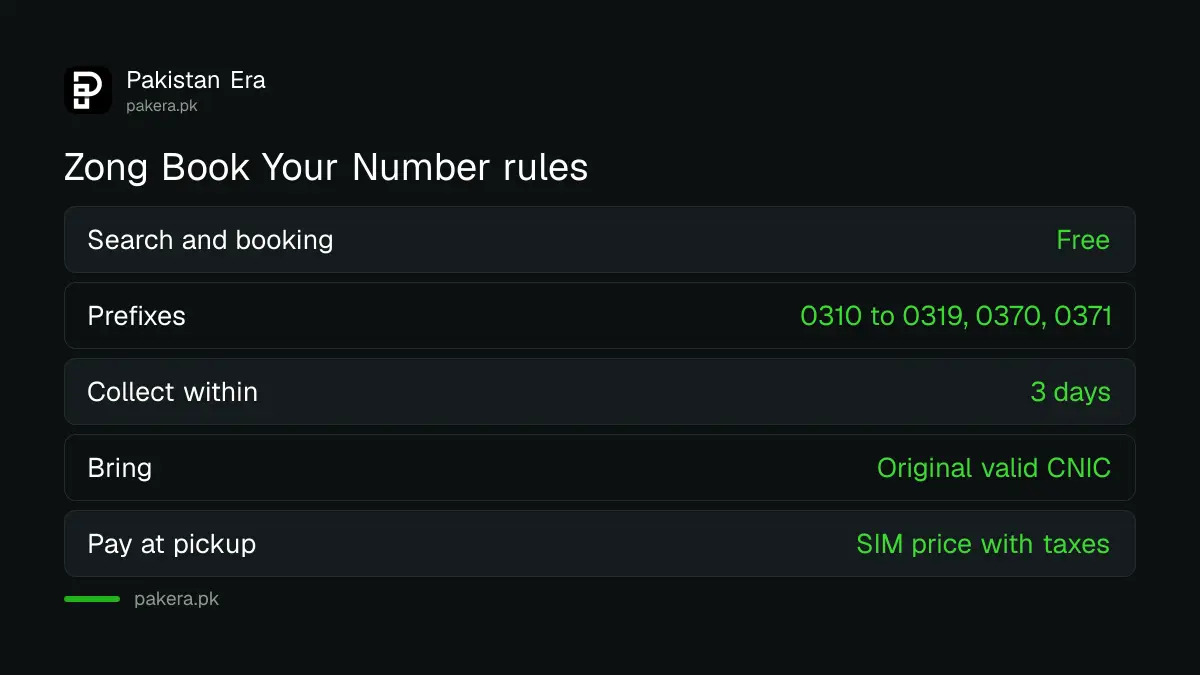
Zong Book Your Number rules at a glance
| Rule | What Zong says |
|---|---|
| Cost to search and book | Free. No charge for finding or booking a number |
| Prefixes you can choose | 0310, 0311, 0312, 0313, 0314, 0315, 0316, 0317, 0318, 0319, 0370, 0371 |
| Collect within | 3 days of booking, or the booking is cancelled |
| Where to collect | Any Zong Customer Service Centre (CSC) or franchise you pick |
| Document | Original, valid CNIC |
| What you pay | The SIM price including taxes, at pickup |
| Who can use it | Anyone, including customers of other networks |
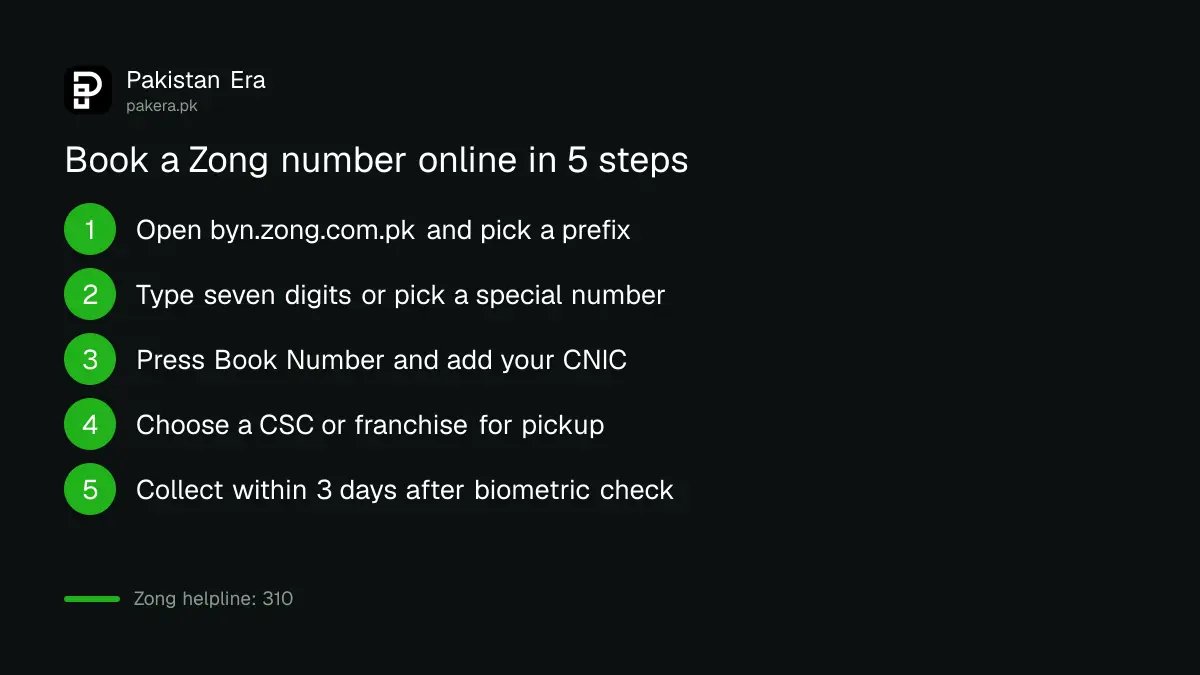
How to book a Zong number online
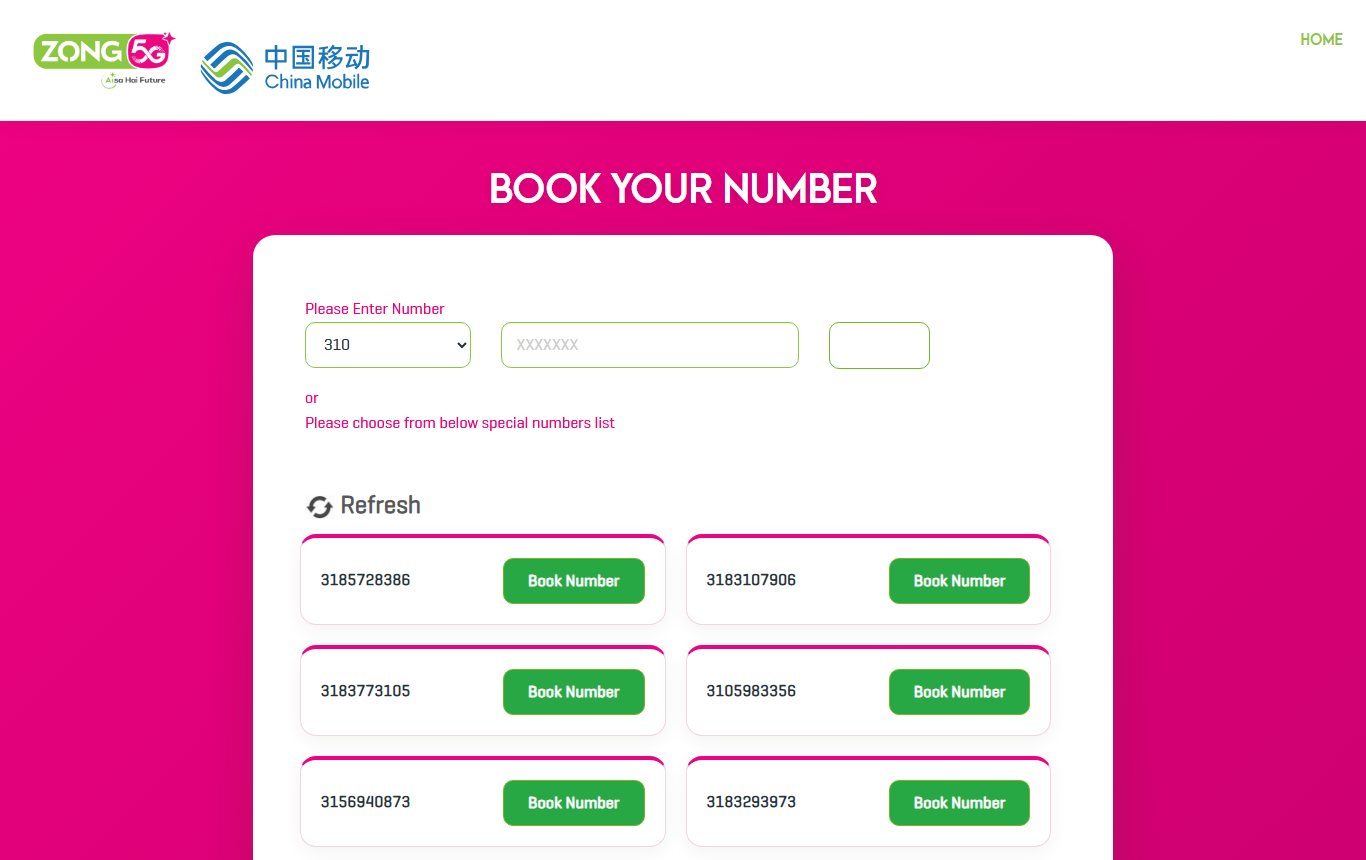
- Open byn.zong.com.pk/byn on your phone or computer.
- Choose a prefix from the list, for example 0317.
- Type the seven digits you want in the next box and search. If it is free, you can book it.
- Or skip the search and pick one of the special numbers Zong lists below the boxes. Press Refresh to see a fresh set.
- Press Book Number. Fill in your name, contact number, email and CNIC.
- Choose a pickup channel, CSC or franchise, then your city and the exact centre.
- Type the characters from the picture (the captcha) and confirm. Note the reserved number.
- Within 3 days, go to that centre with your original CNIC. Complete the fingerprint check (biometric verification), pay the SIM price and take your SIM.
Pick a centre you can reach within the three days. A franchise near home is often quicker than a city centre CSC. Check its opening hours before you go.
Tips for finding a good number
- Try several prefixes. The same seven digits may be taken on 0315 but free on 0318 or 0370.
- Use the special list. The numbers Zong shows below the search box change each time you press Refresh. Keep refreshing for a pattern you like.
- Search your old number's last digits. Many people keep the last seven digits from an old SIM so friends remember it.
- Move fast. A booking holds the number only for 3 days. If you miss the pickup, the number goes back into stock.
Problems and fixes
- The number you want is not free. Try another prefix, or change one digit. Booking depends on stock, Zong says.
- The booking was cancelled. It lapses after 3 days without pickup. Book again; the number may still be free.
- The centre says it cannot find your booking. Show the reserved number and your CNIC, and ask staff to check the online booking. If that fails, call Zong on 310, or see our Zong helpline guide for other numbers.
- Your CNIC already has many SIMs. PTA limits how many SIMs one CNIC can hold. Check how many are on yours first with our guide to checking SIMs registered on your CNIC.
- You want to keep your current number instead. Booking gives you a new number. To move an existing number to Zong, use Zong MNP instead.
Book Your Number and eSIM
Zong's own eSIM page says an eSIM can be taken through the Book Your Number option. You book the number online, then ask for an eSIM instead of a plastic SIM at the service centre. After the fingerprint check, staff give you a voucher with a QR code that your phone scans. Zong charges Rs 1,500 for an eSIM. Our Zong eSIM guide lists the phones that support it.
Once the new SIM works, dial *8# to see your number, as our Zong number check guide explains, and pick a bundle. Zong's current deals for new SIMs are in our Zong new SIM discount guide.
Frequently asked questions
Is Zong Book Your Number free?
Yes. Zong says there is no charge to find or book a number. You pay only the SIM price, with taxes, when you collect it.
How long does Zong hold a booked number?
3 days. Collect it from a Zong service centre or franchise within 3 days of booking, or the booking is cancelled.
What do I need to collect a booked Zong SIM?
Your original, valid CNIC. The SIM is issued after biometric verification at the centre.
Can a Jazz or Ufone user book a Zong number?
Yes. Zong says customers from other networks can also book a number on its website.
Which Zong prefixes can I choose?
0310 to 0319, plus 0370 and 0371.
Can I get an eSIM with a booked number?
Yes. Zong's eSIM page lists Book Your Number as one way to get an eSIM, for Rs 1,500.
How we verified this
What we checked and where we read it.
We read Zong's Book Your Number page and its terms, byn.zong.com.pk/byn, and took the screenshot above on 14 November 2026. The eSIM route and the Rs 1,500 charge come from Zong's eSIM page on zong.com.pk, read the same day.
About the author

Technology Journalist & Multimedia Producer
Ahmad Ali is a technology journalist and multimedia producer at Pakistan Era, joining the team in October 2026. He covers consumer technology and digital life for Pakistani readers, combining research with hands-on product testing.