Blue Screen Error on Windows 11 in Pakistan: Read the Stop Code, Then 6 Fixes (Black Screen on 24H2 Too)
Blue screen error on Windows 11? Note the stop code, remove new hardware, then safe mode, drivers, space, updates and restore. Black screen on 24H2 is the same.
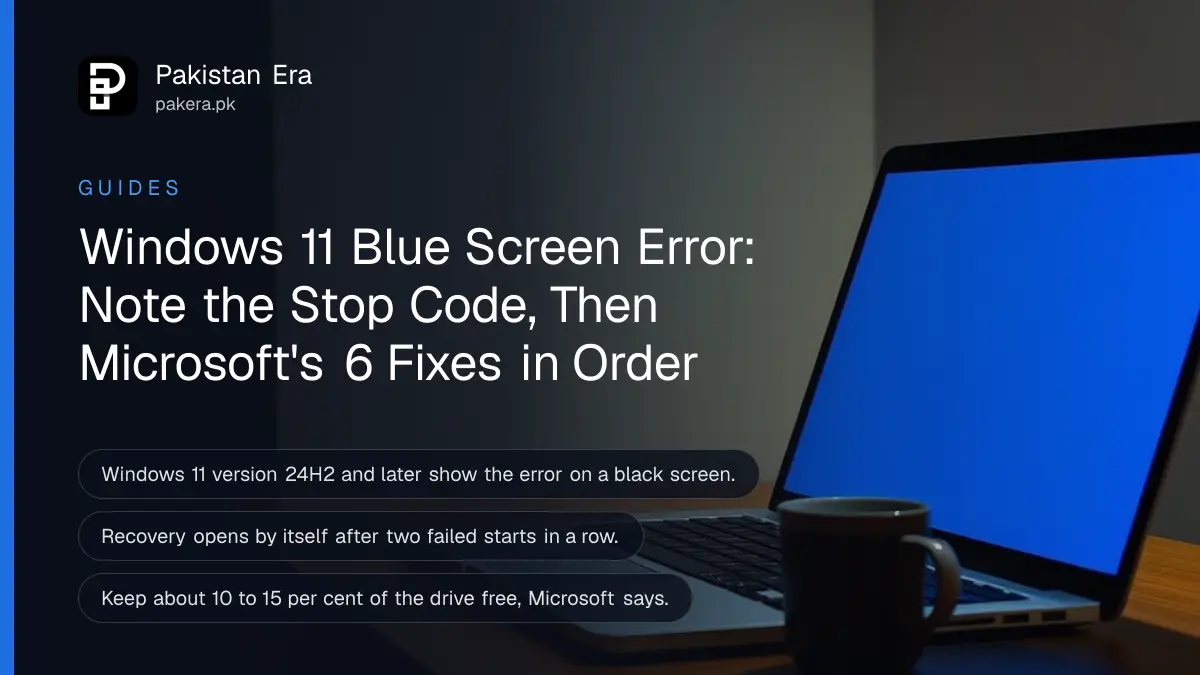
A blue screen on Windows 11 says "Your device ran into a problem and needs to restart" and shows a stop code such as MEMORY_MANAGEMENT at the bottom. Write that code down, remove any device you added recently, then start in safe mode and check Device Manager, free space and Windows Update. If Windows will not start at all, the recovery screen opens on its own after two failed starts, and you can roll back from there.
One change confuses many people. Microsoft says Windows 11 version 24H2 and later show this error on a black screen, while 23H2 and older still show the blue one. Same problem, same fixes. We read Microsoft's stop code page, its safe mode page and its Windows Recovery Environment reference on 31 October 2026.
The stop code tells you where to start
Every blue or black error screen carries a stop code in capital letters, such as PAGE_FAULT_IN_NONPAGED_AREA or MEMORY_MANAGEMENT. Sometimes it also names the file that crashed. Photograph the screen with your phone before it restarts.
Microsoft calls the same thing a stop code error, a bug check, a kernel error or a BSOD (blue screen of death). It says a hardware device, its driver or other software can cause it. That is why the fixes below go from hardware to drivers to Windows itself.
| What you see | Likely area | First thing to try |
|---|---|---|
| Error right after adding RAM, a drive or a USB device | New hardware | Remove it and restart |
| Error after a driver or Windows update | Driver or update | Device Manager, then restore |
| MEMORY_MANAGEMENT or a page fault code | Memory, driver or software | Remove new RAM, update drivers |
| A file name shown under the code | That driver or program | Update or remove it in safe mode |
| Restart loop, Windows never loads | Startup failure | Recovery screen, then safe mode |
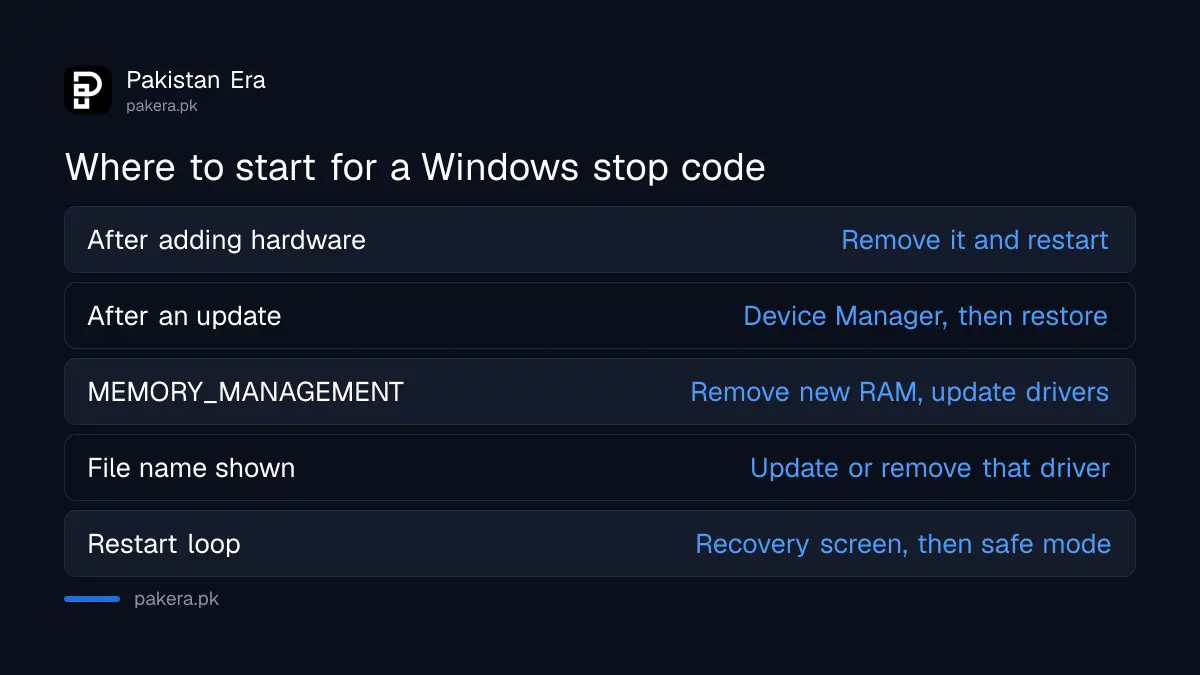
The table is our reading of Microsoft's guidance, not a list Microsoft publishes. A stop code points to an area. It does not prove the cause.
Microsoft's six fixes, in the order it gives them
Microsoft lists six basic steps for Windows 11: remove new hardware, start in safe mode, check Device Manager, keep 10 to 15 per cent of the drive free, install updates, and finally restore Windows. Try them in that order.
- Remove new hardware. Shut down, take out whatever you added before the error, and restart.
- Start in safe mode. If the PC struggles to restart, do the remaining steps from safe mode.
- Check Device Manager. Look for a device with a warning icon. Update its driver, or disable or uninstall it.
- Free up space. Keep about 10 to 15 per cent of the drive empty.
- Install updates. Go to Settings > Windows Update.
- Restore Windows. Use a restore point or another recovery option.
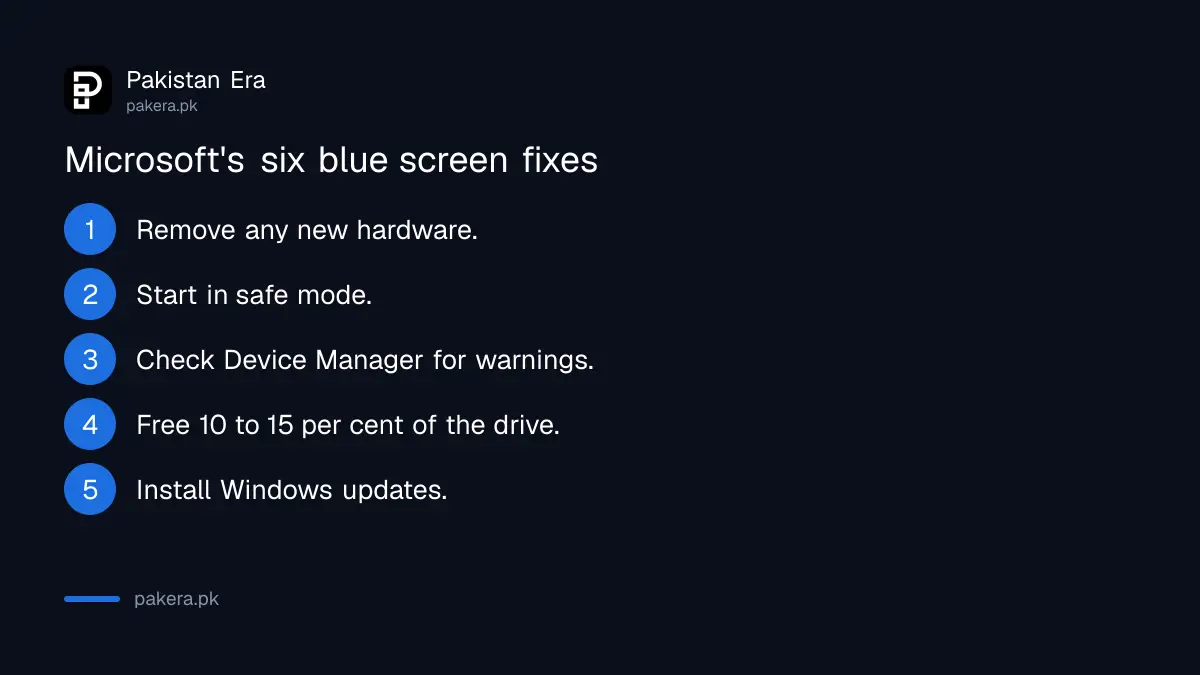
Step 4 matters most on a laptop with a small 128 GB or 256 GB drive, which fills up quickly with downloads and phone backups. Clearing it is covered in the steps to free up disk space on Windows 11.
Safe mode is reached through the recovery screen
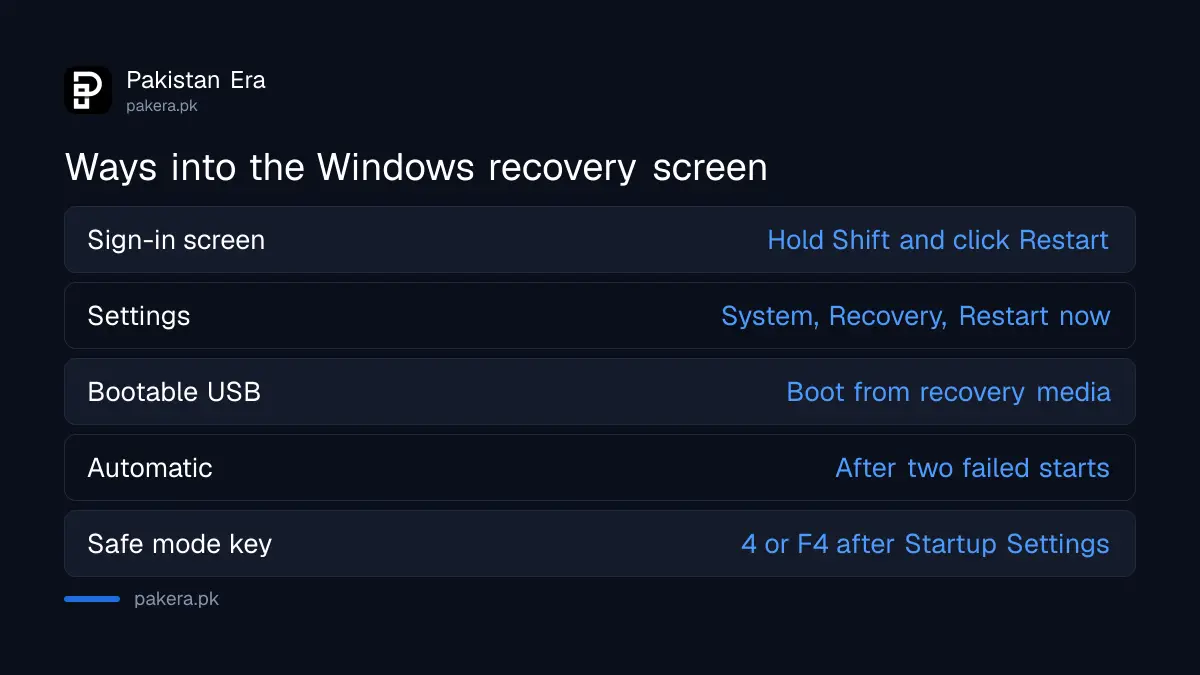
Open the recovery screen, then choose Troubleshoot, Advanced options, Startup Settings and Restart. After the restart, press 4 or F4 for safe mode, or 5 or F5 for safe mode with networking.
Microsoft lists several ways into the recovery screen, called Windows Recovery Environment or WinRE:
- From the sign-in screen, click the power button and hold Shift while you click Restart.
- From Windows, go to Start > Settings > System > Recovery and click Restart now beside Advanced startup.
- Boot from recovery media, such as a Windows 11 bootable USB.
WinRE also starts by itself after two failed attempts to start Windows in a row, or after two unexpected shutdowns or restarts within two minutes of starting. So a PC stuck in a crash loop usually lands there without any help.
To leave safe mode, simply restart. If the PC keeps booting into safe mode, press Windows key + R, type msconfig, open the Boot tab and clear the Safe boot box.
Roll back with restore points or reset when nothing else works
From the recovery screen, Microsoft offers point-in-time restore, System Restore and push-button reset. Restore rolls back system files and settings but not personal files. Reset reinstalls Windows and can keep your files.
Microsoft says point-in-time restore uses restore points stored on the PC. If that is not available or you need to go back further than 3 days, System Restore is the option. Neither touches your documents. A restore only helps if a point exists, which is why it is worth knowing how to create a Windows restore point before trouble starts.
If restore fails, a reset is the last software step. The steps to reset a Windows 11 PC and keep your files explain the choices. Back up first anyway.
BitLocker can ask for a key on the recovery screen
On many new laptops the drive is encrypted with BitLocker. Microsoft says encrypted files cannot be reached in the recovery environment without the key, so find your BitLocker recovery key before you start repairs.
The key is usually saved in the Microsoft account that set up the laptop. The steps to find a BitLocker recovery key show where to look. Do not let a repair shop wipe the drive just because it asks for this key.
If blue screens continue after a reset, the problem is likely hardware: memory, the drive or overheating. That is a job for the laptop maker's service centre, especially if the laptop is under warranty. Microsoft also notes that on home PCs a newer feature, quick machine recovery, is on by default and can fetch fixes from Microsoft in the recovery screen.
Common questions
Why is my Windows 11 error screen black instead of blue?
Microsoft says Windows 11 version 24H2 and later show stop code errors on a black screen. The codes and fixes are the same.
Does a blue screen delete my files?
The error itself does not. A reset can, unless you choose to keep your files, so back up before you reset.
How do I start Windows 11 in safe mode if it keeps crashing?
Let it fail to start twice. The recovery screen opens, then choose Troubleshoot, Advanced options, Startup Settings, Restart, and press 4.
How much free space does Windows need to avoid crashes?
Microsoft suggests keeping about 10 to 15 per cent of the drive free.
What does MEMORY_MANAGEMENT mean?
It is one of the stop codes Microsoft names. Remove any new RAM first, then update drivers and Windows.
How we verified this
What we checked, where we read it, and what we could not confirm.
Last checked 31 October 2026. We read Microsoft's support page Troubleshooting Windows unexpected restarts and stop code errors, its safe mode page, and the Windows Recovery Environment reference (updated 28 October 2026) on 31 October 2026. The stop code table is our own guide to where to start, not a Microsoft list. We did not reproduce a stop code error ourselves.
About the author

Technology Journalist & Multimedia Producer
Ahmad Ali is a technology journalist and multimedia producer at Pakistan Era, joining the team in October 2026. He covers consumer technology and digital life for Pakistani readers, combining research with hands-on product testing.