How to Change What Facebook Shows You With Your Algorithm in Pakistan
Facebook now lets you type what you want in Feed and Reels through Your algorithm in the three-dot menu. How it works in Pakistan and which older controls help.
To change what Facebook shows you, tap the three-dot menu on any post in Feed or Reels and open "Your algorithm", where you can add and manage the topics you want to see. You can also tap "Interested" or "Not interested" on a post and then type, in your own words, what you want more or less of. Meta announced these tools on 13 October 2026 and says your recommendations change right away.
Plenty of Pakistani users open Facebook for cricket, recipes or local news and get a stream of clips they never asked for. Until now the main fixes were blunt: unfollow, snooze, or switch to the newest posts. We read Meta's announcement and its explanation of how Feed is ranked on 20 October 2026. We could not confirm that Your algorithm has reached Pakistani accounts yet, because Meta gives no country list.
Your algorithm is a new list of topics you choose
Your algorithm is a space where you add the topics you want to see in Feed and Reels, and remove ones you no longer want. Meta says it sits in the three-dot menu on posts, and that large language models now read your typed requests.
In plain terms, you no longer have to train Facebook by liking and scrolling for weeks. You can tell it "more Pakistan cricket, less celebrity gossip" and the ranking should react in the same session. Meta's word is "rolling out", so some accounts will see it before others.
Five steps set your topics in Feed and Reels
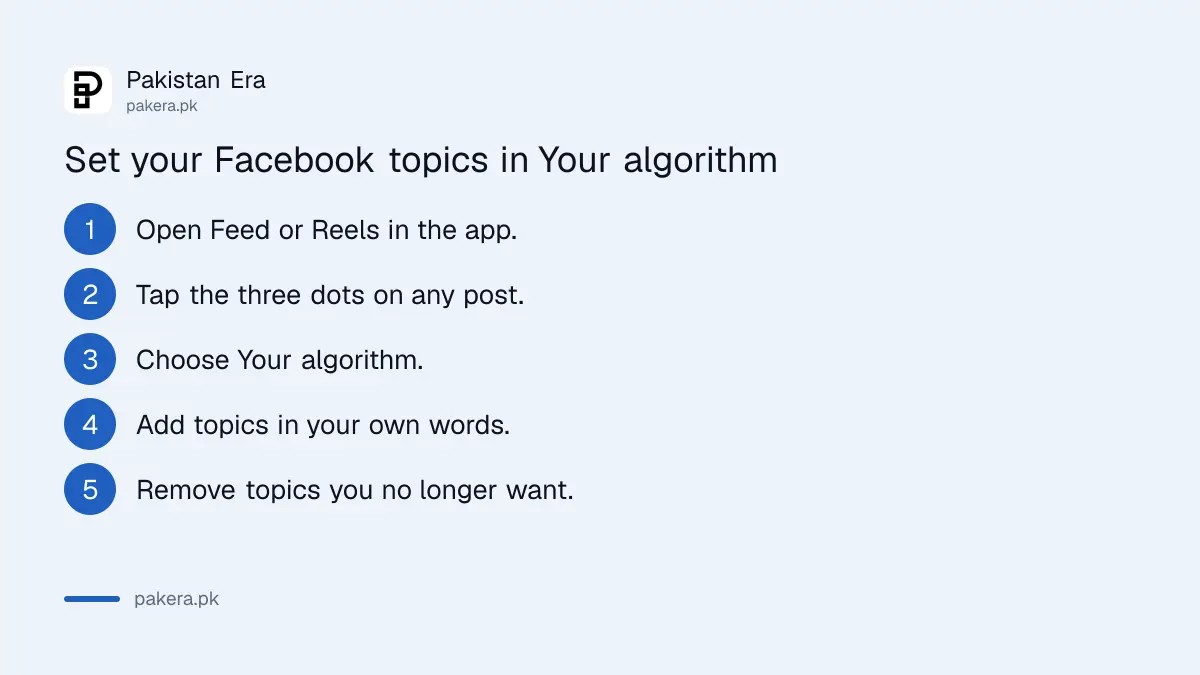
Open any post, tap its three dots, choose Your algorithm, then add the topics you want. Remove any topic that no longer fits. Meta says changes apply right away, so scroll back to Feed to check the effect.
- Open the Facebook app and go to Feed or Reels.
- Tap the three-dot menu on any post.
- Choose Your algorithm. If it is missing, update the app and check again later.
- Add the topics you want to see more of, in your own words.
- Remove topics you no longer want, then go back to Feed.
Be specific. "Cricket" is vague. "Pakistan domestic cricket scores" or "Lahore food prices" gives the system more to work with. Meta's post says freeform text is combined with everything Facebook already knows about what you engage with.
Interested and Not interested now ask a follow-up question
Tapping "Interested" or "Not interested" on a post already nudged your Feed. Now Facebook may ask a follow-up question, and you can type exactly what you liked or disliked. Meta says recommendations update in real time after you answer.
Meta's ranking page explains the effect. "Interested" temporarily raises the ranking score for that post and posts like it. "Not interested" temporarily lowers it. The word that matters is temporarily. One tap fades, so the typed follow-up and your topic list are the longer-lasting tools.
A practical rule: if a kind of post annoys you once, tap Not interested. If it keeps coming back, add a clear line about it in Your algorithm.
Older Feed controls still work alongside the new tools
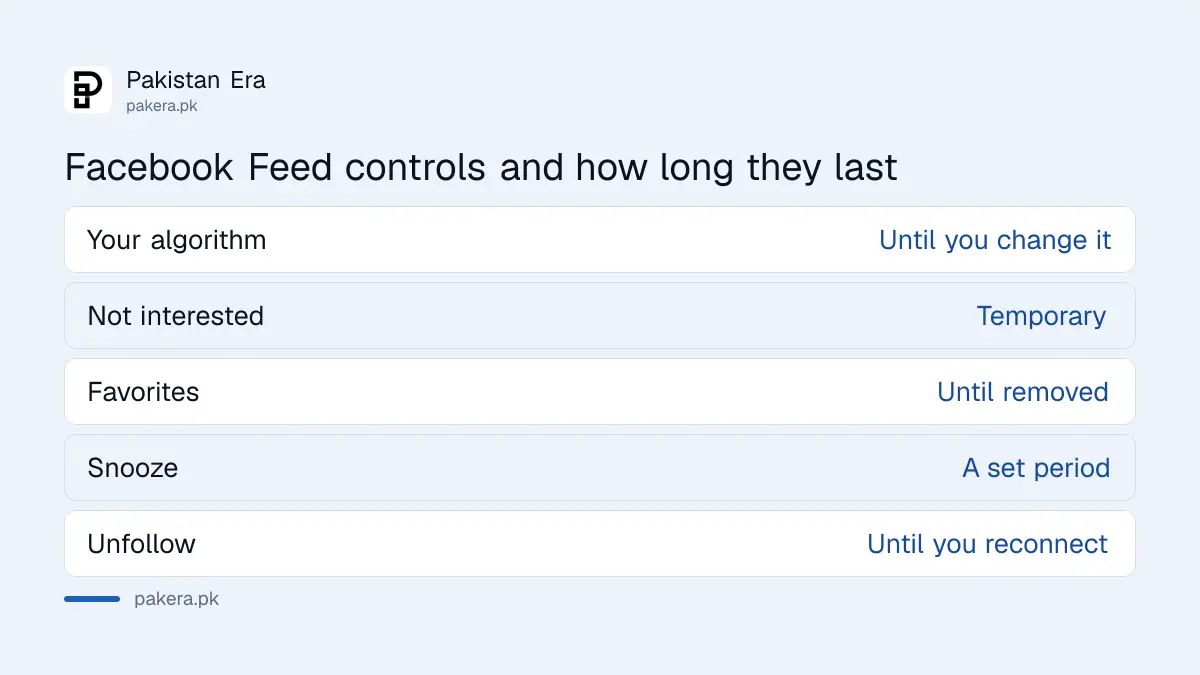
Feed Preferences let you mark Favorites, snooze or unfollow people, Pages and Groups, and reconnect with anyone you unfollowed. The Feeds tab shows the newest posts first. These controls sit next to Your algorithm rather than being replaced by it.
| Control | What it does | How long it lasts |
|---|---|---|
| Your algorithm | Topics you add or remove for Feed and Reels | Until you change the list |
| Interested or Not interested | Raises or lowers similar posts, now with a typed follow-up | Temporary, says Meta |
| Favorites | Puts chosen friends and Pages higher in Feed | Until you remove them |
| Snooze | Hides a person, Page or Group for a while | A set period |
| Unfollow | Stops their posts in your Feed, you stay friends | Until you reconnect |
| Feeds tab | Newest posts first, with ads mixed in | Each time you open it |
Meta's ranking page lists hiding, snoozing and unsubscribing as signals that reduce a post's reach for you. So these taps do more than clean up one screen.
Your typed topics become part of what Facebook knows about you
Anything you type into Your algorithm is information you give Meta about your interests. Meta's post says it is combined with your other activity to rank posts. Keep it to topics you are happy for Facebook to use.
Ads are a separate system with their own settings. Telling Your algorithm you want fewer car videos changes recommendations, not necessarily the ads you see. To tighten who sees your own posts at the same time, run the Facebook Privacy Checkup.
Instagram has its own reset for recommendations. If Reels there have gone the same way, the steps to reset Instagram suggested content do a similar clean-up.
Common questions
Where do I find Your algorithm on Facebook?
Meta says it is in the three-dot menu on posts in Feed and Reels. If you cannot see it, update the app, because the feature is still rolling out.
Is Your algorithm available in Pakistan?
Meta has not published a country list. It says the feature is rolling out, so check your own app after updating it.
Does Not interested last forever?
No. Meta says it lowers the ranking score temporarily. Add a topic note in Your algorithm for a longer effect.
Can I see only my friends' newest posts?
Yes. Open the Feeds tab. Meta says it sorts content newest first, with ads mixed in.
Will this change the ads I see?
Meta's post talks about Feed and Reels recommendations. It does not say the topics change ads, which have separate settings.
Can I type in Urdu?
Meta's post does not say which languages Your algorithm understands. Try a short Urdu or Roman Urdu phrase and see if the Feed responds.
How we verified this
What we checked, where we read it, and what we could not confirm.
Last checked 20 October 2026. We read Meta's newsroom post "Your Algorithm, Your Words: New Ways to Shape What You See on Facebook", dated 13 October 2026, and Meta's Transparency Center page on Feed ranking, both on 20 October 2026. The location of Your algorithm in the three-dot menu, the typed follow-ups and the real-time updates come from Meta's post. The temporary effect of Interested and Not interested, and the Feed Preferences and Feeds tab details, come from the Transparency Center page. We did not see the feature on a Pakistani account, so menu labels may differ on your phone. Meta has not said which countries or languages it covers.
About the author

Technology Journalist & Multimedia Producer
Ahmad Ali is a technology journalist and multimedia producer at Pakistan Era, joining the team in October 2026. He covers consumer technology and digital life for Pakistani readers, combining research with hands-on product testing.