Check Your Electricity Bill Online in Pakistan: Every Company's Portal, Tested
We opened all ten portals. LESCO, IESCO, MEPCO and the rest need one 14 digit reference number. Where to find it and how to print a duplicate.
If the bill never arrived, or the meter reader has been and you want to see the damage before the paper does, every electricity company in Pakistan puts your bill online. It is free, it needs no account, and the printed copy is valid to pay with.
We opened all ten portals before writing this, so the addresses below are ones we have actually loaded rather than copied from somewhere else.
You need one number, and it is fourteen digits
Every portal asks for the same thing: your reference number. LESCO's form spells it out in the box itself, asking for a 14 digit valid reference number.
It is printed on any old bill, usually top left, above or beside your name. It does not change between months and it does not change when the tariff changes, so once you have it, note it somewhere. It is the only thing standing between you and every future bill.
Two things people get wrong. Type it with no spaces and no dashes, even though the printed version usually has them. And it is not your meter number, which is the different number stamped on the meter itself.
Every company's portal
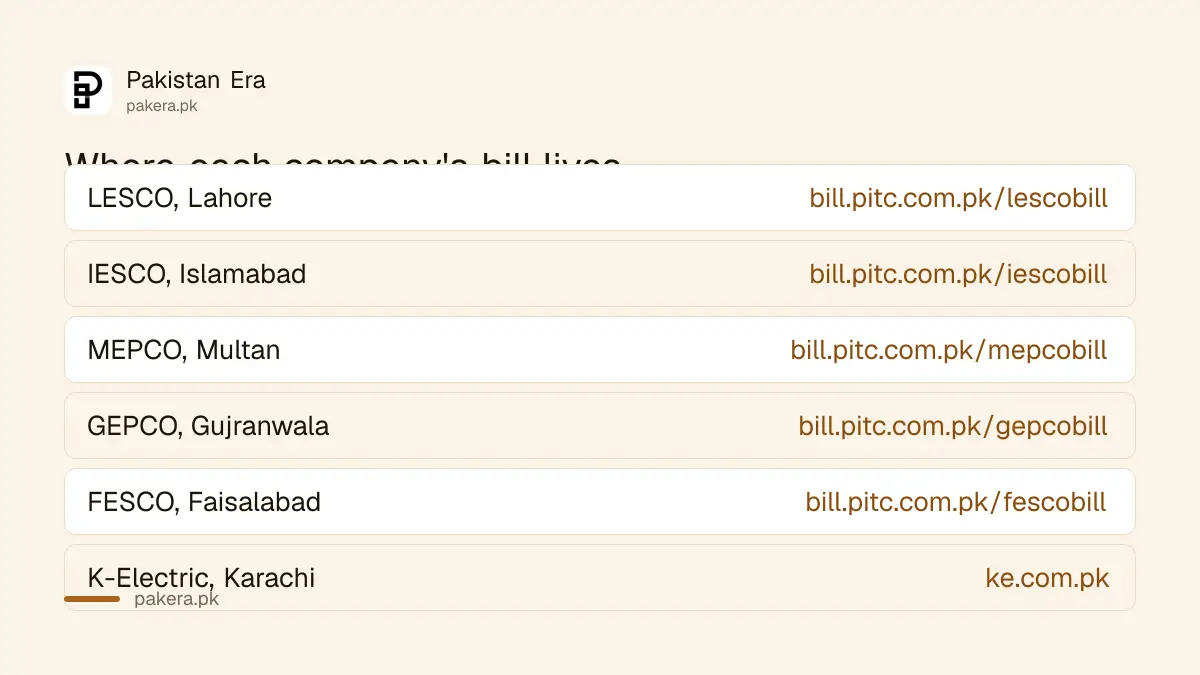
Here is the part worth knowing that almost nobody says out loud: apart from K-Electric, every distribution company sits on the same host. Only the prefix changes.
| Company | Area | Portal |
|---|---|---|
| LESCO | Lahore | bill.pitc.com.pk/lescobill |
| IESCO | Islamabad and Rawalpindi | bill.pitc.com.pk/iescobill |
| MEPCO | Multan and south Punjab | bill.pitc.com.pk/mepcobill |
| GEPCO | Gujranwala | bill.pitc.com.pk/gepcobill |
| FESCO | Faisalabad | bill.pitc.com.pk/fescobill |
| PESCO | Khyber Pakhtunkhwa | bill.pitc.com.pk/pescobill |
| HESCO | Hyderabad | bill.pitc.com.pk/hescobill |
| SEPCO | Sukkur | bill.pitc.com.pk/sepcobill |
| QESCO | Balochistan | bill.pitc.com.pk/qescobill |
| TESCO | Tribal districts | bill.pitc.com.pk/tescobill |
| K-Electric | Karachi | ke.com.pk |
All eleven answered when we requested them. If you are not sure which company serves you, the name is printed at the top of any previous bill, and it follows the city rather than your address within it.
Checking your bill, step by step
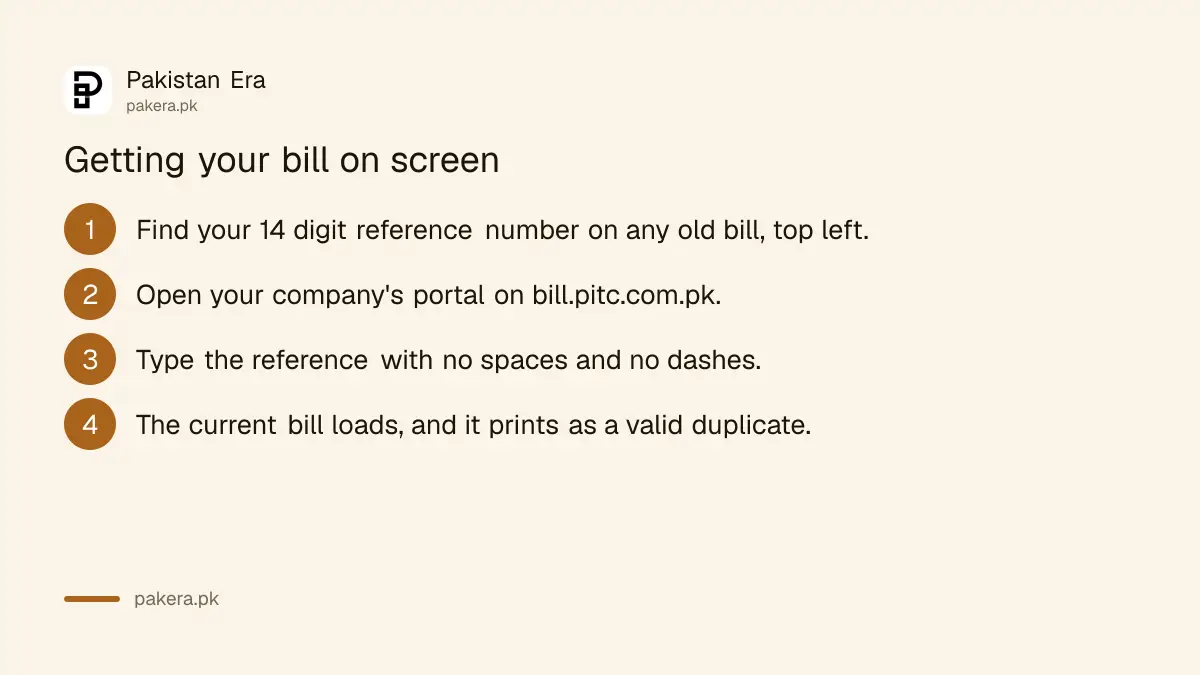
- Find the reference number on an old bill, top left, fourteen digits.
- Open your company's portal from the table above.
- Enter the reference with no spaces or dashes and submit.
- The bill loads on screen, showing units consumed, the amount, and the due date.
The page you get is the bill. Print it and it works as a duplicate at any bank, post office or authorised payment point, which is the whole reason this service exists.
Reading bijli ka bill when it looks wrong
Most people open the portal because the amount looks too high, so it is worth knowing which numbers to look at.
Compare units consumed against the same month last year rather than against last month, because usage is seasonal and July is never going to look like February. If the units are similar and the amount is not, the change is in the tariff or in fuel price adjustment rather than in your consumption.
Fuel adjustment is the line that moves most, and it has been moving a lot. With RLNG at a decade high and generation shifting toward coal, the cost of producing a unit has been unstable all year, and that reaches you through this line a month or two later.
If the units themselves look impossible, that is a different problem and it has a process. Our guide on what to do about overbilling covers how to dispute a reading rather than simply pay it.
When the portal says no record found
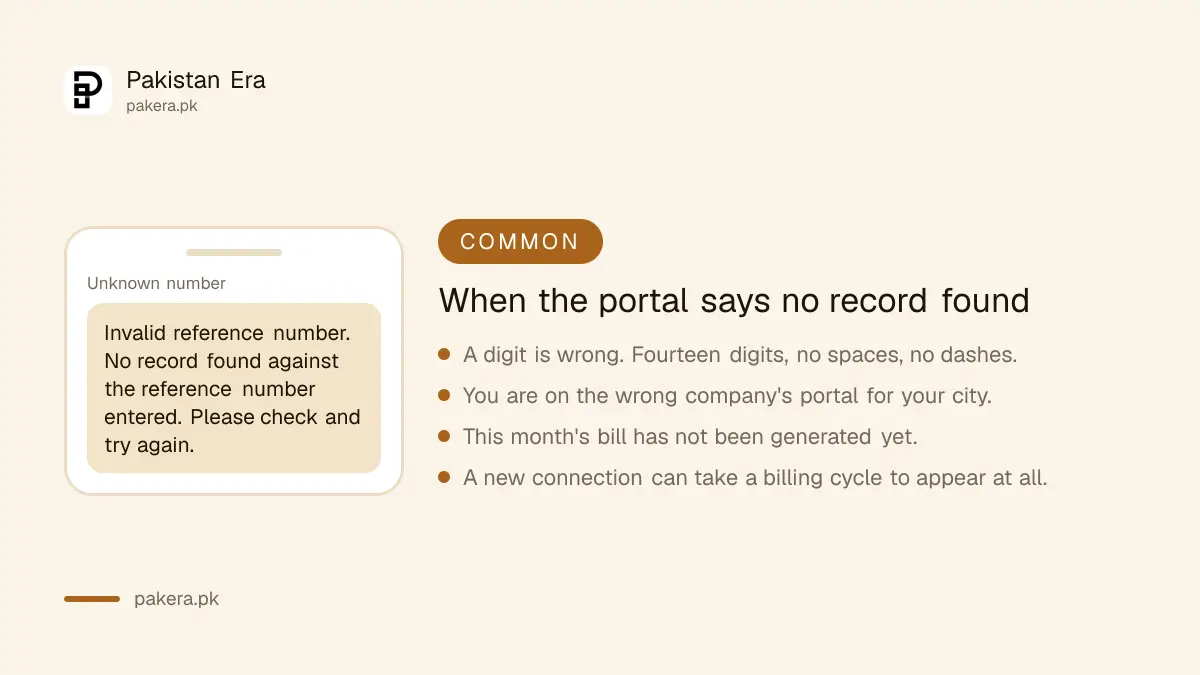
Four causes, in the order they are likely.
A digit is wrong. Fourteen digits, no spaces, no dashes. Check the ones that look alike on a worn bill.
Wrong company. Entering a LESCO reference on the IESCO portal returns nothing, and the two look identical.
The bill is not out yet. Billing runs on a cycle, so checking too early in the month returns the previous bill or nothing at all. Wait a few days.
The connection is new. A recently installed meter can take a full billing cycle before it appears online at all.
Paying it, and getting the alerts
Once the bill is on screen you can pay it through your bank app, through a mobile wallet, or at any authorised counter with the printed copy. Our guide to paying utility bills online covers the routes, and digital payments in Pakistan covers the wallets.
Better than checking every month: most companies will send you an SMS when the bill is generated. Ask at your local office or look for the alerts option on the portal. It removes the reason to come back here.
The same reference number also works for the gas side of your household admin, in the sense that the process is identical: our guide to checking a Sui gas bill uses a consumer number in the same way.
If you never receive a paper bill at all
This is common and it is worth fixing rather than working around.
Report it to your local company office, because a bill that never arrives is usually a delivery problem at their end and it can be corrected. Meanwhile the online copy is a complete substitute, and switching to SMS alerts plus the portal is what most people end up doing anyway.
Do not let it drift. Non payment because a bill did not arrive is still non payment as far as disconnection is concerned, and the online bill removes that excuse in both directions.
The other bills in the same drawer
Gas runs on an entirely separate system, and the number it asks for is not the one most people search for. We opened both Sui portals and found SSGC asks for ten digits, not the fourteen everyone types.
On the electricity side, distribution companies have asked for about Rs 34 billion more across September to November, roughly Rs 1.35 a unit. It is a request rather than an increase, and we explain the capacity payment arithmetic behind it in the quarterly adjustment.
If you are setting up a property rather than reading an existing bill, the water process is separate again and sits with your local authority, which we cover in getting a new water connection.
Questions readers are asking
How do I check my electricity bill online in Pakistan?
Open your distribution company's portal on bill.pitc.com.pk, for example bill.pitc.com.pk/lescobill for LESCO, and enter your 14 digit reference number with no spaces or dashes. K-Electric customers use ke.com.pk instead.
Where is the reference number on my bill?
Usually the top left of any previous bill, near your name. It is fourteen digits and it does not change month to month.
Is the reference number the same as my meter number?
No. The meter number is stamped on the meter itself. The portals want the reference number from the bill.
Can I print a duplicate bill and pay with it?
Yes. The page the portal returns is the bill, and a printout is accepted at banks, post offices and authorised payment points.
Why does the portal say no record found?
Most often a mistyped digit, or the wrong company's portal for your city. It can also mean this month's bill has not been generated yet, or that the connection is new enough not to be online.
How do I check bijli ka bill without the paper copy?
You only need the reference number, not the paper. If you have it saved anywhere, or on a photograph of an older bill, that is enough to load every future bill online.
About the author

Tax, Bills and Technology Writer
Ali Akhtar is a young and curious voice here at Pakistan Era. He is currently pursuing his A-Levels and has a growing interest in Pakistan’s changing industrial landscape and educational trends. Ali likes to write in a way that helps him explain and explore the world around him. His writing reflects the perspective of the new generation navigating the evolving trends of Pakistan where technology, youth innovation, and shifting opportunities are reshaping the country’s future.