Delete Meta AI Chats on WhatsApp and Block It in Groups in Pakistan
WhatsApp has no off switch for Meta AI. Use /reset-all-ais to wipe Meta's copy, delete the chats and turn on Restricted chat to block it in your groups today.
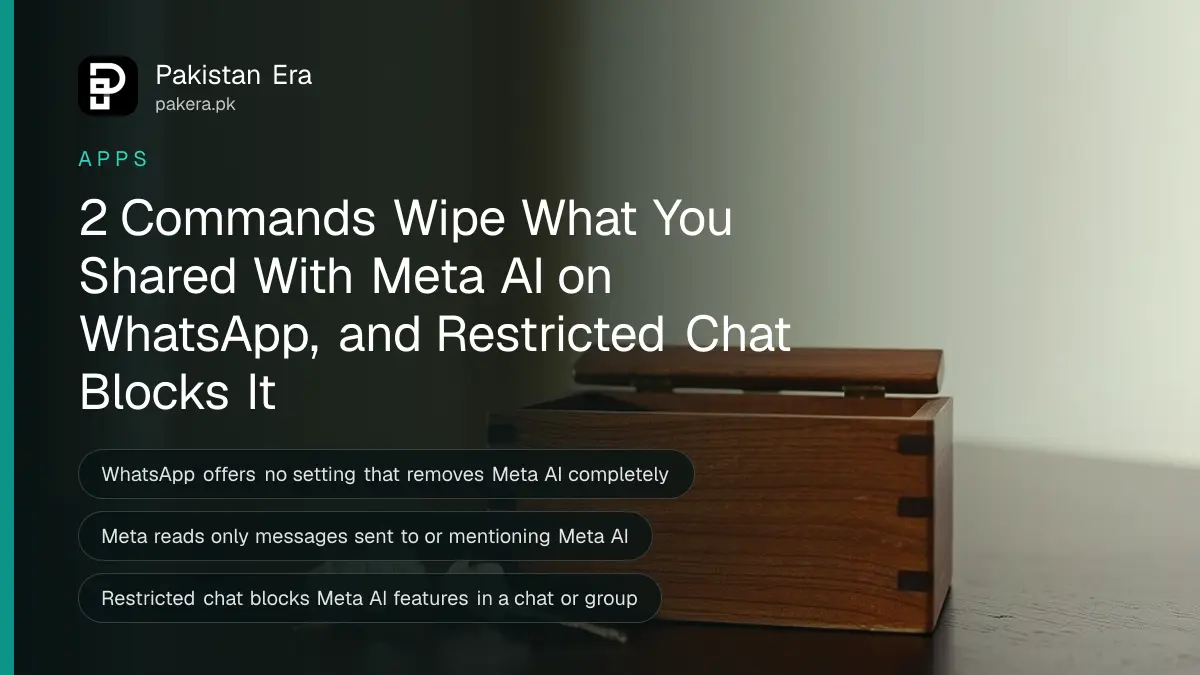
WhatsApp has no switch that removes Meta AI completely. You can still clear it out in three steps: delete your chats with Meta AI, type /reset-all-ais in the Meta AI chat to wipe Meta's copy, and turn on Restricted chat in any chat where you want Meta AI blocked for everyone.
The blue and purple circle on the Chats tab is the Meta AI button. Plenty of people in Pakistan have tapped it once by mistake, asked it a question, and then wondered where that question went. Some have shared family photos or a CNIC picture with it without thinking.
We read WhatsApp's own Help Center articles on Meta AI on 10 October 2026. Below is what Meta can and cannot read, how to delete what you shared, and how to keep Meta AI out of a family or office group.
Meta AI reads only what you send it, nothing else
WhatsApp says Meta can read only messages that mention @Meta AI or that someone chooses to share with Meta AI. Your other personal chats and calls stay end-to-end encrypted. But anything you type or forward to Meta AI goes to Meta, and Meta may use it to improve its AI.
That second part is the reason to clean up. WhatsApp's help page says Meta receives your prompts, the messages you share and your feedback. It also says Meta may use them to improve AI quality, and may collect information about your device and connection.
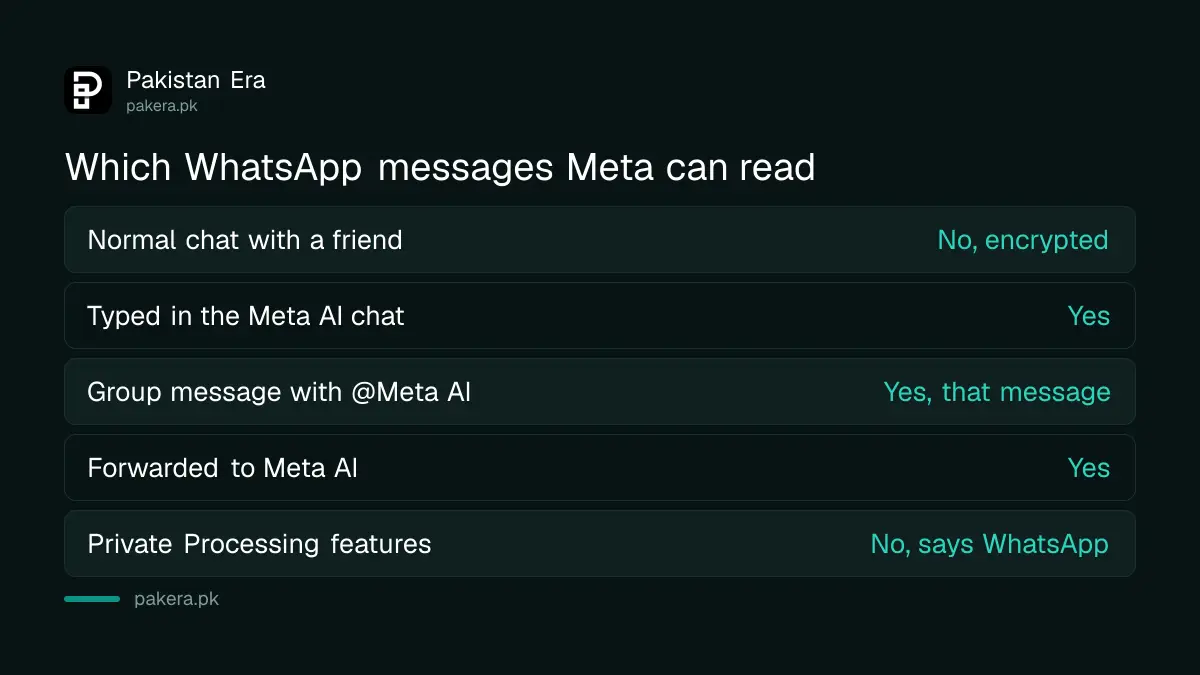
| Message | Can Meta read it? |
|---|---|
| Your normal chat with a friend | No, end-to-end encrypted |
| A message you type in the Meta AI chat | Yes |
| A group message that mentions @Meta AI | Yes, that message |
| A message you forward to Meta AI | Yes |
| Messages shared with Private Processing features | No, says WhatsApp |
WhatsApp also notes that Meta AI is not a human, and some of its answers may be wrong or unsuitable. Never send it a password, an OTP, bank details or a picture of your CNIC.
Delete your Meta AI chats and Meta's copy in two minutes
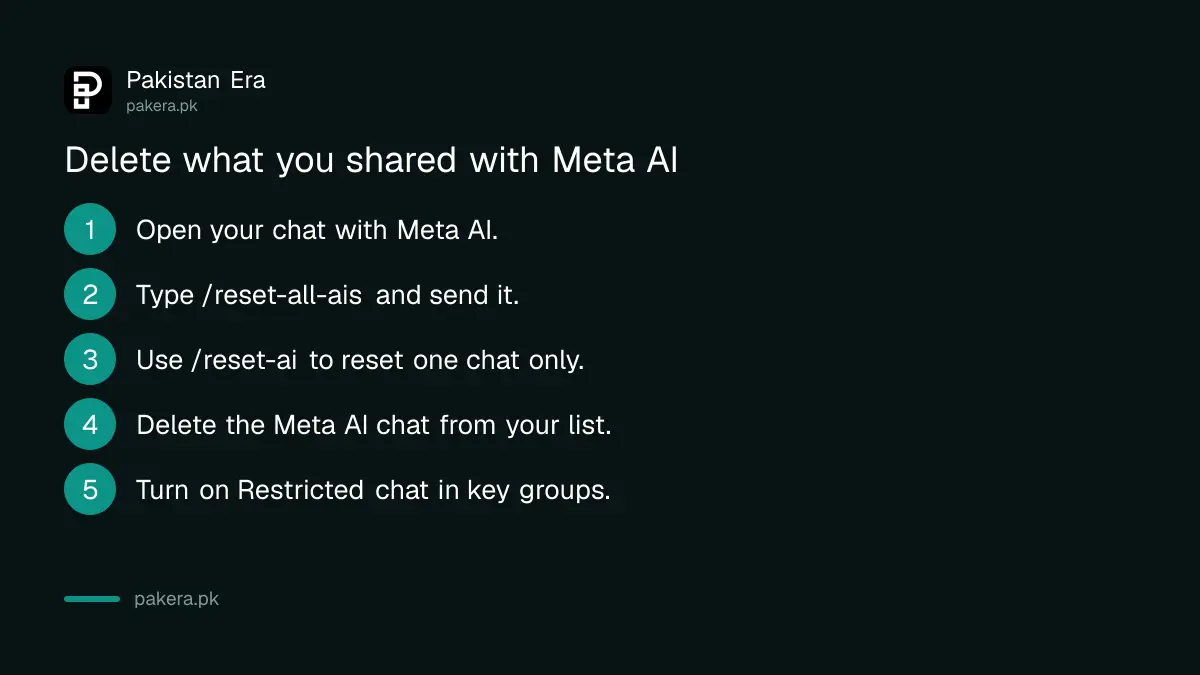
Deleting the chat from your phone is not enough, because Meta keeps its own copy. WhatsApp's help page lists two commands that delete Meta AI's copy of your messages and information. Type /reset-ai for one chat, or /reset-all-ais to clear every chat at once.
Follow these steps, in this order:
- Open WhatsApp and tap the Meta AI circle, or open your existing chat with Meta AI.
- Type /reset-all-ais in the message box and tap send. This resets every individual and group chat you have had with Meta AI.
- If you want to reset only one conversation, open it and type /reset-ai instead.
- Go back to the Chats list. Long-press the Meta AI chat and tap Delete, then confirm.
- Repeat for any other Meta AI chats you see in the list.
WhatsApp warns that a deleted Meta AI chat cannot be restored. If you want a record first, its Help Center has a separate article on downloading your Meta AI chat history.
Meta AI Memory, which used to remember details about you, is no longer available, according to WhatsApp's own help page. So there is no separate memory list to clear any more.
Block Meta AI in a family or office group with Restricted chat
Restricted chat is a per-chat setting. When it is on, nobody in that chat can use Meta AI features on its messages, export the chat or auto-save its media. In a group only admins can turn it on; in a one-to-one chat either person can.
Restricted chat replaces the older Advanced chat privacy setting on the latest WhatsApp. To turn it on:
- Update WhatsApp from the Play Store or App Store. Restricted chat needs the latest version.
- Open the chat or group on your main phone, not on a linked computer.
- Tap the chat or group name at the top to open its info screen.
- Find Restricted chat and turn it on.
It does more than block Meta AI. People in the chat also cannot use linked devices for it, which WhatsApp says helps stop unofficial apps and AI agents from reading the chat. That matters in Pakistan, where cloned apps like GB WhatsApp are common, and a ban for using an unofficial app is a real risk.
One gap remains. WhatsApp says people on older app versions may still get around it, and you will not be told if someone in the chat has not updated.
Keep Meta AI out of groups and away from children
Meta AI can be added to a group as a member, and anyone in the group can mention it. If it has been added to a group you run, remove it the same way you remove any member: open group info, tap Meta AI and choose remove.
For a teenager's phone, combine Restricted chat in their main groups with the controls in WhatsApp parental controls for teens. Talk to them about what not to share with any chatbot.
The same rules apply at work. PKCERT's advice on using AI chatbots safely at work says never to paste client data, contracts or passwords into a public AI tool, and Meta AI inside WhatsApp is no exception.
Not everyone in Pakistan sees Meta AI. WhatsApp says it is rolling out gradually, only in some countries and languages, and Urdu is not on its list of device languages where access is offered in some countries. If you never see the circle, there is nothing to clear.
Common questions
Can I turn off Meta AI in WhatsApp completely?
No. WhatsApp's help pages offer no setting that removes Meta AI. You can delete your chats, reset Meta's copy with commands and block it chat by chat with Restricted chat.
Can Meta AI read my private WhatsApp chats?
No. WhatsApp says Meta can read only messages that mention @Meta AI or that someone shares with it. Your other chats stay end-to-end encrypted.
What is the difference between /reset-ai and /reset-all-ais?
/reset-ai resets the one Meta AI chat you type it in. /reset-all-ais resets all your individual and group chats with Meta AI at once.
Will deleting the Meta AI chat from my phone delete Meta's copy?
No. Deleting the chat removes it from your device. To delete Meta AI's copy of your messages and information, WhatsApp says you need to use the reset commands.
Does Restricted chat stop my messages being forwarded?
Not exactly. It stops exporting the chat, auto-saving media and using Meta AI or linked devices in that chat. People can still read and screenshot messages on their phones.
How we verified this
What we checked, where we read it, and what we could not confirm.
We last checked these WhatsApp Help Center articles on faq.whatsapp.com on 10 October 2026:
- "About Meta AI", for what Meta can read, how it may use prompts and the device information it collects.
- "How to delete your chats with Meta AI", for deleting chats and the /reset-ai and /reset-all-ais commands.
- "About restricted chat", for what the setting blocks and its limits.
- "About Meta AI Memory", which says the feature is no longer available.
- "About languages Meta AI is available in" and "About the availability of AI experiences", for the gradual country and language rollout.
Menu names change between WhatsApp versions. If you cannot find Restricted chat, update the app and check the chat's info screen again.
About the author

Technology Journalist & Multimedia Producer
Ahmad Ali is a technology journalist and multimedia producer at Pakistan Era, joining the team in October 2026. He covers consumer technology and digital life for Pakistani readers, combining research with hands-on product testing.