Discord Account Hacked in Pakistan: Undo the Email Change Within 48 Hours and Lock Your Account
Recover a hacked Discord account in Pakistan: use the 48-hour Start Account Recovery email, spot the real wasntme link, report at dis.gd/hackedaccount, add 2FA.
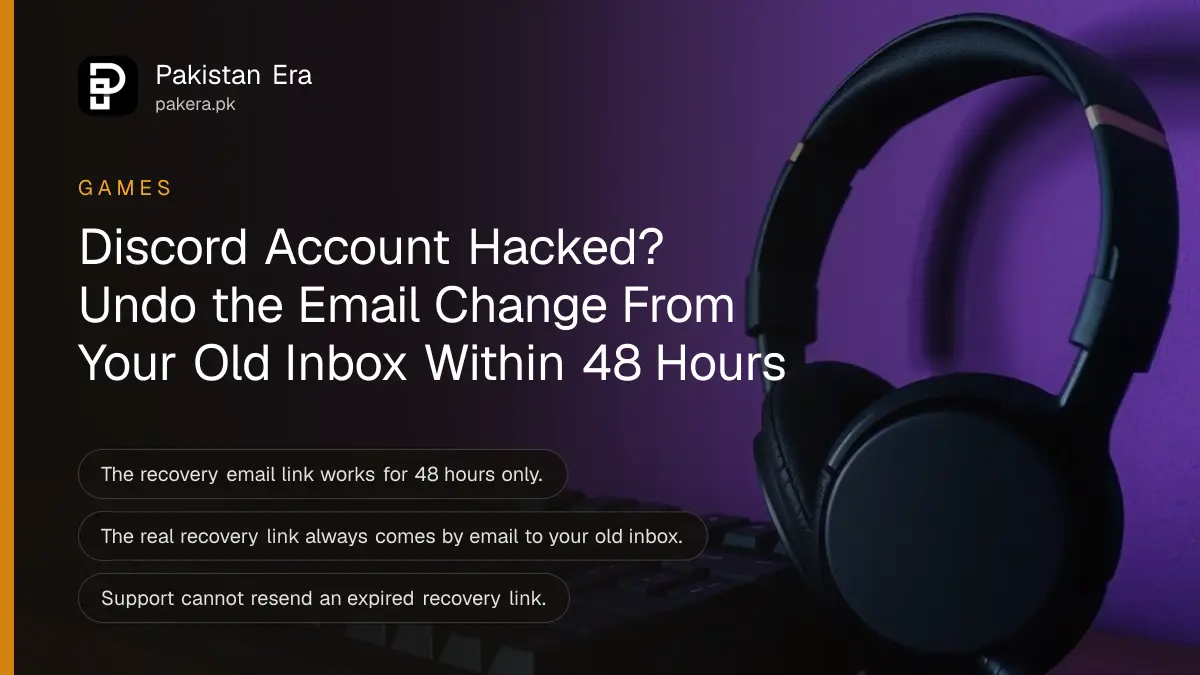
If your Discord account was hacked, check your email first. Discord sends a "Discord Email Address changed" message to your old address, with a Start Account Recovery button that undoes the change within 48 hours. If that link has expired or never came, report the hack to Discord through its support form at dis.gd/hackedaccount. Then reset your password, turn on multi-factor authentication and remove apps you do not recognise.
Gamers in Pakistan use Discord for clans, tournaments and voice chat, and hacked accounts are often used to spread "free Nitro" scams to your friends. Speed matters, because the 48-hour recovery link is the easiest way back in.
Undo the email change within 48 hours
When someone changes the email on your Discord account, Discord emails the old address with a button to revert it. Press Start Account Recovery within 48 hours. The real link always starts with https://discord.com/wasntme/, and anything else is fake.
- Open the "Discord Email Address changed" email in your original inbox. Check spam and promotions folders too.
- Check the link address. It must start with https://discord.com/wasntme/.
- Press Start Account Recovery.
- On the Account Recovery page, press Start revert process.
- Enter a new password of at least 8 characters.
- Add your phone number and multi-factor authentication again afterwards.
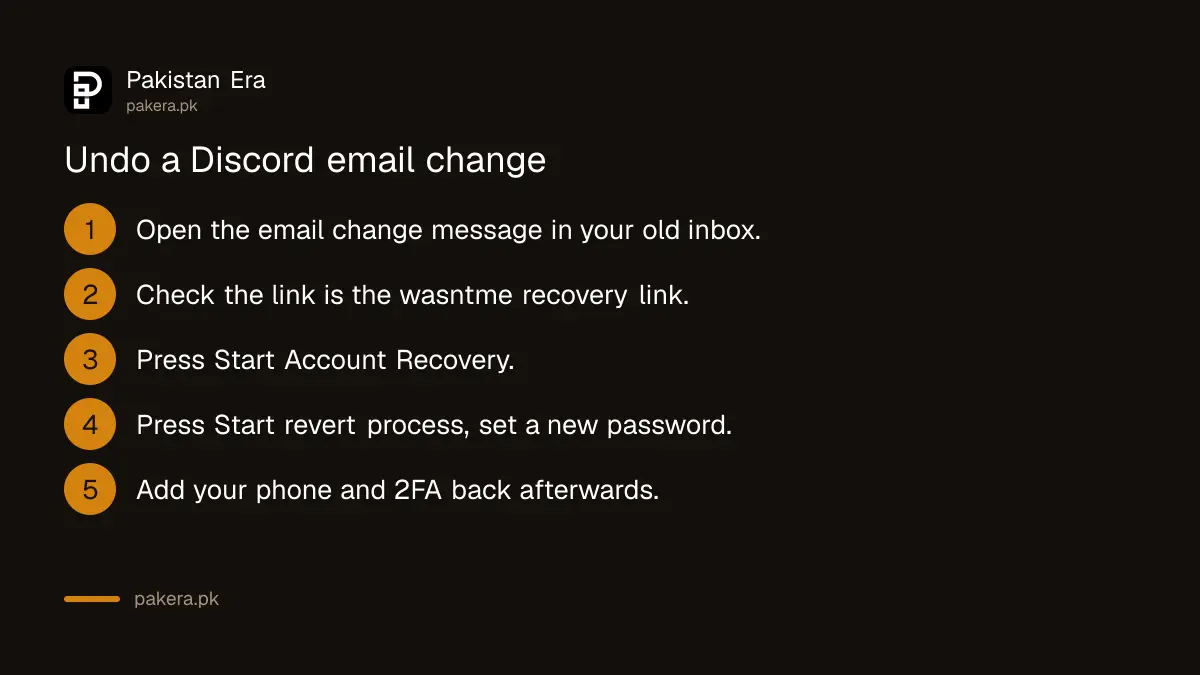
The recovery does several things at once. Discord says it puts your old email back, logs the account out of every device, makes you set a new password, removes any phone number and any multi-factor authentication (MFA) on the account, and cancels recovery links for later email changes. That is why you must add your phone and MFA again at the end.
Why the Discord recovery link fails
Discord shows an error only at the password step. The usual causes are an expired link, an earlier recovery already used, an email now used by another Discord account, or a password that is too short. If the link has expired, Discord support cannot send you a new one.
| Error cause | What it means | What to do |
|---|---|---|
| More than 48 hours passed | The link is no longer valid | Report the hack at dis.gd/hackedaccount |
| Recovery already done | An earlier link was used first | Sign in with the password you set then |
| Email in use by another account | A second Discord account uses that email | Free the email from the other account, then retry |
| Password too short | Under 8 characters | Choose a longer password |
| Link from a message, not email | Probably a scam link | Ignore it, use only the email link |
If a hacker also got into your email, recover the email before anything else. Discord's link goes only to the original inbox. The steps for Gmail account recovery in Pakistan cover the most common case.
Report a hacked Discord account to support
When the 48-hour link is gone, report the account to Discord's team through dis.gd/hackedaccount. Fill in every required field. If the hacker made purchases, such as Nitro, say so in the same ticket, because Discord asks for unauthorised transactions to be listed there.
- Go to dis.gd/hackedaccount in your browser.
- Fill in every required field on the form, using the email address that was on the account before the hack.
- List any charges you did not make.
- Send the ticket and watch your email for Discord's reply.
Be careful with your bank. Discord warns that a chargeback, or a refund claim through your bank for a Discord charge, may lead to the account being suspended while it investigates. Ask Discord's billing team first, through dis.gd/billing.
Secure Discord after you get back in
Reset the password, turn on multi-factor authentication, and remove every app you do not recognise from Authorized Apps. On Windows, run a full scan with Windows Security. Hackers often get in through a fake game file or a "free Nitro" link that installs malware.
Remove unknown apps
- On desktop or browser, click the gear icon at the bottom left to open User Settings.
- Open Authorized Apps and press Deauthorize on anything you do not use.
- On mobile, tap your avatar at the bottom right, then the gear icon at the top right.
- Open Authorized Apps and tap the x next to anything you do not recognise.
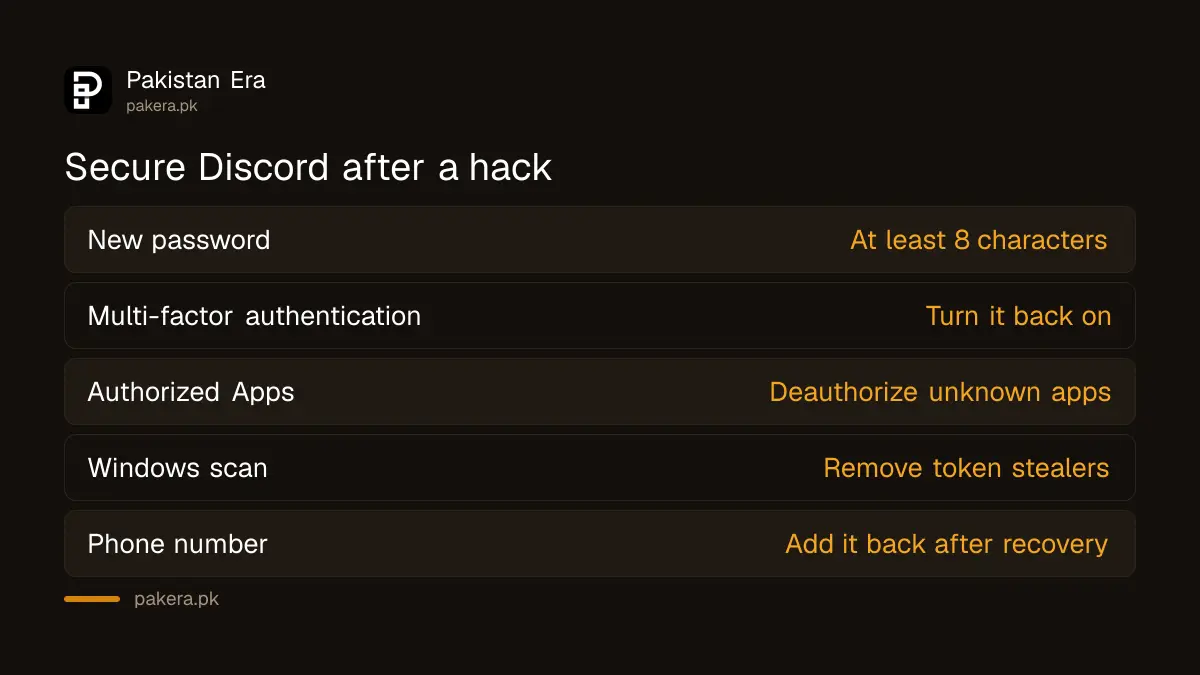
| Step | Why it matters |
|---|---|
| New, unique password | Stops the old stolen password |
| Multi-factor authentication | A password alone no longer logs in |
| Remove unknown Authorized Apps | Cuts off apps the hacker linked |
| Full virus scan on Windows | Removes token-stealing programs |
| Add your phone again | The recovery removes it |
The same habits protect your game accounts. Steam, for example, depends on its own code app, and our page on Steam Guard codes and a lost phone covers that side.
Scams that steal Discord accounts
Discord names two main threats: links or files dressed up as games or "free Nitro", and social engineering, where someone pretends to be Discord staff. Discord says its staff never contact users directly in the app for support. Anyone who does is a scammer.
- A friend sends a "new game to test" as a file or link. Their account may already be hacked.
- A message says your account was reported and offers to "appeal" for you.
- A "giveaway" asks for card details or your login.
- A QR code or link asks you to log in to claim Nitro.
Fake game files are a common route, the same trap as the Free Fire hack APKs shared in groups. Do not run any file a stranger sends, even if it looks like a game.
Common questions
How do I get my hacked Discord account back?
Use the Start Account Recovery button in the "Discord Email Address changed" email within 48 hours. After that, report the hack at dis.gd/hackedaccount.
How long is the Discord recovery link valid?
48 hours. After that it stops working, and Discord support cannot send a new one.
Why did my phone number disappear after recovery?
The recovery removes any phone number and multi-factor authentication from the account, in case the hacker added them. Add yours back afterwards.
Does Discord staff message users about bans or appeals?
No. Discord says its staff never contact users directly in the app for support. Treat such messages as scams.
The hacker bought Nitro with my card. What should I do?
List the charges in your hacked account ticket, and contact Discord's billing team at dis.gd/billing. Discord warns that a bank chargeback can lead to suspension.
How can I tell the real recovery link?
It always starts with https://discord.com/wasntme/ and comes by email to your original address. Any other address is fake.
How we verified this
What we checked and where we read it.
We checked these Discord Support pages on 17 November 2026: My Discord Account was Hacked or Compromised and My Discord Email was Changed and I Want to Undo It, for the 48-hour recovery link, the wasntme address, the recovery errors, the support and billing forms and the chargeback warning.
About the author

Technology Journalist & Multimedia Producer
Ahmad Ali is a technology journalist and multimedia producer at Pakistan Era, joining the team in October 2026. He covers consumer technology and digital life for Pakistani readers, combining research with hands-on product testing.