How to Dispute a YouTube Content ID Claim: Steps for Pakistan Creators
Pakistani creators can dispute a wrong YouTube Content ID claim in Studio. See the exact steps, the 30 day reply window, four outcomes and strike risk first.
To dispute a Content ID claim on YouTube, open YouTube Studio, go to Content, filter by Claims, click See details, then Take action and Dispute. The claimant has 30 days to respond. A dispute cannot be cancelled once it is sent, so be sure the claim is wrong first.
You post a wedding video with a song playing faintly at the back, and a claim appears. Or a vlog with background music you paid for. A Content ID claim is not a strike, but it can take your ad money or block your video in some places. We read YouTube's help page on copyright claims on 15 October 2026. This guide covers when to dispute, the exact steps and the outcomes.
Know what a Content ID claim is before you dispute
A Content ID claim is an automatic match between your video and content that a rights owner has registered. It is different from a copyright strike. A claim can block, monetise or track your video. A valid removal request leads to a strike.
The page you see in Studio shows the claimed content and the claimant. Read it first. Some claims are correct: you used a song without a licence. Others are wrong: the match is a sound you recorded yourself, or music you licensed.
Disputing a correct claim is not a free try. YouTube warns that repeated or malicious abuse of the dispute process can bring penalties against a video or channel. Dispute only when you can explain why the claim is wrong.
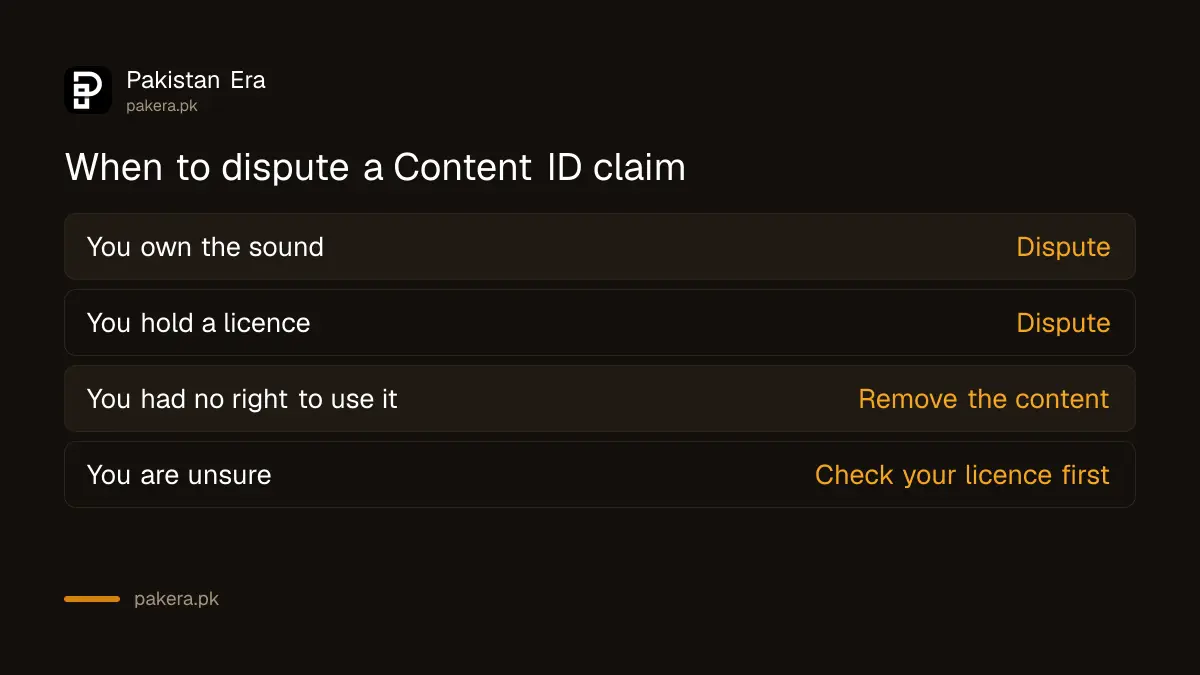
| Your situation | Sensible next move |
|---|---|
| You own the music or sound | Dispute |
| You hold a licence for the music | Dispute |
| You used the song with no right to | Remove the claimed content |
| You are not sure | Check your licence first |
Open the claim in YouTube Studio and press Dispute
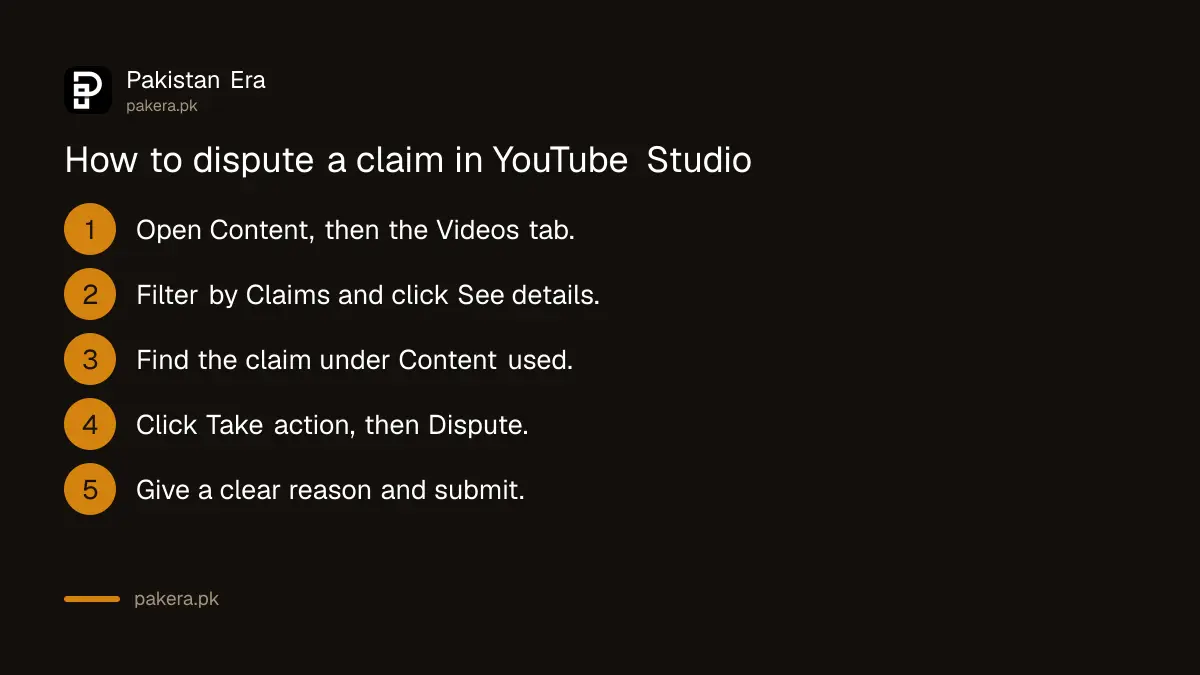
In YouTube Studio, select Content, find the video in the Videos tab, and use the filter bar to pick Claims. Hover over Claims in the Restrictions column and click See details. Under Content used, find the claim, click Take action, then Dispute.
- Sign in to YouTube Studio.
- Select Content from the left menu.
- In the Videos tab, find the video and filter by Claims.
- In the Restrictions column, hover over Claims and click See details.
- Under Content used, find the claim and click Take action.
- Click Dispute and give your reason.
Write your reason in plain, factual words. Say what the sound is, who made it and where your licence came from. Keep the licence receipt or the original file. We did not file a dispute ourselves, so the exact wording of the buttons on your screen may differ a little from this list.
Wait up to 30 days for the claimant to answer
YouTube says the claimant has 30 days to respond to your dispute. If you were earning from the video before the dispute, your monetisation settings come back automatically once all claims on the video are released.
Thirty days is a long time for a video that is trending. That is why it pays to avoid claims in the first place. If you plan to earn, understand how views turn into money, which the guide to YouTube earnings in Pakistan explains. A claim that redirects ad income to a rights owner leaves less for you.
Keep the video up while you wait. You do not need to delete it. The dispute is recorded against the claim, and you can check the status in the same Studio screen.
Understand the four outcomes of a dispute
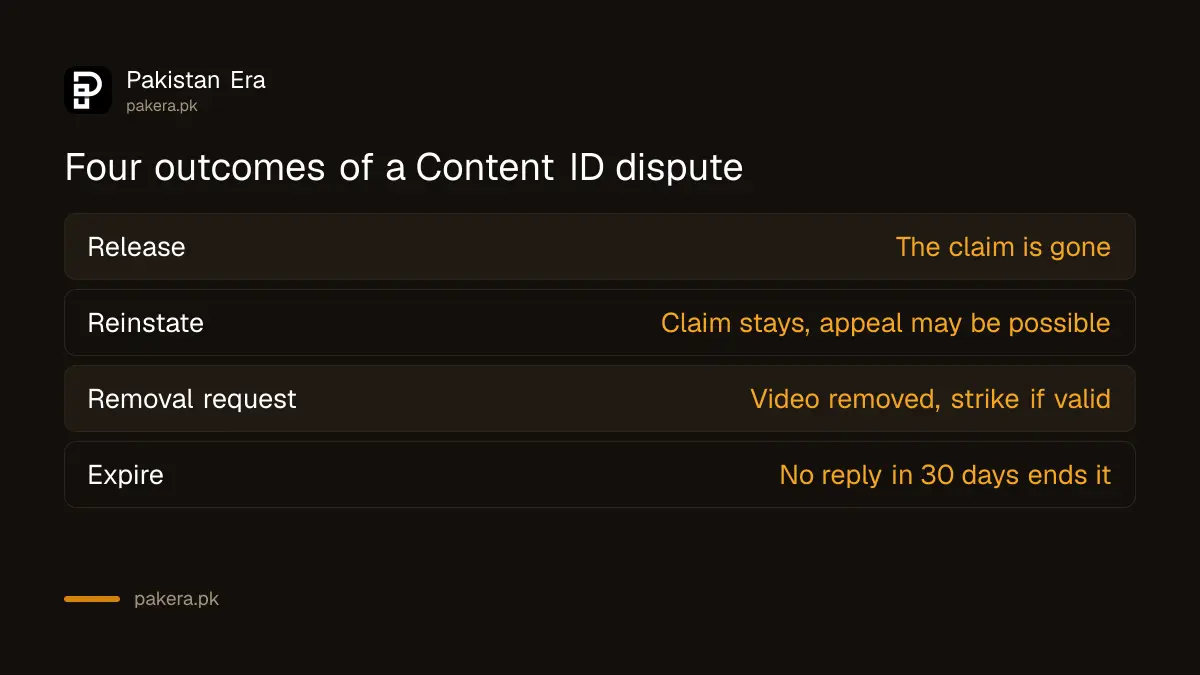
YouTube lists four outcomes: the claimant releases the claim, the claim is reinstated, the claimant sends a copyright removal request, or the claim expires if there is no reply in 30 days. A valid removal request gives your channel a strike.
| Outcome | What it means for you |
|---|---|
| Release | The claim is gone |
| Reinstate | The claim stays, and you may be able to appeal |
| Copyright removal request | Video removed, channel strike if valid |
| Expire | The claim ends after 30 days of no reply |
A strike has real weight. If you are working toward the Partner Program, read about the YouTube Partner Program changes for 2027, because your channel needs to stay in good standing. If a channel is ever taken over, the steps to recover a hacked YouTube channel are a different matter.
Use Appeal when a claim blocks your video
For claims that block your video, YouTube may show an Appeal option that skips the first dispute step. The claimant then has 7 days to respond to the appeal. If a claim is correct, the only other option the page names is removing the claimed content.
Appeal is the faster lane, so check if it appears for your claim. Since a dispute cannot be cancelled after you submit it, read your reason once more before you press the button.
Common questions about Content ID claims
Is a Content ID claim the same as a copyright strike?
No. A claim is an automatic match. A strike comes from a valid copyright removal request.
How long does the claimant have to reply?
YouTube says 30 days to respond to a dispute and 7 days to respond to an appeal.
Do I get my earnings back after a dispute?
If you were monetising the video before, YouTube says settings are restored automatically once all claims are released.
Can I cancel a dispute?
No. YouTube says that once submitted, a dispute cannot be cancelled.
What if I dispute a correct claim?
YouTube warns that repeated or malicious abuse of the process can bring penalties against the video or channel.
Where do I find my claims?
In YouTube Studio under Content, in the Videos tab, using the Claims filter.
How we verified this
What we checked, where we read it, and what we could not confirm.
Last checked 15 October 2026. We read YouTube's help page on disputing a Content ID claim on 15 October 2026. The steps, the 30 day and 7 day windows, the four outcomes and the strike warning come from that page. We did not file a dispute. The page names only one other option, removing the claimed content, so we do not describe trimming or muting.
About the author

Technology Journalist & Multimedia Producer
Ahmad Ali is a technology journalist and multimedia producer at Pakistan Era, joining the team in October 2026. He covers consumer technology and digital life for Pakistani readers, combining research with hands-on product testing.