Easypaisa to Bank Account Transfer in Pakistan: Bank Transfer or Raast, Charges and Limits (Every Bank)
Send money from Easypaisa to HBL, Meezan, UBL or any bank in seven steps. See the Oct to Dec 2026 fees, the free Raast route, limits and what to do if it fails.
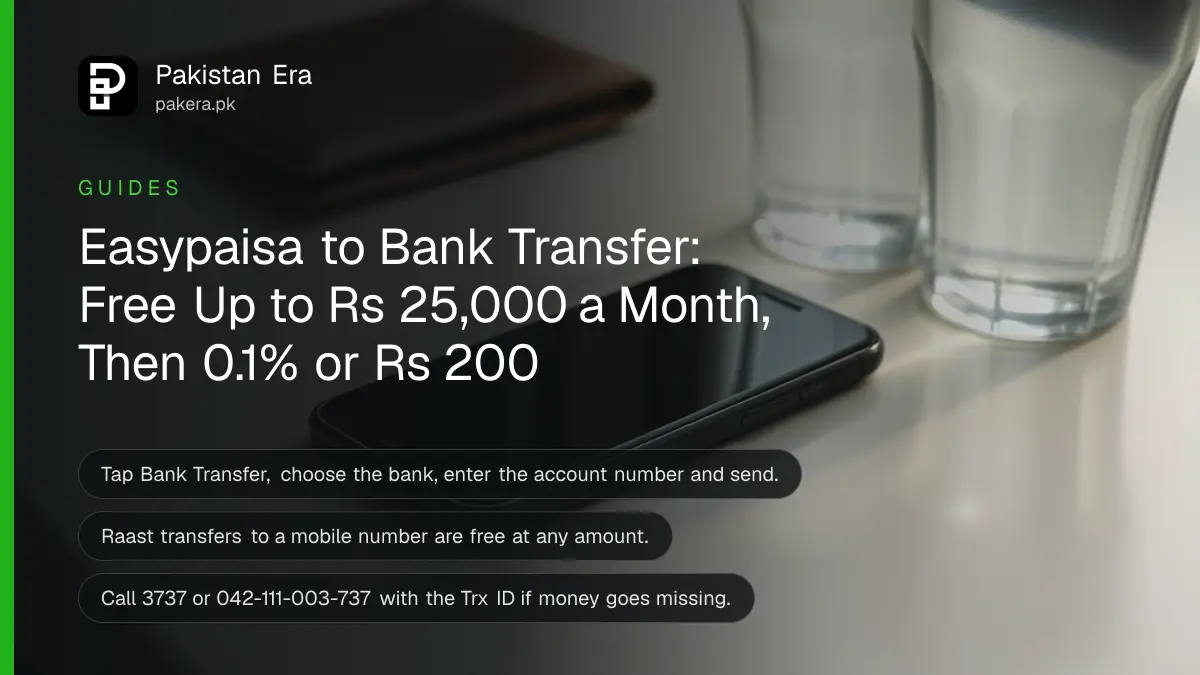
To send money from Easypaisa to a bank account, log in, tap Bank Transfer, choose the bank, enter the account number, pick a purpose, enter the amount and tap Send now. Easypaisa's October to December 2026 schedule charges nothing until you pass Rs 25,000 in a month, then 0.1 per cent or Rs 200 per transfer, whichever is lower. Raast transfers are free.
The same steps reach HBL, Meezan, UBL, MCB, Allied, NBP and every other bank. We read Easypaisa's FAQ and its Schedule of Bank Charges for October to December 2026 on 31 October 2026. Easypaisa's FAQ still prints an older fee table that disagrees with the schedule, so we explain which one to trust, then cover the limits and what to do when a transfer fails.
Bank Transfer in the Easypaisa app takes seven steps
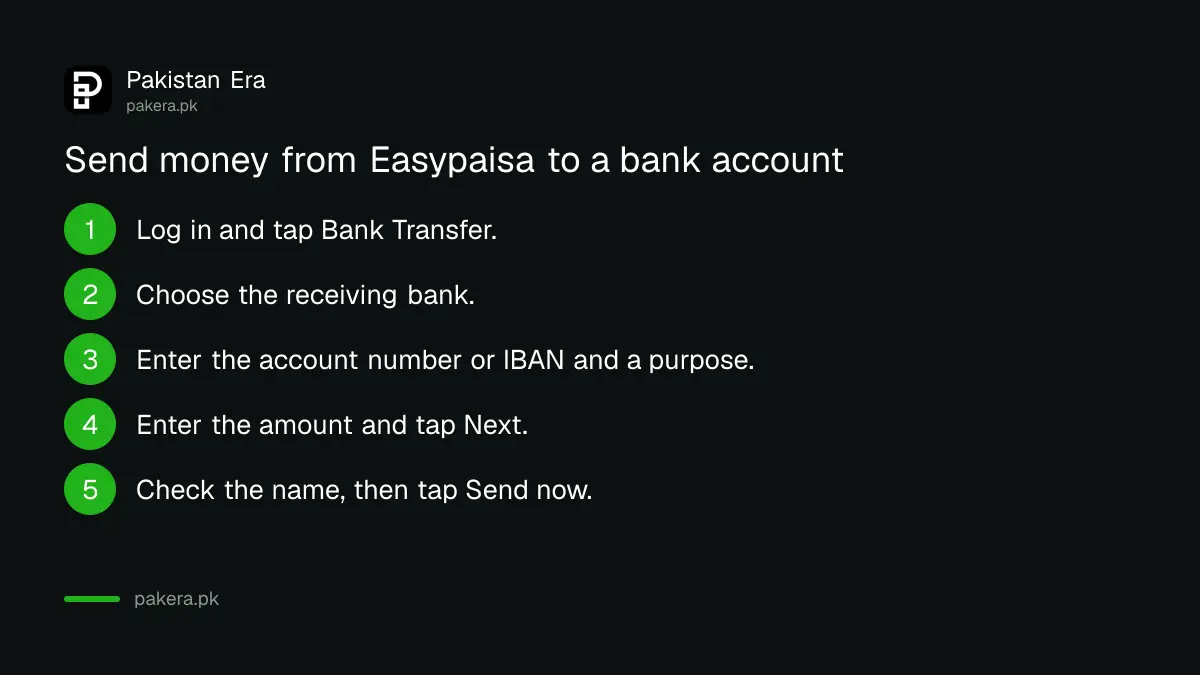
Easypaisa's FAQ gives the route: tap Bank Transfer on the home screen, choose the receiving bank, enter the account number, select the purpose of payment, add the receiver's mobile number if you like, enter the amount, tap Next, then Send now. Check the account title before the last tap.
- Log in to the Easypaisa app.
- Tap Bank Transfer on the home screen.
- Choose the bank the money is going to.
- Enter the receiver's account number or IBAN.
- Select the purpose of payment and, if you want, the receiver's mobile number.
- Enter the amount and tap Next.
- Check the name on screen, then tap Send now and confirm with your PIN.
The purpose field is part of the form for every bank transfer. Pick the option that honestly describes the payment.
Easypaisa also lists a separate option for its own bank, easypaisa Bank, formerly Telenor Microfinance Bank. Transfers to an account held there use the same Bank Transfer button with that bank selected.
Raast sends to a bank with a mobile number, free
Tap Raast on the Easypaisa home screen, enter the receiver's Raast ID, choose a purpose, enter the amount, tap Next and then Send now. Easypaisa's FAQ describes Raast as free of cost for individuals and businesses, so it beats IBFT for anything above the free monthly allowance.
A Raast ID is the receiver's mobile number linked to one bank account. It only works if they have registered it. If they have not, use Bank Transfer with their IBAN, or ask them to set one up through our page on creating a Raast ID. It takes a minute in most banking apps.
One thing to know before you send. A Raast ID points to one account at a time. If the receiver moved theirs to a new bank, the money follows the ID, not the old account. That is still their money, just somewhere they may not expect.
The schedule says free up to Rs 25,000 a month
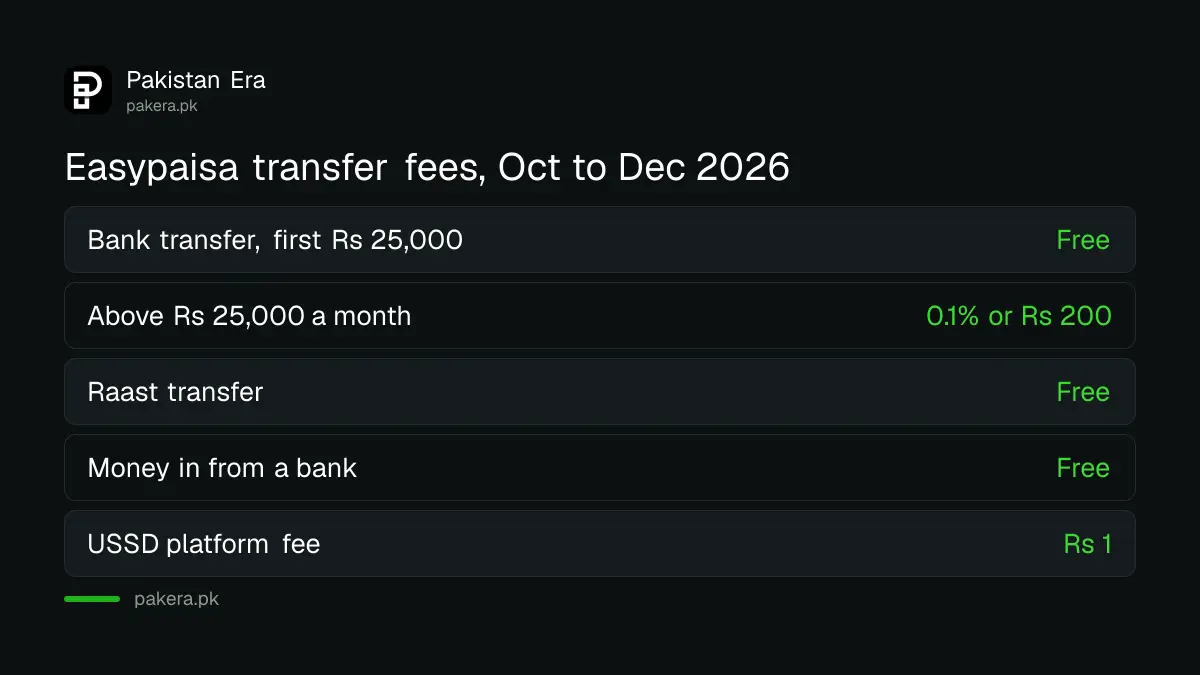
Easypaisa's Schedule of Bank Charges for October to December 2026 lists IBFT above Rs 25,000 a month at 0.1 per cent or Rs 200, whichever is lower. Money coming in from other banks is free, transfers between easypaisa accounts are free, and Raast is free.
| Item | Easypaisa fee, Oct to Dec 2026 |
|---|---|
| Bank transfer, first Rs 25,000 in a month | Free |
| Bank transfer above Rs 25,000 in a month | 0.1% or Rs 200, whichever is lower |
| Raast transfer | Free |
| Transfer in from another bank | Free |
| Transfer to another easypaisa account | Free |
| Inter-branch transfer at easypaisa Bank | Free |
| USSD platform fee | Rs 1 per transaction |
The schedule adds that government taxes, including provincial sales tax, FED and income tax, are recovered on top. So a charged transfer can cost a few rupees more than the table. A Rs 80,000 transfer after the free allowance works out at Rs 80 before tax, and the Rs 200 cap starts at Rs 200,000. Those sums are ours.
Now the conflict. Easypaisa's FAQ, on the same website, still shows an older table for sending to easypaisa Bank accounts, Rs 12.50 to Rs 125 by slab, and says easypaisa-to-easypaisa transfers are free only for five a month. The schedule of charges is the dated regulatory document and it says otherwise. We follow the schedule. If the app shows a fee before you confirm, that number is what you pay. The full fee list for both big wallets is in our breakdown of JazzCash and Easypaisa charges in 2026.
Limits stop more transfers than fees do
Easypaisa says your daily, monthly and yearly sending limits depend on your account level. It prints no rupee figures. To raise them, tap your profile picture, then Account Level, then Upgrade your Account, scan both hands and fill in your details. The schedule lists Rs 99 for this in-app upgrade.
The schedule also lists Rs 75 for each request to move from a Level 1 account to an Asaan Digital Account. When you hit a cap, the app says you have exceeded your limit and should upgrade. The full process is in our page on increasing the Easypaisa transaction limit.
If the transfer fails with "invalid account number", the number is wrong or the bank you picked is wrong. Check both. An IBAN carries the bank inside it, so it is safer than a bare account number.
What to do when the money leaves but does not arrive
Ask the receiver to check their bank statement, then check your Easypaisa transaction history and note the Trx ID, the unique number on your receipt. If the money is not back or delivered, call 3737 from a Telenor number or 042-111-003-737 from any other network.
- Wait a few minutes. Most delays are SMS delays.
- Find the Trx ID on your Easypaisa receipt.
- Call the helpline and give the Trx ID, amount, bank and account number.
- If Easypaisa does not resolve it, escalate to the State Bank.
Do not send the same amount again while the first one is pending. Easypaisa staff will never ask for your PIN or OTP. Other contact routes, including email and WhatsApp, are in our page on the Easypaisa helpline and complaint options.
Common questions
Is Easypaisa to bank transfer free?
Yes, up to Rs 25,000 a month under the October to December 2026 schedule. Above that each transfer costs 0.1 per cent or Rs 200, whichever is lower. Raast transfers are free at any amount.
Which banks can I send to from Easypaisa?
Any bank account in Pakistan, according to Easypaisa's FAQ, plus any Raast ID. Choose the bank from the list in Bank Transfer, or use Raast with the receiver's mobile number.
Can I use an IBAN instead of an account number?
Yes, the account field normally accepts the 24-character IBAN. It is the safer choice because it contains the bank code and a check number that catches typing mistakes.
Why does Easypaisa show a different fee from the FAQ?
The FAQ table is older than the current schedule of charges. The schedule for October to December 2026 is the document Easypaisa must follow. The app shows the real fee before you confirm.
Can I send money from Easypaisa to a bank without the app?
Easypaisa's USSD menu on *786# carries a Rs 1 platform fee per transaction. The no-app steps are in our page on sending money from Easypaisa without the app.
How we verified this
What we checked, where we read it, and what we could not confirm.
We read the Easypaisa FAQ and the Easypaisa schedule of charges (Schedule of Bank Charges, Branchless Banking, October 2026 to December 2026) on 31 October 2026. We did not make a test transfer, so we could not see the bank list in the app or confirm the tax-inclusive fee on a given amount. Easypaisa prints no rupee limits for its account levels.
About the author

Technology Journalist & Multimedia Producer
Ahmad Ali is a technology journalist and multimedia producer at Pakistan Era, joining the team in October 2026. He covers consumer technology and digital life for Pakistani readers, combining research with hands-on product testing.