Gemini in Chrome in Pakistan: Turn On Ask Gemini, and 5 Fixes When the Button Is Missing
Gemini in Chrome is offered in Pakistan for users 18+. Turn on Ask Gemini in 5 steps, share up to 10 tabs, and fix a missing button caused by VPN or language.
Gemini in Chrome works in Pakistan: on a Windows PC, Mac or Chromebook Plus, sign in to Chrome, update it, and click Ask Gemini at the top of the browser. Google's own help page lists Pakistan among the countries where it is offered to users aged 18 and over. If the Ask Gemini button is missing, the usual causes are a VPN, an old Chrome version, an unsupported device language or a work account. All the fixes are below, along with what it can do, how to share tabs, and how to hide it.
We read Google's Chrome help page on Gemini in Chrome on 28 October 2026. Google says the feature is rolling out gradually, so two people in the same office may not see it on the same day.
Pakistan is on Google's Gemini in Chrome country list
Google's help page says that for users 18 or older, Gemini in Chrome is available in a list of locales, and Pakistan is on it. Users aged 13 to 17 face a shorter list, and Live mode is not offered to anyone under 18.
Google still describes the feature as "not available to all users at this time". So a Pakistani account can be eligible and still not see the button for a few days. Updating Chrome and restarting the browser is the first thing to try before you assume it is blocked.
You need a computer, a signed-in profile and a supported language
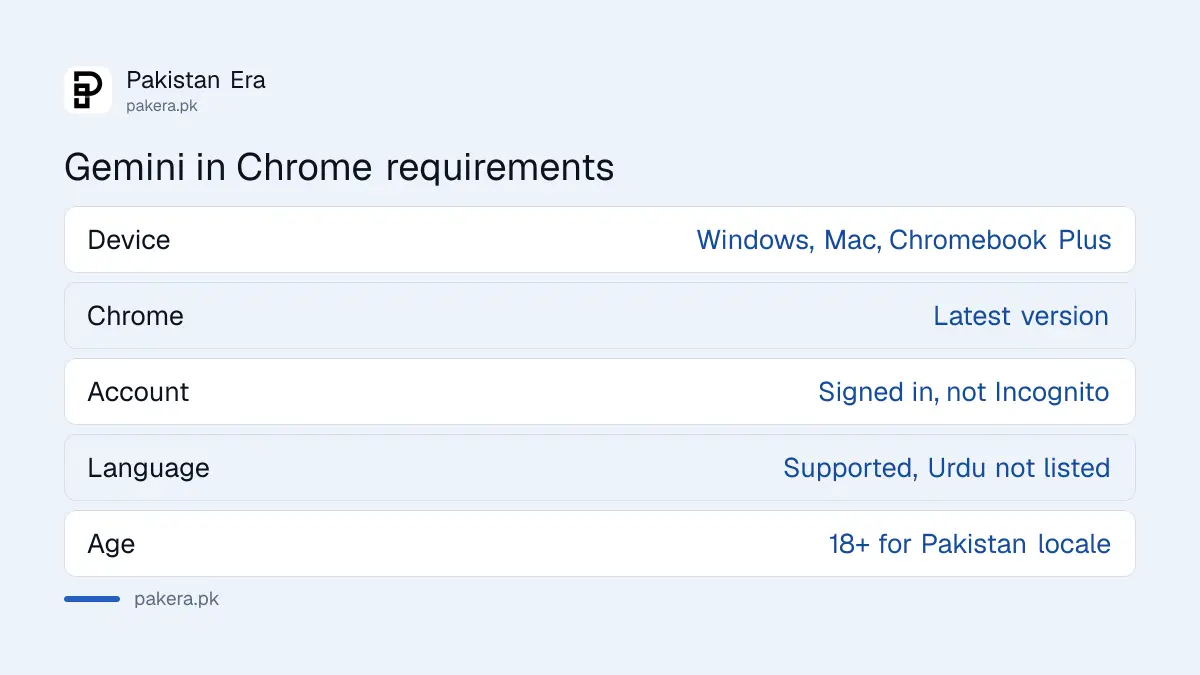
Google lists five requirements: a Windows computer, Mac or Chromebook Plus; the latest Chrome; being signed in to Chrome; a supported device language; and a minimum age. Incognito windows never show Gemini. Work and school accounts need their administrator to switch it on.
| Requirement | What Google asks for | Common problem in Pakistan |
|---|---|---|
| Device | Windows computer, Mac or Chromebook Plus | Older Chromebooks are not Chromebook Plus |
| Chrome version | Latest version | Office PCs often run months-old Chrome |
| Account | Signed in to Chrome, not Incognito | Browsing without a Chrome profile |
| Language | A supported device language | Urdu is not on the list we read |
| Age and region | 13 or older, supported country | A VPN making Chrome think you are elsewhere |
The language row trips people up. Google's list runs from Afrikaans to Zulu and includes English, but we did not find Urdu on it. If your Windows display language is Urdu, switch it to English to see the button. Google's page does not say how well it handles Urdu web pages, so test it on one before you rely on it.
Turn on Gemini in Chrome in five steps
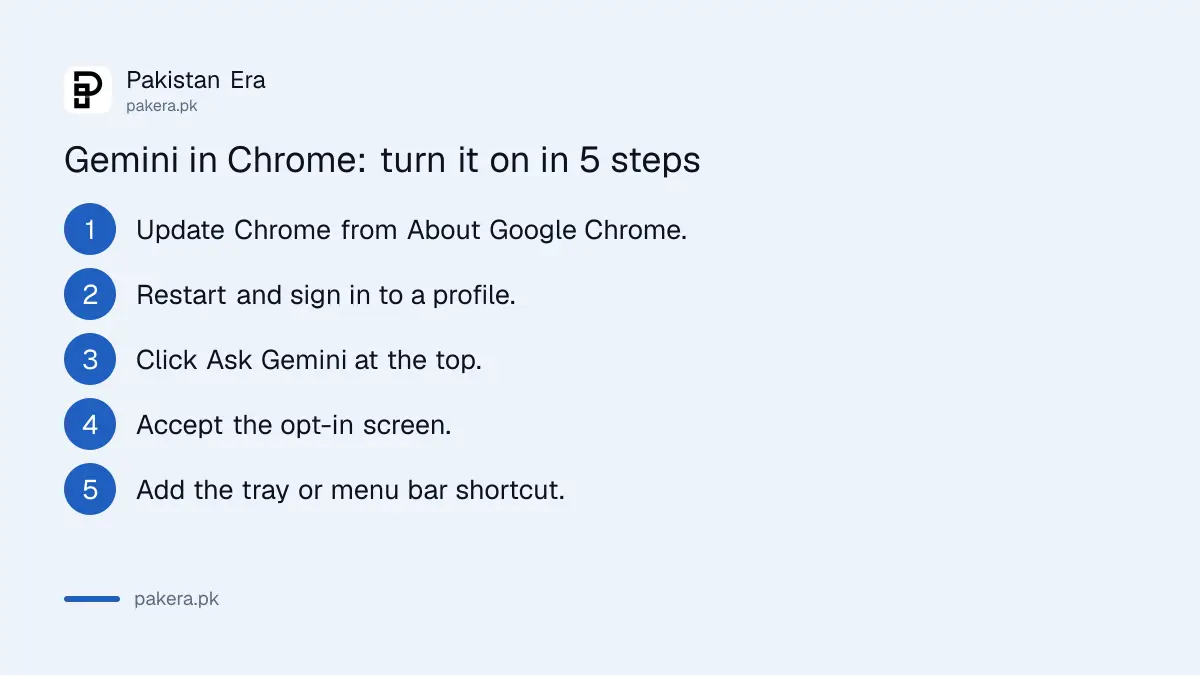
Update Chrome, sign in with your personal Google account, and click Ask Gemini at the top of the browser. The first time, Chrome asks you to opt in. After that you can add Gemini to the Windows system tray or Mac menu bar with a keyboard shortcut.
- Open Chrome, click the three-dot menu, then Help, then About Google Chrome, and let it update.
- Restart Chrome and make sure you are signed in to a profile, not in Incognito.
- Click Ask Gemini at the top of the browser window.
- Read the opt-in screen and accept it.
- For a shortcut, go to Settings, then AI innovations, then Gemini in Chrome, and turn on the system tray or menu bar option.
Use your personal Gmail profile for this. If you keep separate Chrome profiles for work and personal accounts, the button may appear in one profile and not the other, which is normal when the work account is managed by an employer.
It reads your open tabs, up to 10 at a time
Gemini in Chrome shares your current tab by default. Click Add tabs to share up to 10 recent tabs, or type @ and pick one. Google lists summarising articles, comparing pages, drafting Gmail replies, quizzes and multi-step actions among its uses.
Comparing tabs is where it earns its place. Open three laptop listings, three university fee pages or three phone packages, share all of them, and ask for a table of the differences. That takes seconds instead of switching tabs and copying numbers by hand.
It can also answer questions about audio and video you have played in a tab, which helps with long lectures. Check every figure it gives you against the page itself before you pay or apply for anything.
Five fixes when the Ask Gemini button is missing
Google's own checklist is: sign in as an eligible user, confirm your region and turn off any VPN, use a supported language, update Chrome, and reload the side panel. On an office laptop, also ask IT whether the feature is disabled.
- Turn off your VPN and restart Chrome. A VPN can place you in a country where the feature is off.
- Switch the device language to English if it is set to Urdu.
- Update Chrome and restart it fully, not just the tab.
- Leave Incognito and sign in to a Chrome profile.
- Ask your admin if you use a work or university account, since organisations can switch it off.
If none of that works, wait. Google says the rollout reaches users over time, and there is no form to request early access. While you wait, the Gemini web app at gemini.google.com does most of the same work, though it cannot see your tabs.
You can hide the button and stop tab sharing
Go to Settings, then AI innovations, then Gemini in Chrome, and turn off "Show Gemini at the top of the browser". Or right-click the top bar and choose Unpin Gemini. Under Permissions, you can stop Chrome sharing the current tab by default.
Parents can block it for children aged 13 and over through Family Link. If you want your Gemini history gone as well, the steps to delete Gemini chats and turn off activity apply to your Google account.
Common questions
Is Gemini in Chrome available in Pakistan?
Yes. Google's help page lists Pakistan for users aged 18 and over, though the rollout is gradual.
Is Gemini in Chrome free?
Google's help page lists no plan requirement for the basic feature. You need a signed-in Google account and a supported computer.
Does Gemini in Chrome work on Android phones?
Google's computer help page covers Windows, Mac and Chromebook Plus only. Android and iPhone have separate help pages.
Why can't I see Ask Gemini in Chrome?
The usual causes are a VPN, an old Chrome version, Incognito mode, an unsupported device language, or a work account with the feature switched off.
Can Gemini in Chrome read Urdu pages?
Google does not say. Urdu is not on the device language list we read, so set Windows or macOS to English for the button to appear, then test it on an Urdu page yourself.
How we verified this
What we checked, where we read it, and what we could not confirm.
We read Google's Gemini in Chrome help page twice on 28 October 2026, including its country list, language list, requirements and troubleshooting section. The page shows no last-updated date. We have not tested the button on a Pakistani connection for this article, and we could not confirm whether any paid plan unlocks extra features.
About the author

Technology Journalist & Multimedia Producer
Ahmad Ali is a technology journalist and multimedia producer at Pakistan Era, joining the team in October 2026. He covers consumer technology and digital life for Pakistani readers, combining research with hands-on product testing.