GPT-6 Codex Commands for Pakistani Developers: Slash Commands, CLI Flags and Limits
Real Codex commands from OpenAI docs: /goal, /review, codex exec, codex review, sandbox and approval flags, plus GPT-6 limits per plan. Read before you run.
Codex, OpenAI's coding tool, runs on GPT-6 models and takes real commands: /plan, /review, /init, /goal and /status inside a chat, and codex exec, codex review, codex resume and codex login in the terminal. Every command below comes from OpenAI's own Codex documentation, which we read on 22 October 2026.
For a Pakistani developer, the useful question is what to type and what could go wrong. Codex can read and change files in a folder you choose. That is powerful, and it is why the safety flags matter more than the clever prompts.
We did not install or run Codex for this piece. We read OpenAI's developer commands page and pricing page, and we list only what they state. If a command is not on those pages, it is not here.
Codex is included on every ChatGPT plan, but the model and limits differ
OpenAI's pricing page lists Codex and Work on Free, Go, Plus, Pro, Business, Edu and Enterprise. Free and Go use GPT-6 Luna in the desktop app. Plus gets GPT-6.1 Sol and GPT-6 Luna. The page says GPT-6.1 Sol is in Work and Codex, not in Chat.
Limits are given in estimated messages per five hours for Plus and standard Business. OpenAI calls them estimates, not fixed limits, and says cloud tasks use more.
| Model (Plus) | Estimated local messages per 5 hours |
|---|---|
| GPT-6 Astra | 5 to 45 |
| GPT-6.1 Sol | 15 to 160 |
| GPT-6 Sol | 15 to 150 |
| GPT-6 Luna | 350 to 3,000 |
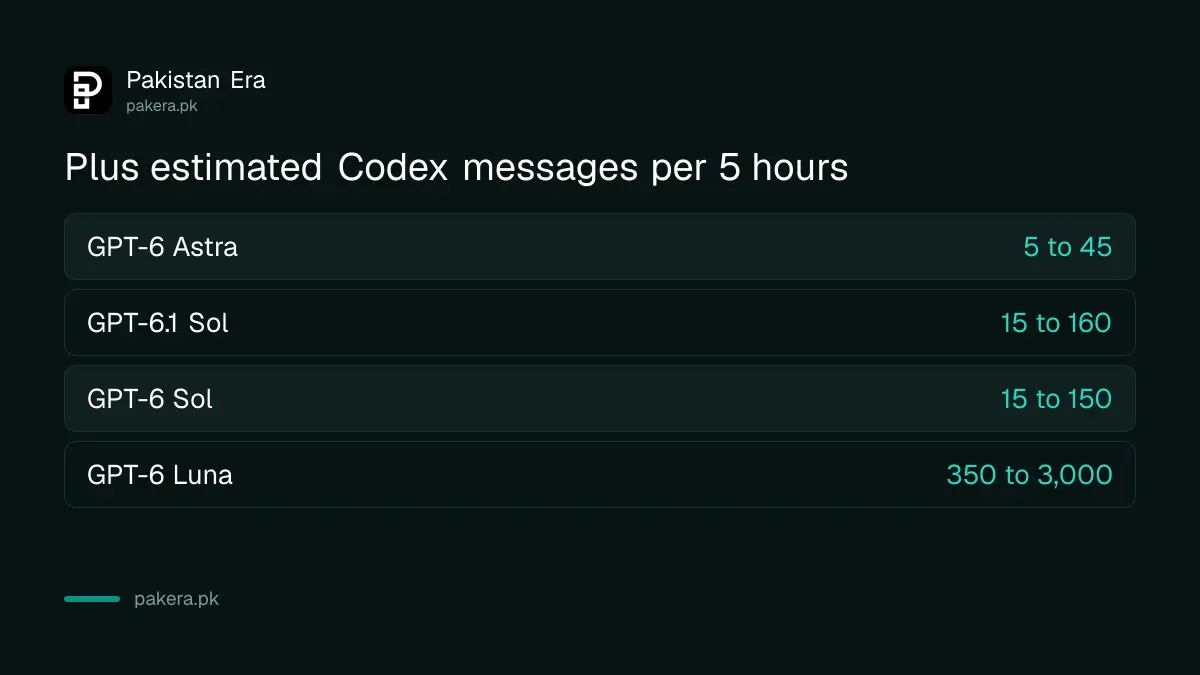
OpenAI says Pro plans currently have no five-hour limit. Plan prices are in GPT-6 Sol, Luna and Astra by plan.
Slash commands inside a Codex chat
Type a slash in the message box to open the command list. OpenAI's page names these: /plan, /review, /init, /goal, /status, /mcp, /feedback, /model, /fast, /permissions, /approve, /agents, /export, /cd, /new and /clear. Here is what the examples on that page show.
/goal Finish the migration and keep tests green
/side Check whether this plan has an obvious risk
/export session.md
/cd path/to/project
/new bug bash
/usage daily
The page shows /goal setting a task goal, /side opening a side chat, /export saving the conversation to a file, /cd changing the working folder, /new starting a named chat and /usage daily showing daily token activity. For /plan, /review and /init we know the names but the page we read did not describe them, so check the in-app popup before relying on them.
Terminal commands: start, run once, review and resume
The terminal tool is called with the word codex. OpenAI's page lists these subcommands, with plain descriptions.
codex                 # opens the interactive terminal screen
codex exec "..."      # runs one task without the interactive screen
codex review          # a non-interactive code review
codex resume          # continues a previous session
codex fork            # forks a saved session into a new chat
codex login           # signs in with ChatGPT or an API key
codex update          # checks for and applies a CLI update
codex doctor          # makes a diagnostic report
For reviews, the page says you pick one target: --base, --commit or --uncommitted, or give a custom prompt. So "codex review --uncommitted" reviews changes you have not committed yet. We read the flag names, we did not run them.
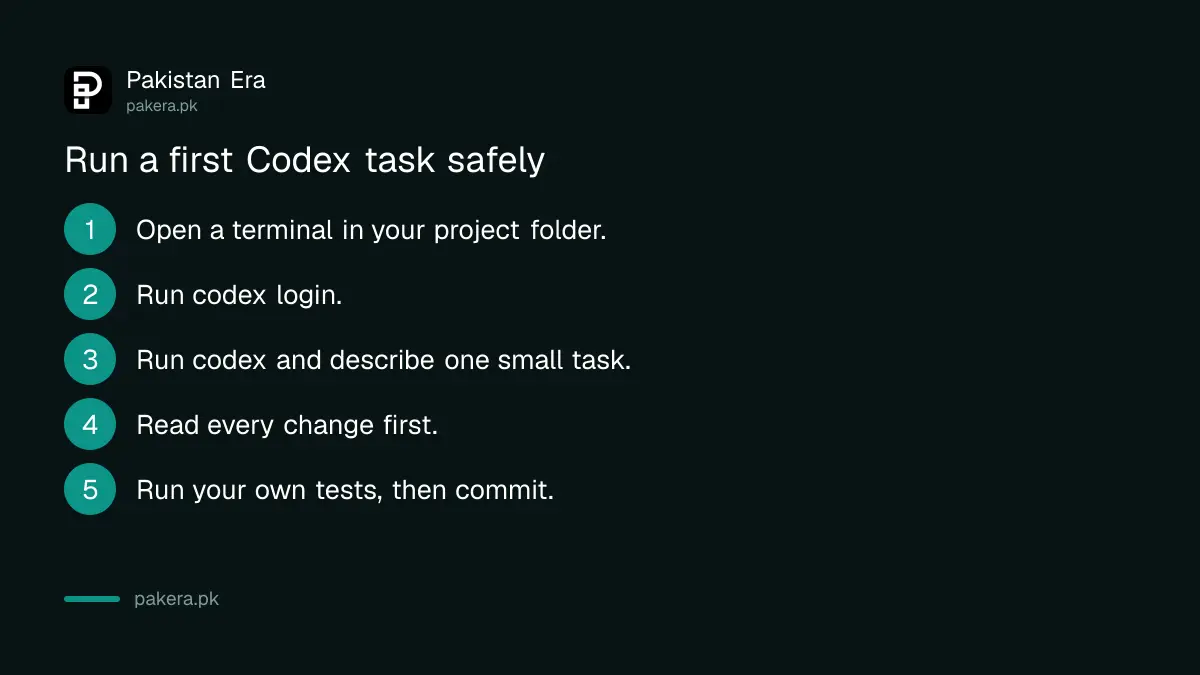
- Open a terminal in your project folder.
- Run codex login and sign in with your ChatGPT account.
- Run codex and describe one small task.
- Read every change before you accept it.
- Run your own tests, then commit.
Sandbox and approval flags decide what Codex may touch
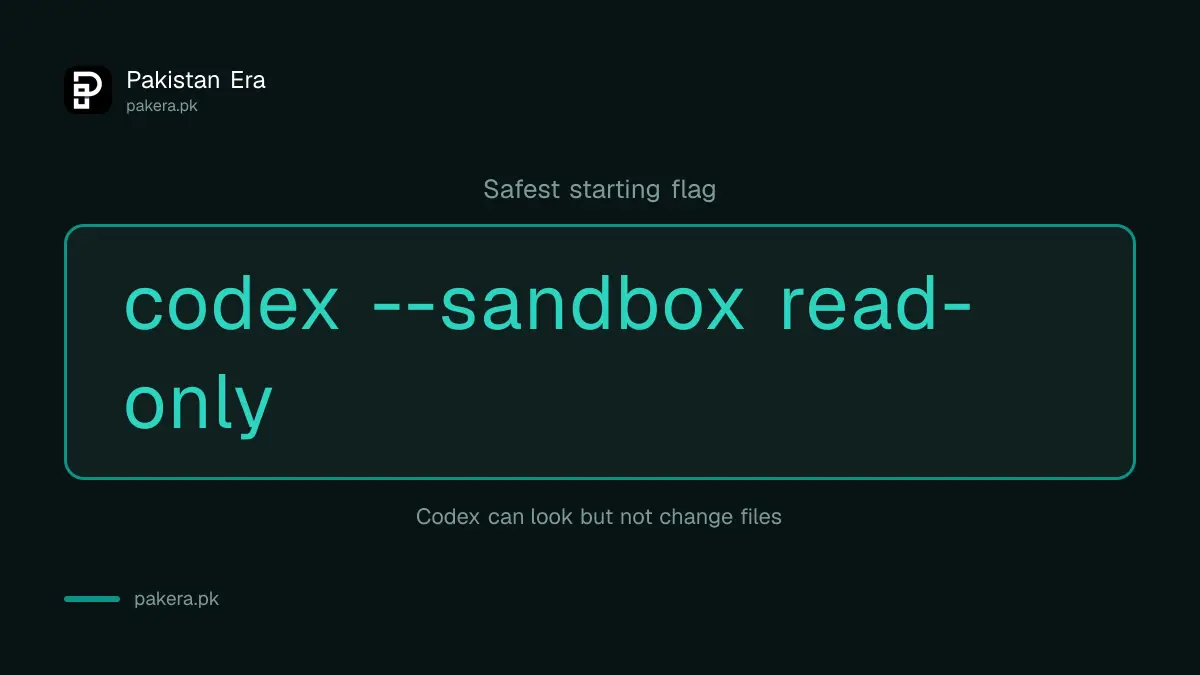
Two flags set safety. --sandbox (or -s) takes read-only, workspace-write or danger-full-access. --ask-for-approval (or -a) takes on-request or never. Start with read-only so Codex can look and suggest but not change anything.
codex --sandbox read-only
codex --sandbox workspace-write --ask-for-approval on-request
codex --cd path/to/project --model MODEL_NAME
The docs also list --yolo, which skips all approvals and sandboxing. OpenAI says to use it only in an externally hardened environment. On a laptop with your client's code or your SSH keys, do not use it. In the last line, MODEL_NAME is a placeholder: use the --model flag with a name from the model list your account shows.
Prompts that work for real tasks, and where Codex fails
Good Codex prompts name the file, the problem and the test that proves it is fixed. Vague prompts such as "improve this app" can touch many files. Ask for a plan first, then approve one step at a time.
Read the tests in /tests and tell me why test_invoice_total fails. Do not change any file yet. Explain the cause and propose a fix.Add input validation to the signup form in signup.js. Only edit that file. Run the existing tests and show me the diff.Codex can still write code that compiles but is wrong, or invent a function. Run the tests yourself. Never paste API keys, database passwords or client secrets into a prompt, and keep them out of the folder you open.
Common questions
Is Codex free in Pakistan?
OpenAI lists Codex on the Free plan with GPT-6 Luna in the desktop app, subject to rollout. Limits apply.
Which GPT-6 model does Codex use on Plus?
GPT-6.1 Sol and GPT-6 Luna, per OpenAI's pricing page. Astra has a small allowance.
Is it safe to give Codex my project folder?
Start with the read-only sandbox, keep secrets out of the folder, and review each change.
Can Codex review my code before I commit?
Yes, codex review is listed for a non-interactive review of base, commit or uncommitted changes.
Do I need a paid plan to learn to code with it?
No. Start on the free plan and move up only if limits stop you.
How we verified this
What we checked, where we read it, and what we could not confirm.
Last checked 22 October 2026. Commands and flags are from OpenAI's developer commands page, plan and limit details from its pricing page. We did not install or run Codex, we could not find an install command on the pages we read, and we did not read the descriptions of /plan, /review and /init.
About the author

Tax, Bills and Technology Writer
Ali Akhtar is a young and curious voice here at Pakistan Era. He is currently pursuing his A-Levels and has a growing interest in Pakistan’s changing industrial landscape and educational trends. Ali likes to write in a way that helps him explain and explore the world around him. His writing reflects the perspective of the new generation navigating the evolving trends of Pakistan where technology, youth innovation, and shifting opportunities are reshaping the country’s future.