Hide Your Instagram Story From Someone in Pakistan: 4 Steps, and When to Use Close Friends Instead
Hide your Instagram story from someone: Settings, Story, live and location, Hide story and live from. How Close Friends differs, the green ring and the limits.

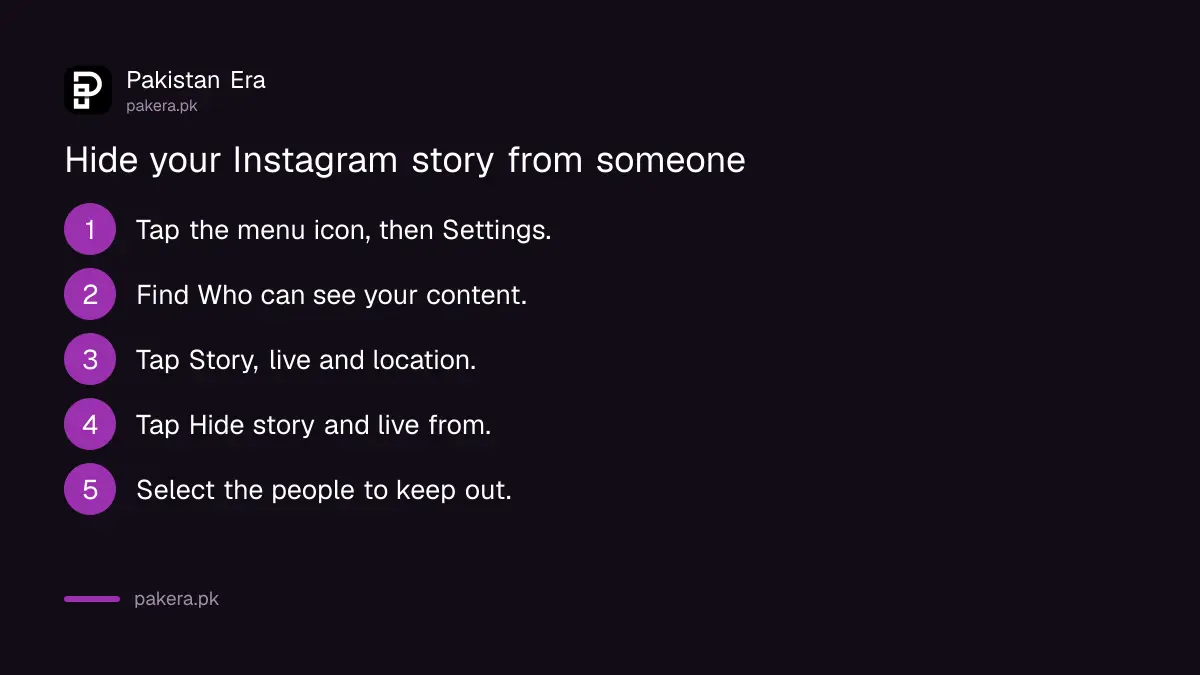
To hide your Instagram story from someone in Pakistan, tap the menu, then Settings, then under Who can see your content tap Story, live and location, then Hide story and live from, and select the person. They are not told. To show a story to only a few people instead, build a Close Friends list in the same Settings section and share to it.
Instagram has translated these settings into Urdu, so you can switch the app to Urdu and follow the same menu.
Hide story or Close Friends: pick the right tool
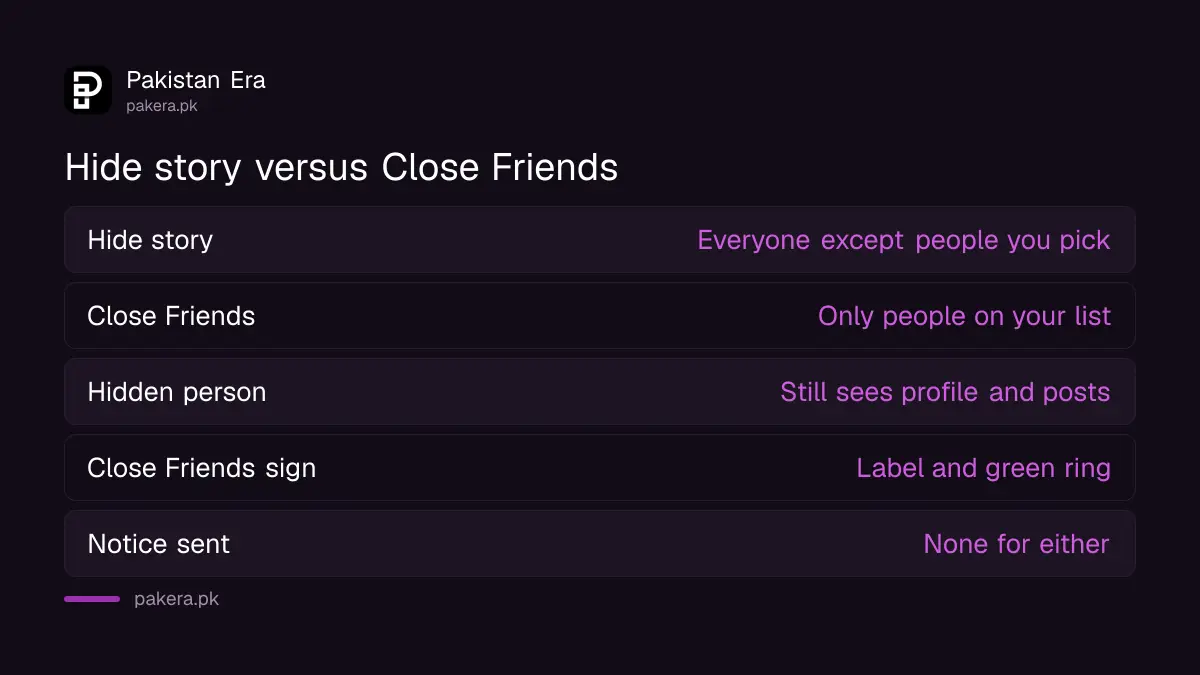
Hide story removes named people from your audience, so everyone else still sees the story. Close Friends does the opposite: only the people on your list see stories you share to it. Use Hide story to keep one or two people out. Use Close Friends when you want a small, chosen audience.
| Question | Hide story and live from | Close Friends |
|---|---|---|
| Who sees the story | Everyone except the people you pick | Only the people on your list |
| Applies to | All future stories and live videos | Only stories, notes or reels you share to the list |
| Is the person told | Instagram's page mentions no notice | No, adding or removing is silent |
| What they can still see | Your profile and posts | Your normal stories and posts |
| Sign they see | Nothing | A Close Friends label and a green ring |
Hide your story from someone in 4 steps
The setting sits under Who can see your content in Settings. These steps follow Instagram's current help page.
- Tap the menu icon, then Settings.
- Under Who can see your content, tap Story, live and location.
- Tap Hide story and live from.
- Select the people you want to keep out. To undo it, tap Selected next to their name.
Instagram says hiding your story from someone also stops them seeing anything you add to your story in the future. So this is not a one story setting. It stays until you remove them. It also covers live videos, as the menu name says.
There is a quicker way while looking at who viewed a story. Open the viewer list, tap the menu next to the person's name, and choose Hide story from them. That is handy when you notice someone unexpected watching.
Hiding is not blocking
Instagram's page is clear that hiding your story from someone is different from blocking them. A hidden person can still see your profile and posts. Your account's privacy setting also affects where your story shows.
So if you have a public account, hiding the story from a person still leaves your grid open to them. If someone is harassing you, hiding is not enough. Make the account private or restrict or block the person. Our guide to making Instagram private and restricting someone covers each option, and what the other person notices.
Build a Close Friends list
The Close Friends list lives in the same Settings section. You add people one by one, and no one can ask to be added.
- Tap the menu icon, then Settings.
- Under Who can see your content, tap Close Friends.
- Tap Select next to each person you want to add, or use Search to find someone.
- To remove someone, tap the blue tick next to their name.
When you then share a story, choose Close Friends as the audience instead of your full story. Instagram says Close Friends sharing works on the Android, iPhone, Instagram Lite and iPad apps, not on a computer.
What people on your Close Friends list can see
Instagram lists three things worth knowing before you add people.
- People are not told when you add or remove them, and you can change the list at any time.
- People on the list see a Close Friends label on those stories, notes or reels, and may see a green ring around your profile photo.
- If someone on the list likes, comments on or shares your Close Friends reel, the others on the list can see that person's username and how they interacted.
The green ring is the giveaway. Someone who used to see it and no longer does may guess they were removed. Instagram does not send a notice, but the ring is visible. Keep that in mind in a family where cousins compare phones.
The third point surprises people too. A Close Friends list is not private among its members. They can see each other through likes and comments on shared reels.
Viewing someone else's story is never secret
Instagram's help page on this is one line: when you see someone's story, they can tell that you have seen it. There is no built-in setting to view stories without showing up in the viewer list.
Apps and websites that promise "anonymous story viewing" ask for your username or login. Do not give your password to any of them. Instagram does not offer this, and handing over a login is a common way accounts get stolen. If that has already happened, our guide to recovering a hacked Instagram account has the steps.
Frequently asked questions
How do I hide my Instagram story from one person?
Go to Settings, Story, live and location, Hide story and live from, and select them.
Will they know I hid my story?
Instagram's page does not describe any notice to them. They simply stop seeing your stories and live videos.
Can a hidden person still see my posts?
Yes. Instagram says hiding your story is not blocking, and they can still see your profile and posts.
Does Instagram tell someone I added them to Close Friends?
No. Instagram says people are not notified when you add or remove them. They see a Close Friends label and may see a green ring on those stories.
Can I share to Close Friends from a computer?
No. Instagram says it works only in the mobile apps and the iPad app.
Can I watch an Instagram story without them knowing?
No. Instagram says the person can tell that you have seen their story.
How we verified this
What we checked and where we read it.
We read Instagram's help pages on hiding a story, on the Close Friends list, on sharing to it and on who can see that you viewed a story, on 12 November 2026.
Last checked on 12 November 2026. Steps and notes are from Instagram's help pages Hide your Instagram story from someone, Create a Close Friends list, Share a story with your Close Friends list and Who can tell that you've seen their story.
About the author

Technology Journalist & Multimedia Producer
Ahmad Ali is a technology journalist and multimedia producer at Pakistan Era, joining the team in October 2026. He covers consumer technology and digital life for Pakistani readers, combining research with hands-on product testing.