How to Increase Zong Z-Wallet Transaction Limits
Z-Wallet limits follow your account level under State Bank rules. Level 0 allows Rs 25,000 a day. Upgrade with a fingerprint check in My Zong.
Z-Wallet is Zong's mobile wallet, and the bank behind it is JS Bank, through its Zindigi platform. Its limits follow your account level under State Bank rules. To raise them, upgrade from the basic Level 0 to a biometrically verified level. Under the State Bank's rules, Level 0 allows Rs 25,000 a day and Rs 50,000 a month. A verified Level 1 account allows Rs 50,000 a day and Rs 200,000 a month. Start the upgrade in the My Zong app, or call Zong on 310.
We read Zong's Z-Wallet terms and FAQ, JS Bank's Zindigi account pages and the State Bank's branchless banking regulations on 22 September 2026. Zong does not print rupee limits on its Z-Wallet page, so we tell you which figures come from where.
Who runs Z-Wallet, and why that sets your limit
Zong's own FAQ says Z-Wallet is offered by CMPak (Zong) and powered by JS Zindigi, a service of JS Bank Limited. All banking services come from JS Bank, and Zong only provides the app experience. The wallet is regulated by the State Bank through JS Bank.
This matters for limits. Zong cannot raise your limit as a favour. The limit follows your account level, and the levels come from the State Bank's branchless banking regulations. Zong's terms name three levels: Level 0 (Basic), Level 1 (Advance) and Level 2 (Premium).
Z-Wallet limits by account level
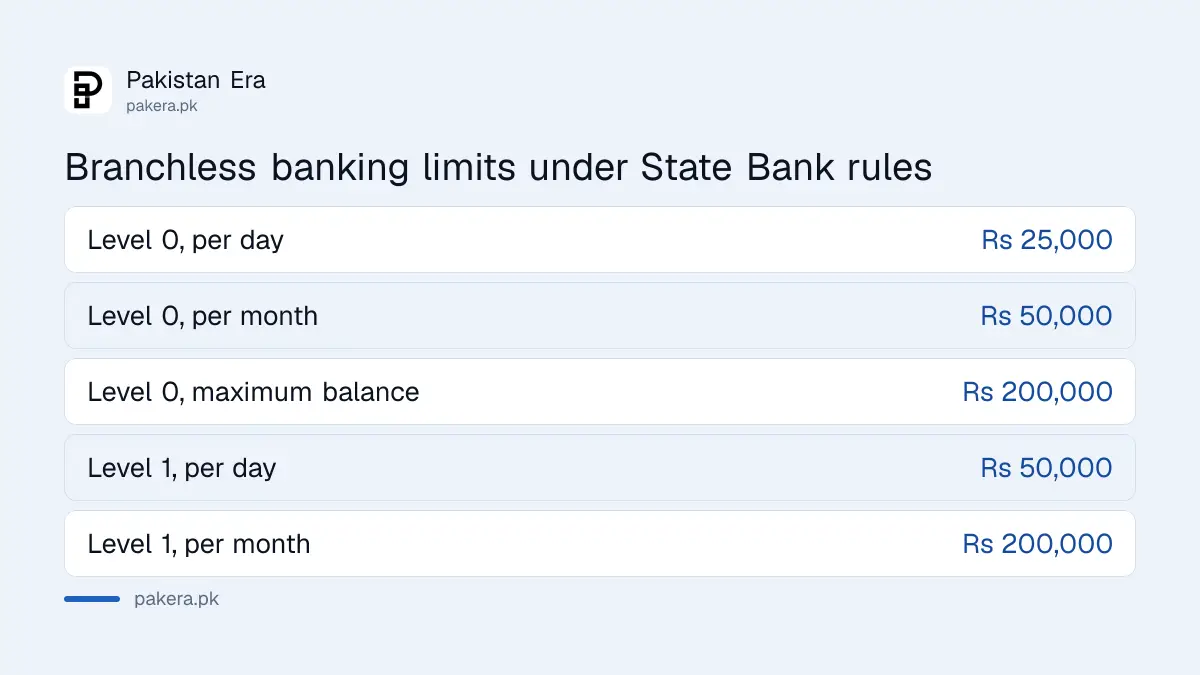
| Limit | Level 0 (Basic) | Level 1 (Advance) |
|---|---|---|
| Per day | Rs 25,000 | Rs 50,000 |
| Per month | Rs 50,000 | Rs 200,000 |
| Per year | Rs 200,000 | Not set in the regulations |
| Maximum balance | Rs 200,000 | Not set in the regulations |
| Biometric check needed | No | Yes, from NADRA |
These figures are from the State Bank's Branchless Banking Regulations, revised on 30 December 2019. That is the latest version we could read on sbp.org.pk. The regulations say limits apply separately to money sent and money received. They also say a Level 0 account cannot do cash in, cash out or send money to a person until it is biometrically verified.
JS Bank's Zindigi app, which runs on the same bank, publishes its own figures. For its Level 1 account, one table on zindigi.pk lists Rs 50,000 a day, Rs 200,000 a month, Rs 2,400,000 a year and a Rs 400,000 balance. A second table on the same page lists Rs 100,000 a day and Rs 300,000 a month for an "Advanced" account. For its Level 2 "Ultra" account, Zindigi lists Rs 200,000 a day, Rs 1,000,000 a month and Rs 5,000,000 a year. Zong does not say whether Z-Wallet uses these same figures. So treat them as a guide, and check the limit shown in your own app.
How to raise your Z-Wallet limit
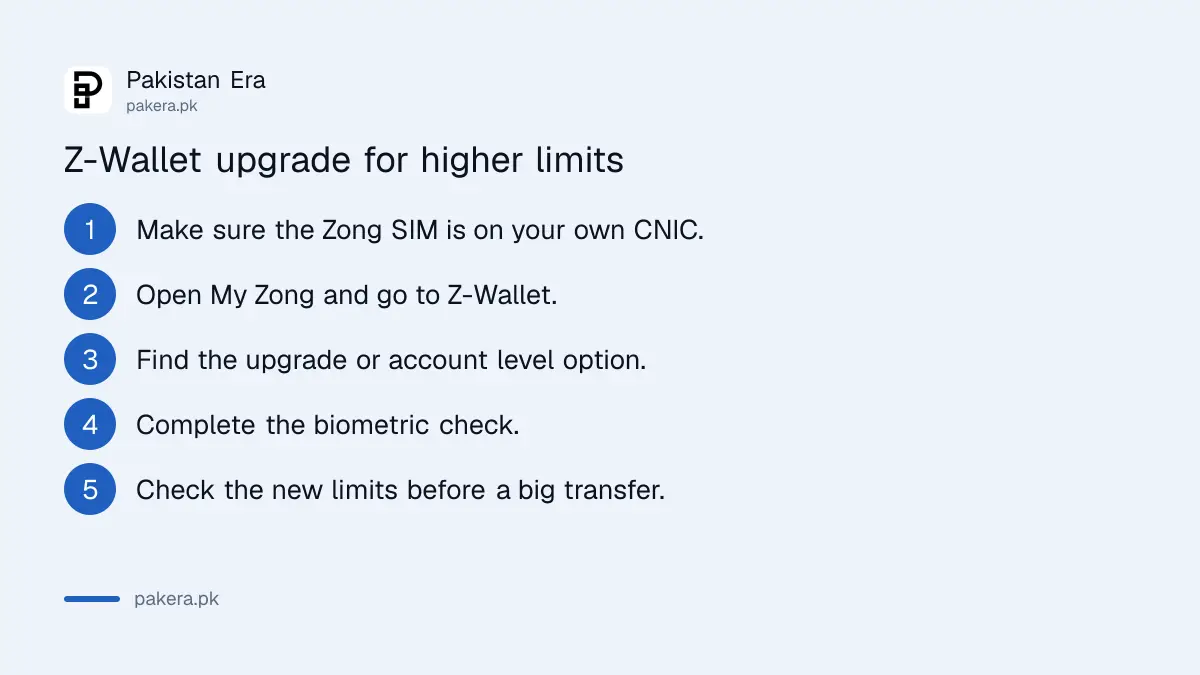
- Make sure the Zong SIM is registered on your own CNIC. Zong's FAQ says you need a valid CNIC and an active mobile number, and JS Bank's pages say the number must be registered on your CNIC.
- Open the My Zong app and go to the Z-Wallet section. Zong's FAQ says the wallet is opened and managed there.
- Look for the option to upgrade your account or view your account level.
- Complete biometric verification. Zong's FAQ says biometric verification may be required under State Bank rules, and the regulations require it for Level 1.
- Submit, then check your new limits in the app before you make a large transfer.
Zong does not publish the upgrade screens, so the menu names in your app may differ. If you cannot find the option, call Zong on 310, the helpline its Z-Wallet FAQ gives, or JS Bank's phone banking on 111-556-677, which Zong's terms name.
What you need for a higher level
- For Level 1: your original CNIC and a fingerprint check against NADRA records.
- For the top level: Zong does not list the papers. For its comparable Ultra level, JS Bank's Zindigi page asks for CNIC photos front and back, proof of income such as a salary slip, a source of funds such as a bank statement, a signature and a selfie.
- A SIM in your name: without it, the upgrade will not go through.
How to check that the upgrade worked
After the upgrade, open the Z-Wallet section and check your account level and limits. On Zindigi, JS Bank says account type and limits are shown in the settings menu, so look for a similar place in My Zong. Then try a small transfer first. If it goes through, try the larger amount.
When the limit does not go up
- Fingerprints do not match. Clean and dry your fingers and try again, or ask Zong where to get verified in person.
- SIM not in your name. Move the SIM to your own CNIC first.
- Transfer still fails. You may have hit the monthly limit, not the daily one. Limits apply separately to sending and receiving.
- Money deducted but transfer failed. Zong's FAQ says a failed transaction is auto-reversed as per policy, or you can complain through the app or 310.
Nobody can raise your limit over the phone for a fee
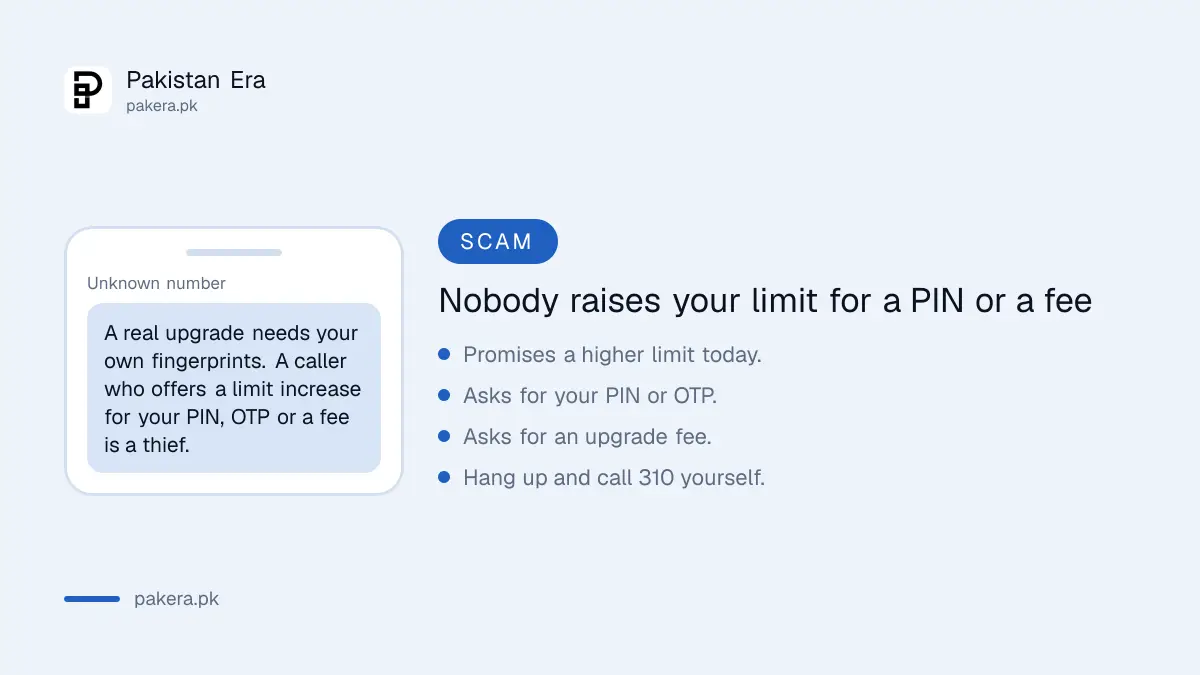
"Limit increase" calls are a common trick. The caller says they can raise your limit today, then asks for your PIN, an OTP, or a small "upgrade fee". A real upgrade needs your own fingerprints. It cannot be done by reading out a code.
Zong's terms say the bank may close or suspend the account if the account holder discloses or compromises the PIN. So sharing it can cost you the account as well as the money. If you have already shared it, call 310 or 111-556-677 at once.
Where to complain
- Lodge a complaint in the My Zong app, or call 310. Zong's FAQ says each complaint gets a ticket number.
- Zong's FAQ says complaints are resolved within 7 business days, depending on the issue.
- If it is not solved, call JS Bank's phone banking on 111-556-677.
- After that, file with the State Bank on its Sunwai portal at sunwai.sbp.org.pk, or go to the Banking Mohtasib.
Common questions
Which company runs Z-Wallet?
Zong offers it, and JS Bank Limited provides the banking service through JS Zindigi. The State Bank regulates it through JS Bank.
What is the Z-Wallet daily limit?
Zong does not publish a figure. Under the State Bank's rules, a basic Level 0 account allows Rs 25,000 a day and a verified Level 1 account allows Rs 50,000 a day.
Do I need biometric verification to raise my Z-Wallet limit?
For Level 1 and above, yes. The State Bank's regulations require a NADRA fingerprint check to move from Level 0 to Level 1.
Can a Zong franchise raise my limit?
Zong's Z-Wallet pages do not say. They send you to the My Zong app and the 310 helpline. Call 310 to ask where to get verified near you.
Are Z-Wallet and Zindigi the same?
They share a bank. Z-Wallet runs inside the My Zong app and is powered by JS Zindigi. Zindigi is JS Bank's own app with its own published limits.
How long does a Z-Wallet complaint take?
Zong's FAQ says complaints are resolved within 7 business days, depending on the issue.
How we verified this
What we checked, where we read it, and what we could not confirm.
Last checked 22 September 2026. Who offers and powers Z-Wallet, the SBP regulation, opening in the My Zong app, the possible biometric check, the auto-reversal, the 310 helpline, in-app complaints and the 7 business day target are from Zong's Z-Wallet terms and FAQ at zong.com.pk/vas/zwallet-tc. The Level 0, Level 1 and Level 2 names, the 111-556-677 phone banking number and the closure rule for a disclosed PIN are from the terms on the same page. The Level 0 and Level 1 limits, the separate send and receive limits and the biometric rule are from the State Bank's Branchless Banking Regulations revised 30 December 2019, read on sbp.org.pk. The Zindigi figures, including the two conflicting Level 1 tables, and the Ultra papers are from zindigi.pk/zindigi-account. Zong does not publish rupee limits or upgrade screens for Z-Wallet.
About the author

Public Services and Education Journalist
Fajr Riaz is a journalist and content writer at Pakistan Era, based in Lahore. She covers the questions people meet in everyday life in Pakistan: how a public service works, what a change in the rules means, and where to find a reliable answer.