How to Log a Karachi Complaint on the 1339 Portal: KMC, SBCA, Water and More
Log a Karachi complaint on the 1339 portal: the fields it asks for, the 12 offices on its list, and how to track your ticket. Read the six steps first.
Open 1339.gos.pk, press Log Complaint, choose your local council, town and union council, then pick which office the problem belongs to, from 12 listed. You enter a name and a mobile number, describe the fault and submit. The portal is the Citizen Complaint Information System, branded 1339. Keep the ticket number it gives you, because the status page asks for it.
A broken street light, a choked drain and an illegal construction can each sit with a different Karachi office. Most residents do not know which one. The 1339 portal tries to solve that with one form for many offices, and it is linked from the Karachi Metropolitan Corporation's own website.
We opened the portal's complaint form and its status page on 14 October 2026 and read every field and list. We did not file a test complaint, because a real complaint reaches a real office. We also did not call the number, so we cannot say how fast it answers.
The form asks where you live before what is wrong
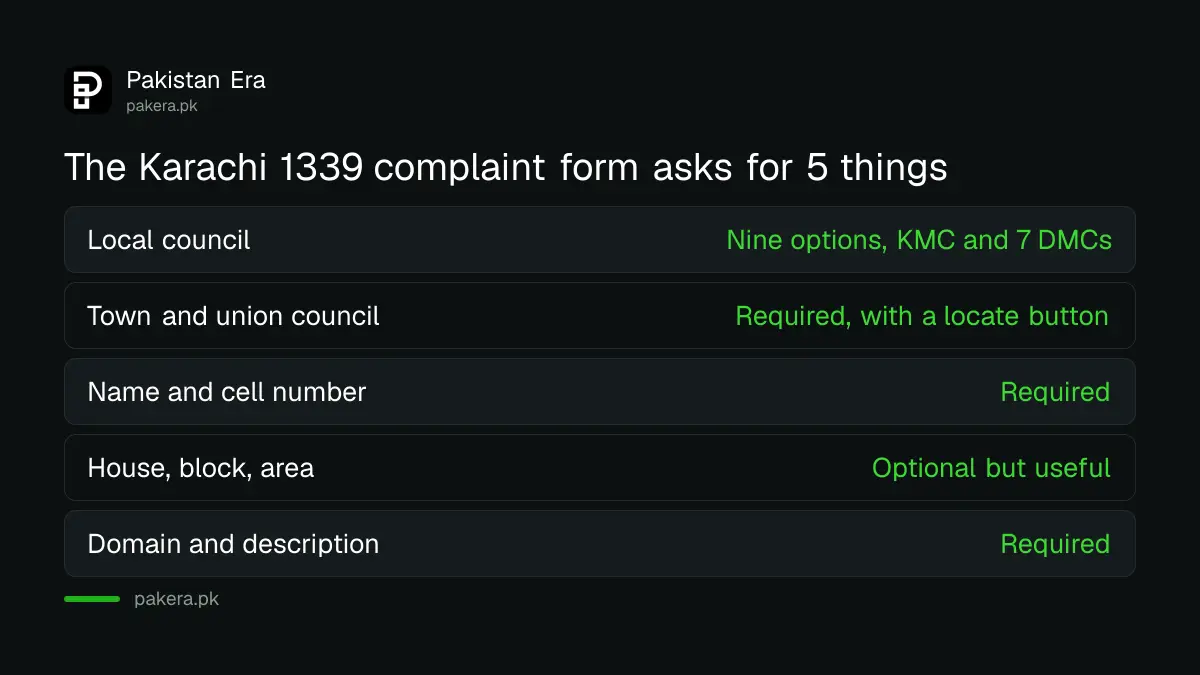
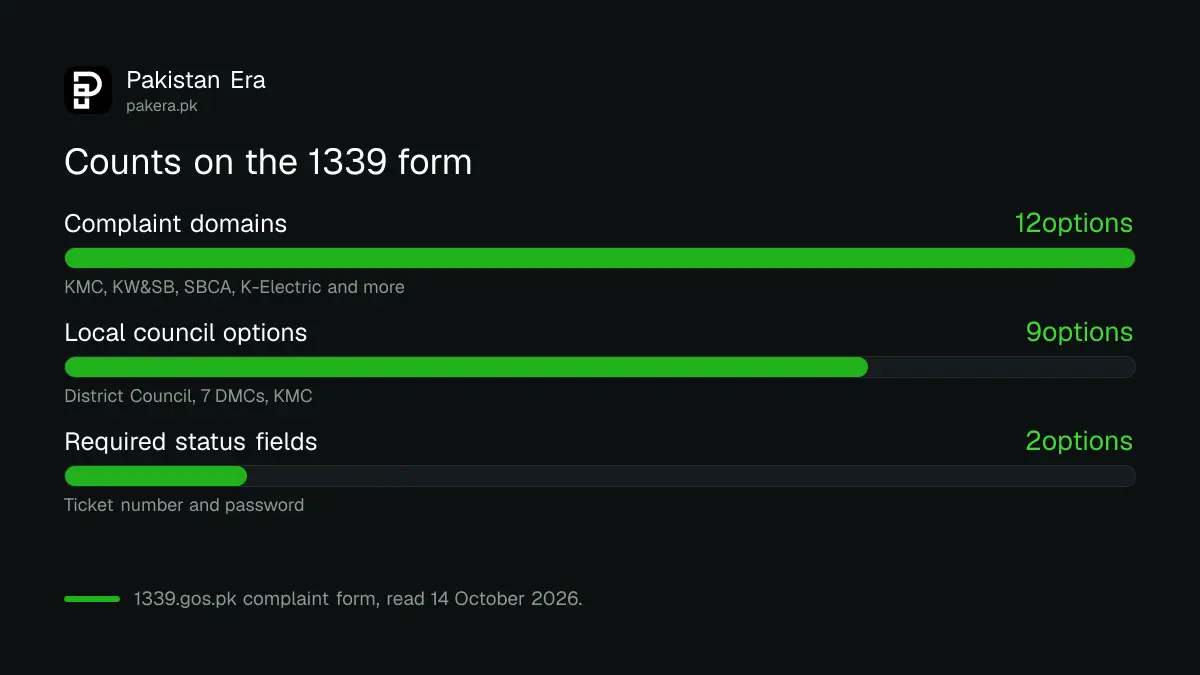
The first section is Contact Information. You pick a Local Council, then a Town, then a Union Council. Local Council has nine options: District Council Karachi, seven District Municipal Corporations (Central, East, Keamari, Korangi, Malir, South and West) and the Karachi Metropolitan Corporation.
A "union council" is the smallest local government area, a few neighbourhoods wide. If you do not know yours, the form has a Locate Landmark button for Town and Union Council. Use it before you guess.
Name and cell number are required. The form accepts a number like 03001234567 or +923001234567. A landline, an email, your house or flat number, block, and an area description are optional. Add the house details anyway. A crew cannot fix what it cannot find.
Twelve offices share one complaint form
The second section is Complaint Information. The Complaint Domain list names the office that should act. It has 12 entries, and each one is a body you may already deal with.
| Domain on the form | Who it is | Typical problem |
|---|---|---|
| KMC and DMC | Karachi Metropolitan Corporation and the district municipal corporations | Roads, drains, street lights, parks |
| KW&SB | Karachi Water and Sewerage Board | No water, leaks, overflowing sewage |
| SBCA | Sindh Building Control Authority | Illegal or unsafe construction |
| SSWMB | Sindh Solid Waste Management Board | Garbage not collected |
| K-Electric | The power company | Billing, including the MUCT charge |
| Sui Gas | The gas company | Gas supply or billing |
| KDA, LDA, MDA | Karachi, Lyari and Malir development authorities | Plots and development matters |
| District Council, CLICK | District Council Karachi and the CLICK city project | Local council work and project complaints |
The last column is our own plain guide to each body. It is not a list from the portal. The form also has a Consumer No. field that it marks for MUCT complaints only. MUCT is the municipal utility charge on K-Electric bills. After you choose a domain, you pick a Complaint Description from a drop-down list, then write the details. There is an optional Event Tag, and a separate list for the CLICK project.
Log a complaint in six steps
The whole process takes a few minutes if you know your union council. Have the address and a short description ready.
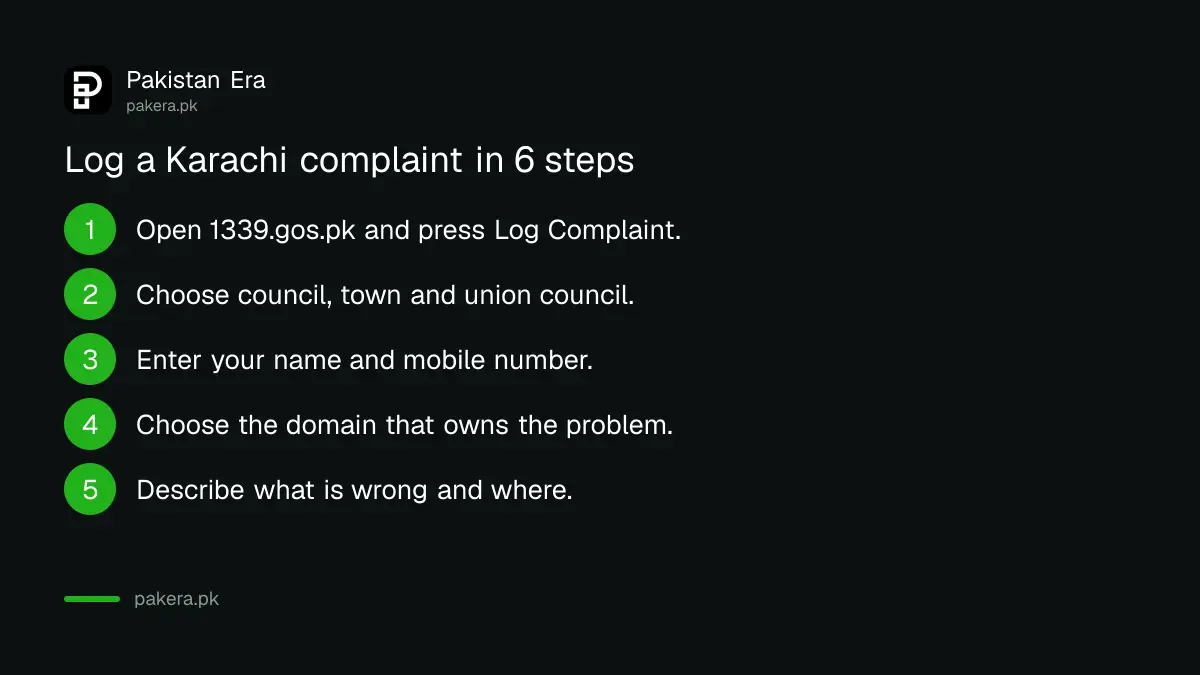
- Open 1339.gos.pk and press Log Complaint.
- Choose your Local Council, then your Town and Union Council.
- Enter your name and mobile number. Add the house or flat number and block.
- Choose the Complaint Domain that matches the office responsible.
- Choose a Complaint Description and write what is wrong and where, in plain words.
- Submit, then save the ticket number and password the portal shows.
Write the location first and the fault second, for example "Block 5, near the corner shop: manhole open since Tuesday". Keep it to the facts. A calm, specific complaint is easier to forward than an angry one.
Track the ticket on the status page
The portal has an Already Logged Complaint link. It opens a Complaint Status page with two required fields, a Ticket No and a Password. Both accept numbers only. That is why you must save both at the time of filing.
The page did not show any promised time to resolve a complaint. We could not find a stated deadline on the portal, so do not rely on one. If nothing moves, send the same facts to the office that owns the problem. For water and sewage, the steps are in the guide to filing and tracking a KW&SC complaint. For an open manhole, see how to report an open manhole in Karachi.
For garbage, there is a separate route to report uncollected garbage to SSWMB. For a bill complaint with the power company, K-Electric also takes complaints directly, and you can call 118 or go to NEPRA if it does not act.
Know where a 1339 complaint ends and an appeal starts
A portal ticket is a record that you complained. It is not an order. If an office does not act, you can still take the matter higher. The Provincial Ombudsman hears complaints against Sindh government departments, so it can help when a provincial body stays silent. The guide on how to complain to the Sindh Ombudsman explains the steps. A city body such as a district municipal corporation may fall outside its reach, so read its rules first.
Keep screenshots of the ticket and the date. An appeal is stronger when it shows you gave the right office a fair chance first.
Common questions about the Karachi 1339 portal
What is 1339 in Karachi?
1339 is the brand of the Citizen Complaint Information System at 1339.gos.pk. The Karachi Metropolitan Corporation's website links to it as "1339 Complaint". We did not call the number.
Does the portal cover all of Sindh?
No. The Local Council list names Karachi bodies only: District Council Karachi, seven district municipal corporations and the KMC. Residents of other districts need their own district office.
What do I need to log a complaint?
You need a name and a mobile number, your local council, town and union council, a domain and a complaint description. The other contact fields are optional.
Can I complain about K-Electric or gas on the same form?
Yes. The domain list includes K-Electric and Sui Gas. The form's Consumer No. field is for MUCT complaints. Those utilities also keep their own complaint lines.
How do I check my complaint later?
Open the status page through the Already Logged Complaint link and enter your ticket number and password. Both are numbers. Save them when you submit.
How we verified this
What we checked, where we read it, and what we could not confirm.
Last checked 14 October 2026. Everything on the form and status page comes from 1339.gos.pk and its login page, which we read on that date. The KMC website's link to the portal comes from kmc.gos.pk. We did not file a test complaint, call the number, or find a stated resolution time. The domain list, council list and field rules may change, so look at the form before you rely on this page.
About the author

Senior Writer, Public Services and Technology
Shahid joined us in 2024 as an author. He is a senior contributor to Pakistan's leading technology websites. He writes detailed articles, mostly covering his expertise in the latest tech, mobiles, apps, gadgets, and step-by-step guides. His ideology is to help people understand the latest trends and explain complex methods through very easy-to-understand guides.