Pay Abroad With NayaPay Alipay+: Scan a QR in China, UAE, UK and 25 More Places, but Not Saudi Arabia
Pay at shops abroad from the NayaPay app by scanning an Alipay+ QR or showing yours in Quick Pay, see every country NayaPay lists, and what to check first.
NayaPay works at shops abroad that show an Alipay+ QR code. Tap the scanner icon at the top right of the NayaPay Home screen and scan the shop's Alipay+ QR, or open Quick Pay and show your own Alipay+ QR to the cashier. NayaPay lists more than 25 places where this works, including China, the UAE, the UK, Japan, Malaysia and Turkey. Saudi Arabia is not on the list.
For a Pakistani traveller this means paying from the phone, in the NayaPay wallet, without carrying cash or handing over a card. The steps are short. The bigger questions are where it works and what to sort out before you fly, and both are below.
What NayaPay Alipay+ payments are
Alipay+ is a network that lets foreign wallets pay at shops that accept Alipay+ QR codes. NayaPay joined it, so your NayaPay app can pay at those shops abroad straight from your wallet balance. NayaPay says lower costs are built into every payment.
It is not the same as the Chinese Alipay app. You do not need a Chinese bank account, a new app or a foreign card. You pay from the NayaPay app you already have, using the money already in your wallet.
How to pay a shop abroad with NayaPay in 2 ways
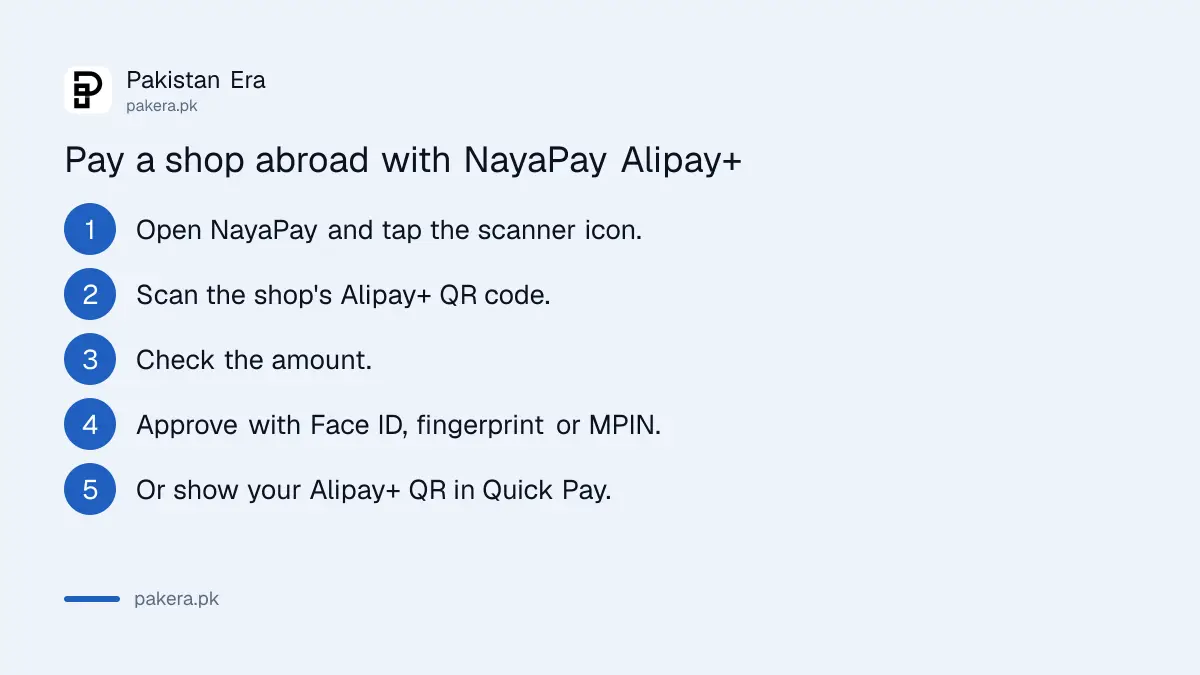
There are two ways to pay. You scan the shop's Alipay+ QR with the scanner icon on the Home screen, or you open Quick Pay and show your Alipay+ QR for the cashier to scan. Either way you approve the payment in the NayaPay app.
Way 1: you scan the shop's QR
- Open NayaPay.
- Tap the scanner icon at the top right of the Home screen.
- Scan the shop's Alipay+ QR code.
- Check the amount.
- Approve the payment the way the app asks, as with other NayaPay payments: Face ID, fingerprint or your MPIN.
Way 2: the cashier scans your QR
- Open NayaPay and go to Quick Pay.
- Show your Alipay+ QR to the cashier.
- Let them scan it, then approve the payment in the app if asked.
Always check the amount before you approve, and keep a screenshot of each payment until you are home.
Countries where NayaPay Alipay+ works
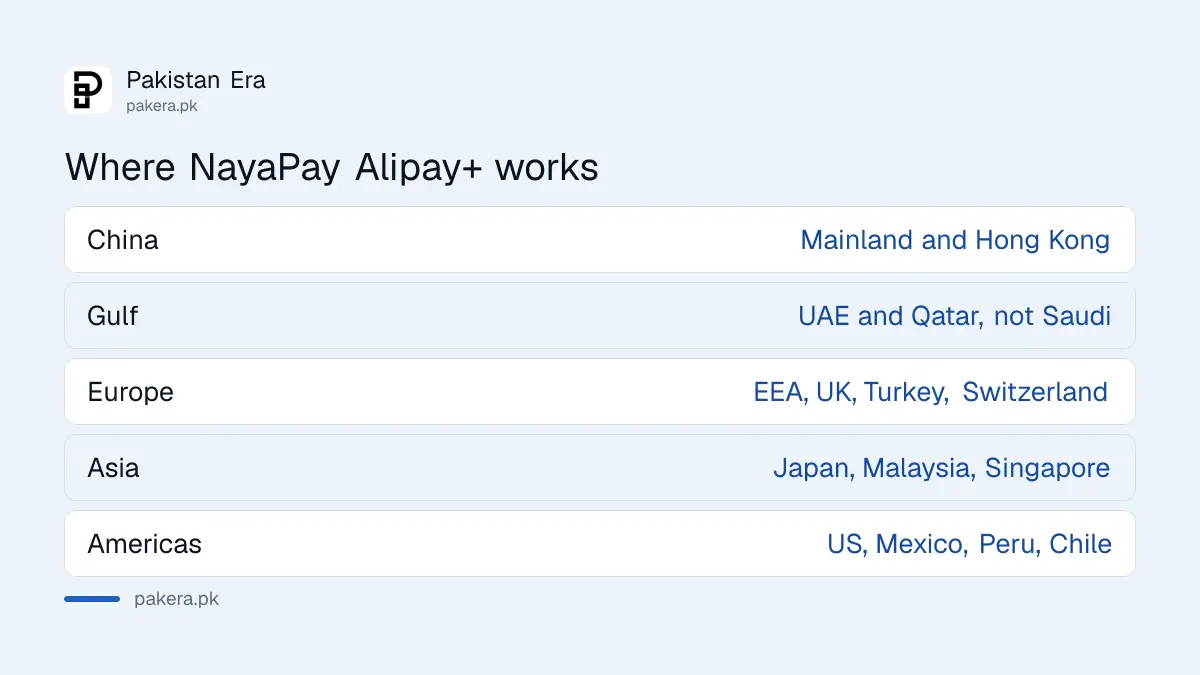
NayaPay lists Alipay+ acceptance across Southeast Asia, China and Hong Kong, Japan, Australia and New Zealand, the European Economic Area, the UK, Turkey, Qatar, the UAE, the Americas and Kazakhstan. Saudi Arabia, Oman and Bahrain are not on the list, which matters for Umrah and Gulf trips.
| Region | Places NayaPay lists |
|---|---|
| Southeast and South Asia | Malaysia, Philippines, Singapore, Cambodia, Nepal, Sri Lanka, Laos, Maldives, Brunei |
| China | Mainland China and Hong Kong |
| East Asia and Pacific | Japan, Australia, New Zealand |
| Europe | European Economic Area, UK, Switzerland, Turkey, San Marino, Armenia |
| Middle East and Africa | Qatar, UAE, Mauritius |
| The Americas | United States, Mexico, Peru, Chile, Colombia |
| Central Asia | Kazakhstan |
A country on the list does not mean every shop there accepts it. You can only pay where the shop shows an Alipay+ QR. Street stalls and small shops may take only local wallets or cash.
Check these 5 things before you travel
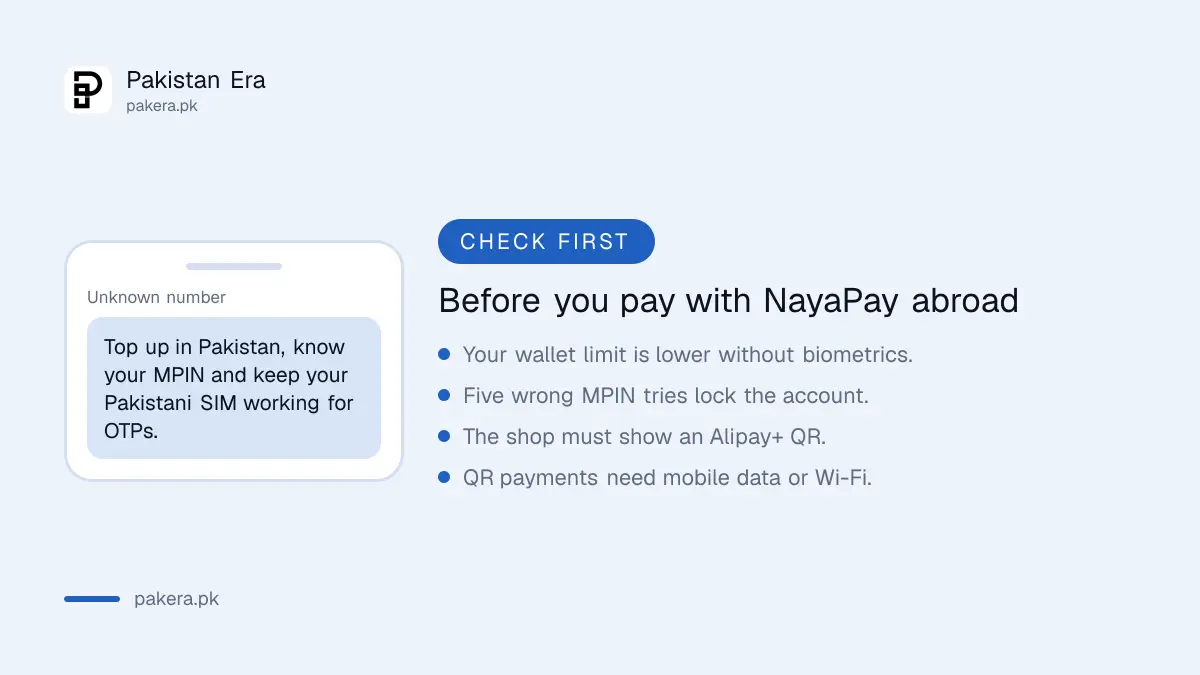
Before you fly, top up the wallet, check your limit, make sure the app is updated and logged in, plan for mobile data abroad, and carry a backup. A QR payment needs internet on your phone, and a locked account abroad is hard to fix.
- Top up the wallet in Pakistan. Alipay+ payments come from your NayaPay balance.
- Check your limit. A wallet without biometric verification has lower monthly caps. The current figures are in NayaPay limits and charges.
- Know your MPIN. Five wrong tries lock the account, and the Meezan Bank ATM unlock route only works in Pakistan. The fixes are in NayaPay forgot password or MPIN.
- Plan for data. Buy a roaming bundle or a local SIM, or use the shop's Wi-Fi. Keep your Pakistani SIM working too, because a new login asks for an OTP on it.
- Carry a backup. Your NayaPay Visa card works at card machines and ATMs. Its fees abroad are in foreign transaction fees on Pakistani debit cards.
NayaPay says international transactions carry FX settlement costs, which come from buying foreign currency from authorised dealers under State Bank rules. That cost applies even when an international payment is shown in rupees, so look at the amount before you approve.
When an Alipay+ payment does not go through
Most failed payments come from no internet, a low balance, a reached limit, or a shop QR that is not Alipay+. Check each one in that order. If money left your wallet but the shop did not get it, contact NayaPay support from the app.
- No signal. Connect to data or Wi-Fi and scan again.
- Not enough balance. Top up by bank transfer from your bank app.
- Limit reached. Upgrade the wallet with biometric verification, or pay by card.
- Wrong QR. Ask the shop for its Alipay+ code. A local-only QR will not work.
- Charged but not paid. Save a screenshot and raise it with NayaPay. The routes are in the SadaPay and NayaPay complaint guide.
NayaPay's helpline is (021) 111-222-729, and from abroad it lists +1 650 468 2078 as a cheaper number. NayaPay never asks for your password, MPIN, OTP or card PIN, so do not share them with anyone, even a shop.
Common questions about NayaPay Alipay+
Does NayaPay work in Saudi Arabia for Umrah?
Saudi Arabia is not on NayaPay's Alipay+ country list. Take your NayaPay Visa card or another card, and some cash, for Umrah trips.
Do I need the Alipay app to pay in China with NayaPay?
No. You pay inside the NayaPay app, either by scanning the shop's Alipay+ QR or by showing your QR in Quick Pay.
Does NayaPay Alipay+ work in Dubai?
Yes. The UAE is on NayaPay's list, so you can pay at shops in Dubai that show an Alipay+ QR.
Is there a charge for NayaPay Alipay+ payments?
NayaPay says lower costs are built in, and that FX settlement costs apply to international transactions. Check the amount on screen before you approve.
Can I pay with NayaPay abroad without internet?
No. Scanning and approving a QR payment needs your phone online, through mobile data or Wi-Fi.
How we verified this
What we checked and where we read it.
Last checked 14 November 2026. The country list and the two ways to pay come from NayaPay's help article How can I pay at an Alipay+ merchant using NayaPay?, last updated on 2 December 2025. The FX settlement cost rule comes from What are FX Settlement Costs?, and the helpline numbers from NayaPay's MPIN help article. The Alipay+ article does not list a separate fee or rate for these payments. The travel checklist is our own advice.
About the author

Technology Journalist & Multimedia Producer
Ahmad Ali is a technology journalist and multimedia producer at Pakistan Era, joining the team in October 2026. He covers consumer technology and digital life for Pakistani readers, combining research with hands-on product testing.