Pinterest Forgot Password in Pakistan: Reset It by Email in 5 Steps, and What Works Without the Email
Reset a forgotten Pinterest password in Pakistan by email in 5 steps, fix a reset link that fails, find the email on your account, and what to do if it is gone.
Forgot your Pinterest password? Go to pinterest.com/password/reset, search your email, name or username, tap This is me (or Send on Android), open the email from Pinterest and tap Reset password. It is free, but the link only goes to the email on your account. If that email is gone and you never linked Google or Apple, Pinterest says it cannot give you the account back.
Pinterest is a password and email app. There is no SMS reset. So the whole fix depends on one question: can you still open the email linked to your Pinterest account? The steps and the table below start from there.
How to reset your Pinterest password in 5 steps
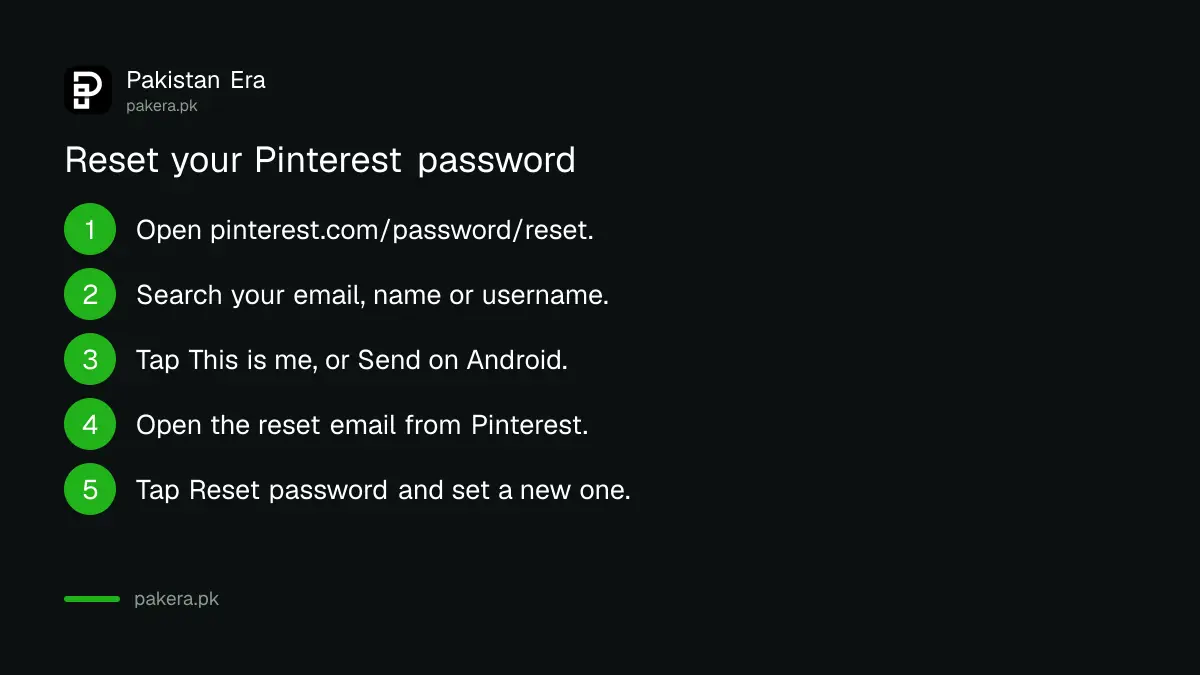
Open the Pinterest password reset page, find your account by email, name or username, and send the reset link. Open the email, tap Reset password, type a new password and tap Change password. The same steps work on a phone browser, the app and a computer.
- Go to pinterest.com/password/reset, or tap Forgot your password? on the Pinterest login screen.
- Enter your email, name or username and search.
- Next to your account, tap This is me. On Android the button says Send.
- Open the reset email in the inbox linked to Pinterest.
- Tap Reset password, type your new password and tap Change password.
Pinterest does not let you reuse a recent password. Pick a new one you do not use on Gmail, Facebook or anything else.
When the Pinterest reset link does not work
If the reset link fails in your usual browser, open it in a private window in Chrome, Firefox or Safari. Check your spam and Promotions tabs for the email too. Most failed resets come from an old link, a full inbox or the wrong email address.
- Link opens but fails. Copy it into a private or incognito window and try again.
- No email arrives. Look in Spam, Promotions and Updates. Then check that your Gmail storage is not full, which stops new mail. The fixes are in Gmail not receiving emails.
- Several old links. Use only the newest reset email.
- Wrong account found. Each email links to one Pinterest account only. Try your other email addresses.
Forgot which email your Pinterest account uses
Search your name or username on pinterest.com/password/reset to get a hint of the email on the account. Then check for common typos, such as .con instead of .com. If you signed up with Google, the Pinterest email is likely your Gmail address.
Pinterest lists these common sign up typos:
- .con instead of .com
- .com instead of .net
- @yahoo.com instead of @ymail.com
- Missing numbers, such as name@gmail.com instead of name123@gmail.com
- One address's username with another address's domain
Think you know the typo? Try logging in with that version, then change the email to the right one in Settings. Pinterest says support may be limited in helping when the typo is after the @ sign.
Lost the email: what still works and what does not
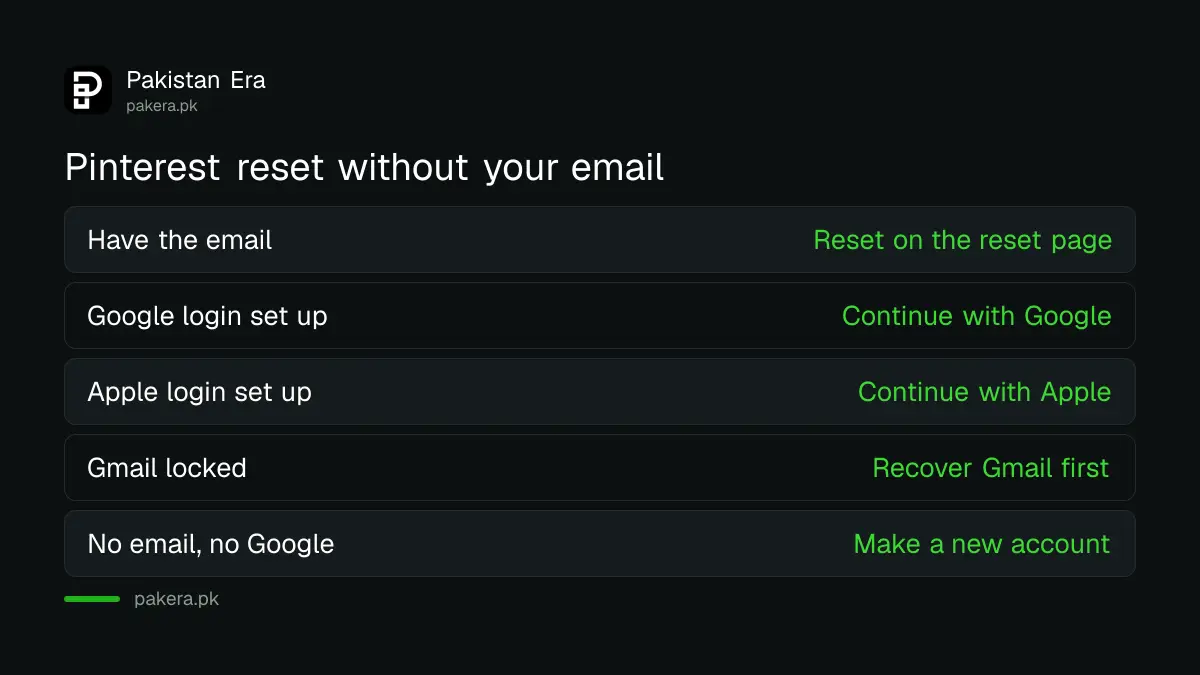
Without the email, the only way in is Google or Apple login, and only if you set it up before. If you never did, Pinterest says it cannot confirm the account is yours and cannot give you access. Your choice then is a new account.
| Your situation | What to do |
|---|---|
| Can open the account email | Reset at pinterest.com/password/reset |
| Email lost, Google login set up before | Tap Continue with Google |
| Email lost, Apple login set up before | Continue with Apple on iPhone |
| Gmail itself is locked | Recover the Gmail first, then reset Pinterest |
| Email lost, no Google or Apple login | Create a new account and save your public Pins again |
If the lost email is a Gmail, getting it back fixes Pinterest too. Use how to recover a Gmail account in Pakistan first, then return to the reset page.
Starting over? Make the new account, then search for your old profile on Pinterest. Your public Pins and boards are still visible, so you can save the same Pins and follow the same people again.
Got a change email you did not make, or Pinterest logged you out
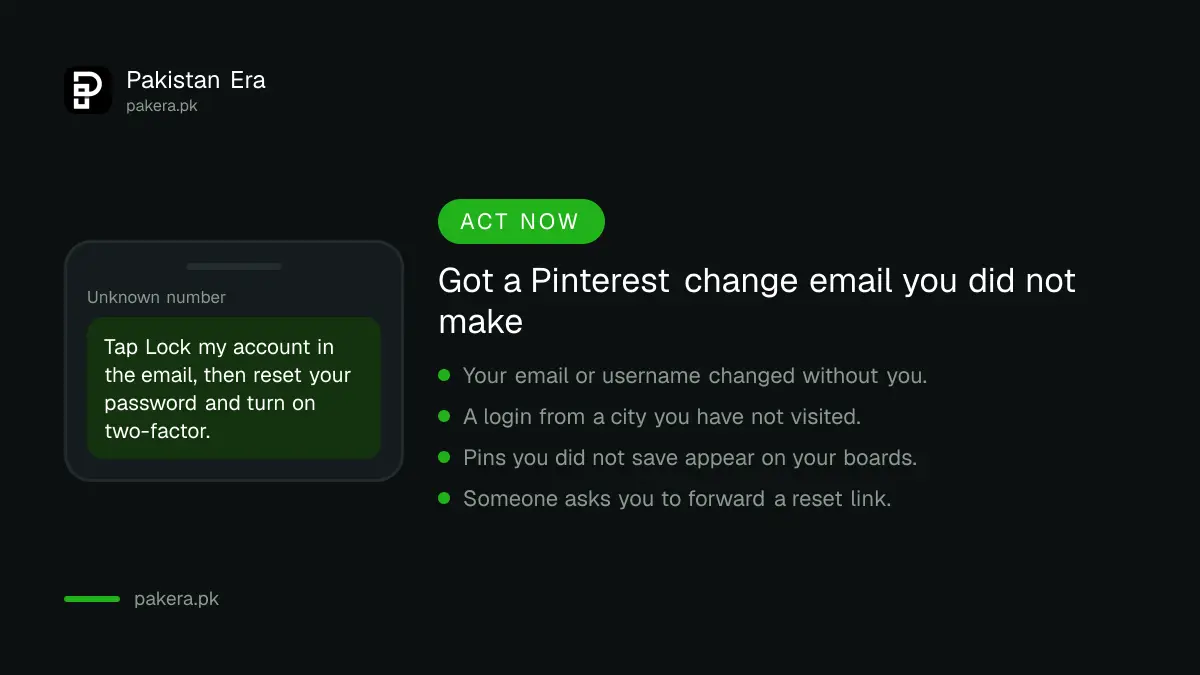
Pinterest emails you when your email, username or password changes, or when someone logs in from a new place. If you did not make the change, tap Lock my account in that email, then reset your password. Pinterest may also reset it for you after strange activity.
- Open the Pinterest email about the change.
- Tap Lock my account.
- Reset your password with the 5 steps above.
- Once you are back in, turn on two-factor authentication.
- Connect Google as a login option and check your email address is current.
When Pinterest sees logins from unusual places, many logins in a short time or spam, it resets the password and logs everyone out, you included. That is a safety step, not a ban. Reset the password, or log in with Google if you used it before.
To add Google as a backup login, log in, open Settings, then Security, and turn on Google under Login options. You confirm by signing in to Google again. Doing this now saves you if the email is ever lost. Never send a Pinterest reset link or code to anyone who asks; the tricks are the same as in the OTP scam list for Pakistan.
Common questions about Pinterest password reset
Can I reset my Pinterest password with my phone number?
No. Pinterest sends the reset link to the email on your account. Without that email, only a Google or Apple login set up earlier still works.
Why is my Pinterest reset link not working?
Open the newest link in a private Chrome, Firefox or Safari window. Pinterest suggests this when the link fails in your regular browser.
Can I use my old password again on Pinterest?
No. Pinterest does not allow you to reuse a recently used password, so pick a new one.
How do I change my Pinterest password when I am logged in?
In the app, tap your profile photo, then your photo again, Account management, then Password. On a computer, open Settings, Account management and click Change next to Password.
Pinterest logged me out and reset my password. Am I banned?
No. Pinterest does this after strange activity to protect the account. Reset your password, or log in with Google if you set that up before.
How we verified this
What we checked and where we read it.
Last checked 14 November 2026. Steps come from the Pinterest Help Center: Reset or change your password, Troubleshoot issues logging in with an email address, and the articles on an email about a change you did not make, "We protected your account" and Google or Apple login problems.
About the author

Technology Journalist & Multimedia Producer
Ahmad Ali is a technology journalist and multimedia producer at Pakistan Era, joining the team in October 2026. He covers consumer technology and digital life for Pakistani readers, combining research with hands-on product testing.