How to Pause or Delete Your YouTube Watch History in Pakistan
Delete one video or all of your YouTube watch history in Pakistan, pause it, or set Auto-delete to 3, 18 or 36 months. Steps for computer and TV from YouTube.
Short answer: Go to myactivity.google.com, sign in, open YouTube History and use Manage history. From there you can delete videos, pause watch history under Controls, or set Auto-delete to 3, 18 or 36 months. On a TV, use Settings, then Pause watch history or Clear watch history.
A shared phone or a family TV shows more than you think. The video you watched last night can sit at the top of the next person's screen. In Pakistan one smartphone often serves a whole household, so a watch history can reveal a lot.
We read YouTube's own Help page on watch history on 12 October 2026. We did not change a live account, so the menu names below follow that page. Google moves buttons around from time to time, so the labels on your phone may differ a little.
Watch history is managed in My Activity
YouTube sends you to My Activity at myactivity.google.com. Sign in with your Google account, click YouTube History and then Manage history. The page lists the videos you watched and lets you search them, delete them, pause them or set them to delete on a timer.
This matters because the control lives in your Google account, not inside the YouTube app alone. One change there applies wherever you are signed in to the same account, so a phone, a laptop and a TV share it.
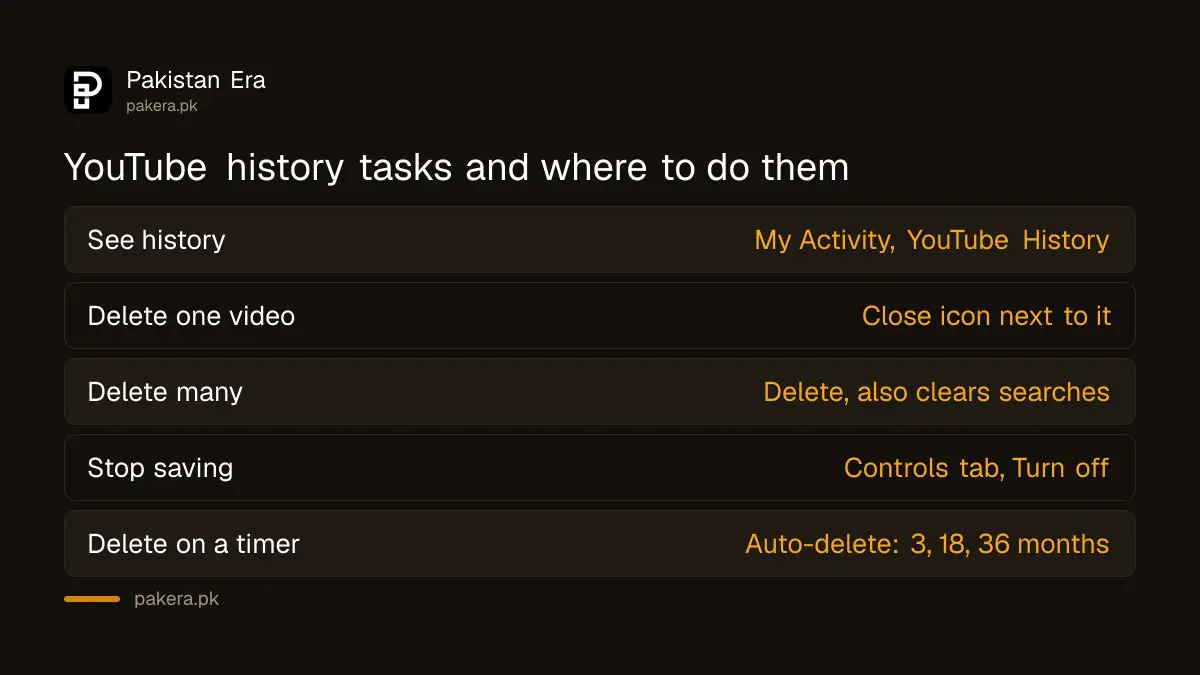
| Task | Where to go | Result |
|---|---|---|
| See your history | My Activity, YouTube History, Manage history | List of videos you watched |
| Delete one video | Click the close icon next to it | That entry is removed |
| Delete many videos | Click Delete | Watch history removed, search history too |
| Stop saving new history | Controls tab, Turn off | Watch history is paused |
| Delete on a timer | Manage history, Auto-delete | 3, 18 or 36 months |
Delete one video or the whole watch history
To remove a single video, click the close icon next to it in My Activity. To remove many, use Delete. YouTube's page warns that deleting watch history this way also deletes your search history, so do it only if you want both gone.
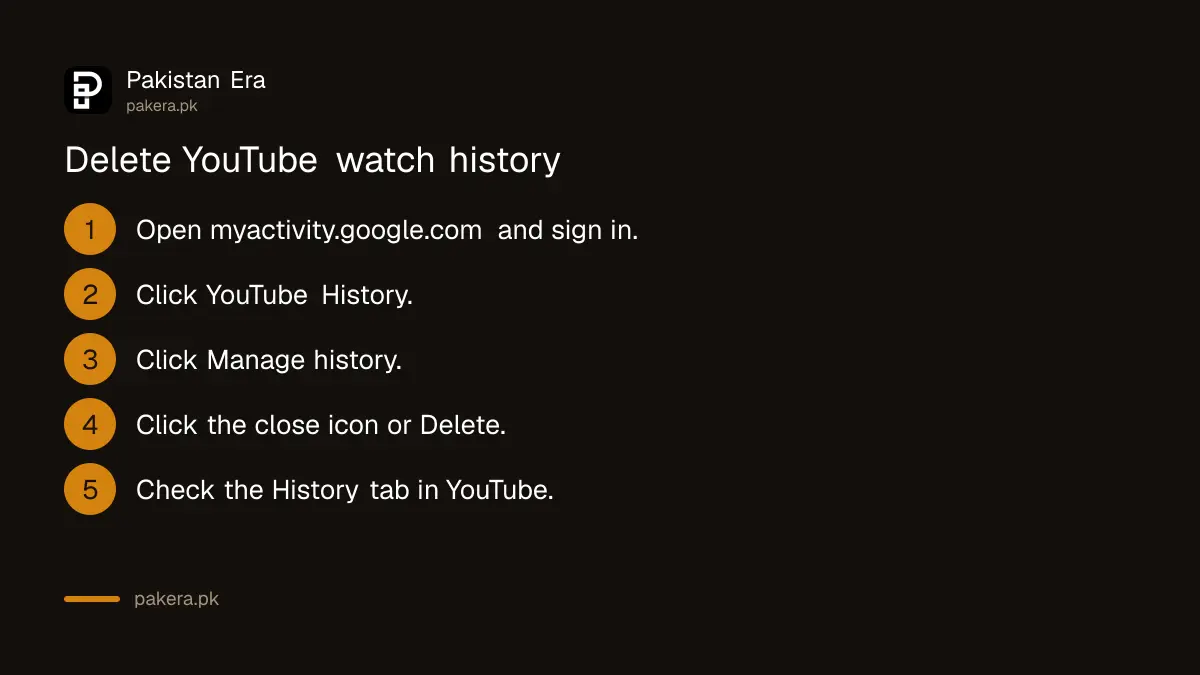
- Open myactivity.google.com in your browser and sign in.
- Click YouTube History.
- Click Manage history.
- Click the close icon beside a video to remove only that one.
- Or click Delete and choose what to remove.
- Open YouTube and check your History tab to confirm.
Deleting one embarrassing video is often enough. Remove the entry, then think about pausing history for the rest of the week.
Pause watch history to stop new videos being saved
Open My Activity, sign in, click the Controls tab on the left and choose Turn off. YouTube then stops adding new videos to your watch history. The page says that while paused you can also include or exclude videos, searches and voice activity.
Pausing does not remove what is already saved. Do both if you want a clean slate: delete the old history, then pause it. Turn it back on later if you miss the personalised home page.
Our guide on checking who is signed in to your Google account helps when you think someone else may be using your account. A paused history does little good if a stranger is signed in.
Set Auto-delete so old history clears itself
In Manage history, click Auto-delete and pick 3, 18 or 36 months. Then click Next and Confirm. YouTube will remove history older than that period on its own, so you do not have to remember to clean it.
Three months suits a shared family account. Thirty six months suits you if you only want a long tail for recommendations. Pick the shortest period you can live with.
The same idea works elsewhere in your account. Our guide on deleting Google location history and auto-deleting activity shows the same timer for places you visit.
On a TV or when signed out, the steps are different
If you are not signed in, open History on YouTube and choose Pause watch history or Clear watch history. On a TV or game console, open Settings and choose Pause watch history or Clear watch history.
Check the TV after you change the account. A TV in the lounge is where a child or a guest is most likely to see a recommendation you did not want them to. If children use YouTube, a separate YouTube Kids or supervised account keeps their history apart from yours.
Everything above comes from YouTube's help page. It does not say how a deletion changes your recommendations, so we do not promise a particular result there.
Common questions
Where is YouTube watch history in my account?
It is in My Activity at myactivity.google.com, under YouTube History and then Manage history. You need to be signed in with the Google account you use on YouTube.
Does deleting watch history also delete my searches?
Yes. YouTube's help page says using Delete on your watch history also deletes your search history. Remove single videos with the close icon if you want to keep searches.
How do I stop YouTube saving what I watch?
Open My Activity, click the Controls tab and choose Turn off. YouTube then stops adding new videos to your watch history until you turn it back on.
What Auto-delete periods does YouTube offer?
The help page lists 3, 18 and 36 months. You choose one in Manage history, then click Next and Confirm to save it.
Can I clear history on my TV?
Yes. On a TV or game console, open Settings and choose Pause watch history or Clear watch history. The page lists both options for TV and consoles.
Does this work if I am not signed in?
Yes, in a smaller way. Open History on YouTube and choose Pause watch history or Clear watch history.
How we verified this
What we checked, where we read it, and what we could not confirm.
We read YouTube's watch history help page at support.google.com on 12 October 2026. We did not sign in to an account to test the buttons, and Google can rename menus without notice.
About the author

Technology Journalist & Multimedia Producer
Ahmad Ali is a technology journalist and multimedia producer at Pakistan Era, joining the team in October 2026. He covers consumer technology and digital life for Pakistani readers, combining research with hands-on product testing.