Phone Battery Draining Fast in Pakistan: 12 Fixes for Android and iPhone, Setting by Setting
Phone battery draining fast? Find the app on the Battery screen, then use Low Power Mode or Battery Saver. 12 fixes for Android and iPhone, and the heat rule.
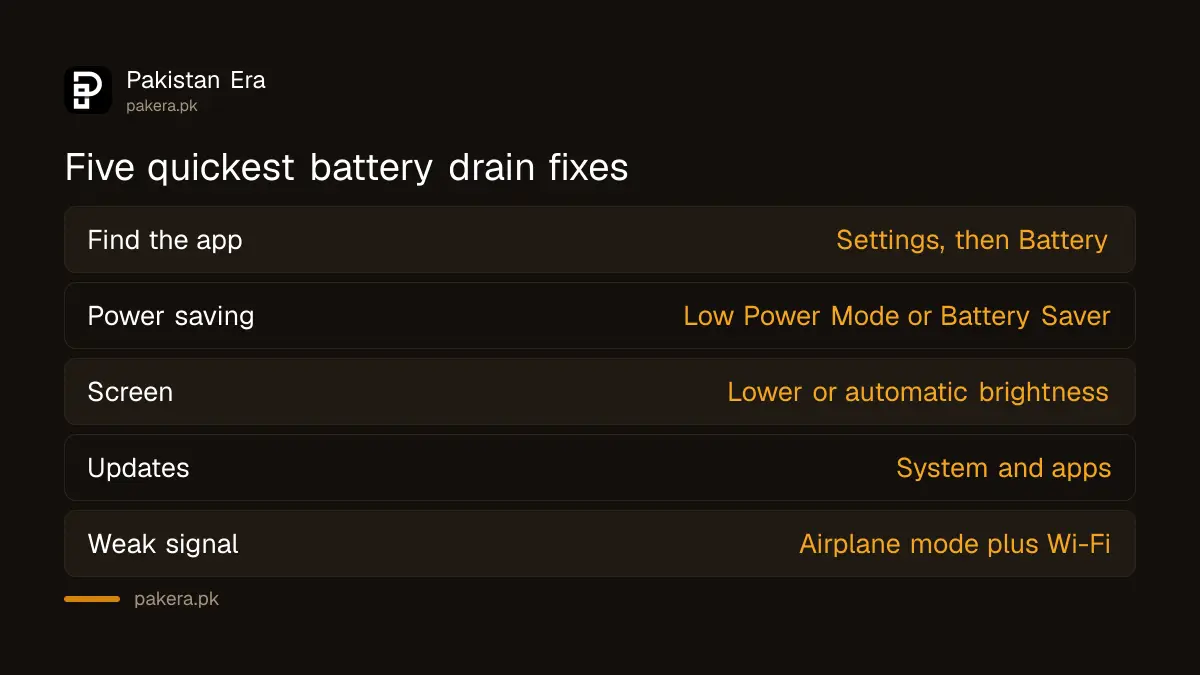
If your phone battery is draining fast, open Settings > Battery first and see which app is using it. Then turn on Low Power Mode on an iPhone or Battery Saver on Android, lower the screen brightness, and update the phone. Those four steps fix most cases. The other eight fixes below deal with the less obvious causes, from weak signal to heat.
We read Apple's battery guidance and Google's Android and Pixel help pages on 31 October 2026 and put every setting path in one place. Heat deserves a special mention for Pakistani readers: Apple says ambient temperatures above 35 °C can permanently reduce battery capacity, and a Pakistani summer afternoon often passes that.
Check battery usage first, it names the app that drains
Both systems list battery use by app. On an iPhone, open Settings > Battery. On Android, open Settings > Battery and look for usage. Whatever sits at the top is your first suspect, especially an app you rarely open.
Apple adds a short message under some apps. "Background Activity" means the app works while you are not using it. "Location" means it is using GPS. "Home & Lock Screen" means its notifications keep waking the screen. And "No Cell Coverage and Low Signal" means the phone is burning power hunting for a network. Apple notes the list is not shown while the phone is charging.
Twelve fixes for a draining battery, with the exact setting
Work down this table from the top. The first five cost you nothing in features. The later ones trade a little convenience for battery. Restart the phone after the big changes, then judge the battery over a full day, not an hour.
| Fix | iPhone | Android |
|---|---|---|
| 1. Find the draining app | Settings > Battery | Settings > Battery |
| 2. Update the system | Settings > General > Software Update | Settings > System > Software update |
| 3. Update apps | App Store | Play Store > profile icon > Manage apps & devices |
| 4. Power saving mode | Settings > Battery > Low Power Mode | Settings > Battery > Battery Saver |
| 5. Lower brightness | Control Center slider, or Auto-Brightness | Adaptive or lower brightness |
| 6. Stop background refresh | Settings > General > Background App Refresh | Restrict the app's background use |
| 7. Cut location use | Settings > Privacy & Security > Location Services | Turn off Location when not needed |
| 8. Silence noisy apps | Settings > Notifications > app | App notification settings |
| 9. Prefer Wi-Fi | Settings > Wi-Fi | Use Wi-Fi instead of mobile data |
| 10. Weak signal | Airplane mode in Control Center | Airplane mode |
| 11. Keep it cool | Best at 16 to 22 °C | Avoid overheating |
| 12. Restart, then reset | Force restart | Hold power about 30 seconds |
On a Pixel, Google adds two settings. Turn on Adaptive Battery under Settings > Battery > Battery Saver > Adaptive Battery. Then, for any app, go to Settings > Apps > See all apps, pick the app, tap App battery usage, then Allow background usage, and choose Optimized. Samsung, Xiaomi, Infinix and others use different names, and Google says so plainly.
Low Power Mode and Battery Saver give the quickest relief
Turn on Low Power Mode on an iPhone or Battery Saver on Android when the day is long. Both cut background activity and visual effects. Calls, messages and internet keep working, so it is safe to leave on.
Apple says Low Power Mode lowers brightness, limits animations and stops background downloads and iCloud sync. The iPhone offers it at 20% and again at 10%, and switches it off when you charge. Google says Battery Saver limits background activity and turns on the dark theme, and you can set it on a schedule.
Mobile data costs battery as well as money. Apple says Wi-Fi uses less power than cellular data, which is why fix 9 is there. The tips to save mobile data on Android and iPhone overlap with several items above.
Weak signal and heat drain a battery more than apps do
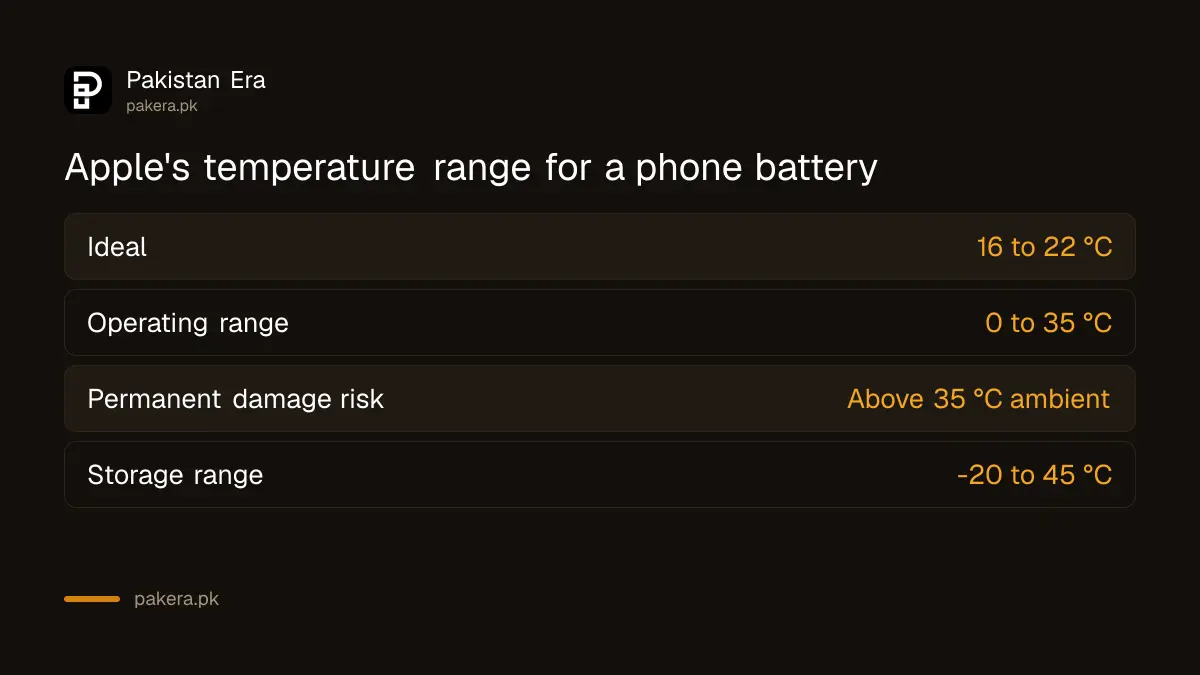
A phone with poor coverage keeps searching for a tower and drains fast. Heat does lasting damage. Apple says the ideal range is 16 to 22 °C and that ambient heat above 35 °C can permanently cut capacity.
In a basement shop, a lift or a village with one bar of signal, switch on Airplane mode if you do not need calls, and connect to Wi-Fi. Apple suggests exactly that for apps flagged "Low Signal". Note that calls will not come through while it is on.
Heat is the bigger issue in a Pakistani summer. Apple lists 0 to 35 °C as the operating range. Do not leave the phone in a parked car or in direct sun. Apple also says charging may pause in extreme heat and resume once the battery cools. More on that in the steps to stop a phone overheating while charging.
When the drain continues, check battery health
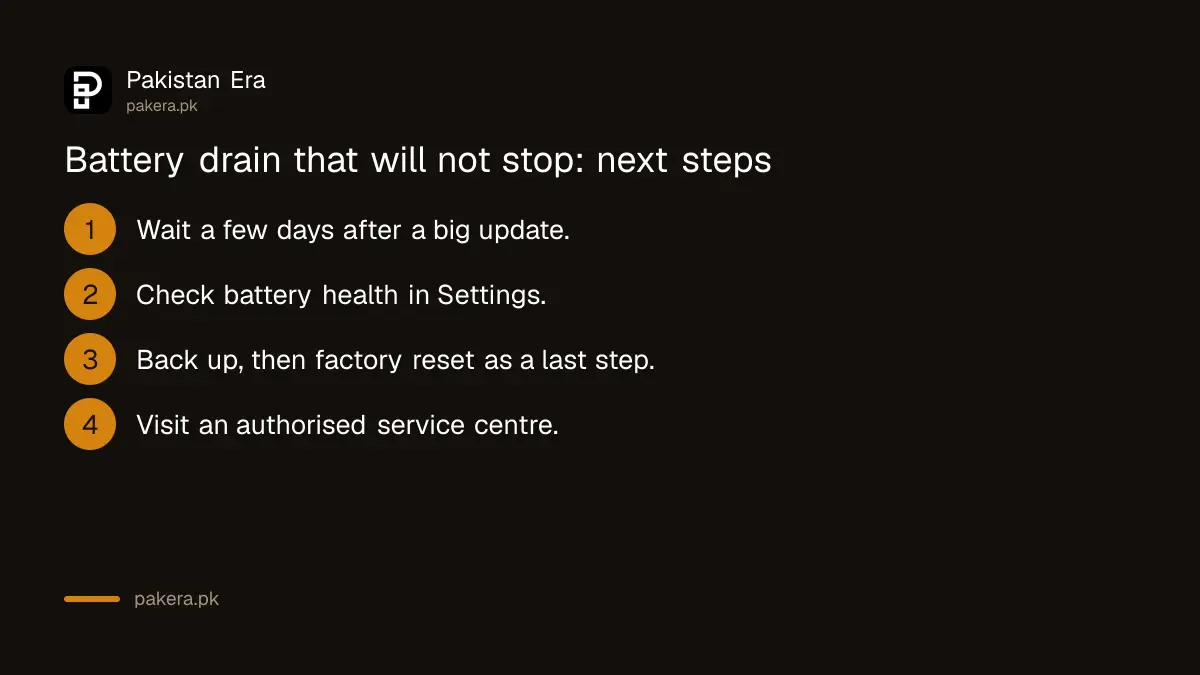
If the drain continues after all twelve fixes, the battery itself may be worn. Check its health, and if capacity is low, a battery replacement at an authorised centre is the real fix. A factory reset is the last software step.
- Wait a few days after a big update. Google says extra drain for a few days after an update is normal.
- Check the battery's health with the steps to check battery health on Android and iPhone.
- Back up the phone, then try a factory reset only if no single app explains the drain.
- Take the phone to the brand's authorised service centre if health is low or the battery looks swollen.
A swollen battery is a safety problem, not a settings problem. Stop charging it and read what to do with a swollen phone battery. Also be wary of a sudden drain alongside heat and strange pop-ups: an unknown app running in the background can be malware, and the checks for a hacked phone cover that.
Google also says to use the charger that came with the phone, because others may charge slowly or damage the battery. Treat cheap market chargers with suspicion.
Common questions
Why is my phone battery draining so fast suddenly?
Usually one app, a recent update, weak signal or heat. Open Settings > Battery to see which app is at the top of the list.
Does Low Power Mode stop calls or WhatsApp?
No. Apple says calls, messages and internet still work. It mainly stops background downloads and visual effects.
Is it normal for the battery to drain after an update?
Google says extra drain for a few days after an update is normal. If it lasts longer, work through the fixes above.
Does dark mode save battery?
Google lists dark theme among the settings that reduce drain, and Battery Saver turns it on for you.
Does heat damage a phone battery?
Yes. Apple says ambient temperatures above 35 °C can permanently reduce battery capacity.
How we verified this
What we checked, where we read it, and what we could not confirm.
Last checked 31 October 2026. We read Apple's battery performance page, Apple's charge limit page, Google's Android battery help page and Google's Pixel help page on Adaptive Battery on 31 October 2026. Menu names on Samsung, Xiaomi, Infinix, Tecno, Vivo and Oppo phones differ from stock Android, and we could not check each brand's names. Apple's page still writes the location path as Settings > Privacy; current iOS shows it as Privacy & Security. We did not run a battery test ourselves.
About the author

Technology Journalist & Multimedia Producer
Ahmad Ali is a technology journalist and multimedia producer at Pakistan Era, joining the team in October 2026. He covers consumer technology and digital life for Pakistani readers, combining research with hands-on product testing.