Register for an SSGC E-Bill in Sindh and Balochistan: Steps and the 3 Paper Bill Choices
Register for an SSGC e-bill to get your gas bill by email. See the form fields, the email and SMS codes and the three paper bill choices before you submit.
Short answer: To get your SSGC gas bill by email, fill in SSGC's online e-bill form with your 10 digit customer number, your email and your mobile number, and confirm each with the code SSGC sends. You then choose e-bill only, e-bill plus paper bill, or paper bill only.
A torn bill, a bill the meter reader left with a neighbour, a bill that never arrived. SSGC's own form page opens with that problem: "Gas bill stolen, gas bill torn? No worries." An e-bill removes it, because the bill reaches your inbox instead of your gate.
SSGC offers an online form to receive your gas bill by email
SSGC runs a "Register for E-Bill" form on its customer website. You fill it in once. The company says you can then subscribe to your gas bill electronically. The page mentions no fee and asks for no document. It needs your customer number and working contact details.
The form can also update the CNIC number on your bill. That part is optional. If you want the CNIC part only, see how to update your CNIC on an SSGC or SNGPL gas account.
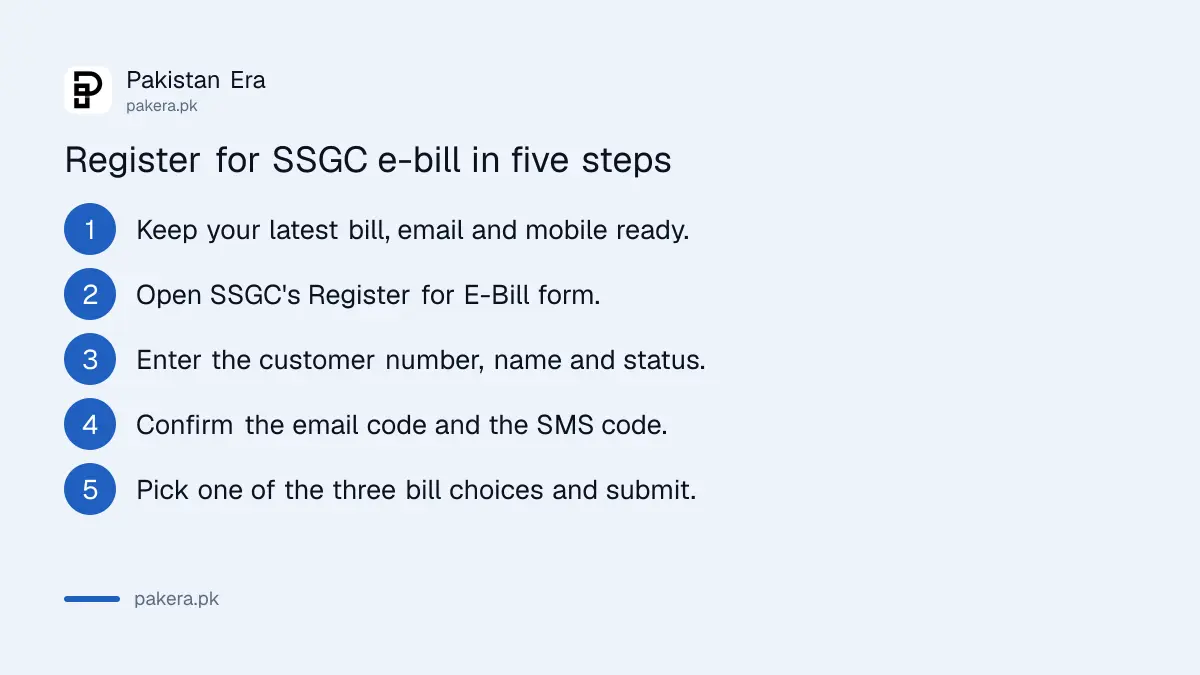
You need three things before you start
Have your latest bill, a working email address and a mobile number that can receive SMS. SSGC sends a one-time code to the email and another to the mobile, so both must be in your hands while you fill in the form.
| Field | What to enter |
|---|---|
| SSGC customer number | The 10 digit number printed on your bill |
| Applicant status | Owner, Tenant, Family Member or Employee |
| Full name as per SSGC's record | Exactly as printed on the bill |
| Full name as per CNIC | As on your identity card |
| Email address and email code | Type the email twice, then the code SSGC sends |
| Mobile network and number | Jazz, Telenor, Ufone, Warid or Zong, number as 923331234567, then the SMS code |
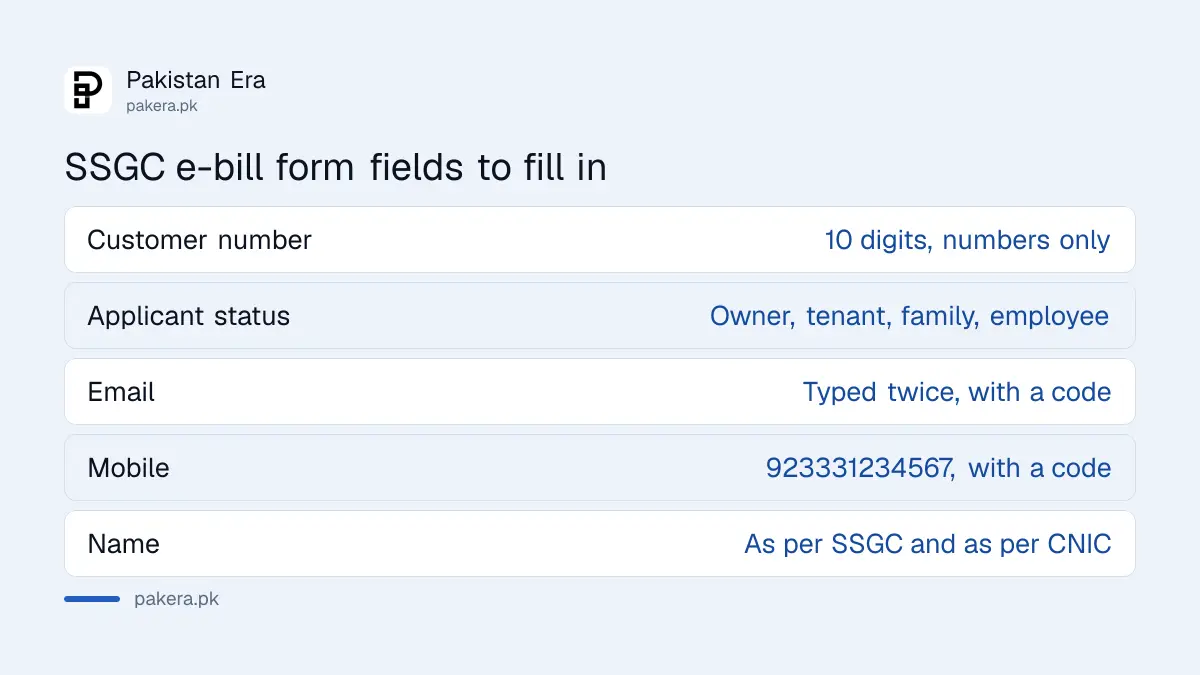
The form shows an error if the customer number is not exactly 10 digits and numbers only. It also asks for the owner's email and contact number. We read these fields in the page source, and they appear to be meant for tenants. The page does not explain them, so treat that point as unconfirmed.
Choose between three bill options
The form ends with a choice of how you want to receive the bill. Your pick decides whether the printed bill keeps coming. Read all three before you tick, because choosing the first one stops the paper bill.
- E-bill only: you register for e-bill and do not want a paper bill.
- E-bill and paper: you register for e-bill and still want the paper bill.
- Paper only: you do not want e-bill and still require the paper bill.
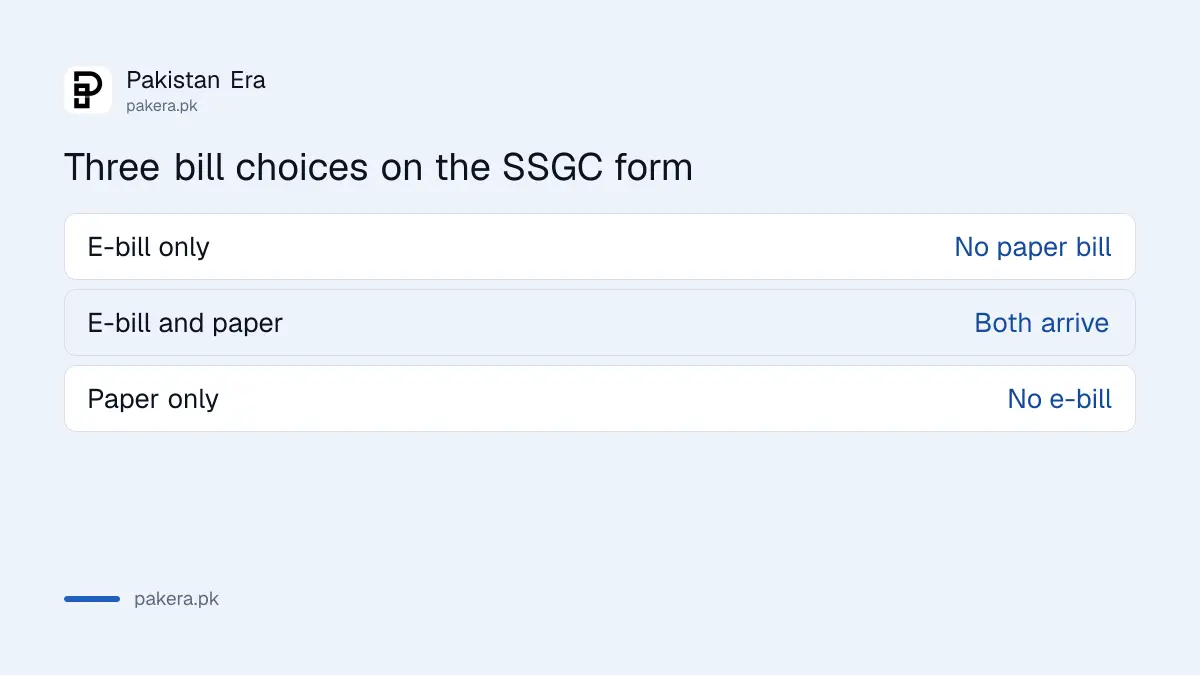
If you pick the second option, the paper bill keeps arriving as before. That is the safer choice for a home where an older relative pays the bill by hand, and an email address alone would not reach them.
You can also view and download the bill on SSGC's bill site
You do not need e-bill to see your bill. SSGC's home page has a View Bill service where you can view and download the monthly gas bill as a PDF, and it asks for Adobe Acrobat Reader. This is the quickest answer to a lost bill.
A free duplicate for electricity and gas is explained in the lost bill and free duplicate guide. Once you have the bill, the SSGC bill reading guide explains the provisional, minimum and PUG charges.
Pay the bill through any SSGC channel after you receive it
E-bill changes how you receive the bill, not how you pay it. SSGC's payment options page lists internet and online banking, bank ATMs, bank call centres, petrol pumps, bill payment kiosks, IVR, door-step cheque collection, retail shops, mobile phone bill payments and credit cards.
We read the headings of that page only. The bank and wallet names sit behind each heading, so check the list before you choose one. If you cannot pay in full, the options for part payment are in how to pay an electricity or gas bill in instalments.
Common questions
Is the SSGC e-bill free?
The registration page mentions no fee. It is an online form on SSGC's own website.
Will my paper bill stop after I register?
Only if you choose the first option, e-bill with no paper bill. The second option keeps the paper bill coming.
Can a tenant register for e-bill?
Yes. The form lists Tenant as an applicant status. It also has owner contact fields that appear to be for tenants, which the page does not explain.
Which mobile networks does the form accept?
Jazz, Telenor, Ufone, Warid and Zong. Enter the number as 923331234567.
What if I do not receive the email or SMS code?
Check the number and email you typed, then ask the form to send a new code. If it still fails, call SSGC on 1199.
Does SSGC cover only Karachi?
SSGC supplies gas in Sindh and Balochistan. Gas customers in Punjab, KP and Islamabad are served by SNGPL, which has its own email and SMS bill alert.
How we verified this
What we checked, where we read it, and what we could not confirm.
We read SSGC's Register for E-Bill page and its bill payment options page on 12 October 2026. We did not submit the form, so we cannot say how fast the first e-bill arrives. Check SSGC's website again before you register.
About the author

Tax, Bills and Technology Writer
Ali Akhtar is a young and curious voice here at Pakistan Era. He is currently pursuing his A-Levels and has a growing interest in Pakistan’s changing industrial landscape and educational trends. Ali likes to write in a way that helps him explain and explore the world around him. His writing reflects the perspective of the new generation navigating the evolving trends of Pakistan where technology, youth innovation, and shifting opportunities are reshaping the country’s future.