How to Load a Scratch Card on Any Network in Pakistan
Load a Jazz or Ufone scratch card with *123*card number#, then check balance with *111# or *124#. Plus how long the balance lasts on each card.
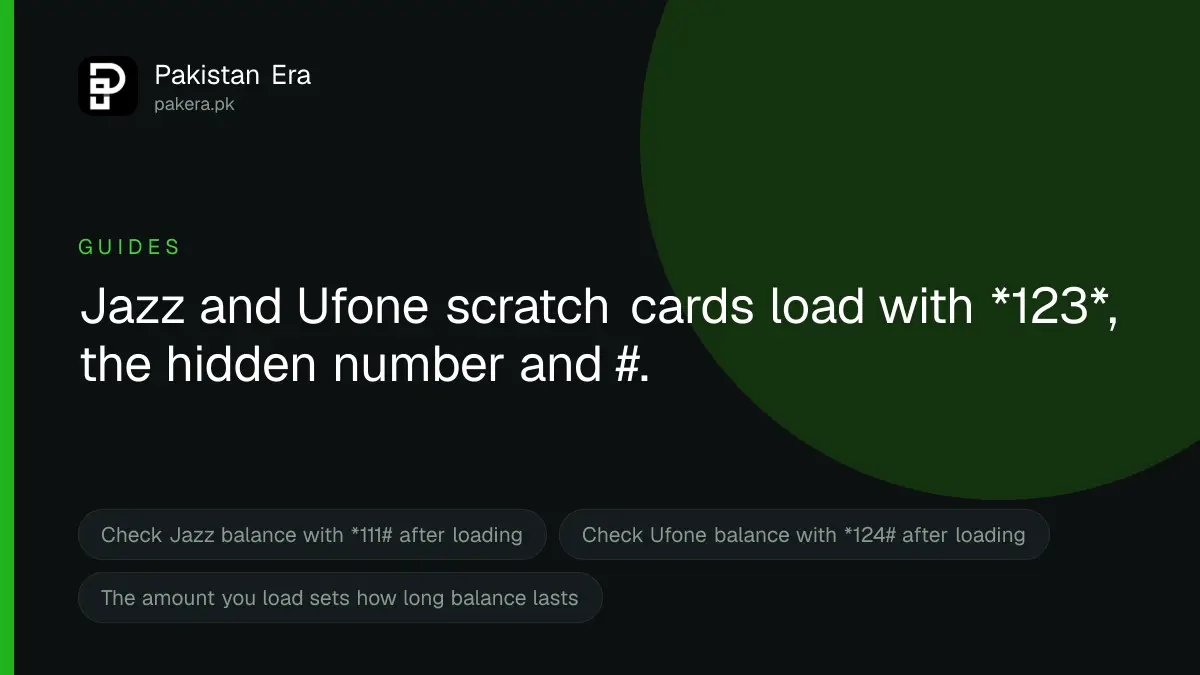
To load a scratch card on Jazz or Ufone, scratch the silver strip, then dial *123* followed by the hidden number and # and press call. On Jazz that is *123*card number#, and on Ufone *123*hidden code#. Check the new balance with *111# on Jazz or *124# on Ufone. Zong and Telenor use their own codes.
We read Jazz's self-service dial code page and Ufone's recharge, scratch card and FAQ pages on 22 September 2026. We also read Zong's FAQ page for its validity rules. We could not open Telenor's website, which refused our requests, so we give no Telenor code.
Scratch card codes by network
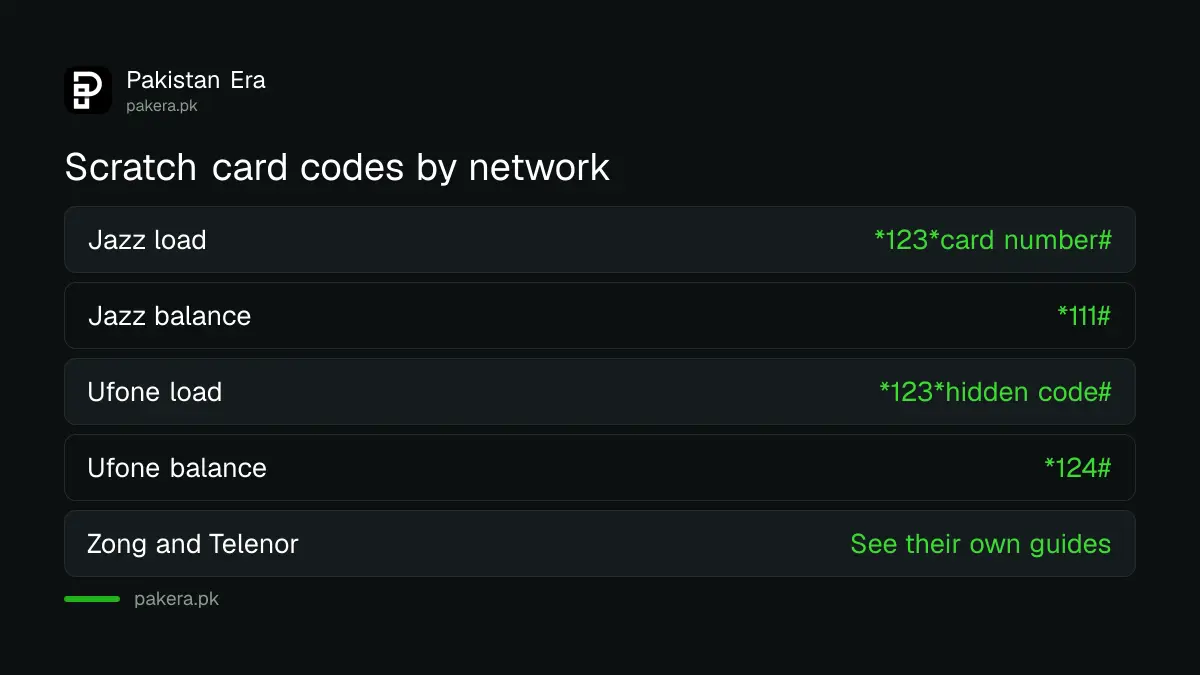
| Network | Load a scratch card | Check balance after | Source |
|---|---|---|---|
| Jazz | *123*card number# | *111# | Jazz self-service dial codes page |
| Ufone prepaid | *123*hidden code# | *124# | Ufone recharge options and FAQs pages |
| Ufone postpaid | Dial *125# once to activate, then *126*card number# | *129# for the bill | Ufone FAQs page |
| Zong | Zong uses its own Zong scratch card code | Not covered here | Zong's own pages |
| Telenor | Telenor uses its own Telenor scratch card code | Not covered here | Telenor's own pages |
Ufone's FAQs page says loading a card by code is free of cost. Jazz's page lists no charge either.
How to load a scratch card, step by step
- Check the card before you pay. The price should be printed, not written on a sticker. The silver strip should not be scratched.
- Scratch gently with a coin. Scratch only the strip. Hard scratching can remove the numbers under it.
- Open the dialler on the phone that has the SIM you want to recharge.
- Type the code. For Jazz or Ufone prepaid: *123*, then the full hidden number, then #. For example *123*12345678901234#, with your own number in place of the example digits.
- Press call. Wait for the reply on screen and the confirmation SMS.
- Check the balance. Dial *111# to check Jazz balance or *124# to check Ufone balance.
Keep the scratched card until the balance shows. If there is a problem, the card number and its serial number are your proof.
A card you load also sets how long your balance lasts
Your balance has an expiry date, and the amount you load decides it. Ufone says its validity rules apply to "all forms of recharge i.e retail, scratch cards and digital recharges".
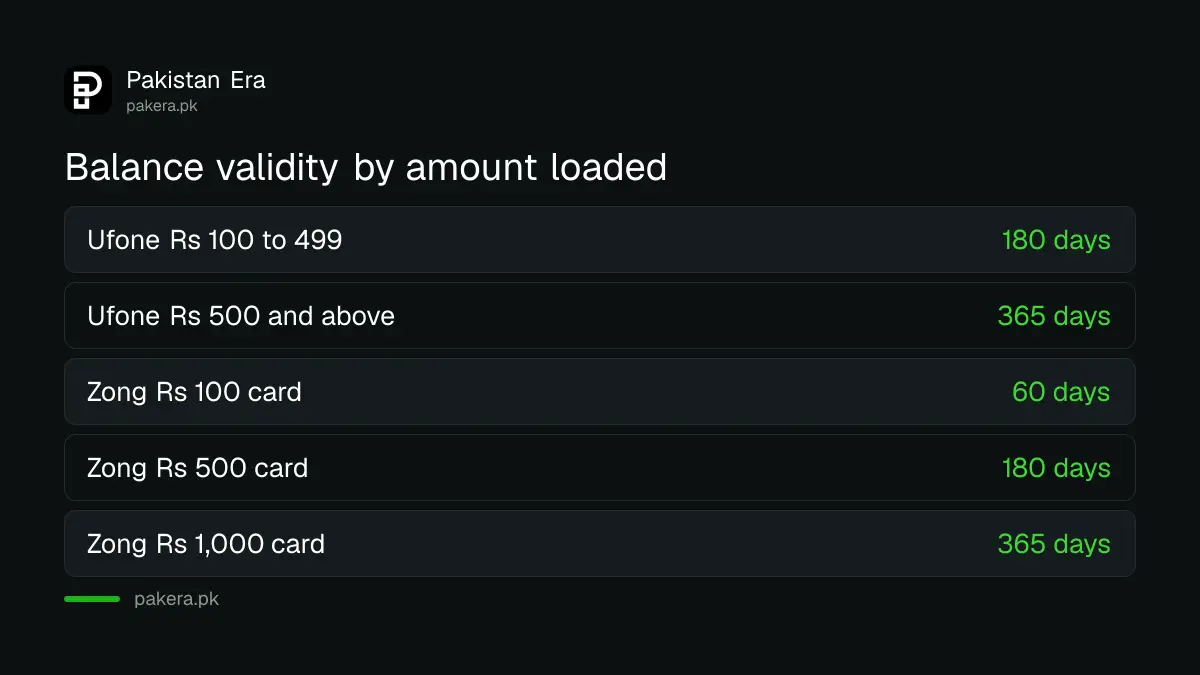
| Amount loaded | Ufone validity | Zong scratch card validity |
|---|---|---|
| Rs 90 to 99 | 90 days | Not listed |
| Rs 100 to 299 | 180 days | 60 days for a Rs 100 card |
| Rs 300 to 499 | 180 days | 90 days for a Rs 300 card |
| Rs 500 to 999 | 365 days | 180 days for a Rs 500 card |
| Rs 1,000 and above | 365 days | 365 days for a Rs 1,000 card |
These are the figures each operator's own page showed on 22 September 2026. In August 2026, PTA was reported to have ordered all operators to give every recharge at least 180 days, and to restore expired balance on the next recharge. Neither operator's page had been updated when we read it, so if your balance expires sooner than 180 days, you can raise it with the operator and then with PTA.
Ufone subscription cards give a bundle, not just balance
Some Ufone cards in shops are not plain balance cards. Ufone's scratch cards page listed three on 22 September 2026:
- Weekly Power Lite, Rs 350: 5,000 Ufone minutes, 100 other network minutes, 2,000 SMS and 4 GB for 7 days.
- Super Card 1500, Rs 1,500: 2,000 Ufone minutes, 200 other network minutes, 2,000 SMS and 5 GB for 30 days.
- Super Card 1600, Rs 1,600: the same minutes and SMS with 10 GB for 30 days.
Loading one of these gives you the bundle. If you only want balance, ask the shopkeeper for an ordinary recharge card. The rest of the Ufone Super Card range is sold the same way.
When the scratch card does not load
- "Invalid code". Check each digit. The number is long, and one missing digit fails the whole code. Also check you typed the star after 123 and the hash at the end.
- "Card already used". Somebody has loaded it before you. Take the card back to the shop where you bought it the same day.
- Numbers scratched off. Keep the card with its serial number and contact the operator's helpline. Ufone's is 333 from a Ufone number.
- Loaded to the wrong SIM. On a dual SIM phone, the code goes to whichever SIM made the call. Choose the right SIM before pressing call.
- Balance shows but a package did not start. A plain card only adds balance. Subscribe to the package separately after loading.
Other ways to recharge if you have no card
Scratch cards are only one route. Ufone's recharge options page also lists the U ptcl app, recharge on ufone.com by card or UPaisa, the UPaisa wallet on *786#, retailer load, PTCL Smart Shop kiosks and online banking. Jazz's website has its own Recharge Now page, and Jazz points customers to its SIMOSA app.
If you are completely out of balance and need to make a call now, an advance balance code can help, but an advance costs extra. Ufone's UAdvance, for example, takes back 30 per cent more than it lends.
Safety warning: Ufone's scratch card page says the price printed on the card is the real price and the balance you get will match it. It tells customers not to accept a card whose price has been changed with a sticker, and to report such cases to its helpline. Never read a scratch card number out to a caller, even one who says they are from your network. Once someone has the number, they can load it on their own SIM.
Common questions
What is the Jazz scratch card code?
*123*card number#, as listed on Jazz's self-service dial codes page. Check your balance afterwards with *111#.
What is the Ufone scratch card code?
*123*hidden code#, as listed on Ufone's recharge options page. Check your balance with *124#.
Is there a charge for loading a scratch card?
Ufone says loading a card by code is free of cost. You get the balance printed on the card.
How long does scratch card balance last?
It depends on the amount and the network. Ufone listed 180 days for Rs 100 to 499 and 365 days for Rs 500 or more on 22 September 2026.
Can I load a scratch card on someone else's number?
The code loads the SIM that dials it. To recharge another number, use the operator's app or website, or ask the other person to load the card.
What if the scratch card says already used?
Go back to the shop with the card the same day. If the shop will not help, call the operator's helpline with the card's serial number.
How we verified this
What we checked, where we read it, and what we could not confirm.
Last checked 22 September 2026. The Jazz codes *123*card number# and *111# are from Jazz's self-service dial codes page, which we read through a rendering proxy because it loads in JavaScript. The Ufone prepaid code is from Ufone's Recharge Options page, and the free loading, *124#, and the postpaid *125# and *126# codes from Ufone's FAQs page, where they appear in the roaming section. The subscription cards and the printed price warning are from Ufone's Scratch Cards page. Ufone's validity table is from its Prepaid Recharge Slabs page, and Zong's from the Recharge Validity section of its FAQs page. Ufone's UAdvance fee is from its UAdvance page. The 180 day PTA order is reported by Dawn, and we could not find it on PTA's website. Telenor's website refused our requests, so we give no Telenor code here. Ufone's own pages disagree on the minimum recharge, one saying Rs 20 and another Rs 90, so we quote neither. We did not load a card.
About the author

Public Services and Education Journalist
Fajr Riaz is a journalist and content writer at Pakistan Era, based in Lahore. She covers the questions people meet in everyday life in Pakistan: how a public service works, what a change in the rules means, and where to find a reliable answer.