Reopen a Google Business Profile in Pakistan: Remove Temporarily Closed in 6 Steps, and the Moved or Renamed Rule
Reopen a Google Business Profile in Pakistan: remove Temporarily or Permanently closed in 6 steps, reopen many branches, and what to do after a move or rename.
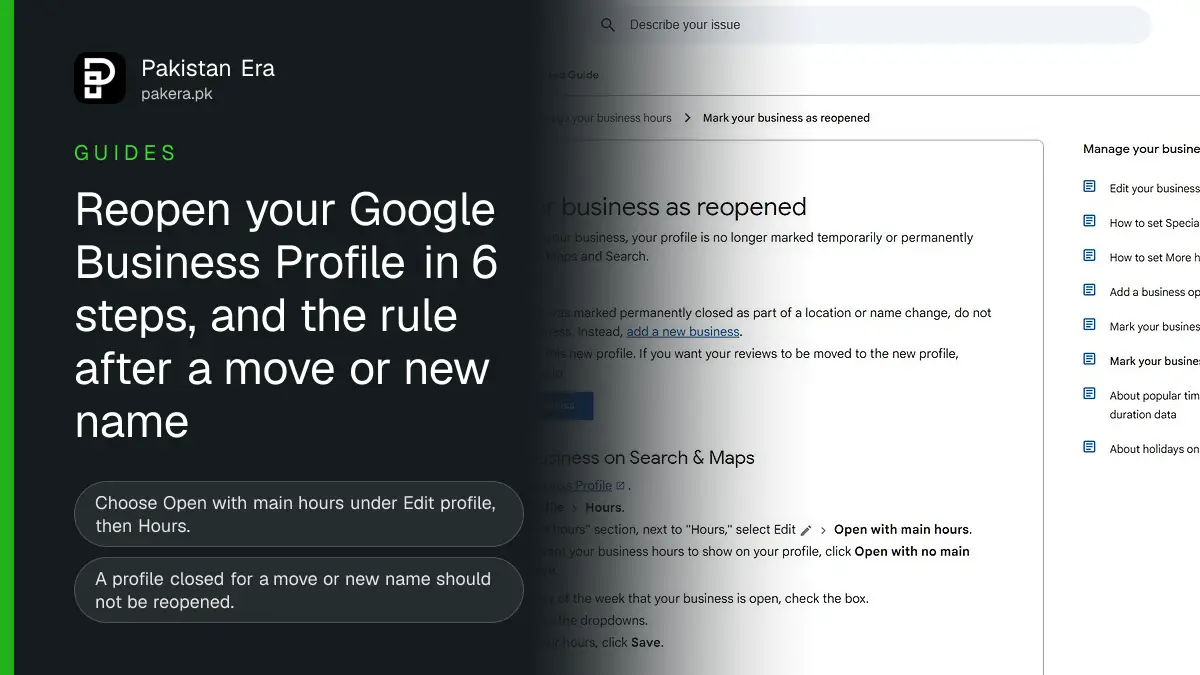
To reopen a Google Business Profile in Pakistan, open your profile on Google Search or Maps, select Edit profile, then Hours, choose "Open with main hours", tick your open days, set the times and select Save. That removes the "Temporarily closed" or "Permanently closed" label. But if your shop was closed because it moved or changed its name, Google says do not reopen the old profile. Add a new business and verify it.
We read Google's Business Profile Help pages on reopening, closing and editing a profile on 10 November 2026. Every step, label and rule below is from those pages. We did not reopen a client's profile for this article, so we have not timed how long the change takes to show.
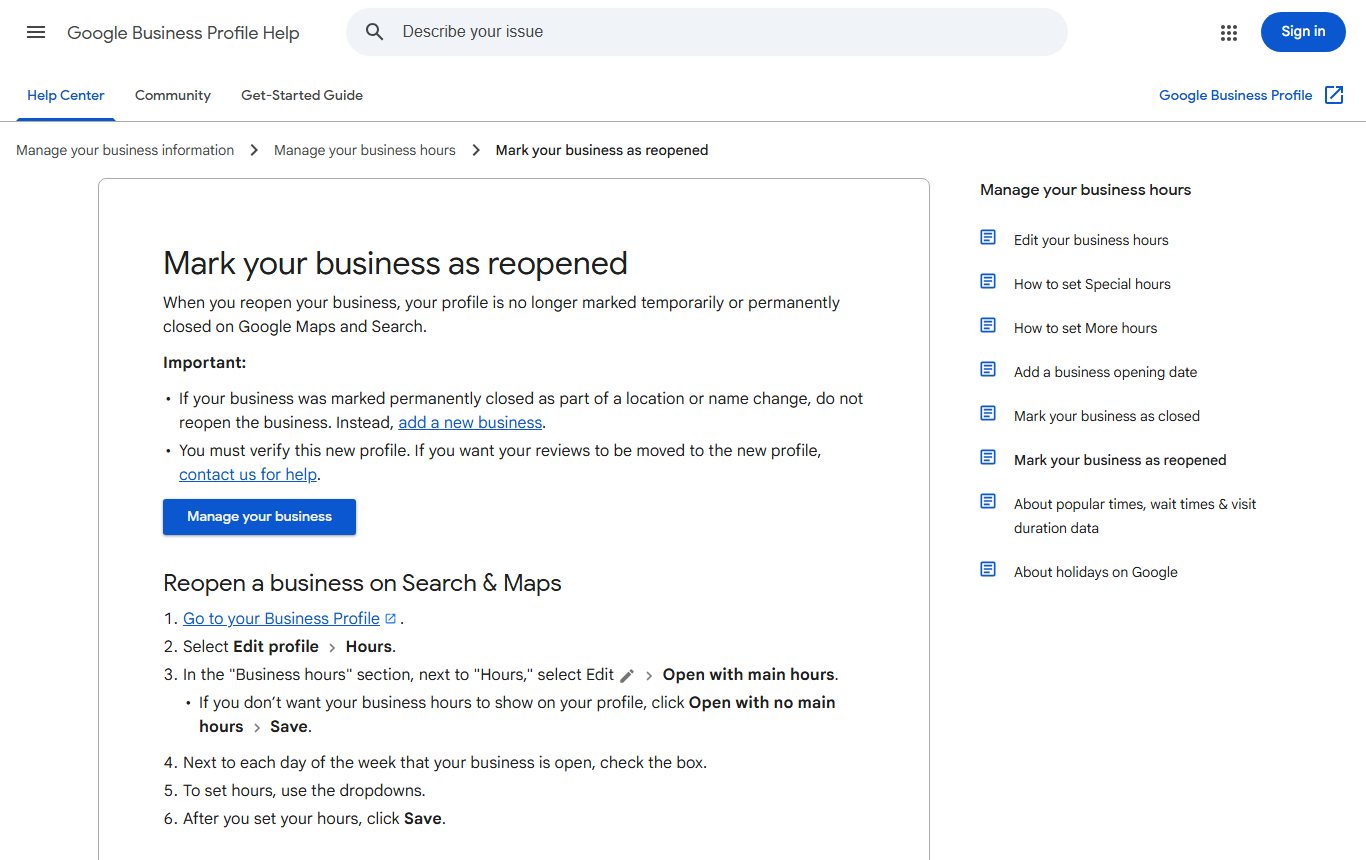
Reopen your Google Business Profile in 6 steps
These are Google's steps for a single shop, clinic or office. You must be signed in with the Google account that manages the profile.
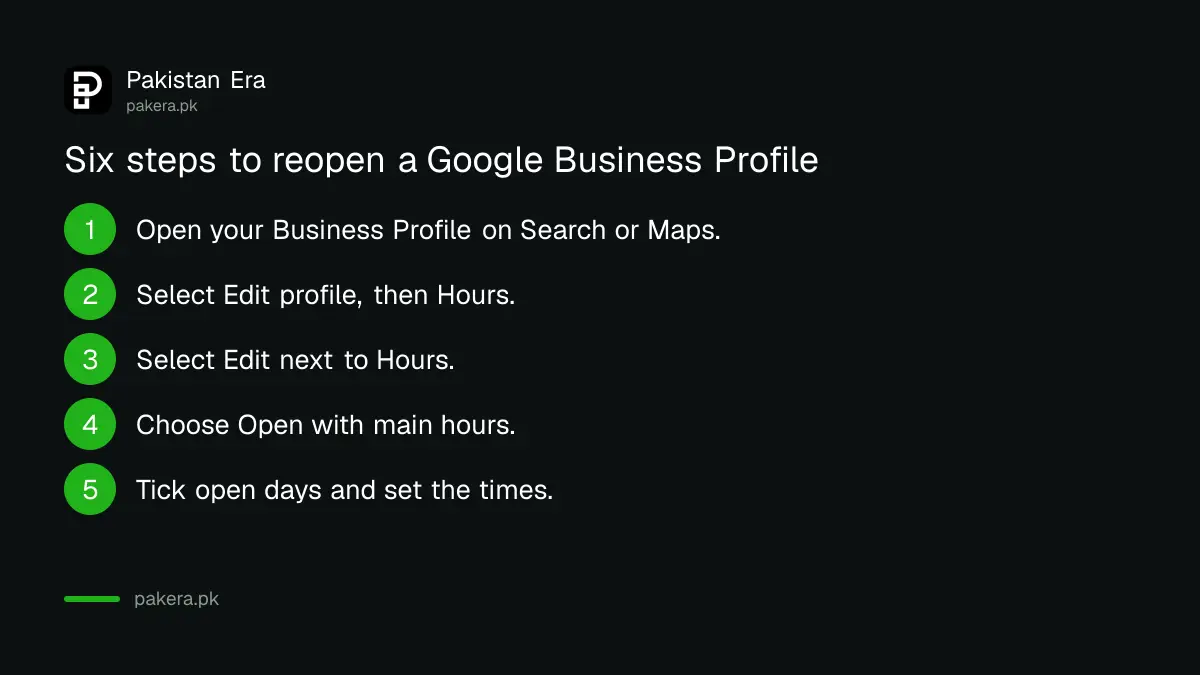
- Search your business name on Google, or open Google Maps, to reach your Business Profile.
- Select Edit profile, then Hours.
- In the "Business hours" section, select Edit next to "Hours".
- Choose "Open with main hours". If you do not want hours shown, choose "Open with no main hours" instead.
- Tick the box next to each day you are open, and use the dropdowns to set the opening and closing times.
- Select Save.
Google reviews edits before they go live. Its edit help page says, "We review your changes before we update them live on your profile." So the closed label may stay for a while after you save. Google does not give a time frame on these pages.
Moved or renamed? Do not reopen the old profile
This is the rule that trips up most shop owners. Google's reopen page says: if your business was marked permanently closed because of a location or name change, do not reopen it. Add a new business instead, and verify the new profile.
Your reviews do not move by themselves. Google says that to move reviews to the new profile, you must contact Google for help through Business Profile support.
Here is how to decide which route is yours:
| Your situation | What Google says to do | Verify again? |
|---|---|---|
| Closed for repairs, Ramzan, a wedding season break or the off season, now open again | Reopen the same profile with "Open with main hours" | No |
| Marked permanently closed by mistake | Reopen the same profile | No |
| Moved to a new address, old profile still open | Edit the address on the same profile | Yes, Google says you must |
| Changed the business name, old profile still open | Edit the name on the same profile | You might need to |
| Old profile was marked permanently closed because of a move or new name | Do not reopen. Add a new business | Yes, the new profile |
So a move is cleaner if you edit the address before anyone marks the old profile closed. Google's edit page says, "If you move your business to a new address after it's verified, you must verify your business again." For a name change it says you "might need to verify your business again". Our guide to verifying a Google Business Profile covers the video, phone, email and postcard options.
Temporarily closed or special hours: pick the right one first
Many owners reach for "Temporarily closed" when special hours would do. Google says to use "Temporarily closed" only if the business will be closed for more than 7 days, for the off season, or for an unknown period. For a closure of 7 days or less, Google recommends Special hours.
This matters because Google's closing page says "temporarily-closed businesses can rank after open businesses" on broad searches. That depends on your category, the search, and how many similar businesses are closed. A short Eid break marked as temporarily closed could push you below open competitors. Use our guide to setting special holiday hours instead.
| Status | When Google says to use it | What customers see |
|---|---|---|
| Special hours | Closed 7 days or less, or changed hours on set dates | Your changed hours for those dates |
| Temporarily closed | Closed more than 7 days, off season, or closed indefinitely | A "Temporarily closed" label on Maps and Search |
| Permanently closed | The business has shut for good | A "Permanently closed" label; the profile may still appear for searches |
Reopen many branches at once in Business Profile Manager
Chains with several branches, such as a pharmacy or bakery with outlets across Lahore or Karachi, can reopen them together. Google's steps:
- Sign in to Business Profile Manager at business.google.com.
- Select the locations you want to mark as open.
- In the toolbar at the top, click Actions, then Open.
- In the dialog, click "Mark as open".
Then check each branch's hours, because they may have changed during the closure. Google says you can manage a single profile straight from Search and Maps, and should use Business Profile Manager for several at once.
Add a new profile after a move or a new name
If your old profile was closed because you moved or renamed, you need a new one. Google's reopen page says that on Google Search you can click More, then "Add a new Business Profile". Enter the name exactly as it appears on your signboard, stationery and branding, which is Google's own rule for business names.
Then verify it. Until the new profile is verified, it will not show reliably on Maps. If you are new to this, our step by step guide to putting your shop on Google Maps walks through it.
Last, contact Business Profile support to ask for your reviews to be moved from the old profile. Keep the old profile's link ready, because support will need to know which listing they are moving from.
If the profile will not reopen or stays closed
If Save does not work, or the label stays for a long time, check these points before asking for help:
- Make sure you are signed in with an owner or manager account. If someone else controls the profile, see our guide to requesting access to a claimed profile.
- Check whether the profile is suspended rather than closed. A suspended profile needs an appeal, as in our guide to fixing a suspended profile.
- Look for a duplicate profile at the same address. Our guide to removing a duplicate or closed profile explains what to do.
- Use "Check your edit status" in the Business Profile help to see if your change is still under review.
If none of these explains it, use the Contact us option on Google's Business Profile Help to reach support.
Common questions
How do I remove "Temporarily closed" from Google Maps?
Open your Business Profile, select Edit profile, then Hours, choose "Open with main hours", set your days and times, and select Save. Google reviews the edit before it goes live.
Can I reopen a profile marked permanently closed?
Yes, if it was closed by mistake or the same business has reopened. If it was closed because you moved or changed the name, Google says add a new business instead.
Do I need to verify again after moving my shop?
Yes. Google says that if you move to a new address after verification, you must verify your business again.
Will my Google reviews move to the new profile?
Not on their own. Google says you must contact it for help to move reviews to a new profile.
Should I mark my shop temporarily closed for Eid?
Usually not. Google recommends Special hours for closures of 7 days or less, and says temporarily closed businesses can rank below open ones.
Can I reopen several branches at once?
Yes. In Business Profile Manager, select the locations, click Actions, then Open, and confirm with "Mark as open".
How we verified this
What we checked, where we read it, and what we could not confirm.
Last checked 10 November 2026. Sources: Google Business Profile Help, Mark your business as reopened, Mark your business as closed and Edit your Business Profile.
About the author

Founder and Editor
Umer Kureshi founded Pakistan Era in July 2024 and runs it as administrator, SEO lead and writer, overseeing website operations, search growth, content strategy and coverage of technology and current affairs.