Google Business Profile Claimed by Someone Else in Pakistan: Request Access, 3 Day Wait and the 7 Day Rule
Your Google Business Profile is claimed by someone else? Request Access in 6 steps from Pakistan. The owner gets 3 days, then you may claim and verify it.
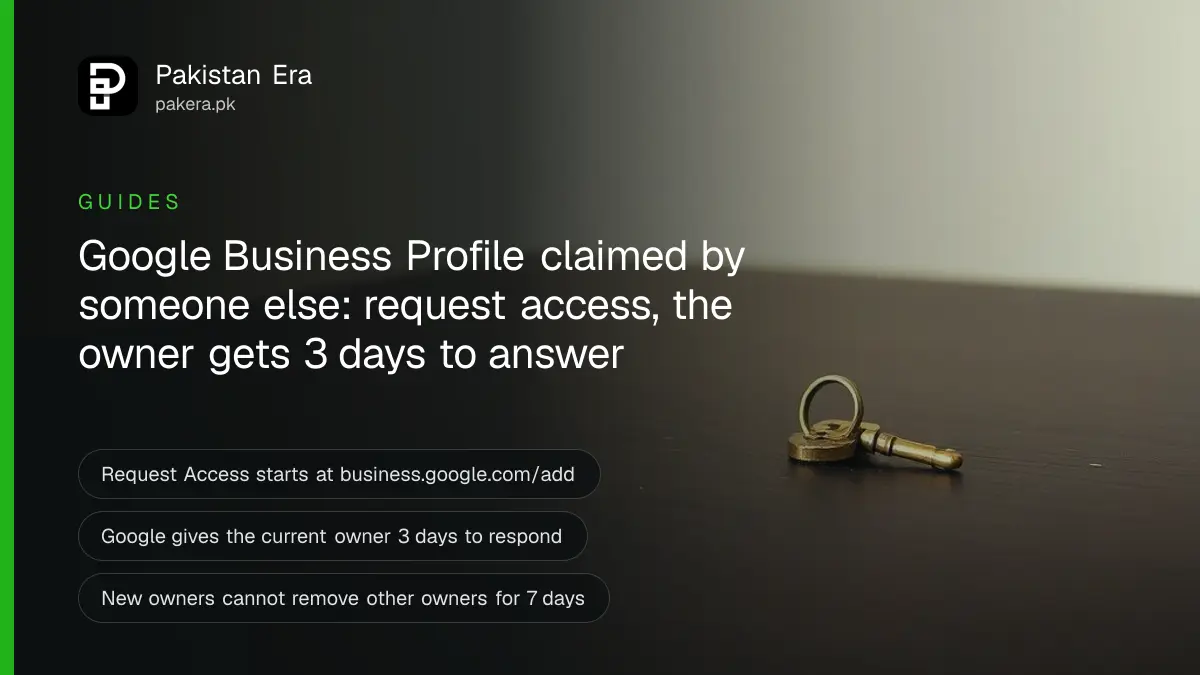
If your shop's Google Business Profile is already claimed by someone else, go to business.google.com/add, search your business name and address, pick your listing and select Request Access. Google emails the current owner, who has 3 days to answer. If they do not answer, you may be able to claim and verify the profile yourself.
This happens to a lot of small businesses in Pakistan. A former employee set up the listing years ago. A web designer claimed it with their own Gmail and then stopped picking up the phone. Or a relative made it and nobody remembers the password. The listing still shows your shop on Google Maps, but you cannot change your hours, answer reviews or add photos.
We read Google's own Business Profile Help pages on requesting ownership and on owners and managers on 5 November 2026. This guide follows Google's steps and adds the checks that save you a wasted request. We did not file an ownership request for this guide.
Check first that you do not already own it
Before you send a request, sign in with every Google account your business has used. Google says that if you cannot find a "Claim this business" or "Own this business" button, you may already own the profile. Many owners find it in an old Gmail.
Try these accounts, in this order:
- The Gmail on your shop's visiting card or old website.
- Any Gmail a family member or partner used for the business.
- The account your web designer or marketing agency used, if they will tell you.
If the account is yours but you lost the password, recover it instead of starting a new request. Our guide to Gmail account recovery covers that route. Getting the old account back is faster than any ownership request, because nobody has to approve it.
Request access in 6 steps
For a shop or office that customers visit, Google's process takes a few minutes. You need a Google account that you control and the exact business name and address shown on Maps.
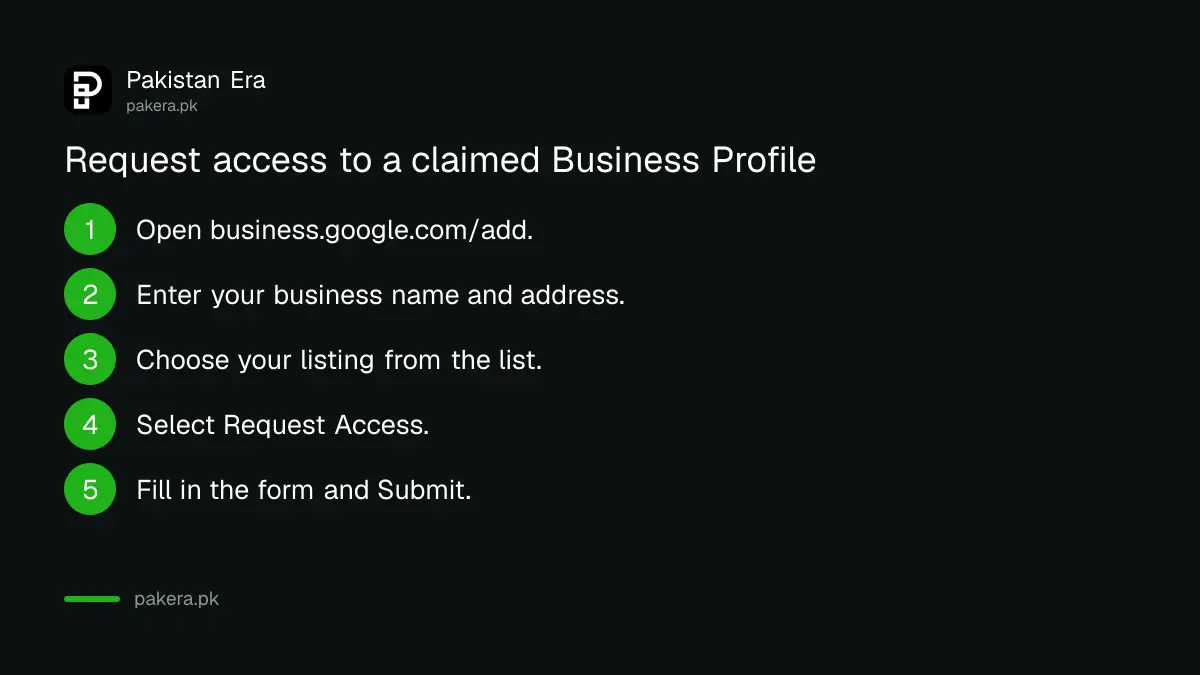
- Open business.google.com/add in a browser.
- Enter your business name and address.
- Choose your business from the list. Google shows "Someone else may manage this Business Profile."
- Select Request Access.
- Fill in the form.
- Select Submit.
Google then sends you a confirmation email. Keep it. The link inside it is how you check the status later, and it is the route to claim the profile if the owner stays silent.
Use a business Gmail you will keep for years, not a personal one tied to one staff member. That single choice is what stops this problem from coming back.
The owner has 3 days to answer
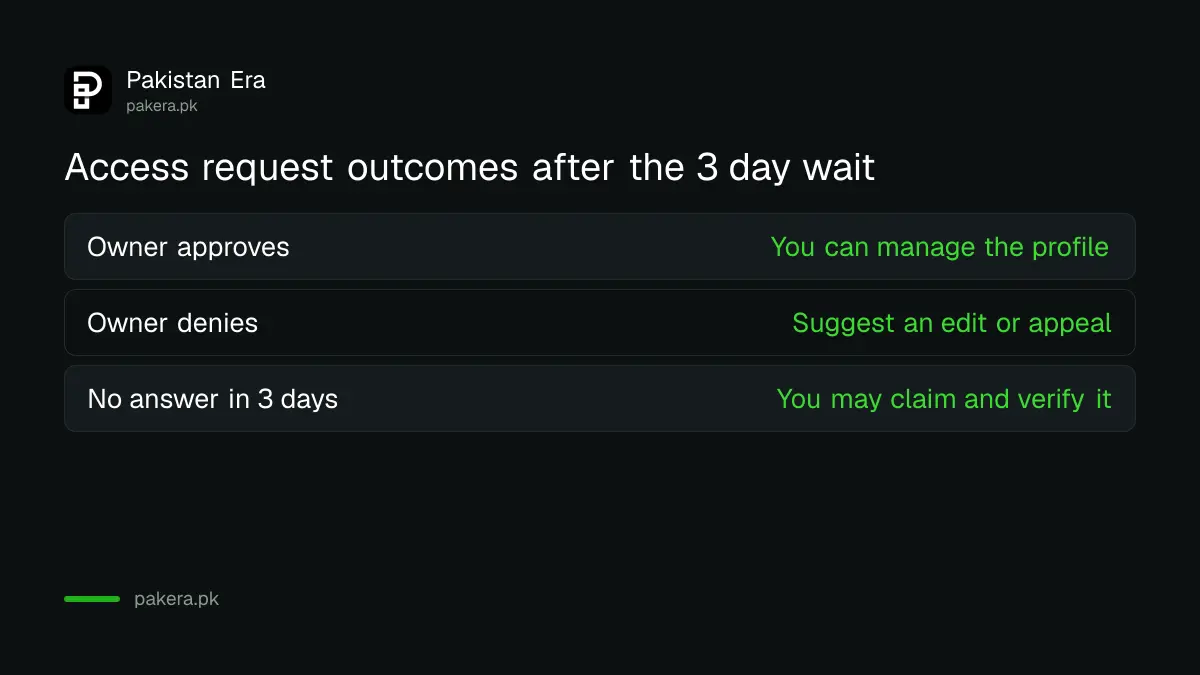
Google emails the current owner when you submit. Google's page says the owner has 3 days to respond. What happens next depends on their answer.
| Owner's answer | What Google says happens | What you do |
|---|---|---|
| Approves | You get an approval email and can manage the profile. | Sign in and check the name, hours and phone number. |
| Denies | You get a rejection email. | You can still suggest an edit, and you can appeal the decision. |
| No answer in 3 days | You may be able to claim the profile. | Open the confirmation email, select View request, then Verify. |
Google adds that the claim option after 3 days "isn't always available." If you do not see it in the email, sign in to your Business Profile and look for a Claim or Verify button. Verification then follows the normal route, which we explain in our guide to verifying a Google Business Profile in Pakistan by video, phone, email or postcard.
Google's page does not explain how the appeal after a denial works or how long it takes. We do not guess at it here.
Service-area businesses use Google's contact form instead
A plumber, electrician, tutor or home cook who visits customers often has no public address on the listing. Google calls these service-area businesses. For them, the Request Access button is not the route.
Google says a service-area business should contact Google through the Business Profile help page. In the box "Tell us what we can help with", type "Transfer ownership of listing". When you submit, choose that same option as the issue.
Businesses that manage many locations through bulk verification can request ownership of existing profiles with Google's bulk upload spreadsheet instead.
Your first 7 days as a new owner have limits
Once you get access, Google holds back a few actions for 7 days. This is in Google's page on owners and managers. For 7 days after you become an owner or manager, you cannot:
- Delete or undelete the profile.
- Remove other owners or managers.
- Transfer primary ownership.
If you try, you get an error. So if the old owner is still on the profile, wait out the 7 days before you remove them. You can still edit hours, photos and posts in that week.
Google also allows several owners but only one primary owner. Primary ownership can pass only to someone already on the profile as an owner or manager.
Give staff and agencies manager access, not ownership
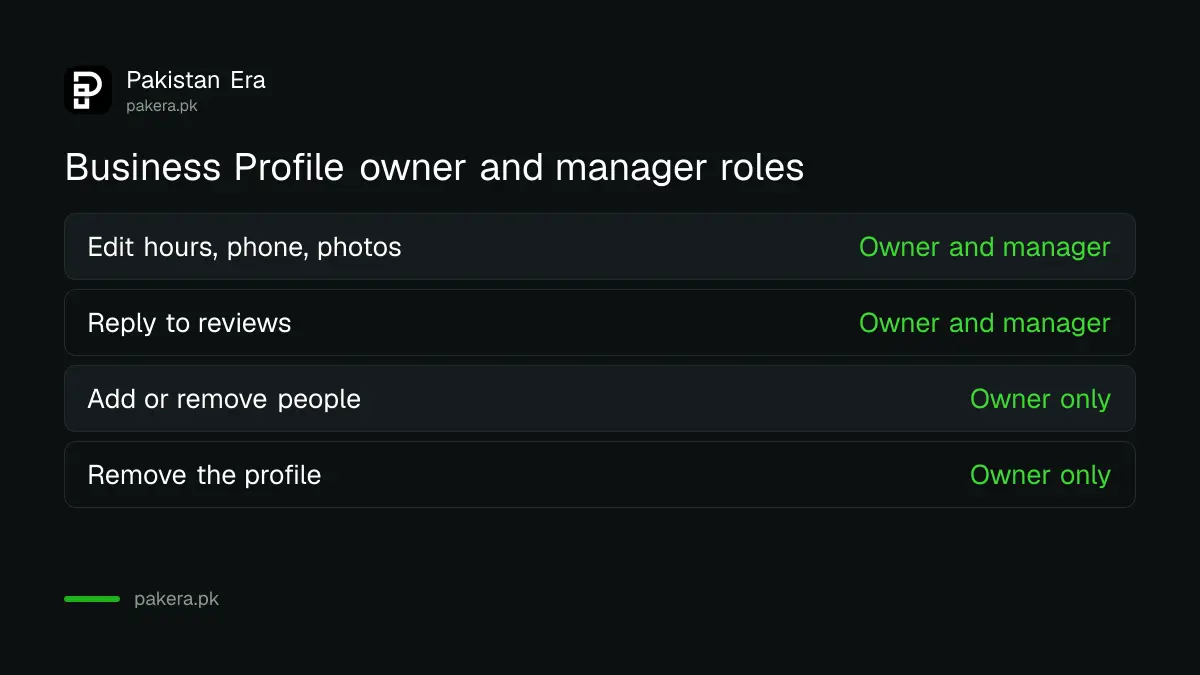
The fix that stops this from happening again is simple. Keep ownership with the business, and give everyone else the manager role. Google sets out what each role can do.
| Action | Owner | Manager |
|---|---|---|
| Edit hours, address, phone and services | Yes | Yes |
| Post photos and reply to reviews | Yes | Yes |
| Link a Google Ads account | Yes | Yes |
| Add or remove people | Yes | No |
| Remove the profile | Yes | No |
To add someone, go to business.google.com, select More, then Business Profile settings, then People and access. Select Add, enter their email, choose Owner or Manager under Access, and select Invite. Each person needs their own Google account, and Google Groups cannot be added.
When a staff member leaves, an owner can open People and access, select that person and choose Remove person. Their old replies and posts stay on the profile.
Once the profile is yours, keep it active. Replying to Google reviews and fixing your hours are the first two jobs. If Google later suspends the listing, our guide on fixing a suspended Google Business Profile has the appeal steps.
Common questions
How long does the current owner have to reply?
Google's page says the owner has 3 days to respond after Google emails them about your request.
What if the owner never answers?
After 3 days you may be able to claim the profile. Open Google's confirmation email, select View request, then Verify. Google says this option is not always available.
Can I just make a new profile for my shop?
We do not advise it. Google's guidelines allow one profile per business, and a duplicate can cause problems for both listings. Request access to the existing one instead.
Does Google charge a fee to transfer ownership?
Google's page on requesting ownership mentions no fee. Anyone who asks you for money to "transfer" your Maps listing is not Google.
I am a home tutor with no shop address. What do I do?
Google treats you as a service-area business. Contact Google through the Business Profile help page and choose "Transfer ownership of listing" as the issue.
Can I remove the old owner straight away?
No. For 7 days after you become an owner, Google blocks removing other owners or managers and transferring primary ownership.
How we verified this
What we checked, where we read it, and what we could not confirm.
Last checked 5 November 2026. We read Google Business Profile Help: request ownership of a Business Profile and add or remove owners and managers. We did not file an ownership request. The order of accounts to check first and the advice to give staff the manager role are ours, not Google's. If you are starting from zero, read our guide to putting your shop on Google Maps.
About the author

Founder and Editor
Umer Kureshi founded Pakistan Era in July 2024 and runs it as administrator, SEO lead and writer, overseeing website operations, search growth, content strategy and coverage of technology and current affairs.