How to Report a Fake Business or Scam Helpline Number on Google Maps in Pakistan
Report a fake business or scam helpline number on Google Maps in Pakistan in 5 taps, use Google's fraud form for fake numbers, and what to do if you called one.
To report a fake business or scam helpline on Google Maps, open the listing, tap Suggest an edit, then Place is closed or not here, then Offensive, harmful, or misleading, and Submit. If a fake phone number or website is the problem, also fill in Google's Business Redressal Complaint form. To fix a wrong number on a real business, tap Suggest an edit, then the phone number, and enter the right one.
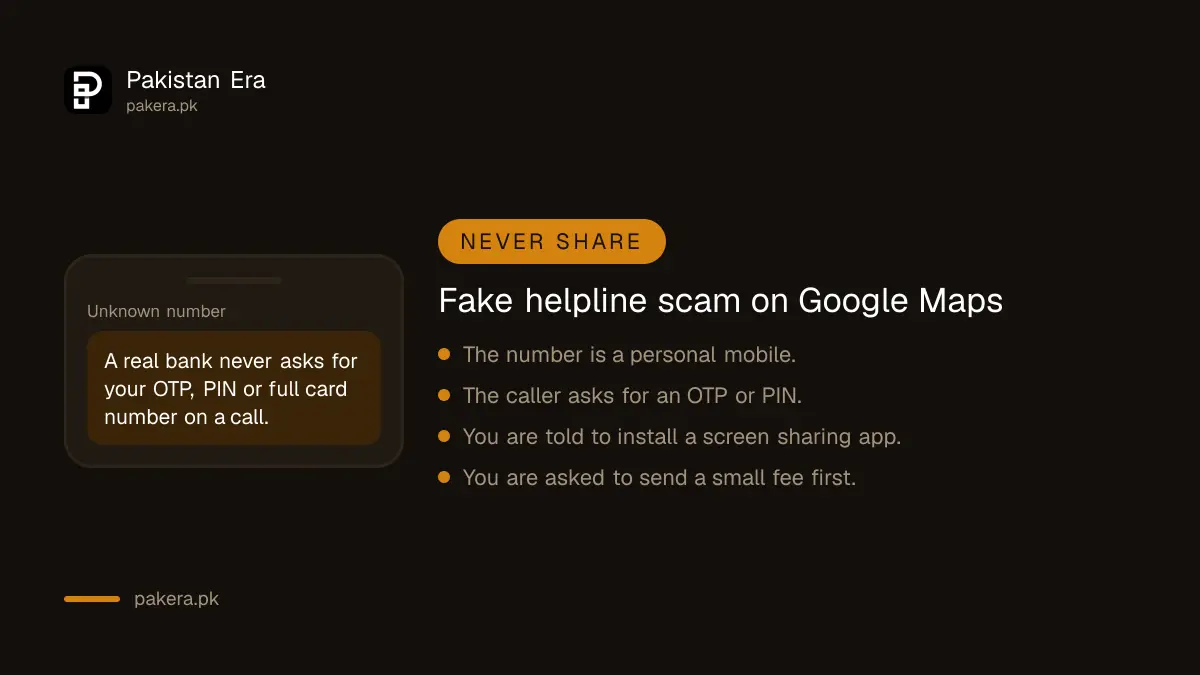
Scammers in Pakistan add fake "customer care" listings for banks, couriers, airlines and embassies, with their own mobile number in place of the real helpline. A caller who searches "bank helpline" and taps Call reaches the scammer, who asks for a card number or OTP. Reporting the listing gets it removed for the next person.
Spot a fake helpline listing on Google Maps
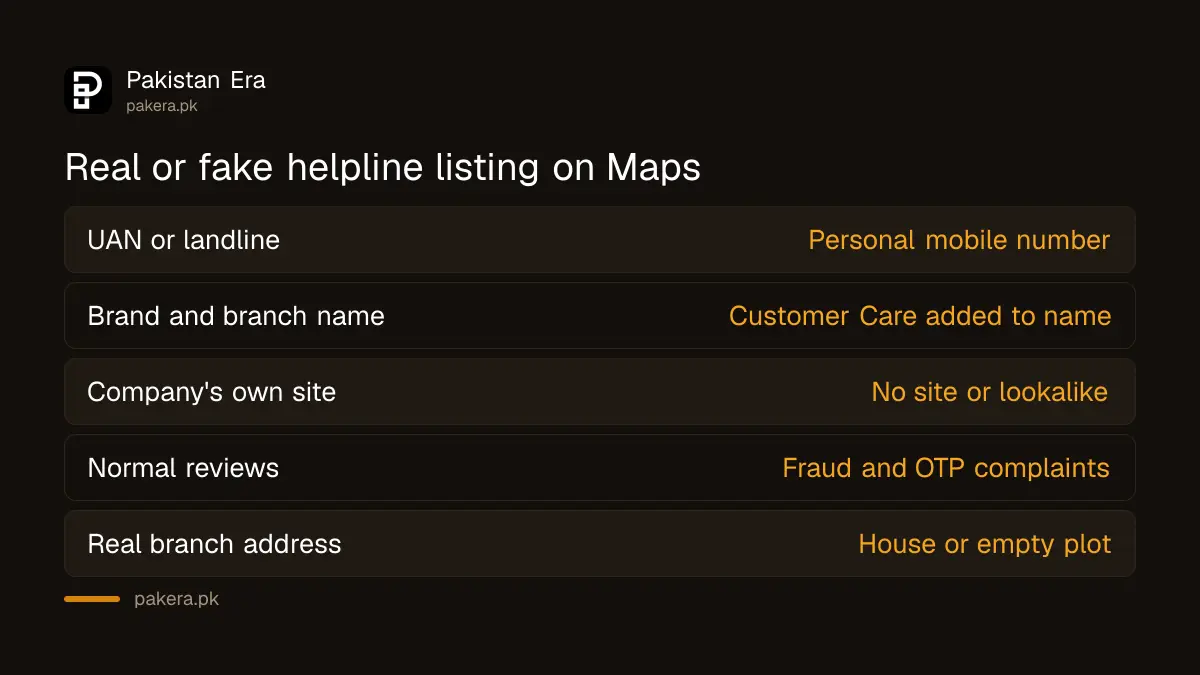
A fake listing usually copies a famous name but shows a personal mobile number, an address that does not match the real office, few or no photos, and reviews that complain of fraud. Real bank and courier helplines in Pakistan are normally UAN or landline numbers printed on the card or receipt.
| Check | Real listing | Fake listing |
|---|---|---|
| Phone number | UAN, toll free or office landline | A personal 03xx mobile number |
| Name | Brand and branch, e.g. "City Branch" | "Customer Care", "Helpline", "Complaint Office" added to a brand |
| Website | The company's own site | No site, or a lookalike address |
| Reviews | Normal mix of reviews | "Fraud", "asked for OTP", "scam number" |
| Location | A real branch you can find on the company's site | A house or empty plot, or nowhere near a branch |
The safe rule: take a company's helpline from its card, bill, receipt, official app or official website, never from a search result. Banks print the number on the back of the debit card for this reason.
How to report a fake business on Google Maps
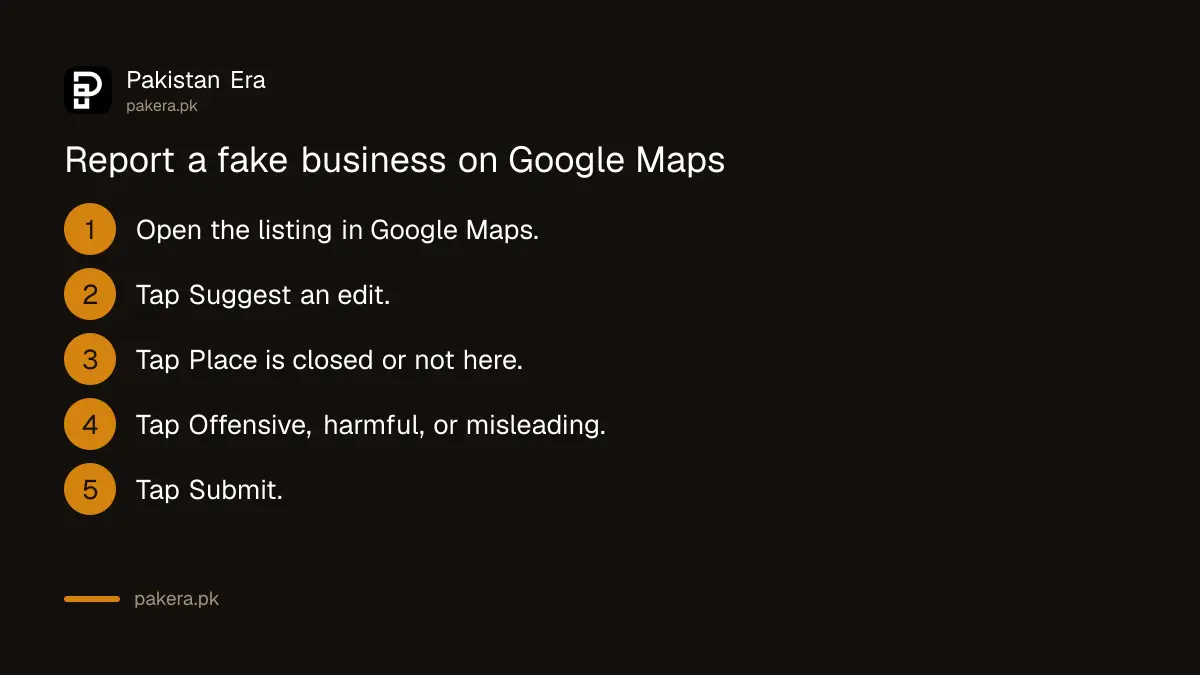
Use Suggest an edit, then Place is closed or not here, then Offensive, harmful, or misleading. This tells Google the business may not exist or is misleading, and it reviews the listing for removal. It works on the app and on a computer.
- Open Google Maps and search for the business, or tap it on the map.
- Tap Suggest an edit.
- Tap Place is closed or not here.
- Tap Offensive, harmful, or misleading.
- Tap Submit.
Track it like any Maps edit: Contribute, View your profile, Edits. Google shows each one as Pending, Accepted or Not accepted.
Report a fake phone number or website to Google
For a misleading business name, phone number or website that suggests fraud, Google has a separate Business Redressal Complaint form. It is meant for fraud, not ordinary mistakes, and it accepts several listings at once if you find a group of fakes.
- Copy the link of the fake listing: open it in Maps, tap Share, then Copy link.
- Open the Business Redressal Complaint form in a browser.
- Paste the listing link and explain what is fake: the number, the name or the website.
- Add what you know, such as the real helpline and where it is printed.
- Submit. For 10 or more listings, Google lets you upload a spreadsheet of links.
Business owners whose own name is being copied should report through their Business Profile as well, and keep their real number up to date on it.
Fix a wrong number on a real business
If the business is real but the phone number is simply out of date or wrong, suggest an edit instead of reporting fraud. Google reviews the change before it goes live, and adding a photo of the board or card with the number helps.
- Open the place in Google Maps and tap Suggest an edit.
- Tap the phone number field and enter the correct number.
- Add a photo of the signboard or printed number if you have one.
- Tap Submit.
Wrong address or pin rather than phone? Follow adding a missing place or fixing an address on Google Maps. To warn others in a review, see why a Google Maps review may not show first, so yours stays up.
Already called a fake number and shared details
Call your bank on the number printed on your card straight away, block the card or wallet, and change any PIN or password you shared. Then report the number to PTA and file a cybercrime complaint with the NCCIA, keeping screenshots of the listing.
- Shared an OTP? Follow what to do after an OTP scam now.
- Report the scam mobile number through PTA's complaint system; reporting a scam number to PTA has the steps.
- File with the NCCIA, using the NCCIA cybercrime office numbers.
- Fake embassy numbers are a known case: checking a real embassy phone number.
Common questions
How long does Google take to remove a fake listing?
Google does not give a fixed time. It reviews each report, and you can follow your report's status under Contribute, View your profile, Edits.
Should I leave a review warning others about the fake number?
You can post a genuine review of what happened to you. But reporting the listing is what gets it checked for removal, so do that first.
Is it safe to call a helpline number from Google search?
Not always. Take helplines from the company's card, bill, app or own website. Search listings can be edited by anyone and copied by scammers.
What is the Business Redressal Complaint form?
It is Google's form for reporting misleading business names, phone numbers or websites on Maps that suggest fraud. It accepts one or many listings.
Will reporting a fake listing get my money back?
No. Google only removes the listing. To try to stop a payment, call your bank or wallet at once and file a complaint with the NCCIA.
How we verified this
What we checked and where we read it.
Last checked 24 November 2026. Steps come from Google Maps Help, Report a business on Google Maps and Edit business information in Google Maps, with the Business Redressal Complaint form linked from that page. The spotting checks are our own advice from how Pakistani helplines are published.
Free on WhatsApp
Get last dates and rule changes on WhatsApp
We post new last dates, fee changes and fixes for common problems, a few short posts a day.
Follow Pakera on WhatsAppOther followers cannot see your number.
Pakera Solves It
Which online process wasted your time this week?
A portal that will not load, a form nobody explains, a complaint that went nowhere. Tell us. Every week we pick one, solve it step by step and publish the answer.
About the author

Technology Journalist & Multimedia Producer
Ahmad Ali is a technology journalist and multimedia producer at Pakistan Era, joining the team in October 2026. He covers consumer technology and digital life for Pakistani readers, combining research with hands-on product testing.