Instagram Asking for a Video Selfie or ID in Pakistan: How to Pass the Check
Instagram asking for a video selfie or ID in Pakistan? Record the selfie right, see which Pakistani IDs work, like the CNIC, and what to do if it fails.
Instagram asking for a video selfie or an ID? Follow the on-screen steps in the Instagram app: for a video selfie, record your face while turning your head in different directions; for an ID, photograph your CNIC, passport or driving licence and upload it. It is free, only Instagram asks for it inside the app, and you usually get at least two attempts.
Instagram uses these checks to confirm that an account belongs to you, that you are a real person, or to confirm or change your age. You may lose access while it reviews. Pass it once, carefully, rather than rushing three bad attempts.
Why Instagram asks for a video selfie or ID
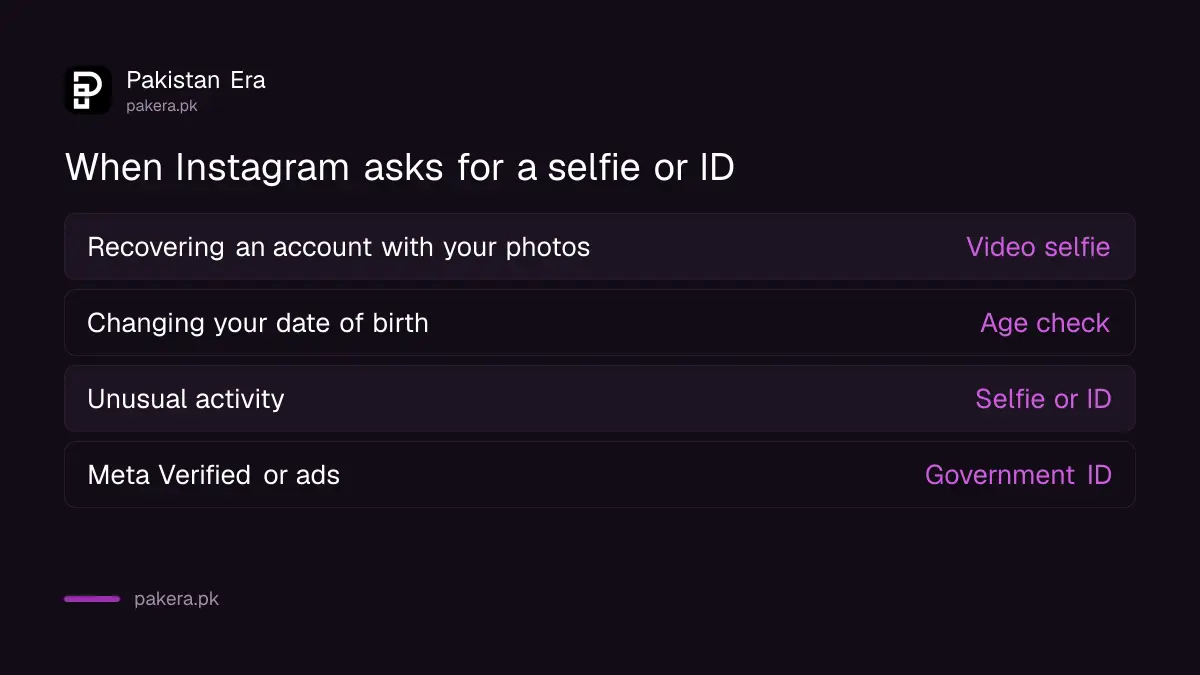
Instagram asks for an ID to confirm an account is yours, to confirm or edit your age, to process payments, and to stop scams and phishing. It asks for a video selfie to check you are a real person, usually when you are recovering an account that has photos of you.
| When it appears | What Instagram asks for | Why |
|---|---|---|
| Recovering a hacked or locked account with your photos | Video selfie | To match your face to the account |
| Recovering an account without your photos | Details or ID, as shown on screen | To confirm the account is yours |
| Changing your date of birth | Age check | To confirm your real age |
| Account flagged for unusual activity | Video selfie or ID | To prove you are a real person |
| Meta Verified or ads | Government ID | To confirm your identity for payments |
How to record the Instagram video selfie
The video selfie is a short clip of your face as you turn your head in different directions. Instagram compares it with the photos on the account. Good light and a clear face matter more than anything else.
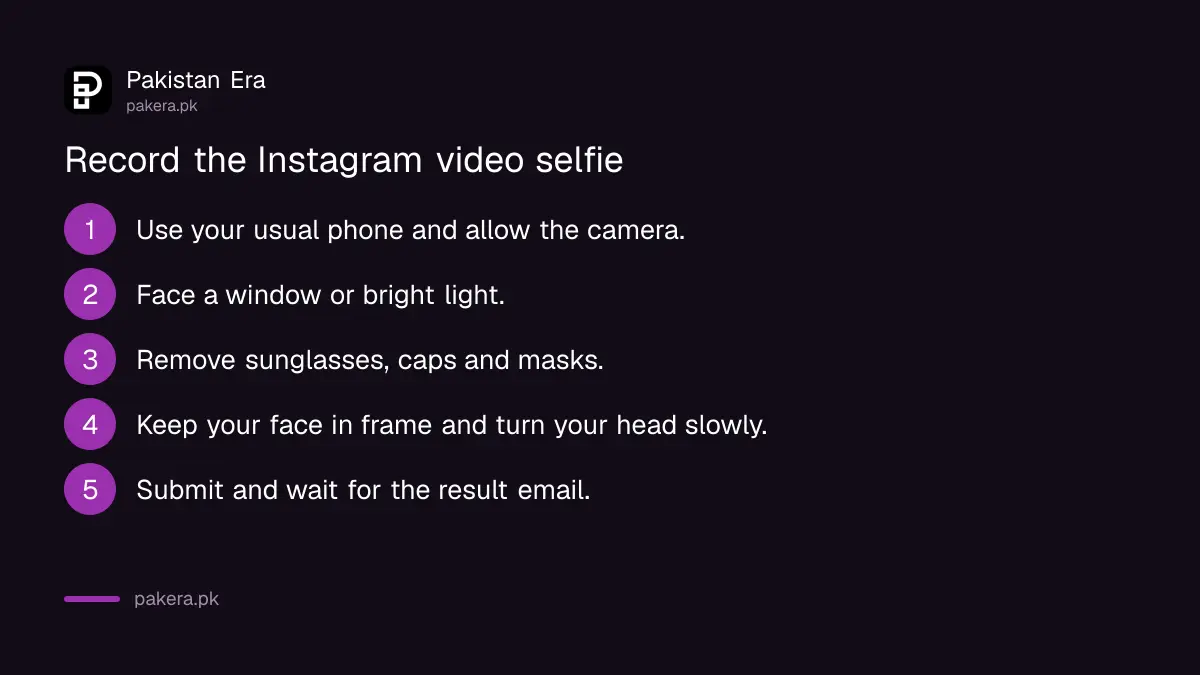
- Open the Instagram app on your own phone, the one you normally use.
- When the check appears, tap to start and allow camera access.
- Sit facing a window or a bright light. Remove sunglasses, caps and face masks.
- Keep your whole face inside the frame and turn your head slowly as the screen tells you.
- Submit, then check the secure email address you gave Instagram for the result.
If you pass, Instagram emails you a link to reset your password. If you do not pass, it emails you as well, and you may be able to send a new selfie in the app. You cannot use the account until Instagram confirms it is you.
Which Pakistani IDs Instagram accepts
One document is enough if it shows your full name and your photo or your age. For most Pakistanis that means the CNIC, a passport or a driving licence. Without a photo ID, Instagram accepts two different documents with matching names instead.
Pakistani documents that fit Instagram's first list:
- CNIC or Smart NIC, which Instagram counts as a national ID card.
- Passport.
- Driving licence.
- Birth certificate, marriage certificate or name change papers.
- Visa, residence permit or immigration papers, for Pakistanis abroad.
No photo ID at all? Send two different documents from Instagram's lists, with the same full name on both, and at least one showing your photo and your age. Instagram's second list includes a school ID card, a university record, a utility bill, a bank statement, a work ID and a payslip.
How to photograph your CNIC
- Place the card flat on a dark surface in daylight, with no glare across the photo.
- Fill the frame with the card, with all four corners visible.
- You may cover details that are not needed, such as the ID number, with a paper slip before taking the photo. Instagram rejects images edited to hide information.
- Send only the documents asked for. After uploading, delete the photo from your gallery.
What Instagram does with your selfie and ID
Instagram stores selfies and IDs securely, uses them only for the check, and never shows them on your profile or to other people. Meta reviews them with both people and automated systems, and may use trusted outside providers to confirm identity.
For ads and Meta Verified, Meta keeps an ID or selfie for up to 180 days, and up to one year for political ads or where it detects possible fraud. For other checks, Meta tells you how long it keeps the document before you upload it.
Fake "verify your account" messages to ignore
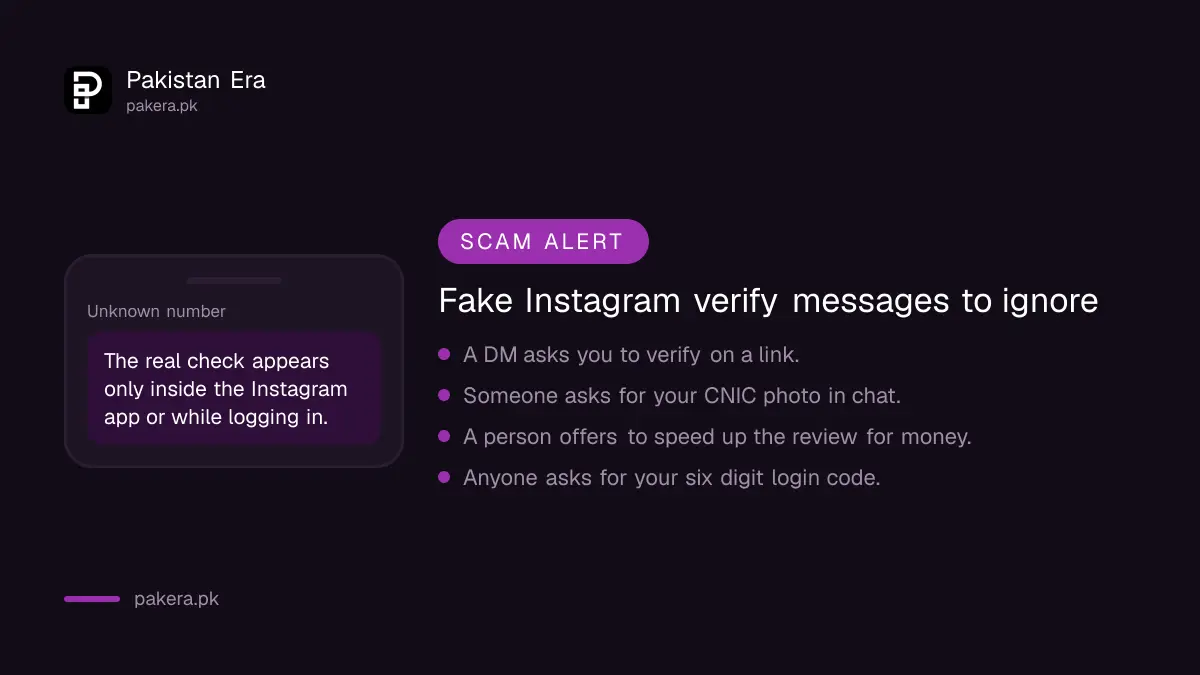
The real check appears only inside the Instagram app or on instagram.com while you are logging in. A DM, WhatsApp message or email asking you to "verify" your account on a link, or to send your CNIC to a person, is a scam aimed at stealing your account.
- Instagram does not ask for your CNIC photo in a chat.
- No one can "speed up" a review for a fee.
- Never share the six digit login code Instagram sends you, with anyone.
- Turn on two-factor login once you are back in, with Instagram two-factor and backup codes.
What to do if the check keeps failing
Try again from your usual phone and Wi-Fi, in better light, with the face or ID filling the frame. If the account was hacked, start from Instagram's hacked account flow. If Instagram has already disabled the account, the appeal route is different.
- Wait for the result email before trying again. Repeated attempts in a row do not help.
- Use the same phone you normally log in from.
- For a hacked account, follow recovering a hacked Instagram account.
- For a disabled account, follow the Instagram disabled account appeal.
- Just forgot your password? A simple Instagram password reset may be all you need.
Common questions
How long does Instagram take to review a video selfie?
Instagram does not give a fixed time. It emails the secure address you gave when the review is done, and you cannot use the account until then.
Does Instagram accept a CNIC?
Yes. Instagram accepts a national ID card, and the CNIC or Smart NIC counts as one. A passport or driving licence also works.
Can other people see my selfie or ID?
No. Instagram says your selfie and ID are not shown on your profile, to friends or to anyone else on Instagram.
What if I fail the Instagram video selfie?
Instagram emails you, and you may be able to send a new selfie in the app. Retry in better light with your face fully in frame.
What happens if I do not complete the check?
You may not be able to log back in, and your posts may reach fewer people. If you do not pass, Instagram may disable the account and delete its data.
How we verified this
What we checked and where we read it.
Last checked 24 November 2026. Rules come from Instagram Help Centre articles, read through Meta's help pages: Why you're being asked to upload an ID, Types of ID Instagram accepts, Why you might be asked to upload a video selfie, Confirming your age on Instagram, and the two pages on what happens to your ID and selfie after you send them. The page on using an ID to verify your age showed "This feature isn't available in your location" for a Pakistan visitor.
About the author

Technology Journalist & Multimedia Producer
Ahmad Ali is a technology journalist and multimedia producer at Pakistan Era, joining the team in October 2026. He covers consumer technology and digital life for Pakistani readers, combining research with hands-on product testing.