Request Indexing in Google Search Console for Your Pakistani Website: URL Inspection in 5 Steps
Ask Google to index a page on your Pakistani website in 5 steps with URL Inspection. See what each status means, the live test, the daily limit and how long.
To ask Google to index a page on your Pakistani website, open Google Search Console, paste the full page URL into the URL Inspection bar at the top, wait for the result, and click Request indexing. If the page passes a quick check, Google adds it to its crawl queue. Google says indexing typically takes a day or so, but it can take much longer.
There is a daily limit on these requests for each property, and Google says a request does not guarantee the page will appear in its index. We read Google's own URL Inspection help page on 11 November 2026. Below are the 5 steps, what each result means, and when a sitemap is the better choice for a shop or news site with many new pages.
Request indexing takes 5 steps in Search Console
You need a verified Search Console property for the site, and the URL must belong to the property you have open. If you have not set one up yet, follow our guide to verify your website in Google Search Console first.
- Sign in to Search Console and pick the property for your website.
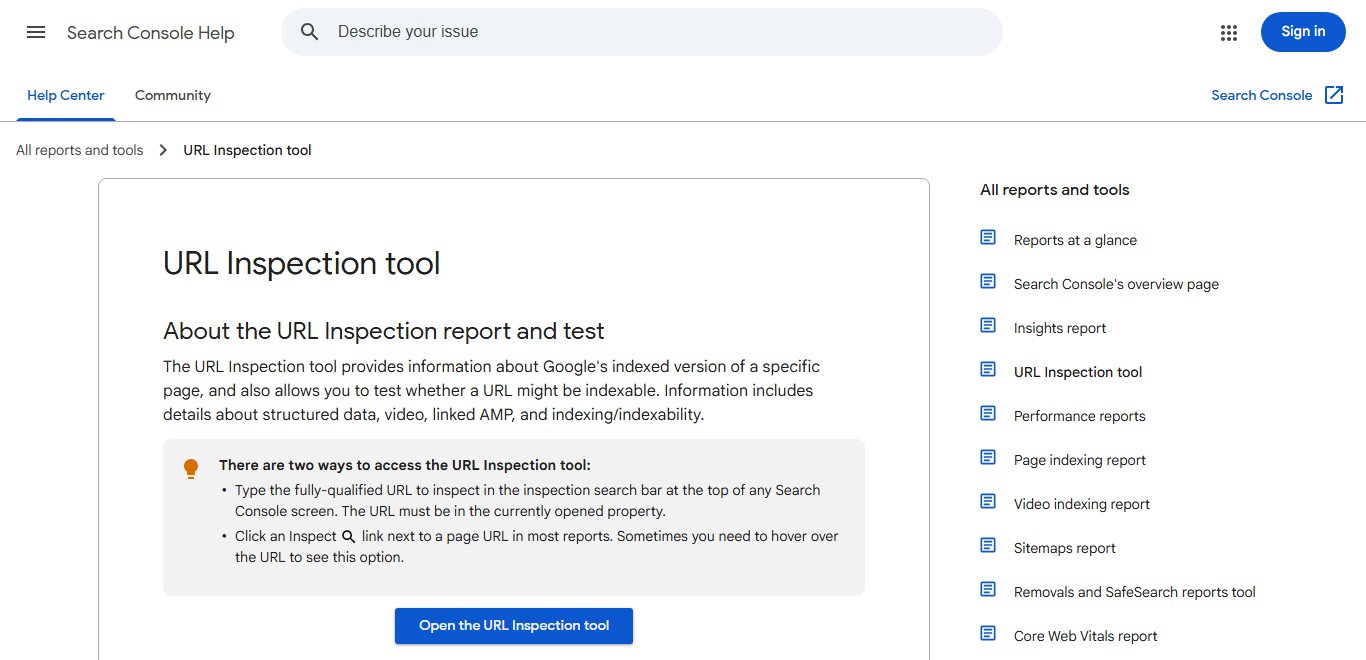
- Paste the complete URL, including https://, into the inspection bar at the top of any screen.
- Read the result. It shows Google's last indexed version, not a live check.
- Click Test live URL if you changed the page recently, to see if Google can index it now.
- Click Request indexing. If the quick check passes, the page joins the indexing queue.
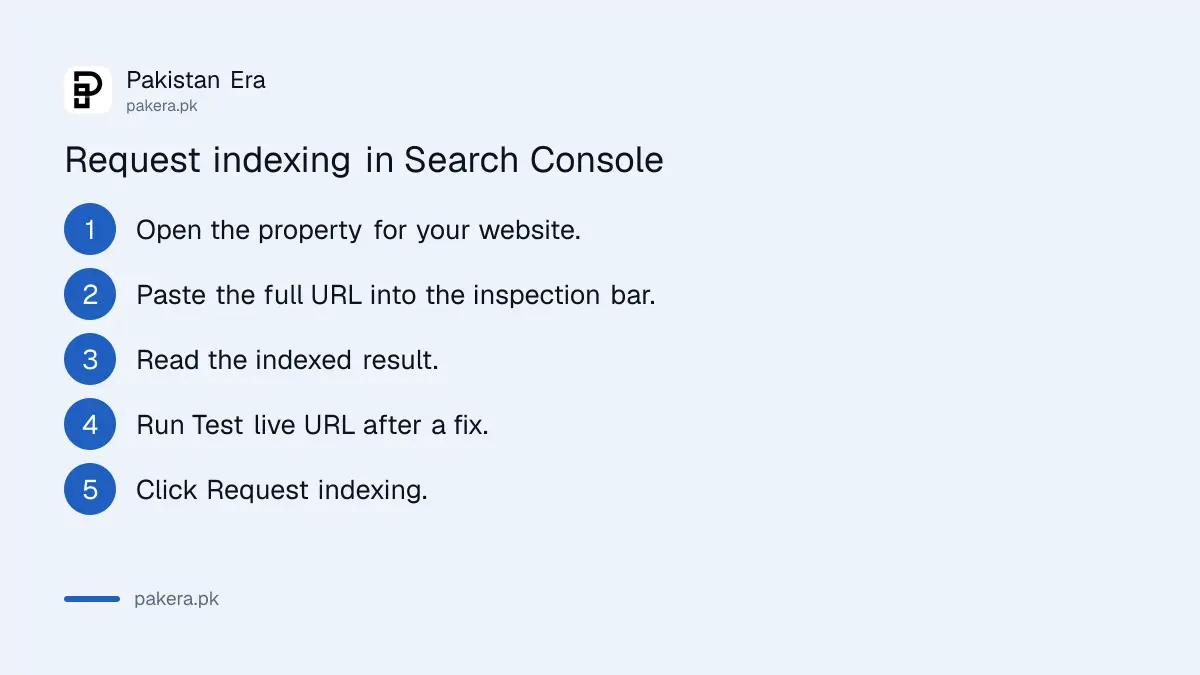
Google's help page also gives a second way in. Most Search Console reports show an Inspect link next to each page URL, and you sometimes need to hover over the URL to see it.
The inspection result tells you if the page can appear
The URL Inspection result has one of four headline statuses. Each one tells you something different, and only one of them means you have nothing to fix. Read the status before you press Request indexing.
| Status | What Google says it means | What to do |
|---|---|---|
| URL is on Google | Eligible to appear in results, but not guaranteed | Nothing, unless you changed the page |
| URL is on Google, but has issues | Indexed, but structured data or AMP has problems | Fix the listed warnings |
| URL is not on Google | Cannot appear in search results | Read the Page indexing section for the reason |
| URL is an alternate version | An AMP copy of another page | Inspect the main page instead |
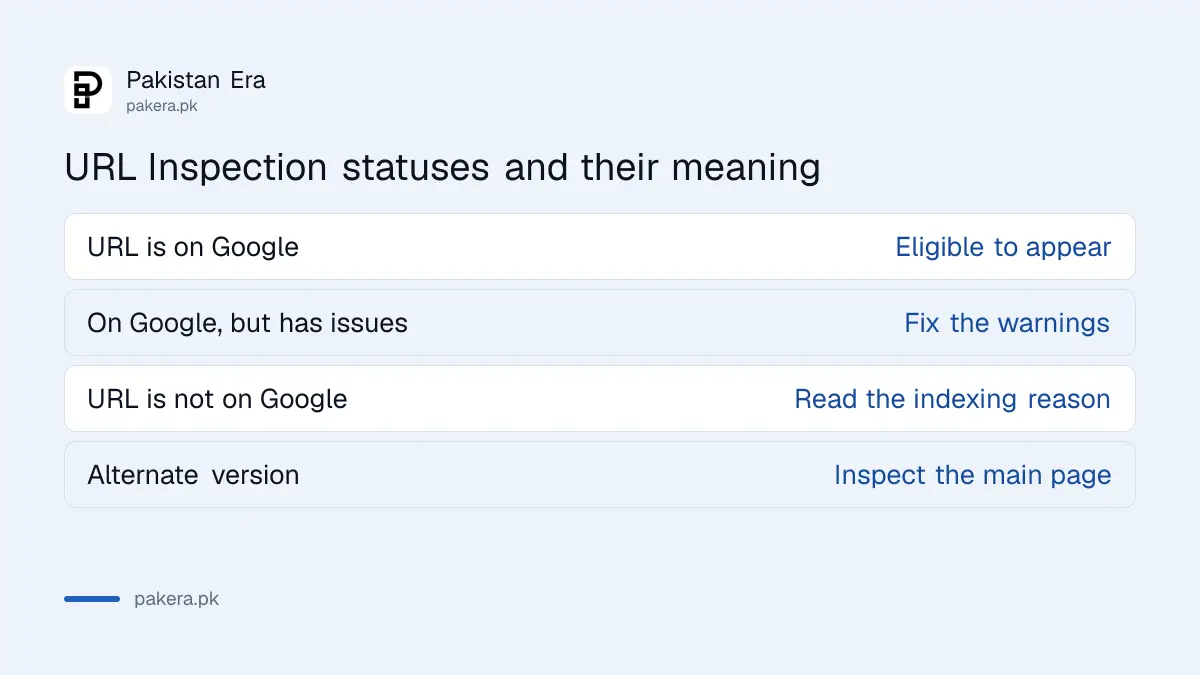
The Page indexing section lists the reason in detail. It shows the referring sitemap, the last crawl date, whether crawling and indexing are allowed, and which canonical Google picked. Canonical means the one version Google treats as the main copy. If Google chose a different page, our guide on Google choosing a different canonical explains the fix.
The live test checks the page as it is now
The normal result shows what Google saw on its last crawl. The live test fetches your page in real time. Use it after you fix something, so you know the fix works before you ask Google to come back.
Google lists what the live test covers: whether the page is available, the page fetch, crawl and indexing permissions, and your declared canonical. It also gives a screenshot of the rendered page. It does not check manual actions, quality guidelines, content removals or temporary blocks.
The page must open without a login for the live test to work. A page behind a password, a staging site or a page blocked by robots.txt will fail. Our guide on checking robots.txt and noindex covers the two most common blocks.
Google limits requests each day, so use them well
Google's help page says there is a daily limit on inspection requests, live tests and index requests for each property. Google does not publish the exact number on that page. Once you reach the limit, you have to wait until the next day.
- Use it for: a new important page, a page you fixed, or a correction on a live article.
- Do not use it for: every new product or post on a busy site.
- Fix first: Google says you cannot request indexing if the live test finds the page non-indexable.
For many new or updated pages, Google points you to a sitemap with lastmod dates instead. Lastmod is the date a page last changed. Our guide to submitting a sitemap in Search Console shows how. The separate Indexing API has its own quota and only covers job postings and livestream pages, as we explained in the Indexing API quota guide.
Indexing usually takes a day, but sometimes far longer
Request indexing puts your page in a queue. It does not promise a place in search results. Google's page says indexing typically takes only a day or so, but can take much longer in some cases, and it mentions up to a week or two.
| Message you see | Likely cause | Fix |
|---|---|---|
| URL is unknown to Google | Google has never seen the page | Request indexing and add it to your sitemap |
| URL is not available to Google | A critical issue in the live test | Fix the error shown, then test again |
| No referring sitemap | The page is not in any sitemap | Add it to the sitemap |
| Hostload exceeded | A site-wide error in the live test | Test again later, and ask your host if it repeats |
If a page still shows "not indexed" after two weeks, the request was not the problem. Work through our guide to fixing pages not indexed in Search Console, which covers thin content, duplicates and crawl blocks.
Common questions
How many times a day can I request indexing?
Google says there is a daily limit for each property but does not publish the number on its help page. When you hit it, wait until the next day.
How long does Google take after I request indexing?
Google says indexing typically takes a day or so, but can take much longer in some cases.
Does requesting indexing guarantee my page will rank?
No. It only adds the page to the crawl queue. Even "URL is on Google" means the page is eligible, not guaranteed, to appear.
Can I request indexing for a site I do not own?
No. The URL must belong to a Search Console property you have open. For other sites, Google suggests public tools such as the Rich Results test.
Should I request indexing for every new blog post?
Not on a busy site. Google recommends a sitemap with lastmod dates for many new or updated pages, and keeping requests for important pages.
Who can use Request indexing on my property?
Anyone you add with enough access in Search Console. Our guide to adding a user in Search Console explains owner, full and restricted access.
How we verified this
What we checked, where we read it, and what we could not confirm.
Last checked 11 November 2026. We read Google's URL Inspection tool help page in Search Console Help. We did not count the daily request limit ourselves, because Google does not publish the figure there, and we do not quote a number.
About the author

Founder and Editor
Umer Kureshi founded Pakistan Era in July 2024 and runs it as administrator, SEO lead and writer, overseeing website operations, search growth, content strategy and coverage of technology and current affairs.