Scan Notes Into One PDF With ChatGPT's Camera in Pakistan, Free
ChatGPT's iPhone camera now scans several pages into one PDF. See the steps, the Free plan's 3 uploads a day and why your CNIC never belongs in a chatbot scan.
ChatGPT's iPhone app can now scan several pages in a row and join them into one PDF. Open the camera in ChatGPT, tap the three-dot menu, choose Scan, and photograph each page. OpenAI added this on 1 October 2026, and it is rolling out on iOS, so Android users do not have it yet.
Most Pakistani students already photograph notes before an exam. The usual result is twenty loose pictures in the gallery, some sideways, and no easy way to ask questions about them. A single PDF fixes that, and ChatGPT can then summarise it, make a quiz from it or pull out the formulas.
We read OpenAI's release notes and its help page on uploading files on 10 October 2026. Here is how the scan works, what the Free plan allows, and what you should never scan into a chatbot.
ChatGPT's camera now turns several pages into one PDF
OpenAI's release note of 1 October 2026 says you can capture multiple pages in a row with the ChatGPT camera, and the app combines them into a single PDF ready to upload to your chat. It sits behind the three-dot menu in the camera, under Scan, and is rolling out on iOS.
Before this, you had to photograph each page and attach the pictures one by one, or scan them with another app first. The new option keeps it inside ChatGPT. It matters because a PDF is treated as one document, so you can ask about page 3 and page 9 in the same question.
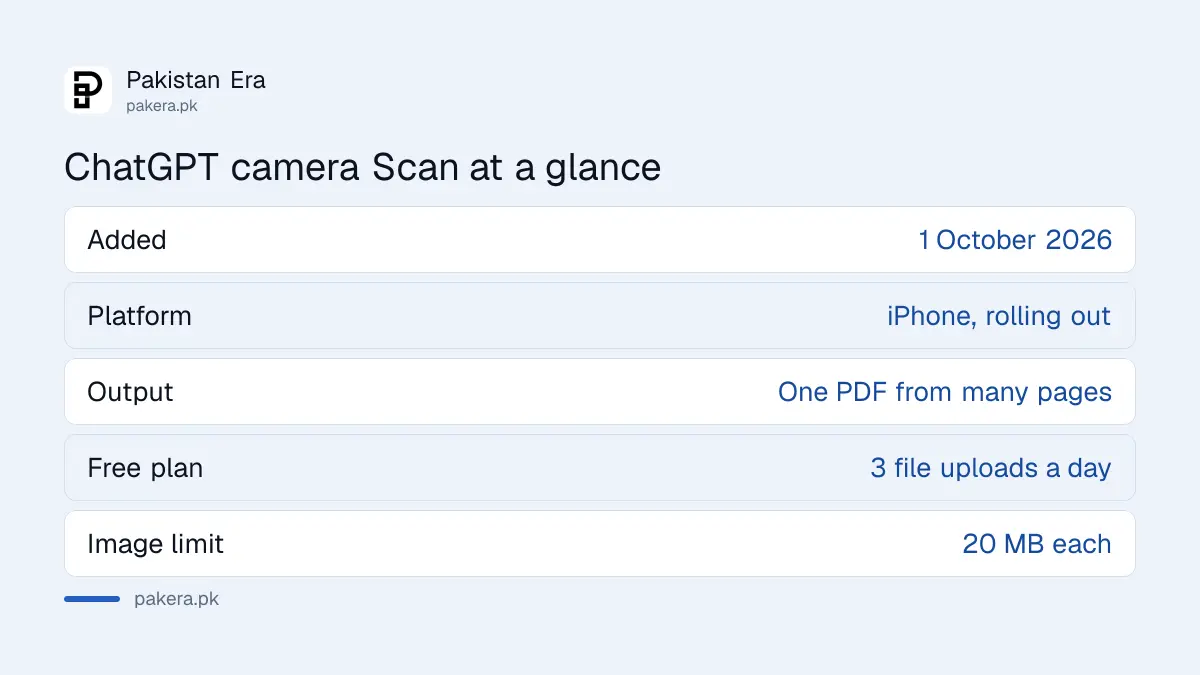
| Point | What OpenAI says |
|---|---|
| Feature | Scan in the ChatGPT camera |
| Added | 1 October 2026 |
| Platform | Rolling out on iOS |
| Output | Several pages joined into one PDF |
| Free plan uploads | 3 file uploads a day |
| Image size limit | 20 MB per image |
Scan your notes into a PDF on iPhone, step by step
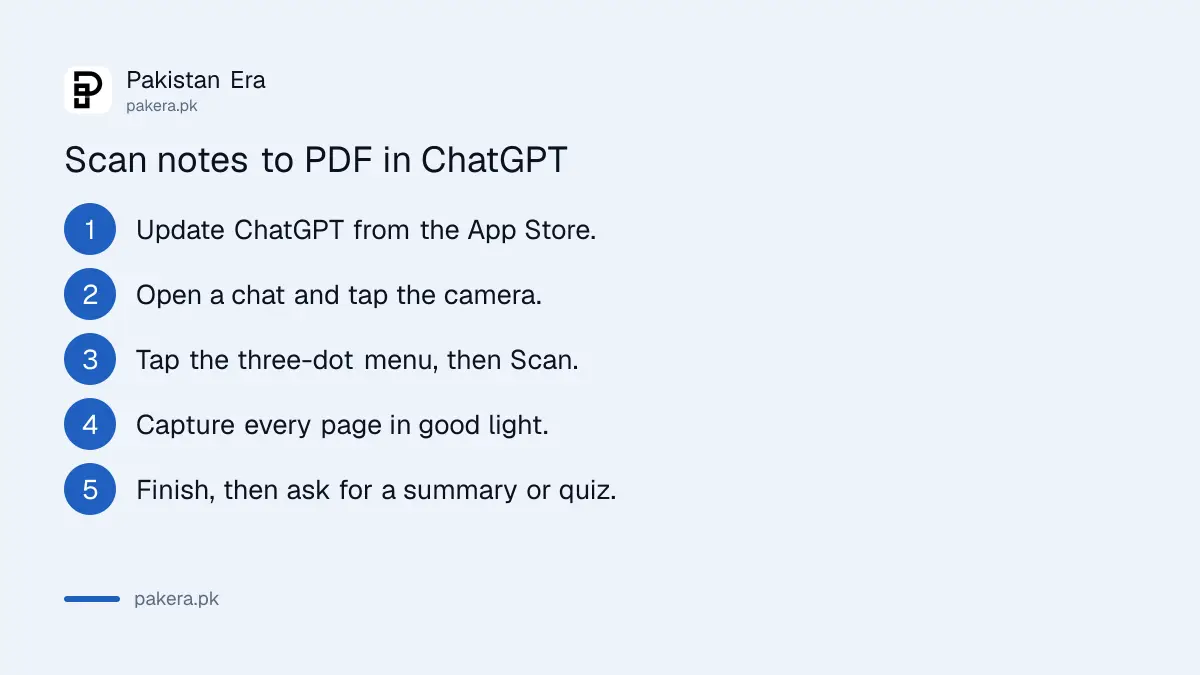
Update the ChatGPT app, open the camera inside a chat, pick Scan from the three-dot menu, and photograph your pages one after another. ChatGPT joins them into a single PDF and attaches it to the message. Then type what you want done with it.
- Update ChatGPT from the App Store. A rolling feature reaches the latest version first.
- Open a new chat and tap the camera.
- Tap the three-dot menu and choose Scan.
- Lay each page flat in good light and capture it. Keep going until every page is done.
- Finish the scan. ChatGPT combines the pages into one PDF and attaches it.
- Type your request, such as "Summarise these chemistry notes in 10 points" or "Make 15 MCQs from this chapter", and send.
Light matters more than the phone. A page shot under a tube light at night, with your own shadow across it, reads badly. Daylight near a window works far better.
If the Scan option is not there yet, the feature has not reached your account. OpenAI rolls features out in stages, and nothing you change in settings brings it sooner.
The Free plan allows three uploads a day, so batch your pages
OpenAI's help page limits Free users to 3 file uploads per day. Each scanned PDF is a file you upload, so one scan of a full chapter is a better use of the limit than ten single photos. Paid plans allow up to 80 files every 3 hours.
That limit is the main reason to scan whole chapters at once. Ten separate photos could use up a day's allowance in the first chat. One PDF of the same ten pages is a single upload.
Other limits from the same page are generous for notes. Images can be up to 20 MB each, documents up to 512 MB, and text documents are capped at 2 million tokens per file. OpenAI also says it may lower these limits during peak hours, so do not leave the night before a paper to start.
Once the PDF is in the chat, the study tricks in making flashcards and quizzes from your notes work on it directly.
Do not scan your CNIC, bank papers or medical reports
Uploaded files are saved in ChatGPT's Library, and deleting a chat does not delete that saved file. So keep identity cards, cheques, bank statements and medical reports out of it. If you already uploaded one, delete it from Library by hand.
OpenAI's help page is clear on this: a file in Library can be kept separately from the conversation that used it. To remove it:
- Open Library in ChatGPT and select the file.
- Choose Delete or the trash icon.
- If there is a Recently deleted section, choose Delete forever to remove it sooner.
A scan of class notes or a printed past paper is fine. A scan of your CNIC, your father's pension slip or a property document is not something a chatbot needs. If someone else has access to your phone or account, the steps to check who is logged in to your ChatGPT account are worth five minutes.
What to do on Android until Scan arrives
Android users can still attach several photos to one ChatGPT message, or upload a PDF made elsewhere. OpenAI lists PDF, DOCX and TXT as supported documents, and images up to 20 MB. The one-tap Scan to PDF is the only part missing.
The simplest route on Android is to make the PDF with a scanning app you already have, then attach it in ChatGPT. Remember the three-a-day limit on the Free plan still applies. Lecture recordings follow a different rule: turning a recording into notes with ChatGPT needs a paid plan, because audio uploads are not on the Free plan.
Common questions
Is the ChatGPT Scan feature available in Pakistan?
OpenAI's note does not limit it by country. It says Scan is rolling out on iOS, so iPhone users in Pakistan should get it as the rollout reaches their account.
Is ChatGPT Scan free?
OpenAI's release note does not mention a paid plan for it. Free users can upload documents and images, within the limit of 3 file uploads a day.
Does ChatGPT Scan work on Android?
Not yet. The 1 October 2026 release note says the Scan option is rolling out on iOS. Android users can attach photos or a ready-made PDF instead.
Does deleting a chat delete my scanned PDF?
No. OpenAI says deleting a chat does not delete a file saved in Library. Open Library, select the file and delete it.
Can ChatGPT read handwritten Urdu notes?
OpenAI's pages make no promise about handwriting in any language. Clear writing in good light gives the best chance, and you should check every answer against your notes, especially names, dates and numbers.
How we verified this
What we checked, where we read it, and what we could not confirm.
We last checked these OpenAI pages on 10 October 2026:
- ChatGPT release notes on help.openai.com, entry of 1 October 2026, "Scan notes and documents more easily with ChatGPT camera".
- OpenAI Help Center, "Uploading files and audio to ChatGPT", for supported formats, the Free plan limit of 3 uploads a day, the 80 files every 3 hours limit, size limits and deleting files from Library.
We have not tested Scan ourselves yet. The steps follow OpenAI's own description, and menu names may differ slightly as the rollout continues.
About the author

Technology Journalist & Multimedia Producer
Ahmad Ali is a technology journalist and multimedia producer at Pakistan Era, joining the team in October 2026. He covers consumer technology and digital life for Pakistani readers, combining research with hands-on product testing.