How to Start a Podcast on Spotify From Pakistan, Free With Spotify for Creators
Start a podcast on Spotify from Pakistan for free: create a show on Spotify for Creators, cover art size, RSS feed for Apple and Amazon, and the payout limits.
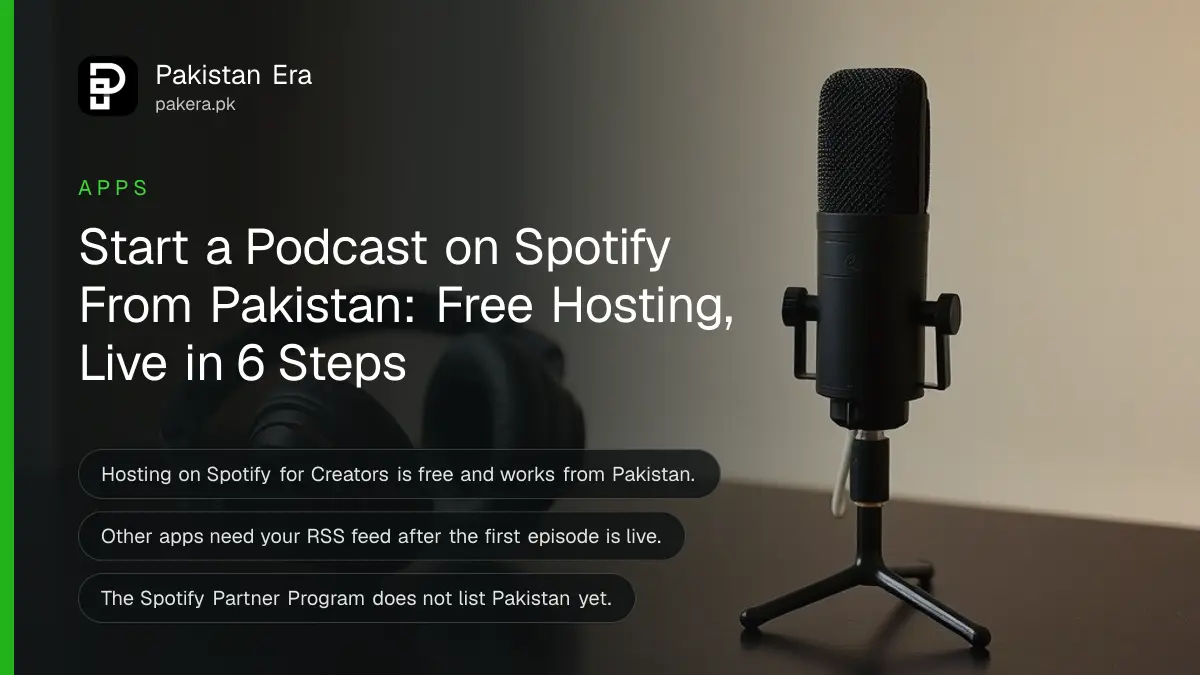
To start a podcast on Spotify from Pakistan, log in at creators.spotify.com with a free Spotify account, choose "Add a new show", then "Create a new show", add a name, description and square cover art, and upload your first audio or video episode. Hosting is free. Episodes go live on Spotify automatically, and Spotify is available in Pakistan, so no foreign card or address is needed to publish.
One thing to know before you plan around income: the Spotify Partner Program, which pays creators, does not list Pakistan as an eligible country. You can publish and grow an audience from here, but Spotify's own payouts are not open to Pakistani addresses yet.
| Item | What you need |
|---|---|
| Cost | Free hosting on Spotify for Creators |
| Account | A free Spotify account |
| Cover art | Square JPG or PNG, 3000 x 3000 pixels suits every app |
| Episodes | Audio, video or both |
| Other apps | Submit your RSS feed yourself after episode 1 |
| Spotify payouts | Partner Program not open to Pakistan |
Create your show on Spotify for Creators in 6 steps
Spotify for Creators is Spotify's free podcast host. You sign in with a normal Spotify account, add a new show, fill in its details and upload an episode. Spotify says a show can be live in under an hour once your first recording is ready.
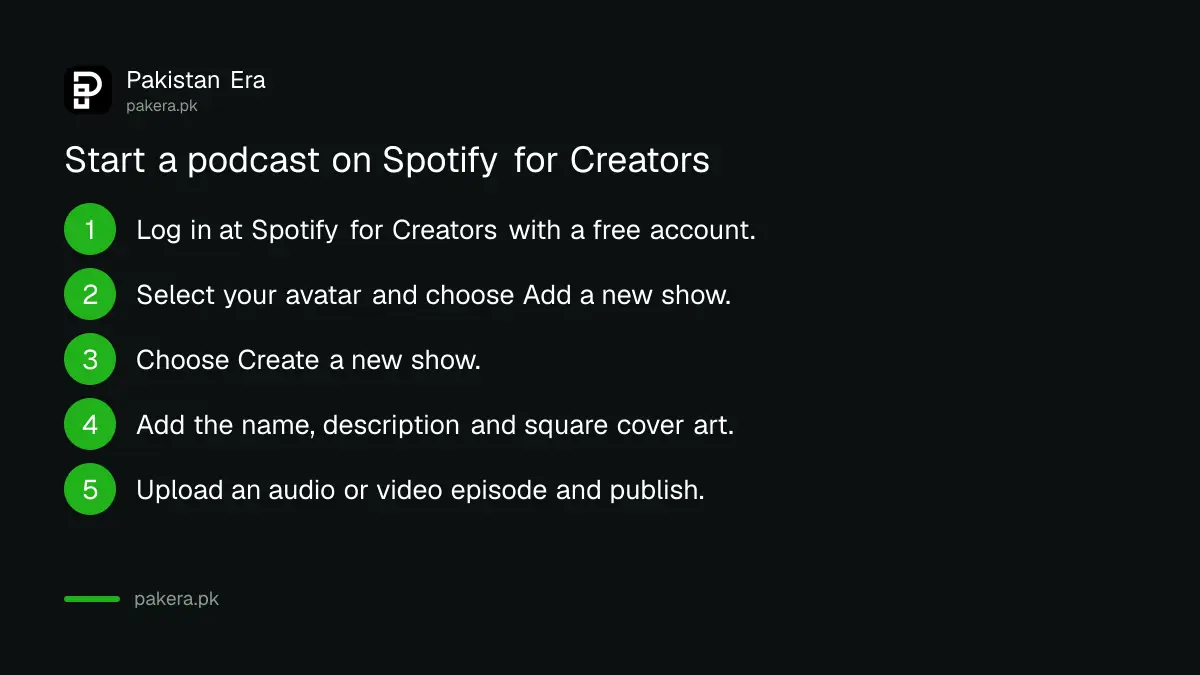
- Open creators.spotify.com in a browser and log in with your Spotify account. A free account works.
- Select your avatar and choose Add a new show. On a phone, tap the menu icon first.
- Choose Create a new show. The other option, "Find an existing show", is only for a podcast already hosted somewhere else.
- Type the show name and a short description, fill in the other show details, and upload your cover art.
- Upload your first episode as audio, video or both, and give it a title and description.
- Publish. The episode appears on Spotify on its own, with no separate submission.
Spotify suggests episode descriptions of three sentences or less, and a trailer of 30 seconds to one minute. A trailer is worth making. It is the first thing a new listener plays.
Get the cover art and audio right before you publish
Your cover art is the thumbnail listeners see in every app. Make it square, readable at a small size, and 3000 x 3000 pixels. Apple Podcasts accepts JPG or PNG between 1400 and 3000 pixels with no transparency, so that size also works when you submit there.
- Name: short and easy to spell. People will type it into search, often in Roman Urdu.
- Art: large text, two or three words at most, a solid background. Fine detail disappears at thumbnail size.
- Sound: Spotify says to start with what you have. A phone's built-in microphone and wired earphones are enough for episode 1.
- Room: record in a quiet room with soft furnishings. Bare walls echo, and a ceiling fan shows up on every recording.
To change the art later, open Settings on the web and update the show art, or in the app tap Podcast, then Edit Details. Spotify says changes usually show within 24 hours.
Send your podcast to Apple, Amazon and other apps with the RSS feed
Spotify does not distribute your show to other apps for you. After your first episode is published, open Settings, then Availability, find RSS Distribution and copy your feed link. Paste that link into each app's own podcast submission page.
- Publish at least one episode. The RSS Distribution section does not appear before that.
- Go to Settings > Availability and scroll to RSS Distribution.
- Enable the feed and copy its link.
- Submit the link to Apple Podcasts, Amazon Music, Pocket Casts or any other app you want.
Most apps list a show within a few hours. Some review shows by hand, so give it a few days before contacting that app's support. New episodes usually reach other apps within a few hours, and at most within 24 hours.
Two catches. Enabling the feed makes your email address public to anyone with the feed link, so use a separate email for the podcast. And some apps copy public feeds without asking, so your show may turn up in places you never submitted to. Spotify cannot remove it from those.
YouTube works differently. You either upload video episodes to a podcast playlist in YouTube Studio or connect the same RSS feed there, and YouTube's 1,000 subscriber and 4,000 hour threshold decides when those episodes can earn.
Video episodes and music are limited to Spotify
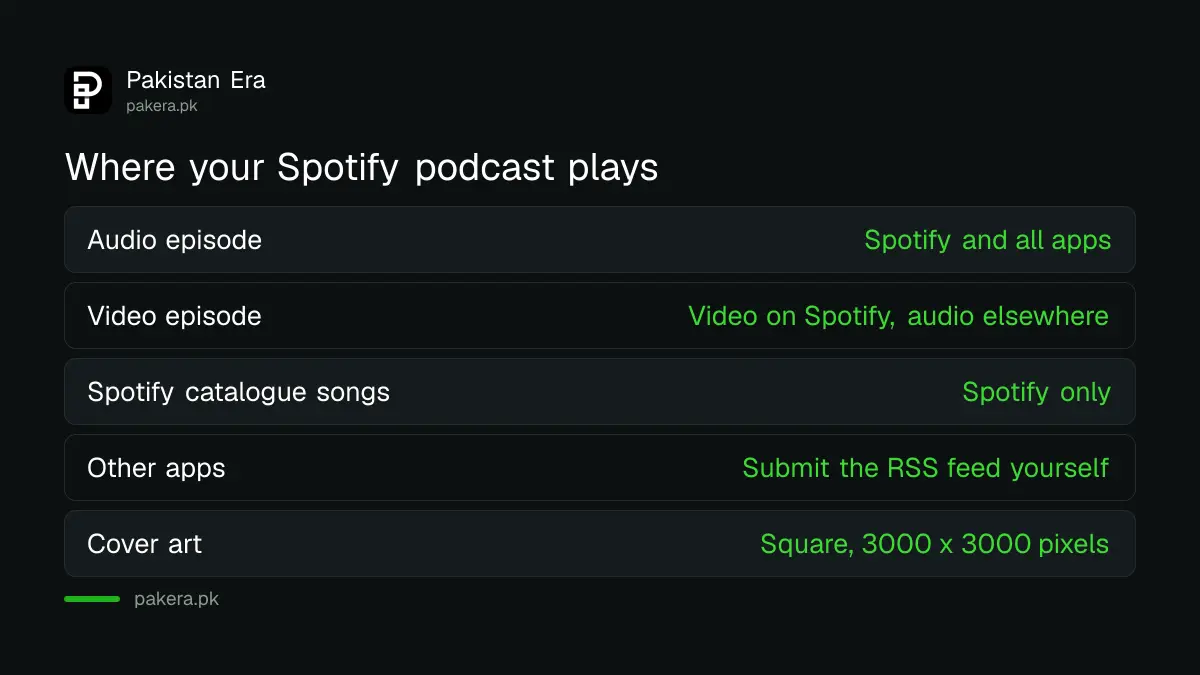
Spotify for Creators accepts video episodes, but other apps receive only the audio from the RSS feed. Episodes that use songs from Spotify's music catalogue play only on Spotify. Plan your show around these two limits before recording.
| What you upload | On Spotify | On other apps |
|---|---|---|
| Audio episode | Plays | Plays |
| Video episode | Plays as video | Audio only |
| Episode with Spotify catalogue songs | Plays | Not available |
| Custom episode art | Shows | Some apps show the main show art |
Using a popular Pakistani song as your intro? Without a licence it can also trigger copyright claims on YouTube. A short original jingle avoids both problems.
Spotify does not pay Pakistani podcasters yet
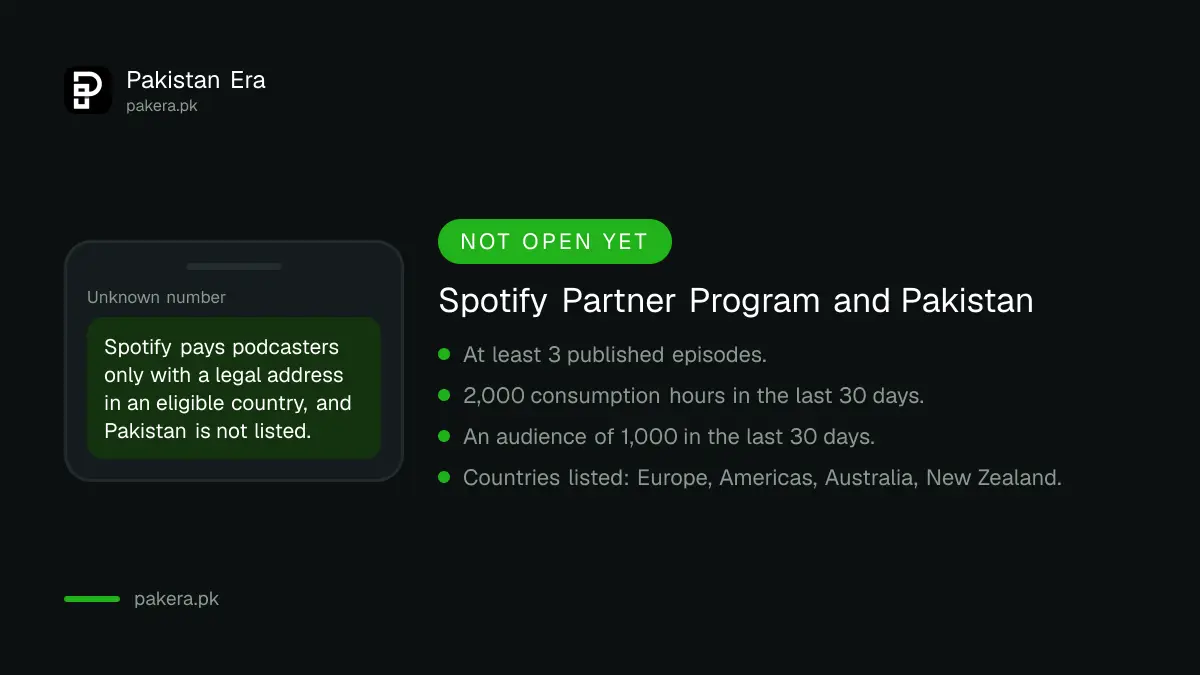
The Spotify Partner Program is how Spotify pays podcasters, and it needs a legal address in an eligible country. Its list covers Europe, North and South America, Australia and New Zealand. Pakistan and the rest of Asia are not on it.
The program also asks for at least 3 published episodes, 2,000 consumption hours on Spotify in the last 30 days and an audience of 1,000 in the same 30 days. Even where it is open, few new shows reach that in their first months.
So Pakistani podcasters usually earn through sponsorships read on air, YouTube ads on the video version, and paid partnerships on Instagram. Income from foreign platforms is taxable, and the return for YouTube and TikTok income works the same way for podcast earnings. For a wider view of the options, see which platforms actually pay Pakistani creators.
Fixes when your show does not show up
Most problems come from the RSS step. Other apps list your show only after you submit the feed yourself, and some review it by hand first. Check the table below before you contact support.
| Problem | Fix |
|---|---|
| No RSS Distribution section | Publish your first episode, then check Settings > Availability again |
| Show missing from Apple or Amazon | Submit the RSS link to that app yourself; wait a few days for review |
| New cover art not showing | Wait up to 24 hours |
| Duplicate copies of your show | Contact Spotify to remove one |
| Show on an app you never chose | Contact that app; Spotify cannot remove it |
Common questions
Is Spotify for Creators free in Pakistan?
Yes. Hosting on Spotify for Creators is free, and Spotify is available in Pakistan. You need only a free Spotify account to publish.
Can I earn money from a podcast on Spotify in Pakistan?
Not through Spotify itself yet. The Spotify Partner Program needs a legal address in an eligible country, and Pakistan is not on the list.
Can I upload a video podcast to Spotify?
Yes. Spotify for Creators takes audio, video or both. Other apps that read your RSS feed get only the audio.
Do I need to submit my podcast to Spotify separately?
No. Episodes hosted on Spotify for Creators appear on Spotify automatically. You submit only to other apps, using your RSS feed.
What size should podcast cover art be?
Use a square JPG or PNG of 3000 x 3000 pixels with a solid background. That meets Apple's range of 1400 to 3000 pixels too.
Why is my email showing in my podcast RSS feed?
Enabling the RSS feed makes the show's email public, because some apps use it to verify you. Use a separate email for the podcast.
How we verified this
What we checked and where we read it.
Last checked 24 November 2026. Steps come from Spotify for Creators support: Adding a new show, Finding and enabling your RSS feed and the Distributing your show to other platforms article. Partner Program countries and thresholds are from the Spotify Partner Program page. Pakistan appears on Spotify's "Where is Spotify available?" list. Cover art sizes are from Apple Podcasts' show cover specifications. The 3000 pixel advice follows Apple's range.
Free on WhatsApp
Get last dates and rule changes on WhatsApp
We post new last dates, fee changes and fixes for common problems, a few short posts a day.
Follow Pakera on WhatsAppOther followers cannot see your number.
Pakera Solves It
Which online process wasted your time this week?
A portal that will not load, a form nobody explains, a complaint that went nowhere. Tell us. Every week we pick one, solve it step by step and publish the answer.
About the author

Technology Journalist & Multimedia Producer
Ahmad Ali is a technology journalist and multimedia producer at Pakistan Era, joining the team in October 2026. He covers consumer technology and digital life for Pakistani readers, combining research with hands-on product testing.