How to Stop Sharing Your Google Location With Someone in Pakistan
Stop Google Location Sharing with one person in Pakistan: the exact steps, what they can see, how to pause everyone on Android, and what a parent can control.
Short answer: Go to myaccount.google.com, tap People and sharing, then Location Sharing, then Manage Location Sharing. Tap the person's name and tap Stop. Google says Location Sharing is off by default and only starts after you share your location with someone in a Google app.
You shared your live location once for a trip, a pickup or a family worry. Weeks later the person can still see where you are. That is easy to forget, because the sharing sits quietly in the background.
We read Google's help page on managing Location Sharing on 13 October 2026. We did not test it on a phone with a live share. The steps below follow Google's page.
Stop sharing your location with one person
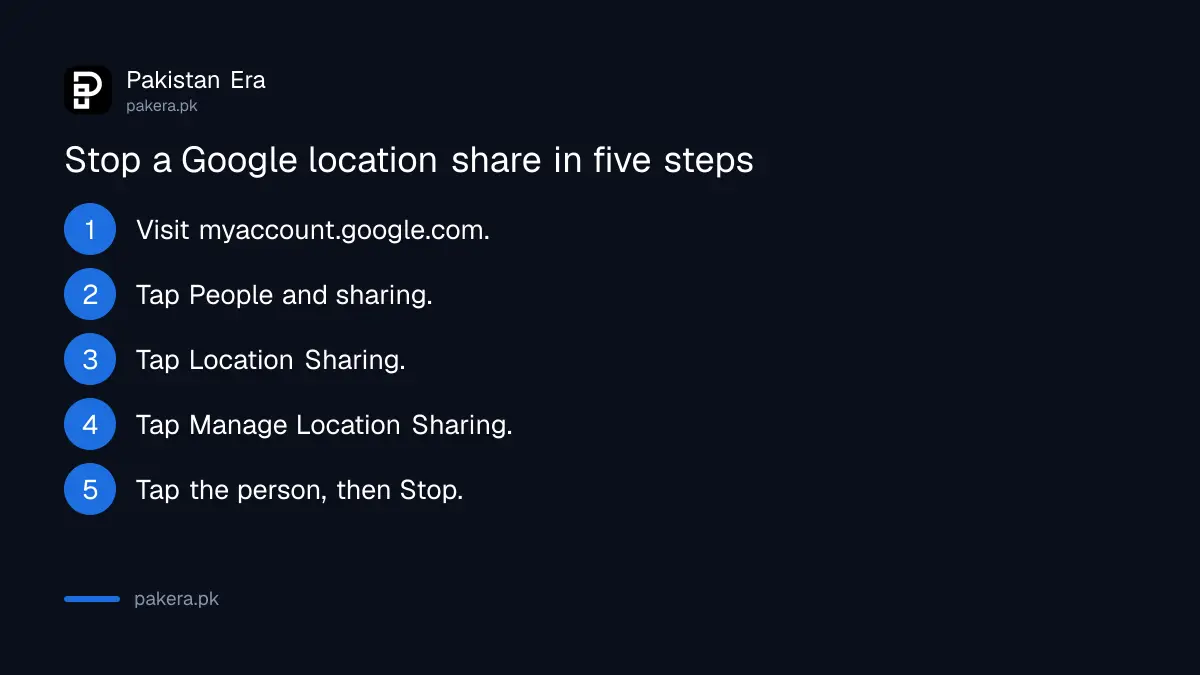
Visit myaccount.google.com and tap People and sharing. Scroll to "Info you can share with others" and tap Location Sharing. Tap Manage Location Sharing, tap the person's name, then tap Stop. This ends the live share with that one person.
- Visit myaccount.google.com and sign in.
- At the top left, tap People and sharing.
- Scroll to "Info you can share with others" and tap Location Sharing.
- Tap Manage Location Sharing.
- Tap the person's name, then tap Stop.
If you share with many people, Google says to tap the section that lists them, select the person, and tap Stop next to the name.
Know what the other person can see
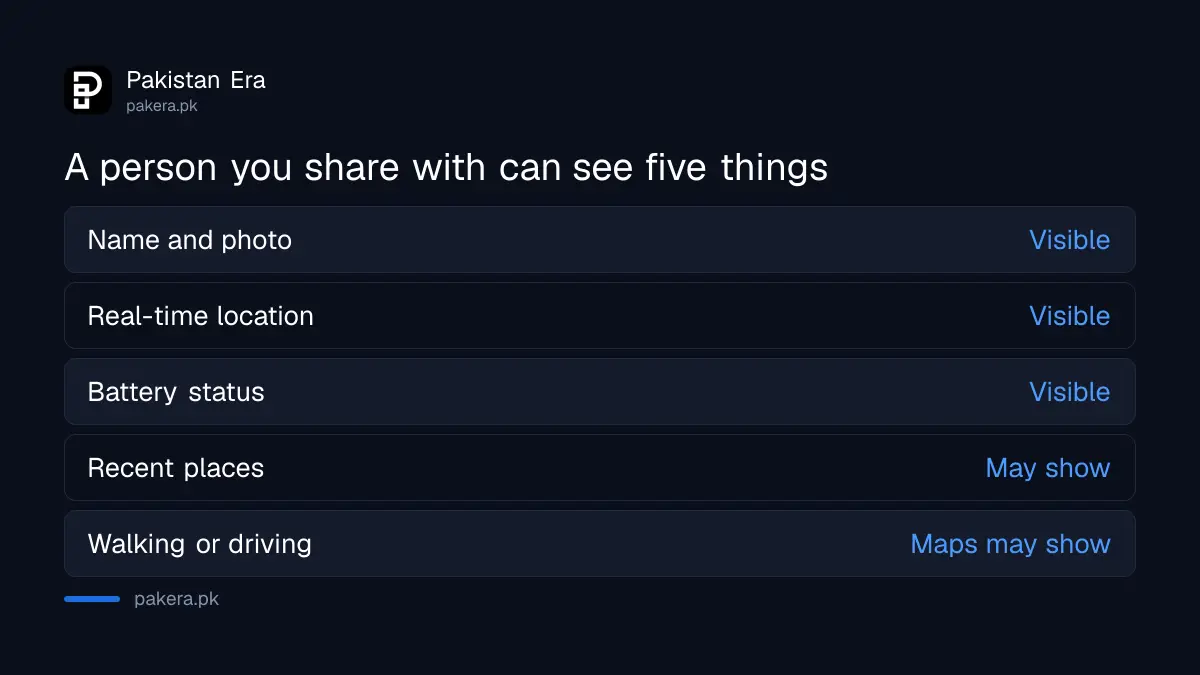
People you share with can see your name, profile picture, real-time location and battery status. Google says shared information may also include where you have recently been. Maps may show whether you are walking or driving.
| What they can see | Source |
|---|---|
| Your name and profile picture | Google Location Sharing page |
| Your real-time location | Google Location Sharing page |
| Your battery status | Google Location Sharing page |
| Where you have recently been | May be included, says Google |
| How you travel, such as walking or driving | Maps may show it |
Google also says you can choose, for each person, whether they may create notifications about you. In a busy area your place may show as a nearby shop or office by mistake.
Pause all sharing from your Android settings
Google says you can also pause all Location Sharing in your Android device settings. This is faster when you want everything off at once. Google keeps a separate help page that explains the exact steps for your phone.
The setting is tied to the device and the account. If you are signed in on two phones, adjust each one. A share you stopped on your new phone may still be listed for the old one, so check both.
If you only want a person to stop seeing you for a day, stopping the share is cleaner than switching off all location. You can start a new share later in Maps or Messages.
Where Location Sharing starts
Google lists the apps that can start a share: Maps, Messages, Find Hub, Family Link and Personal Safety. The setting stays off until you share your location with someone in one of them. It also needs an internet connection and the device location switched on.
Check Find Hub too if you track a lost phone. Our steps to find a lost phone with Find Hub show what that tool does with your location.
Sharing in WhatsApp is separate. To end a live location there, follow the steps on how to share location on WhatsApp and stop it from the chat.
Check for tracking you did not agree to
A share you do not remember is worth a second look. If the list shows a person you never chose, treat it as a warning. Change your Google password and turn on two-step verification, then read how to check a phone for spyware.
Children are different. If a parent manages a Google Account, Google says Location Sharing works differently, and the parent can manage it with the Family Link app. In a school or office Workspace account, an administrator may have switched it off.
Old location records are a separate matter. They sit in your Timeline and can be removed, as the page on how to delete your Google location history explains.
Common questions
Is Google Location Sharing on by default?
No. Google says it is off by default. It cannot be turned on until you share your location with someone in an app such as Maps or Messages.
How do I stop one person from seeing my location?
Go to myaccount.google.com, tap People and sharing, then Location Sharing, then Manage Location Sharing. Tap the person and tap Stop.
What can the other person see?
Your name, profile picture, real-time location and battery status. Google says it may also include where you have recently been.
Can I stop sharing with everyone at once?
Yes. Google says you can pause all Location Sharing in your Android device settings. The setting applies to each device separately.
Does the setting apply to all my phones?
No. Google says the setting is specific to the device and the account. Adjust it on every device where you are signed in.
Who controls sharing for a child's account?
If a parent manages the account, the parent can manage Location Sharing with the Family Link app, says Google.
How we verified this
What we checked, where we read it, and what we could not confirm.
Last checked on 13 October 2026, Pakistan time. We read Google's help page on managing Location Sharing. We did not test a live share. We did not read the separate page on pausing all sharing from Android settings, so the exact menu path for that is not given here.
About the author

Technology Journalist & Multimedia Producer
Ahmad Ali is a technology journalist and multimedia producer at Pakistan Era, joining the team in October 2026. He covers consumer technology and digital life for Pakistani readers, combining research with hands-on product testing.