How to Upload a Podcast to YouTube From Pakistan: New Podcast, Playlist or RSS Feed
Upload a podcast to YouTube from Pakistan: create one in YouTube Studio, turn a playlist into a podcast, or connect your RSS feed, plus the rules and fixes.
To put a podcast on YouTube from Pakistan, open YouTube Studio, click Create, then New podcast. Choose "Create a new podcast" to upload video episodes, or "Submit RSS feed" to pull in an audio show you already host elsewhere. Both are free. RSS delivery is open in Pakistan, and YouTube turns each audio episode into a video using your show art.
On YouTube a podcast is simply a playlist with podcast features switched on. Each episode is a video inside it. Get that idea straight and the rest of YouTube Studio makes sense.
| Route | Best for | Where in YouTube Studio |
|---|---|---|
| Create a new podcast | Video episodes you record or edit yourself | Create > New podcast > Create a new podcast |
| Set an existing playlist as a podcast | Episodes already on your channel | Content > Playlists > Options > Add podcast features |
| Submit RSS feed | Audio shows hosted on Spotify for Creators or another host | Create > New podcast > Submit RSS feed |
Create a new podcast in YouTube Studio in 5 steps
Creating a podcast in YouTube Studio takes a title, a description, a visibility setting and a square thumbnail. After that you add episodes by uploading new videos or picking ones already on your channel. YouTube may ask you to verify your account first.
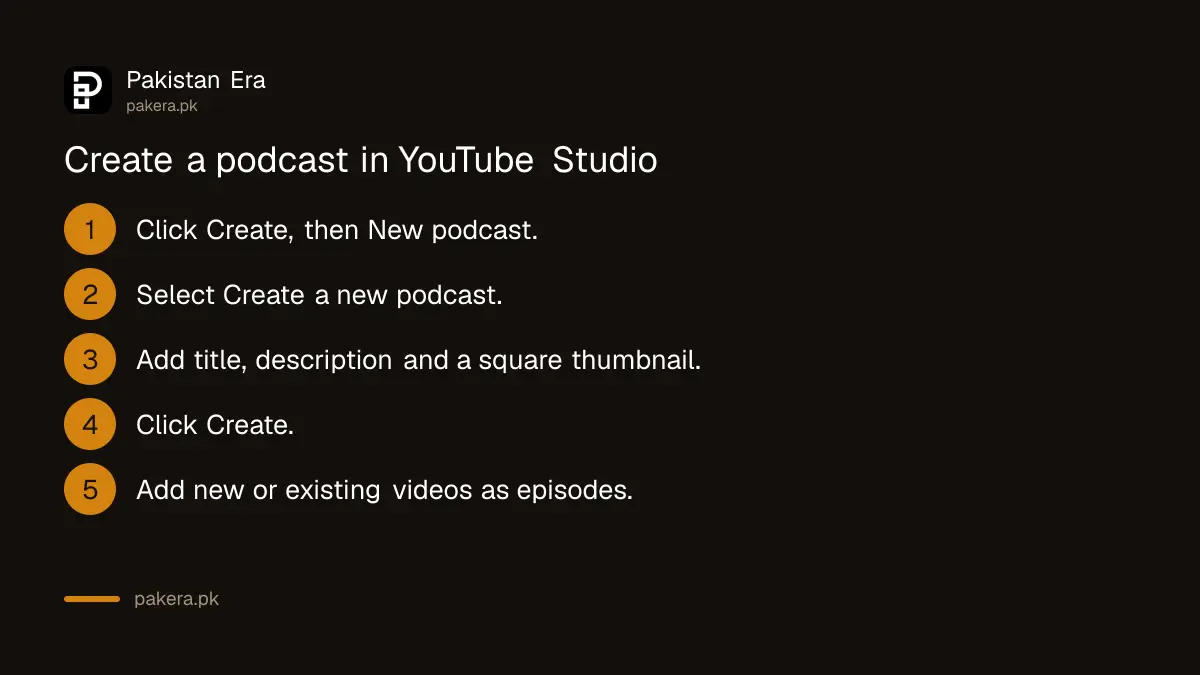
- Open studio.youtube.com, click Create, then New podcast. If asked, verify your channel with your phone number.
- Select Create a new podcast.
- Enter the title and description, set visibility to Public or Private, and add a square thumbnail. YouTube recommends 1280 x 1280 pixels.
- Click Create.
- Go to Content > Podcasts, select the podcast, click Add videos, and upload new episodes or choose Add your existing videos.
Verification is the usual blocker for new channels. If YouTube Studio keeps asking, verifying a YouTube channel by phone clears it with an SMS code to a Pakistani number.
Turn an existing playlist into a podcast
If your episodes are already uploaded, you do not need a new podcast. Open the playlist in YouTube Studio, choose Add podcast features, check the details and add a square thumbnail. The playlist becomes your podcast and keeps its views.
- In YouTube Studio, go to Content > Playlists.
- Hover over the playlist, click Options, then Add podcast features.
- Review the details and add a square thumbnail.
- Click Done.
Only do this for a playlist of full episodes in order. YouTube says not to add podcast features to playlists of clips or single seasons. Seasons can sit together in one podcast.
Connect your RSS feed to bring an audio podcast to YouTube
YouTube's RSS tool pulls episodes from your existing podcast host and makes a video for each one, using your show art as a still image. You verify ownership with a code sent to the email in your feed, choose which episodes to upload, then publish.
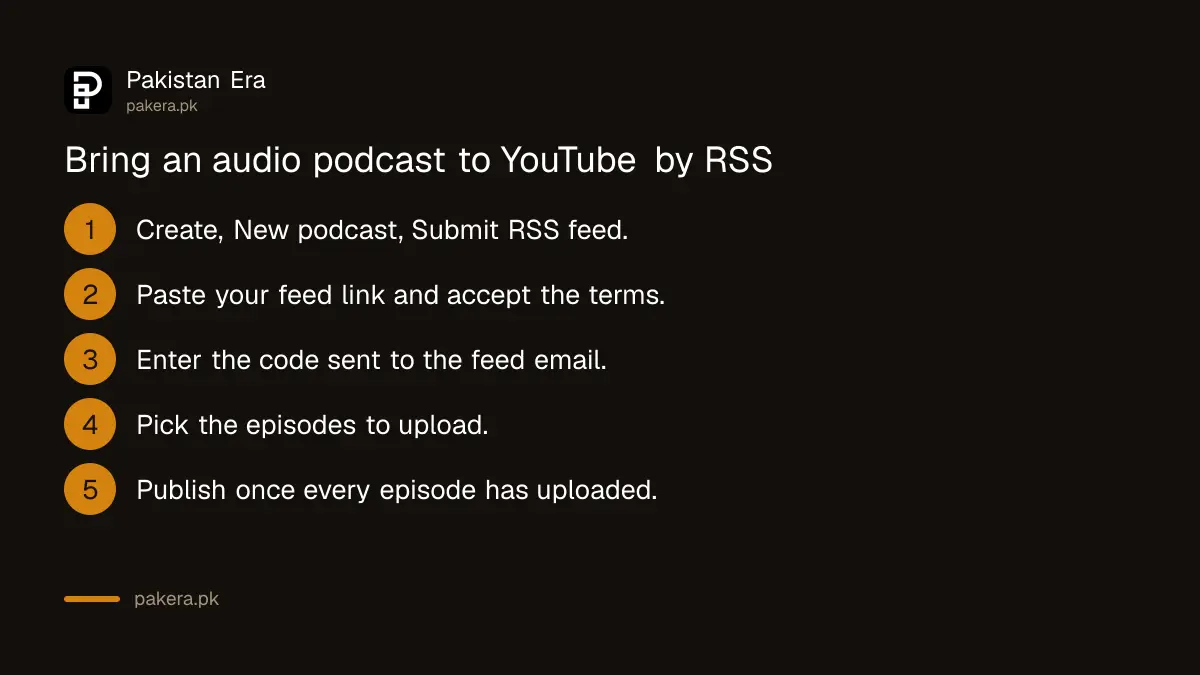
- In YouTube Studio, click Create, then New podcast, then Submit RSS feed.
- Accept the RSS ingestion terms and paste your feed link. On Spotify for Creators the link is under Settings > Availability.
- Open the email sent to the address listed in your feed, copy the verification code, enter it and click Verify.
- Choose which episodes to upload. If some episodes are already on YouTube, start after the latest one to avoid duplicates.
- Wait until all episodes finish uploading. They upload as private first.
- Under Video count, click Publish next to the feed.
For a podcast that already exists on YouTube, use Content > Podcasts, hover over it, click Details, and under RSS settings click Connect to RSS feed. New episodes in the feed then upload on their own, and subscribers get notified. Old episodes added from the back catalogue do not notify anyone.
If you started on Spotify, starting a podcast on Spotify for Creators gives you the RSS feed this step needs.
Rules that stop a podcast going live
YouTube blocks podcast features for content you do not own and for copyright problems. RSS episodes cannot carry adverts inside the audio, and any sponsorship or host-read promotion must be disclosed. Plain MP3 files cannot become a podcast without the RSS tool.
| Rule | What it means for you |
|---|---|
| Full episodes only | No clip or highlight playlists as podcasts |
| Content you own | Reuploaded shows or songs make it ineligible |
| No ads in RSS audio | Remove inserted ad breaks from feed episodes |
| Disclose sponsorships | Tick paid promotion for host-read sponsor spots |
| Audio cannot be swapped | Use Re-upload from RSS feed to replace an episode |
After the upload, check the Videos tab for copyright or monetisation warnings. A Content ID claim on a song in your intro is the most common one, and disputing a Content ID claim explains when to fight it and when to cut the song.
Fixes for common YouTube podcast problems
Most problems come from the feed email, duplicate episodes or the way YouTube sorts dates. The verification code goes only to the email in the RSS feed, and deleting an episode on YouTube does not remove it from your feed, so it comes back.
| Problem | Fix |
|---|---|
| No verification email | Check which email your feed lists; ask your host if unsure |
| Deleted episode came back | Remove it from the feed too, or set the YouTube video to private |
| Old episodes at the top of the Videos tab | Normal: that tab sorts by upload date; the playlist uses release dates |
| Title rejected | Remove < or > signs and any HTML from titles and descriptions |
| New show art not updating | Feed changes do not sync on their own; edit details in Studio |
To make future RSS uploads go up unlisted or private for a check first, change Default RSS video visibility in Podcast details and click Save. Earning from these episodes still depends on the YouTube Partner Program thresholds.
Common questions
Is YouTube podcast RSS upload available in Pakistan?
Yes. Pakistan is on YouTube's list of locations where RSS feed delivery works, so you can connect an audio podcast feed from here.
Can I upload an MP3 podcast directly to YouTube?
No. Each episode must be a video. Either make a video file yourself or connect your RSS feed, which turns audio into a still-image video.
What size is the YouTube podcast thumbnail?
It must be square. YouTube recommends 1280 x 1280 pixels for the podcast thumbnail, unlike the 16:9 shape used for normal videos.
Will my YouTube podcast appear on YouTube Music?
It can. YouTube says podcasts may appear in YouTube Music, where most can play in the background, but Shorts made for a podcast do not.
Does YouTube send my podcast to Spotify or Apple?
No. YouTube podcasts stay on YouTube and YouTube Music only. Submit your RSS feed to other apps yourself.
How do I remove podcast features from a playlist?
Go to Content, then Podcasts, open the Options menu next to the podcast, click Remove podcast features and confirm with Yes.
How we verified this
What we checked and where we read it.
Last checked 24 November 2026. Steps come from YouTube Help: Create a podcast in YouTube Studio, Deliver podcasts using an RSS feed and Distribute podcasts on YouTube. Pakistan appears on the YouTube Music Help list of RSS feed delivery locations. The Studio menu names are those shown in YouTube Help on that date.
Free on WhatsApp
Get last dates and rule changes on WhatsApp
We post new last dates, fee changes and fixes for common problems, a few short posts a day.
Follow Pakera on WhatsAppOther followers cannot see your number.
Pakera Solves It
Which online process wasted your time this week?
A portal that will not load, a form nobody explains, a complaint that went nowhere. Tell us. Every week we pick one, solve it step by step and publish the answer.
About the author

Technology Journalist & Multimedia Producer
Ahmad Ali is a technology journalist and multimedia producer at Pakistan Era, joining the team in October 2026. He covers consumer technology and digital life for Pakistani readers, combining research with hands-on product testing.