Urdu Keyboard in Pakistan: Type Urdu on Android, iPhone and Windows
Type Urdu free on Android with Gboard, on iPhone with Apple's Urdu keyboards and on Windows. Phonetic vs standard layouts and Roman Urdu, tested in Pakistan.
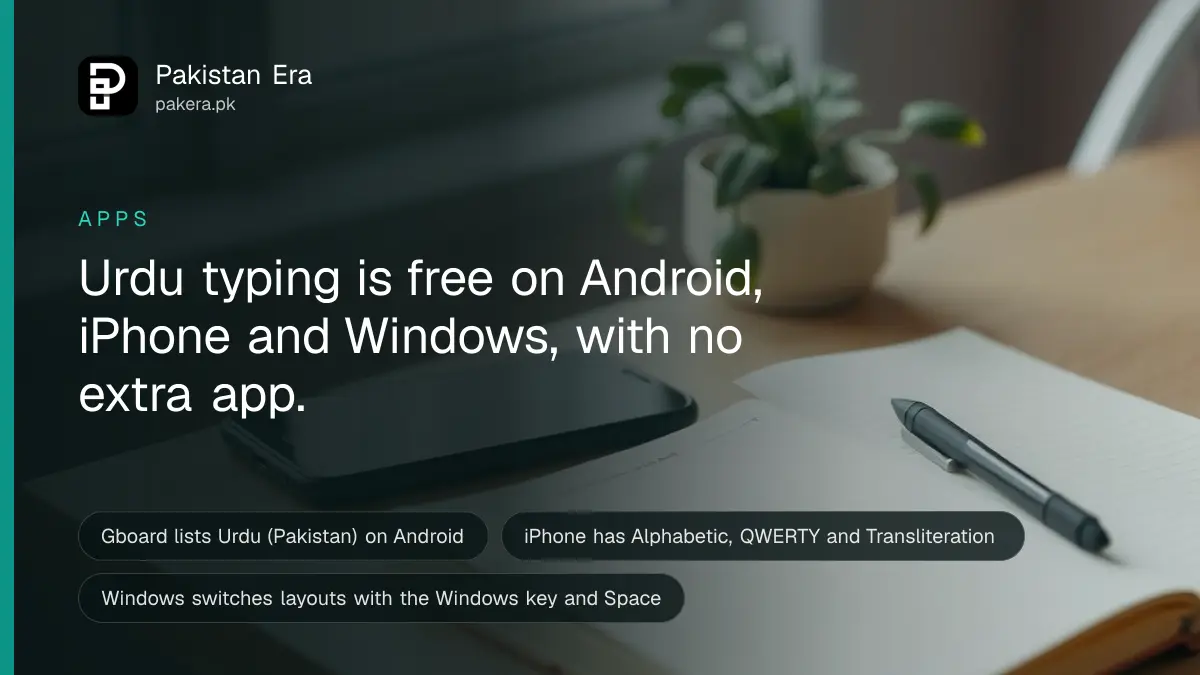
You can type Urdu free on every common device in Pakistan. On Android, add "Urdu (Pakistan)" in Gboard. On iPhone, add an Urdu keyboard under Settings, General, Keyboard. On Windows, add the Urdu language and use Microsoft's Urdu keyboard, then switch with the Windows key and Space.
Most people who say "I can't type Urdu" really mean "I don't know where the keys are". That part is fair. The standard layouts do not follow English sounds, so a typist who knows QWERTY hunts for every letter. We mapped Microsoft's Urdu layout key by key on 29 September 2026, and the results explain why.
This guide covers setup on each device, the difference between phonetic and standard layouts, and Roman Urdu transliteration, where you type in English letters and get Urdu script.
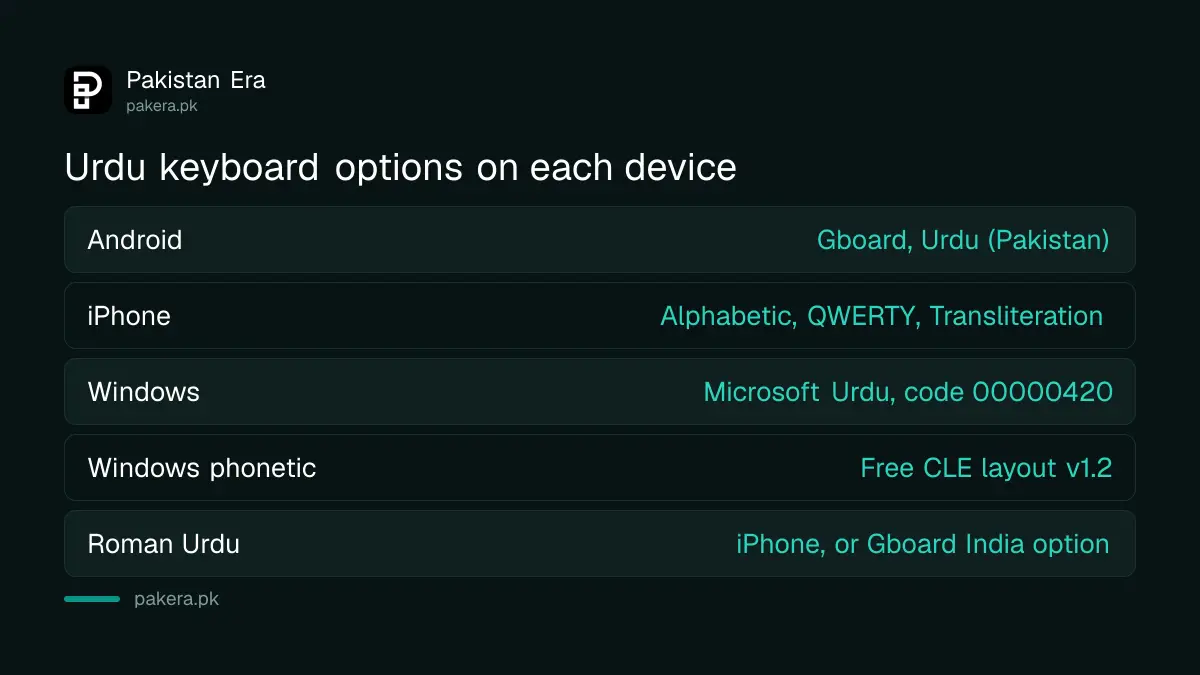
Urdu keyboard options on each device
Android phones use Gboard, which lists Urdu (Pakistan). iPhones have three Apple Urdu layouts: Alphabetic, QWERTY and Transliteration. Windows has one Microsoft Urdu layout. All of them type real Unicode Urdu, which works in WhatsApp, Word and on the web.
| Device | Keyboard | Urdu layouts offered | Roman Urdu to Urdu |
|---|---|---|---|
| Android | Gboard (Google) | Urdu (Pakistan) | Only listed for Urdu (India) |
| iPhone | Apple keyboard | Urdu (Alphabetic), Urdu (QWERTY) | Urdu (Transliteration) |
| Windows | Microsoft Urdu layout | One standard layout, code 00000420 | No Microsoft option |
| Windows, phonetic | CLE Urdu Phonetic v1.2 (free) | Phonetic layout | No |
Everything above is free. You do not need a paid Urdu app from the store, and you should be careful with keyboard apps from unknown makers. A keyboard sees every word you type, including passwords and bank PINs.
Type Urdu on Android with Gboard
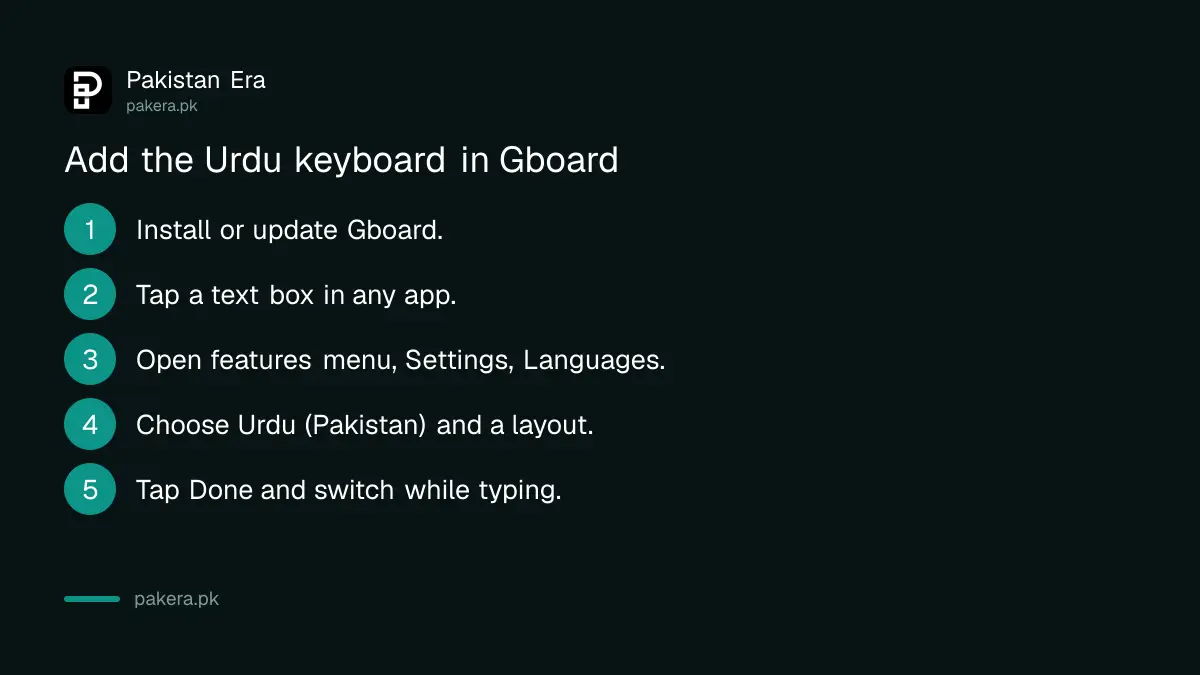
Open any app where you type, tap the features menu at the top left of Gboard, then More, Settings, Languages. Add Urdu (Pakistan), choose a layout and tap Done. Google lists these steps in its Gboard help.
- Install or update Gboard from the Play Store. Many phones already use it.
- Open an app you type in, such as Gmail or Keep, and tap a text box.
- At the top left of the keyboard, tap the features menu, then More, Settings, Languages.
- Choose Urdu (Pakistan) from the list and select the layout you want.
- Tap Done, then switch languages from the keyboard when you type.
Google's list of Gboard languages has one surprise. It shows "Urdu (India), Transliteration" and "Urdu (India), Latin", but no transliteration entry for Urdu (Pakistan). So a Pakistani user who wants to type Roman Urdu and get Urdu script may need the India transliteration option. The letters are the same Urdu script.
The same list includes Saraiki in Urdu Arabic and Sindhi Arabic scripts, each with a transliteration version. That helps families in southern Punjab and Sindh who write in Saraiki. Google's help also asks you to keep Gboard updated, so check the Play Store if a language does not appear.
Type Urdu on iPhone with Apple's keyboard
Go to Settings, General, Keyboard, Keyboards, then Add New Keyboard and pick Urdu. Apple's feature page lists three Urdu layouts: Alphabetic, QWERTY and Transliteration. Switch while typing by touching and holding the globe or emoji key.
Apple's steps are short. Adding an Urdu keyboard also adds Urdu to your Preferred Languages list. The order of that list decides the language apps and websites show you. To change layout later, go back to Keyboards, tap Urdu and choose another layout.
Apple's feature availability page also shows what Urdu does not get. On 29 September 2026, Urdu was listed for keyboard language support and autocorrection. It was not listed for predictive typing, QuickPath swipe typing, multilingual typing or dictation. So on an iPhone you type Urdu letter by letter, and you cannot speak Urdu into the keyboard.
These keyboards come with iOS itself, so any iPhone that still gets updates has them. If yours is older, check the iOS 27 supported iPhones list before assuming a newer phone is needed.
Type Urdu on Windows with Microsoft's Urdu layout
Open Settings, Time and language, Language and region, then Add a language and choose Urdu. Windows installs Microsoft's Urdu keyboard, layout code 00000420. Hold the Windows key and press Space to switch between English and Urdu.
Microsoft's own list of default keyboards maps Urdu (Pakistan) to the "Urdu keyboard" with that code. Its keyboard layout list shows the layout has been in Windows since before Windows XP. It is the only Urdu layout Microsoft ships. Adding Urdu also brings Microsoft's Urdu Typesetting font, which is part of its Arabic Script Supplemental Fonts.
We loaded the layout on a Windows 11 PC and read what each key types. The result shows it is not phonetic. Most keys do not match the English sound on them.
| English key | Microsoft Urdu layout types | Sound match? |
|---|---|---|
| A | م (meem) | No |
| S | و (wao) | No |
| V | س (seen) | No |
| J | ا (alif) | No |
| K | ک (kaaf) | Yes |
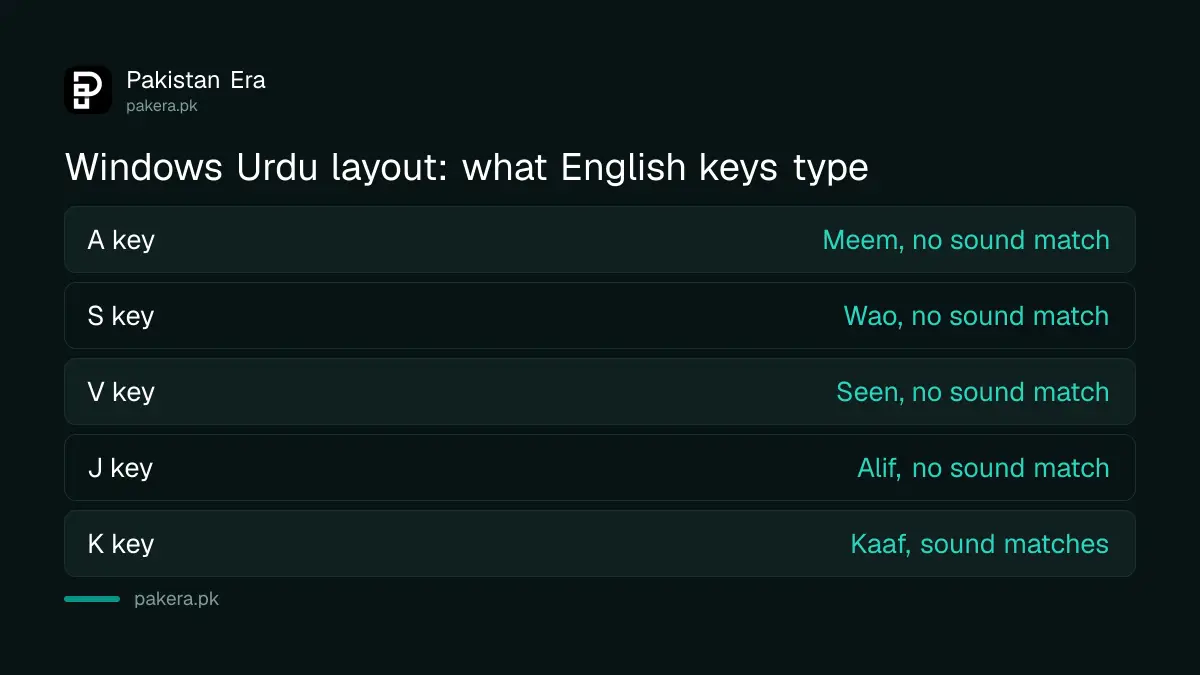
Other keys follow the same pattern. T types ٹ and Y types پ, but D types ر and F types ن. If you learned to type on InPage, this layout will feel foreign.
Phonetic versus standard Urdu keyboards
A phonetic keyboard puts each Urdu letter on the English key with the same sound, so S gives س. A standard keyboard, like Microsoft's, places letters by its own plan. Phonetic is easier for most Pakistanis who already type English.
For a phonetic layout on Windows, the Center for Language Engineering (CLE) at UET Lahore offers the free CLE Urdu Phonetic Keyboard Layout v1.2. CLE says the layout was "extended from InPage", so InPage typists will find letters where they expect them. It says version 1.2 works with Windows 10 and adds the dot and at sign for Urdu email addresses.
Installing it is simple. Unzip the download, run setup.exe, then add "CRULP Urdu Phonetic v1.2" as a keyboard under Urdu in Windows language settings. After that, the Windows key and Space switches to it like any other layout.
Which should you pick? If you type Urdu every day for work, spend a week learning a phonetic layout and stick with it. If you only type the odd message, use transliteration on your phone and skip the learning.
Roman Urdu transliteration on phones
Transliteration lets you type Urdu words in English letters, such as "shukriya", and pick the Urdu script word from suggestions. iPhone offers it as Urdu (Transliteration). Gboard lists it under Urdu (India), which still writes standard Urdu script.
Roman Urdu has no fixed spelling. "Khuda hafiz" and "khudahafiz" may give different suggestions, so check the Urdu word before you send it. Names are the weak spot, so type them carefully. Bloggers who draft this way and then use AI for Urdu content creation should still read the final Urdu text themselves.
The text you get is real Unicode, the world standard that gives every letter one number. So it can be searched, copied into Word and read by AI tools. If you want help polishing Urdu text afterwards, the best AI for Urdu works on the same Unicode text these keyboards produce.
Common questions
Which is the best Urdu keyboard for Android in Pakistan?
Gboard, Google's free keyboard, lists Urdu (Pakistan) and is already installed on many phones. It needs no extra app.
How do I add the Urdu keyboard on iPhone?
Go to Settings, General, Keyboard, Keyboards, Add New Keyboard, then choose Urdu and a layout.
Does iPhone support Urdu voice typing?
No. On 29 September 2026, Apple's feature page did not list Urdu for dictation, predictive typing or swipe typing.
Is the Windows Urdu keyboard phonetic?
No. We checked: A types م and S types و. For a phonetic layout, install the free CLE Urdu Phonetic layout.
How do I switch between English and Urdu on Windows?
Hold the Windows logo key and press Space. Each press cycles through your installed keyboard layouts.
Can I type Roman Urdu and get Urdu script?
Yes. Use Urdu (Transliteration) on iPhone, or the Urdu (India) transliteration option in Gboard on Android.
Have old Urdu documents made in InPage? See how to convert InPage text to Unicode so it works on phones and the web.
How we verified this
What we checked, where we read it, and what we could not confirm.
Last checked on 29 September 2026. The Gboard steps and language list are read in Google's "Set up Gboard" help page. The iPhone steps are read in Apple's iPhone User Guide, and the Urdu layouts and missing features on Apple's iOS feature availability page. The Urdu layout code, its default mapping and the switching shortcut are read on Microsoft's Windows keyboard layouts list and Microsoft's language settings support page. We read the Windows Urdu key mapping ourselves on a Windows 11 PC. The CLE phonetic layout details are from the CLE website at UET Lahore.
About the author

Public Services and Education Journalist
Fajr Riaz is a journalist and content writer at Pakistan Era, based in Lahore. She covers the questions people meet in everyday life in Pakistan: how a public service works, what a change in the rules means, and where to find a reliable answer.