Zong 4G Bolt+ Device: Register on My Zong, 192.168.8.1 PIN and Repair Centres
Zong 4G Bolt+ costs Rs 7,000. Register it on My Zong with the 192.168.8.1 PIN, collect online orders in 10 days, and repair it in 3 working days in 10 cities.
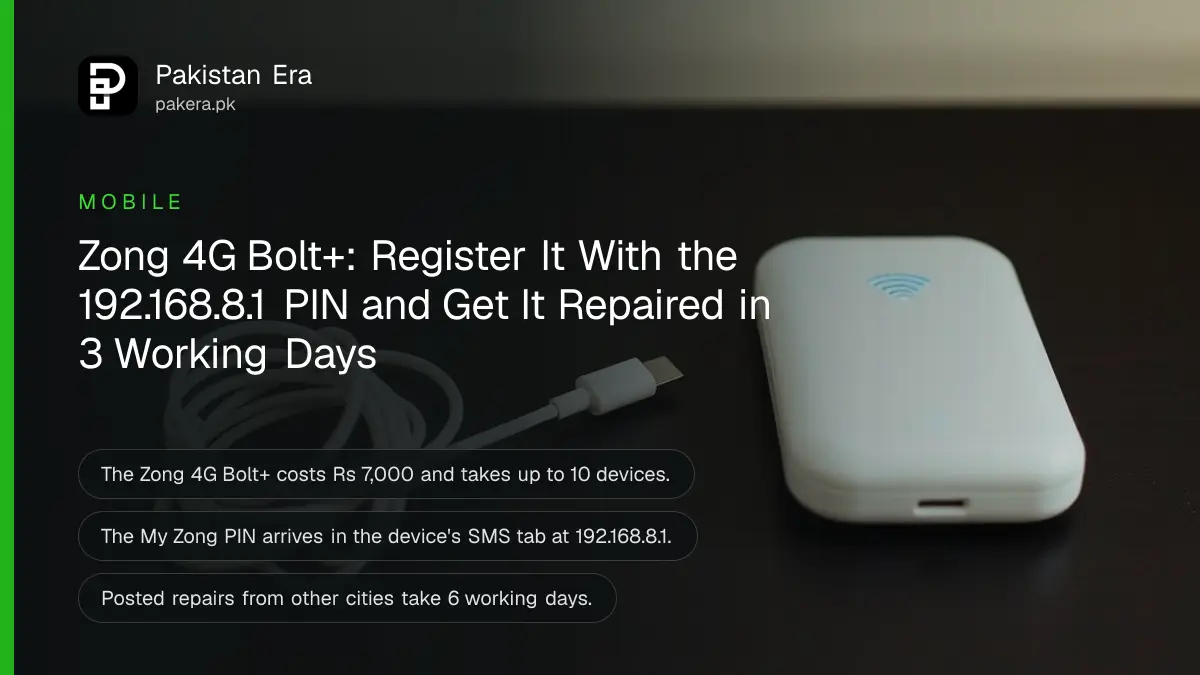
The Zong 4G Bolt+ is Zong's portable Wi-Fi device, priced at Rs 7,000. To manage it, register its MBB number in the My Zong app and read the PIN in the SMS tab at 192.168.8.1. A faulty device goes to one of Zong's 10 city repair centres, which take 3 working days. From other cities you can post it to Islamabad for repair in 6 working days.
MBB means mobile broadband: the device has its own Zong number, separate from your phone. The table below has the device facts and the repair route Zong lists.
| Zong 4G Bolt+ | What Zong lists |
|---|---|
| Price | Rs 7,000 |
| Speed | Up to 150 Mbps on 4G, with 3G fallback |
| Devices at once | Up to 10 on Wi-Fi |
| Wi-Fi band | 2.4 GHz only |
| Battery | 3000 mAh, up to 12 hours use, 300 hours standby |
| Device web page | 192.168.8.1 |
| Repair, 10 cities | 3 working days, walk-in |
| Repair, other cities | 6 working days, by post to Islamabad |
Buy the Bolt+ online and collect it within 10 working days
Zong's device page has an order form with home delivery or self pick-up from a Zong customer service centre. For pick-up, Zong sends an 8-digit code by SMS. Show it at the centre within 10 working days, because the code expires after that.
- Open the Zong 4G Bolt+ page on zong.com.pk and press Buy Now.
- Enter your name, email and contact number. CNIC is optional on the form.
- Choose home delivery or self pick-up, then your city and service centre.
- Select the device and the bundle you want with it.
- Keep the SMS with the 8-digit order code and collect the device within 10 working days.
Pick-up cities on the form include Islamabad, Rawalpindi, Lahore, Karachi, Peshawar, Quetta, Faisalabad, Multan, Hyderabad, Sukkur, Sialkot, Gujranwala and others.
Register the device on My Zong with the 192.168.8.1 PIN
The My Zong app sends a verification PIN to the device itself, not to your phone. Connect your phone to the Bolt+ Wi-Fi, open 192.168.8.1 in the browser, and read the PIN in the SMS tab. Enter it in the app.
- Install My Zong and choose to add an MBB number. Type the device's MBB number and press the arrow.
- Connect your phone or laptop to the Bolt+ Wi-Fi.
- Open a browser and type 192.168.8.1.
- Open the SMS tab and copy the PIN.
- Enter the PIN in My Zong and set up your profile.
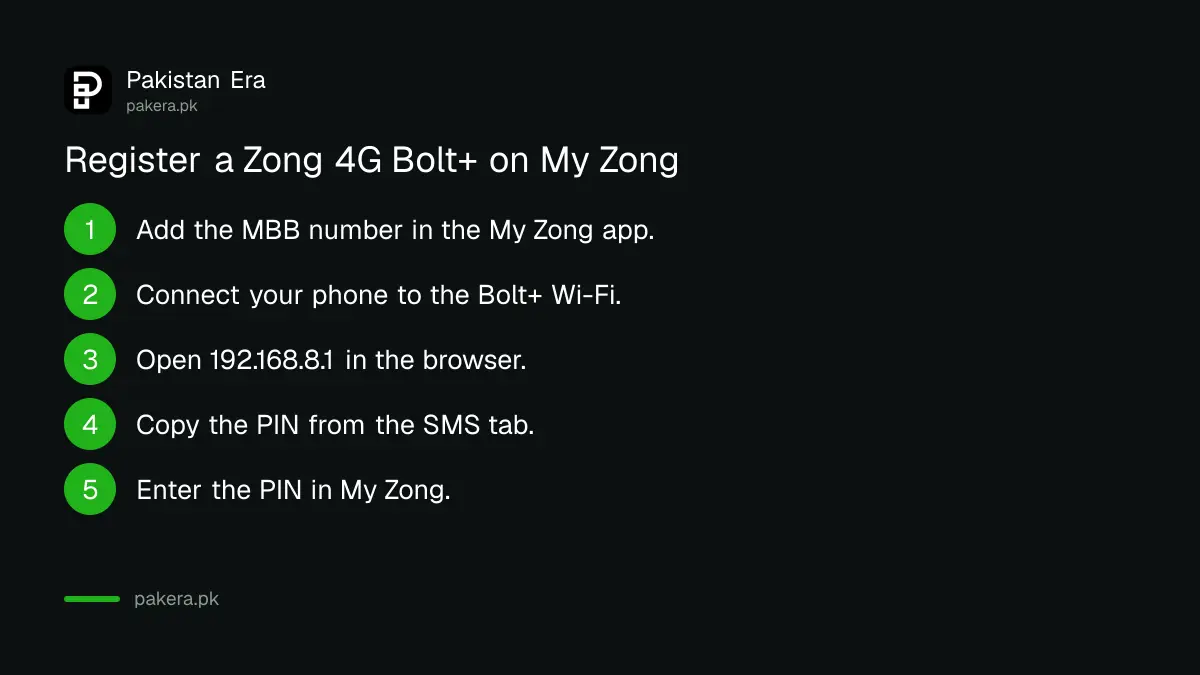
Once registered, recharge from the Home screen and buy bundles from More, then MBB. Zong's website also activates MBB bundles with a 7-digit PIN, which you read from the same SMS tab, and the same PIN works for later purchases. Easypaisa, OneLoad and Fonepay can load bundles too. Prices and codes are in Zong MBB device packages, and app setup is in registering the My Zong app.
Zong 4G device repair centres in 10 cities
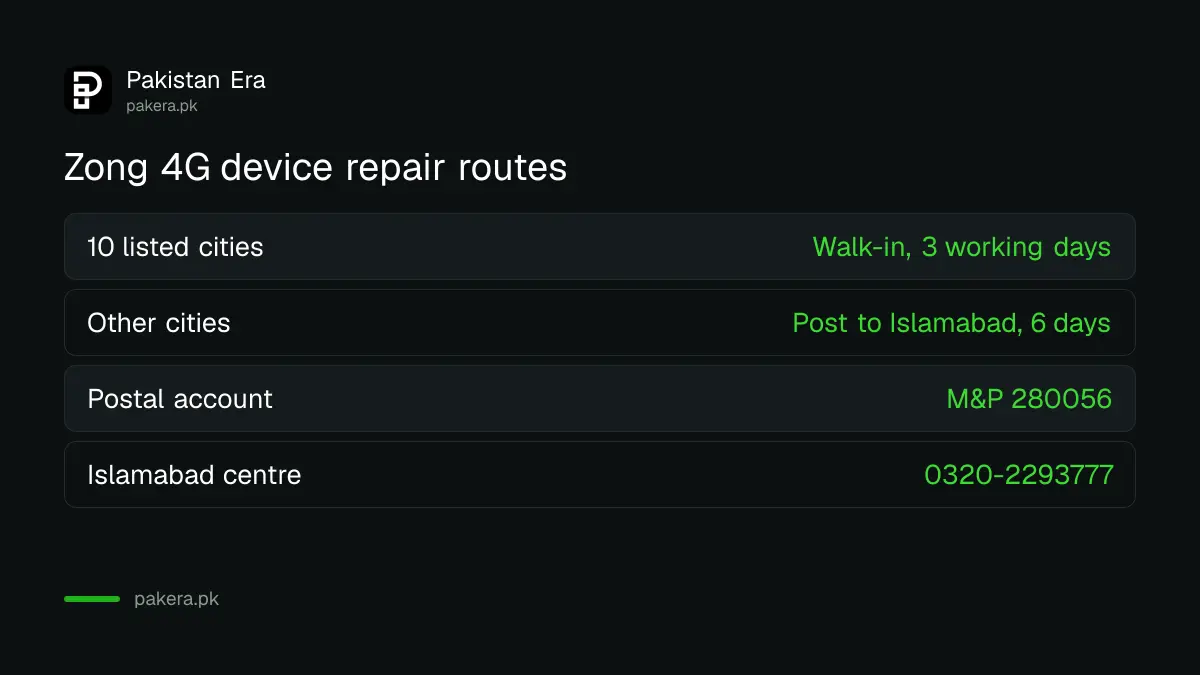
Zong lists walk-in repair centres for its devices in Islamabad, Peshawar, Lahore, Gujranwala, Faisalabad, Multan, Karachi, Hyderabad, Sukkur and Quetta. Walk-in repairs take 3 working days. Call before you go, and take the device, its charger and your purchase proof.
| City | Repair centre Zong lists | Phone |
|---|---|---|
| Islamabad | The Onyx Plaza, basement, FECHS Northern Strip, E-11/2 | 0320-2293777 |
| Peshawar | Shah Jee Electronics, Karim Pura Bazar, Ghanta Ghar | 091-2551271, 0334-9190282 |
| Lahore | New Cell Point, G-135, Hafeez Centre, Gulberg III | 0300-8438414 |
| Gujranwala | Sabeer Mobile, first floor, shop 8, Trade Centre | 055-4448026, 0345-6484121 |
| Faisalabad | Abid Mobile, Bhowana Bazar | 0300-6605930 |
| Multan | Shop 8, LGF Trust Plaza, opposite PTCL Exchange | 0302-7357200 |
| Karachi | Shop 51/54, Gemini Shopping Plaza, Saddar | 0332-3535186 |
| Hyderabad | Prime Security Solution, Chamber of Commerce building, opposite Press Club, Saddar | 0333-2627777, 0321-3457777 |
| Sukkur | Multi Communication, shop 7, Shalimar Complex, Minara Road | 071-5000222, 0300-3158580 |
| Quetta | MIM Communication, Shah Jan Centre, Najeed Street, Liaquat Bazar | 081-2838080, 0333-7878080 |
Post a faulty device to Islamabad from other cities
Outside the 10 cities, Zong says you can send a faulty device to the GadgeIT Service Center in Islamabad through Pakistan Post's Money and Parcel service, using account 280056. That route takes 6 working days.
- Call 0320-2293777 first and describe the fault.
- Pack the device, charger and a note with your name, mobile number, return address and the fault.
- Post it by M&P to GadgeIT Service Center, 624, Street 38, E-11/3, Islamabad, quoting account 280056.
- Keep the post office receipt and its tracking number.
Zong's page gives this E-11/3 street address for posted devices and the Onyx Plaza in E-11/2 for walk-ins, both with the same phone number. Confirm the address on the call before you post.
Check these before you send the Bolt+ for repair
Many "dead device" problems are a used-up bundle, a flat battery or weak 4G signal. Check your bundle in My Zong, charge the device fully, and move it near a window. Zong says speed depends on the SIM, the device, the time of day, the number of users and distance from the tower.
- Connected but no internet: check the bundle in My Zong or on the 192.168.8.1 page. After the data runs out, Zong charges out-of-bundle data.
- Phone cannot see the Wi-Fi: the Bolt+ uses 2.4 GHz only, so a device set to 5 GHz only will not find it.
- Battery drains fast: Zong rates the battery at up to 12 hours of use. Older batteries give less.
- Slow at night: more users share the tower. Try again in the morning before blaming the device.
- Too many users: the Bolt+ takes up to 10 devices at once.
For signal problems rather than a faulty device, register a network complaint as shown in registering a Zong complaint on 310. For a fixed home router instead of a portable one, compare Zong Z HomeFi 5G.
Common questions
What is the price of the Zong 4G Bolt+ device?
Zong lists the 4G Bolt+ at Rs 7,000. MBB data bundles are bought separately.
What is the Zong 4G device login address?
Open 192.168.8.1 in a browser while connected to the device's Wi-Fi. Zong uses its SMS tab to show the PIN for My Zong and website bundle activation.
Where can I repair my Zong 4G device?
At Zong's walk-in repair centres in Islamabad, Peshawar, Lahore, Gujranwala, Faisalabad, Multan, Karachi, Hyderabad, Sukkur and Quetta, in 3 working days.
Can I send my Zong device for repair by post?
Yes. Zong says customers in other cities can post it by Pakistan Post M&P, account 280056, to the GadgeIT Service Center in Islamabad. It takes 6 working days.
How many devices can connect to the Zong Bolt+?
Up to 10 Wi-Fi devices at once, such as phones, laptops, tablets and smart TVs, on the 2.4 GHz band.
How long does the Zong order code stay valid?
Zong's 8-digit pick-up code expires after 10 working days, so collect the device from the service centre before then.
How we verified this
What we checked and where we read it.
Last checked 24 November 2026. Price, features, the order form, the pick-up code rule, the 10 repair centres and the postal repair route come from Zong's Zong 4G Bolt+ page. The My Zong registration steps and the 192.168.8.1 PIN come from Zong's recharge and activate MBB bundle page. The speed factors and out-of-bundle note come from Zong's FAQs. The Islamabad walk-in and postal addresses differ on Zong's page, as noted above.
Free on WhatsApp
Get last dates and rule changes on WhatsApp
We post new last dates, fee changes and fixes for common problems, a few short posts a day.
Follow Pakera on WhatsAppOther followers cannot see your number.
Pakera Solves It
Which online process wasted your time this week?
A portal that will not load, a form nobody explains, a complaint that went nowhere. Tell us. Every week we pick one, solve it step by step and publish the answer.
About the author

Technology Journalist & Multimedia Producer
Ahmad Ali is a technology journalist and multimedia producer at Pakistan Era, joining the team in October 2026. He covers consumer technology and digital life for Pakistani readers, combining research with hands-on product testing.