Android Phone Asks for Previous Google Account After Reset: Fix FRP Lock in Pakistan
Android asking for the previous Google Account after a factory reset? Sign in with the old Gmail, wait 24 to 72 hours after a password reset, or visit a centre.
If your Android phone says "This device was reset" and asks for a Google Account after a factory reset, sign in with any Google Account that was on the phone before the reset. That is Google's Factory Reset Protection (FRP). Changed the password recently? Samsung says the new one can take 24 to 72 hours to reach the phone.
Forgot which account it was, or the password? Recover the account first, then come back to the phone. If that fails too, the only official route is the brand's authorised service centre with your proof of purchase.
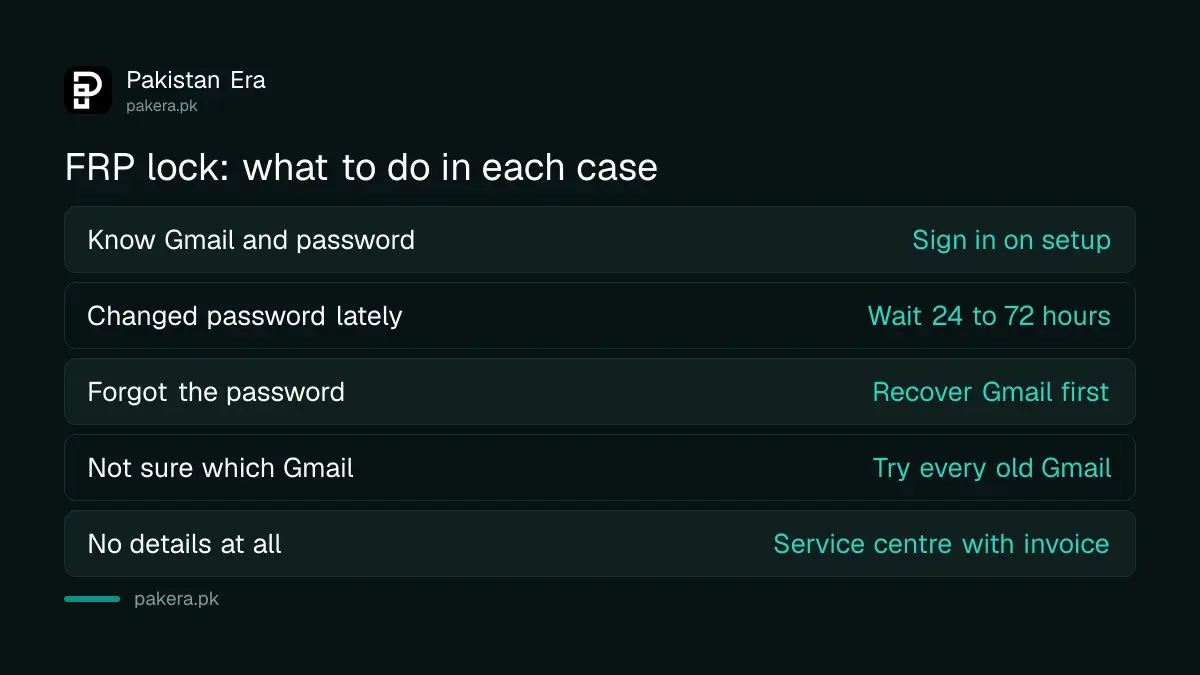
| Your situation | What to do | Wait |
|---|---|---|
| You know the Gmail and password | Connect to Wi-Fi and sign in on the setup screen | None |
| You reset the password a short time ago | Wait, then sign in with the new password | 24 to 72 hours, Samsung says |
| You forgot the password | Recover the Google Account on another device first | Depends on Google's recovery |
| You do not know which account it was | Try every Gmail you have used on that phone | None |
| No account details at all | Brand's authorised service centre with invoice and CNIC | Set by the centre |
FRP asks for the account that was already on the phone
Factory Reset Protection turns on by itself once a Google Account is added to an Android phone. After a reset, setup asks for an account that was previously added and synced. You cannot skip it as a guest, and a new Gmail will not work.
Google's help page puts it plainly: if you cannot give this information during setup, you will not be able to use the device at all after the reset. That is the point of the lock. A thief who resets a stolen phone gets a brick, not a phone.
Samsung explains when the lock triggers. A reset from Settings, through General Management, Reset and Factory Data Reset, is treated as a trusted reset. A reset by any other route, such as the recovery menu or buttons, turns FRP on. Removing the Google Account before the reset turns protection off.
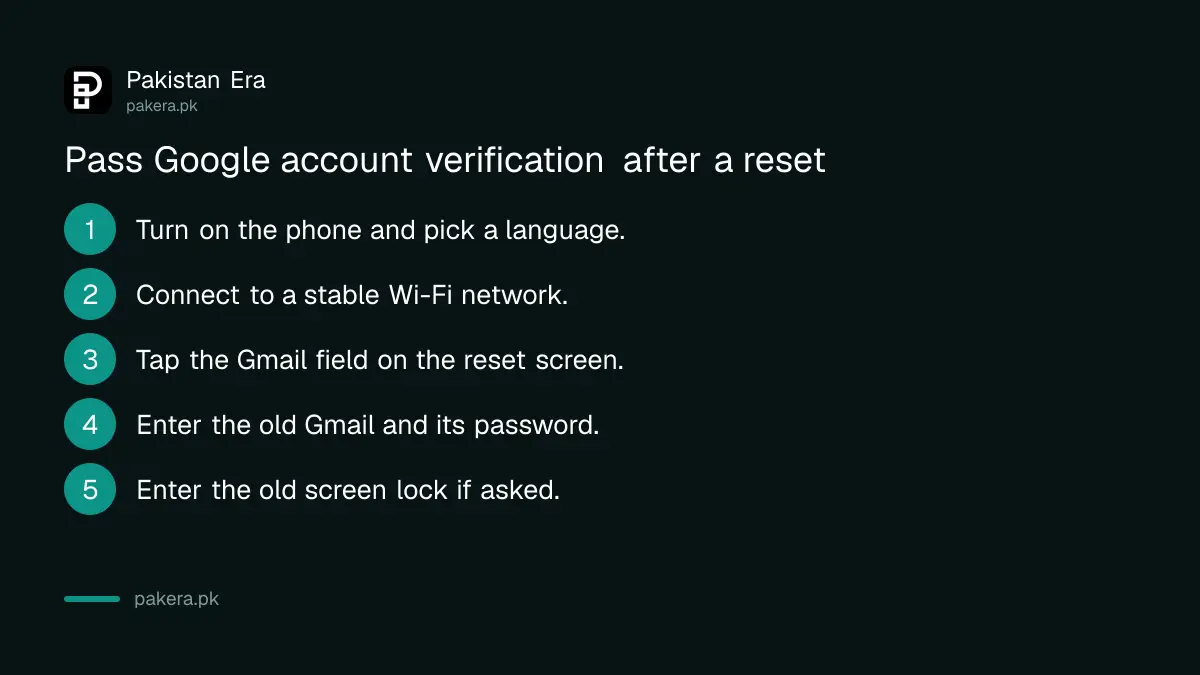
Sign in on the setup screen in five steps
Most locked phones open in under five minutes once you have the right Gmail and password. Use a stable Wi-Fi connection, because the phone checks the account with Google online.
- Turn on the phone and pick your language.
- Connect to Wi-Fi. FRP cannot check the account offline.
- When the screen says the device was reset, tap the Gmail field.
- Type the full Gmail address that was on the phone, then its password.
- If the phone had a screen lock, it may ask for the old PIN, pattern or password instead. Enter it.
Google says a reset from the recovery menu asks for your PIN, password or pattern, and you can also use the Google Account that was on the device. A remote reset through Find Hub needs the Google username and password tied to the phone.
Recover the Google Account first if you forgot the password
FRP accepts only the real password, so recover it on another phone or a computer. Samsung warns that a password reset can take 24 to 72 hours to sync to your phone, and a wrong password entered on the locked phone can restart that wait.
Do it in this order:
- On another device, go to Google's sign-in page and choose Forgot password.
- Follow Google's checks, usually a code to your recovery number or email.
- Set a new password. Sign in once on that device to confirm it works.
- Wait at least 24 hours before trying it on the locked phone. Samsung says it can take up to 72.
- Type the new password carefully, once.
If Google will not let you back in, the steps for Gmail account recovery cover the recovery form and what to write in it. And if you cannot even remember which Gmail you used, try every address you have ever signed into the Play Store with on that phone.
The service centre route needs proof you own the phone
With no account details at all, Samsung's advice is to visit an authorised service centre and bring your proof of purchase. Other brands' official centres work the same way. Take the box, the invoice showing the IMEI, and your original CNIC.
The IMEI is printed on the box label, so check it matches the invoice before you go. For Samsung, the list of Samsung service centres in Pakistan has addresses and the helpline. Infinix, Tecno and itel phones go to Carlcare service centres. Brand centres decide each case and may charge for the work if the phone is out of warranty.
No invoice? Ask the shop that sold you the phone for a copy. Without one, an official centre is unlikely to help, because it cannot tell an owner from a thief.
Unlock tools and FRP bypass offers are a risk
Paid FRP bypass offers are not an official route, and no brand lists them as one. Tools of this kind ask you to load unknown software on your phone. A phone that needs a bypass because nobody knows its account may also be stolen, and the real owner can still have its IMEI blocked.
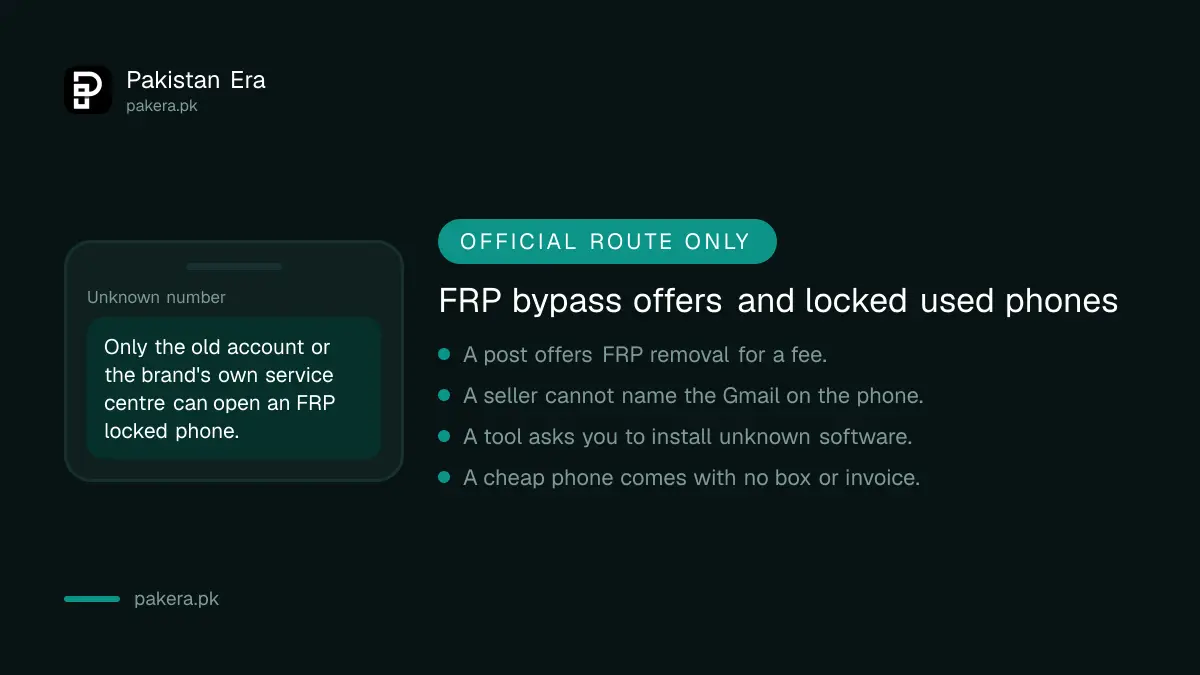
Before you sell or hand over a phone, remove your Google Account in Settings, then reset it from Settings. The steps to erase a phone before selling walk through it. If you are buying a used Android phone, reset it in front of the seller and finish setup before you pay.
Common questions
Can I skip Google account verification after a reset?
No. FRP needs an account that was on the phone before the reset, or the old screen lock where the phone asks for it. A guest sign-in or a new Gmail does not work.
How long after changing my Google password can I unlock the phone?
Samsung says a password reset can take 24 to 72 hours to sync to the phone. A wrong password typed on the locked phone can restart that wait.
Will a new Gmail account work on a locked phone?
No. Google says you must sign in with a Google Account that was previously added and synced to the device.
Can a service centre remove FRP without an invoice?
Samsung tells customers to bring proof of purchase. Without an invoice that matches the phone's IMEI, an official centre has no way to show you are the owner.
How do I stop FRP before selling my phone?
Remove your Google Account from the phone first, then reset it from Settings. Samsung says removing the account before the reset disables the lock.
Does FRP affect phones without a Google Account?
No. FRP turns on only after a Google Account is added to the phone. A phone that never had one sets up normally after a reset.
How we verified this
What we checked and where we read it.
Last checked 24 November 2026. We read Google's Android Help page Reset your Android device to factory settings, which explains device protection and the account it asks for, and Samsung's support page What is Google FRP?, which gives the trusted reset path, the 24 to 72 hour password sync and the service centre route. Samsung's Pakistan site has no separate FRP page, so the New Zealand page is the reference. Its rules apply to Galaxy phones generally.
Free on WhatsApp
Get last dates and rule changes on WhatsApp
We post new last dates, fee changes and fixes for common problems, a few short posts a day.
Follow Pakera on WhatsAppOther followers cannot see your number.
Pakera Solves It
Which online process wasted your time this week?
A portal that will not load, a form nobody explains, a complaint that went nowhere. Tell us. Every week we pick one, solve it step by step and publish the answer.
About the author

Technology Journalist & Multimedia Producer
Ahmad Ali is a technology journalist and multimedia producer at Pakistan Era, joining the team in October 2026. He covers consumer technology and digital life for Pakistani readers, combining research with hands-on product testing.