How to Add a Legacy Contact to Your Apple Account on iPhone in Pakistan
Add an Apple Legacy Contact on your iPhone in about two minutes. See the steps, what your family gets, what they must bring and how to keep the access key.
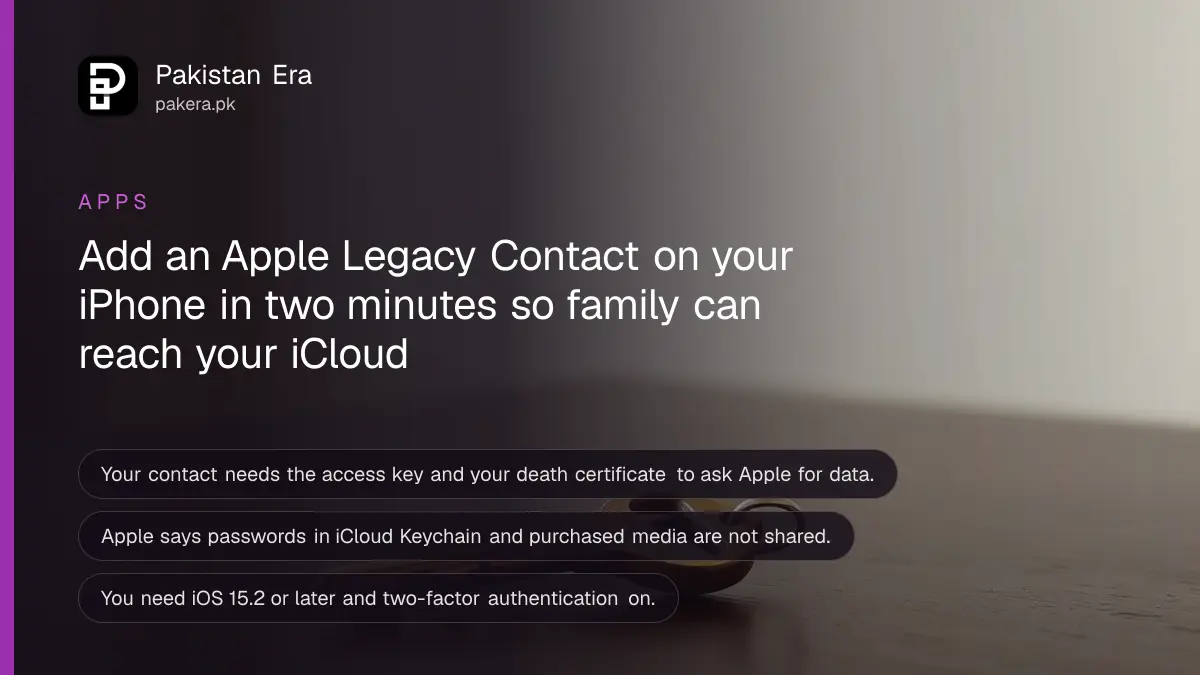
Short answer: On your iPhone, open Settings, tap your name, then Sign-In & Security, then Legacy Contact, and tap Add Legacy Contact. Pick someone you trust and share the access key Apple generates. After your death, that person needs the key and your death certificate to ask Apple for your data. It takes about two minutes and costs nothing.
Most people in Pakistan keep years of family photos, voice notes and documents in iCloud. If the account holder dies, the family often cannot open any of it, because the phone passcode and the Apple Account password died with them. A Legacy Contact is Apple's built-in fix for that.
We read Apple's own support page on adding a Legacy Contact on 12 October 2026. The steps and limits below come from that page.
A Legacy Contact gets your data after your death, not before
A Legacy Contact is a person you name in your Apple Account settings. After you die, they can ask Apple for access to the data stored in your account. They get nothing while you are alive, and they cannot sign in as you.
Apple says the data can include photos, messages, notes, files and device backups. It also says some things are not available to them: movies, music, books and subscriptions you bought, and data in iCloud Keychain, which holds saved passwords, payment information and passkeys.
That last point matters. A Legacy Contact does not give your family your bank passwords. If you want them to have those, you need a separate plan, such as a written list kept safely or a password manager that supports emergency access.
You need iOS 15.2 or later and two-factor authentication
Before you start, make sure your device and account meet Apple's requirements. Most iPhones in use in Pakistan already do, since iOS 15.2 came out years ago.
| Requirement | What Apple says |
|---|---|
| Your device | iPhone, iPad or Mac on iOS 15.2, iPadOS 15.2 or macOS Monterey 12.1 or later |
| Your account | Signed in to your Apple Account on that device, with two-factor authentication on |
| Your contact's age | Over 13, though the age varies by country or region |
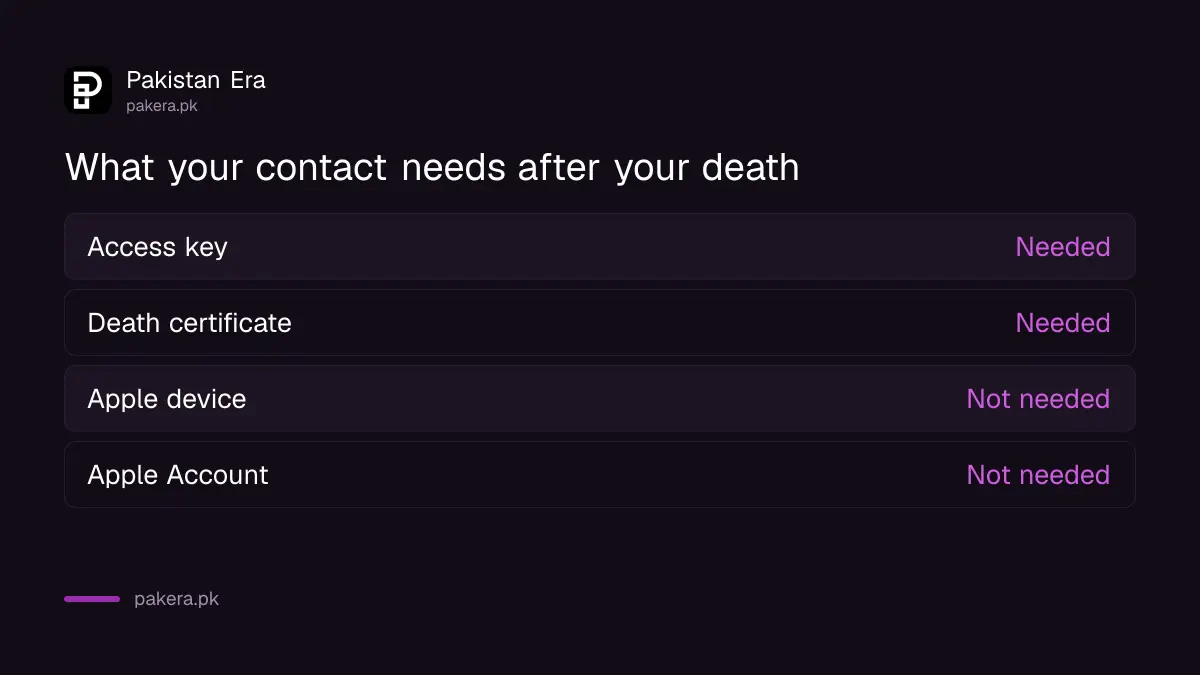
| Your contact's devices | They do not need an Apple Account or an Apple device |
| Number of contacts | One or more, and any one of them can decide what happens to your data |
If two-factor authentication is not on yet, the same Apple Account screen will prompt you to turn it on. Do that first. It also protects you from account theft, which is a real risk for iPhone owners here. The step for stolen phones is covered in how to turn on Stolen Device Protection on your iPhone.
How to add a Legacy Contact on your iPhone
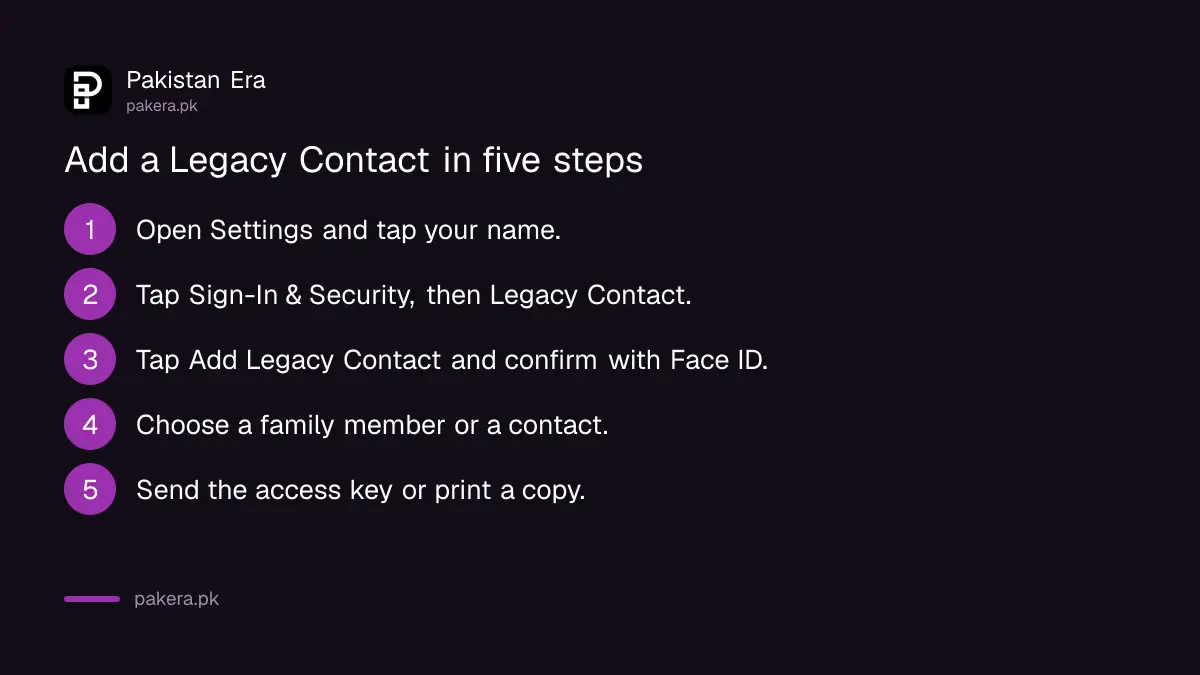
Go to Settings, tap your name, open Sign-In & Security and tap Legacy Contact. Tap Add Legacy Contact, confirm with Face ID, Touch ID or your passcode, choose the person and share the access key.
- Open Settings and tap your name at the top.
- Tap Sign-In & Security, then tap Legacy Contact.
- Tap Add Legacy Contact and authenticate with Face ID, Touch ID or your passcode.
- Choose a person from your Family Sharing group, or tap Choose Someone Else and pick one of your contacts by phone number or email.
- Choose how to share the access key: send it by iMessage, or print a copy.
You will get an email confirming that the contact was added. Keep it. On a Mac, the path is System Settings, your name, Sign-In & Security, then Legacy Contact.
Share the access key in a way your family can find later
The access key is the part that matters. Without it, your contact cannot start a request. Apple gives you two ways to share it, and you can use both.
If you send an iMessage and the person accepts, their device stores a copy of the key in their own Apple Account settings. If either of you has iMessage turned off, that option does not appear. Many people in Pakistan use WhatsApp instead of iMessage, so expect to use the second option.
The second option is Print a Copy. You can print the page, send a PDF or a screenshot, or save it with your will and other estate papers. A screenshot sitting only in your own phone gallery is not enough, because your family may not be able to open the phone.
A good habit is to hand a printed copy to your spouse or an adult child and keep one with your other important papers. If you are also sorting out what a family must do after a death, the steps for the national ID are in cancelling a CNIC after a death.
What your contact must bring to Apple after you die
To file a request, your Legacy Contact needs two things: the access key and your death certificate. Apple then reviews the request. It also says documentation requirements can vary by country or region.
Apple's page uses Japan as its example, where a family certificate replaces the death certificate. We found no Pakistan-specific rule on that page. A Pakistani family should ask Apple Support which document it accepts here, and should keep the NADRA death registration papers ready.
One more detail. Apple says any single Legacy Contact can make decisions about your account data after your death, including permanently deleting it. Choose people who will agree with each other, or name only one.
Legacy Contact and recovery contact do different jobs
People mix these two up. A recovery contact helps you get back into your own account while you are alive. A Legacy Contact helps your family after you are gone. You can, and probably should, set up both.
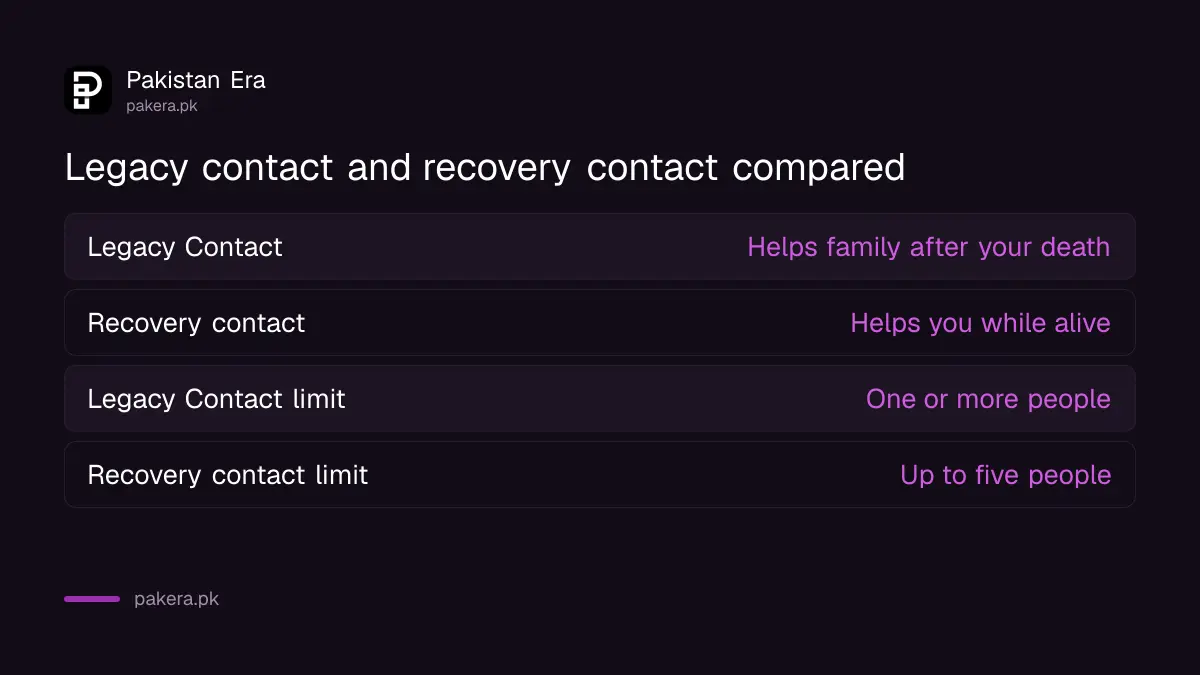
The recovery contact setup is in how to add a recovery contact to your Apple Account. If you also use a Google Account, it has its own plan for the same problem, set out in how to set up Google's Inactive Account Manager.
Common questions
Does my Legacy Contact need an iPhone?
No. Apple says they do not need an Apple Account or an Apple device. They only need the access key and the death certificate.
Can my Legacy Contact read my messages while I am alive?
No. They get no access until they file a request after your death and Apple approves it.
Will my Legacy Contact get my iCloud passwords?
No. Apple says data in iCloud Keychain, such as passwords and passkeys, is not accessible. Purchased movies, music, books and subscriptions are also excluded.
Can I add more than one Legacy Contact?
Yes. Apple says you can add one or more. Any one of them can make decisions about your data, including deleting it.
How do I remove a Legacy Contact?
Apple has a separate support article on removing a Legacy Contact, and we did not read its steps. Start from the same Legacy Contact screen in your Apple Account settings, and check Apple's removal article for the exact steps.
What if I lose the access key?
Apple's page says you choose how to share the key when you add the contact, by iMessage or by printing a copy. We did not confirm how to get a lost key again, so keep your printed copy somewhere safe and check Apple's page if you need a new one.
How we verified this
What we checked, where we read it, and what we could not confirm.
We read Apple's support page How to add a Legacy Contact for your Apple Account on 12 October 2026. We could not confirm from Apple which death documents it accepts in Pakistan, so ask Apple Support before your family needs it. Menu names can change with new iOS versions, so check Apple's page again if your screen looks different.
About the author

Technology Journalist & Multimedia Producer
Ahmad Ali is a technology journalist and multimedia producer at Pakistan Era, joining the team in October 2026. He covers consumer technology and digital life for Pakistani readers, combining research with hands-on product testing.