How to Set Up Google Inactive Account Manager in Pakistan
Set up Google's Inactive Account Manager in minutes. Name up to 10 trusted contacts, choose what each one gets and learn Google's two year deletion rule.
Short answer: Open myaccount.google.com/inactive, choose how long your account must sit unused, and name up to 10 trusted contacts. Pick which data each person may receive, such as Gmail, Drive or YouTube. If you stop using the account for that period, Google emails them a download link.
Gmail is often the key to everything: the bank alerts, the mobile wallet, the social accounts. When the owner dies or becomes ill, the family cannot reset a single password, because every reset code lands in that one mailbox. Google's Inactive Account Manager is the plan you set up while you still can.
We read Google's own help page on the tool on 12 October 2026. Everything below follows that page.
Inactive Account Manager decides what happens when you stop using your account
It is a setting inside your Google Account. You choose a waiting period. If Google sees no activity for that long, it follows your plan: it notifies the people you named and, if you chose to share data, sends them a download link.
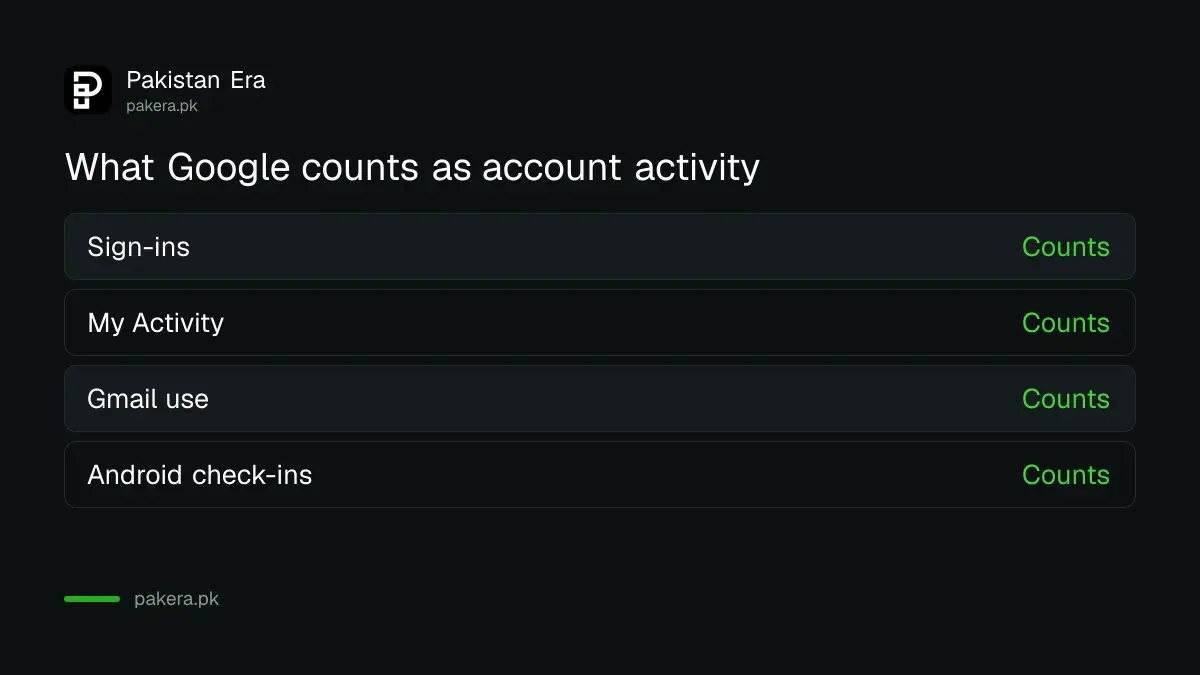
Google says it judges activity from your last sign-ins, recent activity in My Activity, your use of Gmail and Android check-ins. A phone that still checks in counts as activity, which is why the tool does not trigger by accident when you are simply busy.
How to set up Inactive Account Manager
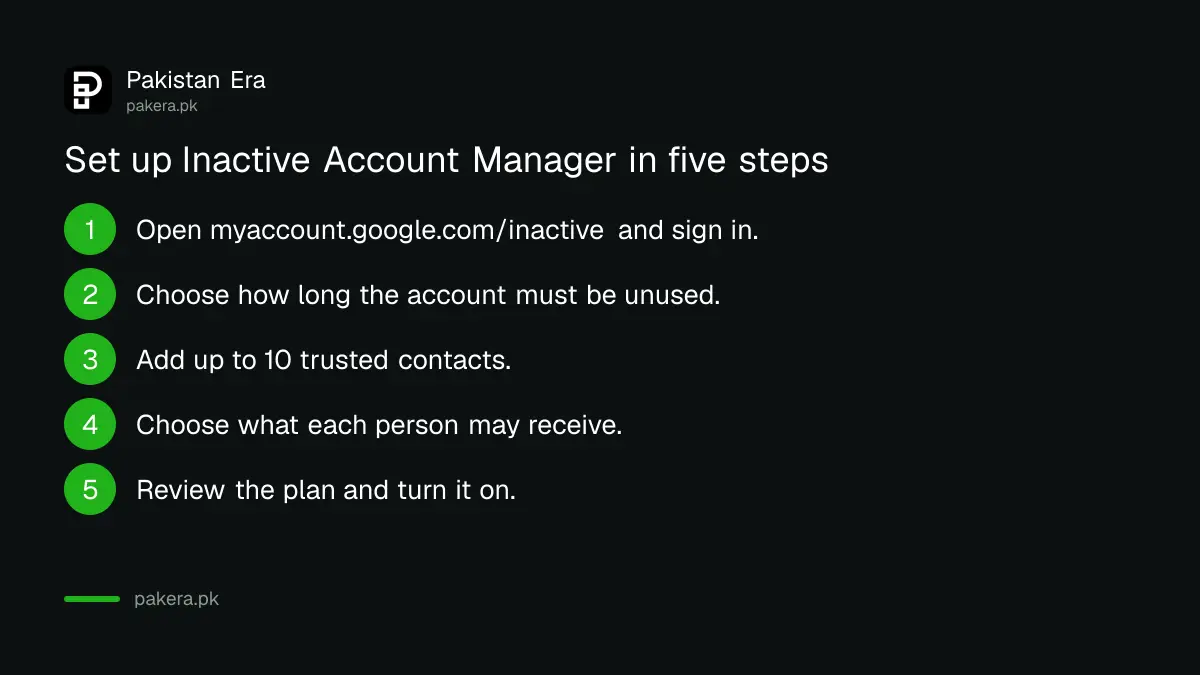
Go to myaccount.google.com/inactive and sign in. Set the waiting period, add your trusted contacts, choose what each can receive and turn the plan on. Google's page confirms the 10 contact limit and the data options. The exact screens may look different from our list.
- Open myaccount.google.com/inactive and sign in.
- Start the setup and choose your waiting period.
- Add the trusted contacts who should be told. You can add up to 10.
- Choose whether to share data, and which data each person may receive.
- Review the plan and turn it on.
Google's page does not list the exact waiting periods, so we cannot quote them. They appear on the tool itself when you set it up. Choose a period that fits your life. If you travel for months or work abroad, take the longer option.
What your trusted contacts can receive
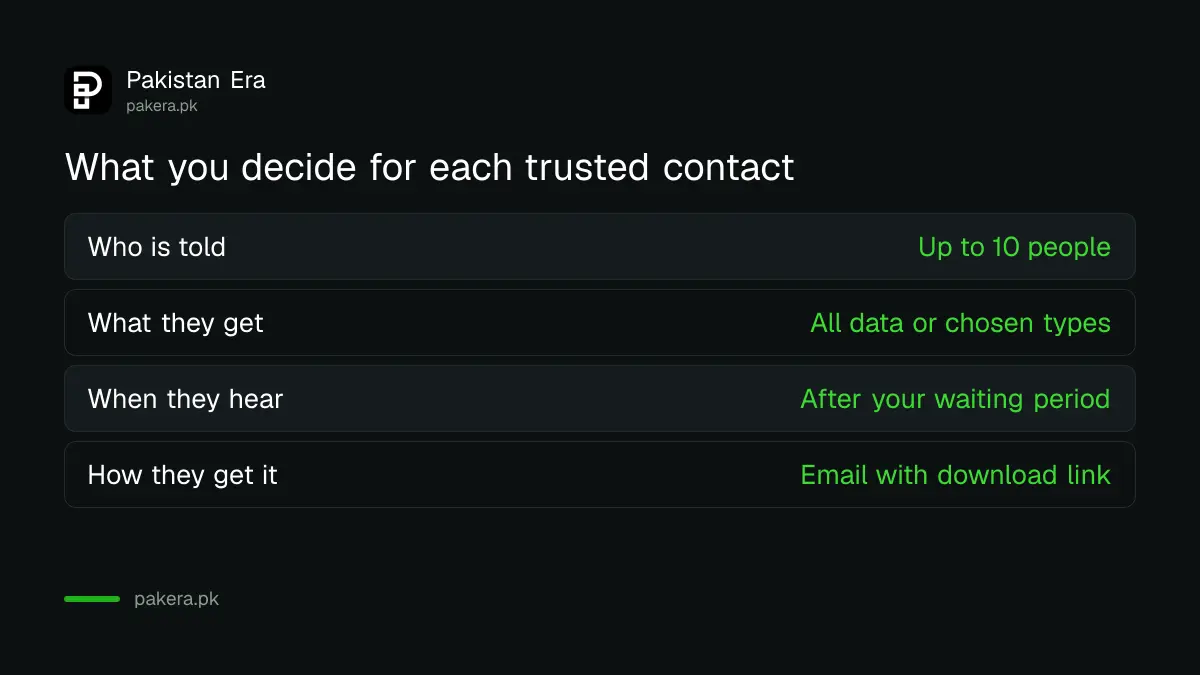
You can share all of your data or only some of it, and you can give different data to different people. Google's example products are Blogger, Drive, Mail and YouTube. Your contact gets an email only after the inactivity period passes.
| Choice | What Google's page says |
|---|---|
| Number of contacts | Up to 10 people |
| What they receive | All of your data or only specific data types, set per person |
| When they hear | By email, only after the inactivity period has passed |
| What the email holds | A download link, if you chose to share data |
| Where you set it | myaccount.google.com/inactive |
Think about each person. Your spouse may need your Drive files. A business partner may need only a shared YouTube channel. A cousin may need nothing and simply needs to be told. Give the least each person needs.
Know the two year deletion rule
Google reserves the right to delete an account, with its activity and data, if it has been inactive across Google for at least two years. That rule applies whether or not you set up this tool. The tool is how you decide, in advance, who gets your data first.
If your family never gets the data, it may be gone. Make a full copy yourself too. The step-by-step is in how to download all your Google data with Takeout. Setting both up takes less than half an hour.
Pair it with account recovery and a second plan
This tool is for the long term. For a day-to-day lockout, you need recovery options on the account, covered in how to recover a Gmail or Google Account. Add a passkey so that sign-ins are harder to steal.
If you also own an iPhone, set the Apple equivalent. Apple's version is in how to add a Legacy Contact to your Apple Account. Tell your trusted contacts they have been named, so a surprise email does not look like a scam to them.
Review the plan once a year
People change phones, numbers and relationships. A contact you named five years ago may no longer be the right person. Open the same page once a year and check three things: the waiting period, the list of names, and the data each person can receive.
Check that each contact still uses the email address you entered. If a contact has switched addresses, the notice will go nowhere. A calendar reminder every January costs nothing and saves your family a long, painful search later.
Also tell at least one person in plain words that the plan exists. Google emails them after the waiting period, but a family that already knows what the email is will act on it far faster than one that mistakes it for spam.
Common questions
How many people can I name?
Up to 10 people, according to Google's help page.
Can I give different people different data?
Yes. Google says you can share all or only specific data types, and give different data to different people.
What counts as activity?
Google lists last sign-ins, recent activity in My Activity, use of Gmail and Android check-ins.
Will my contacts hear from Google before the waiting period ends?
No. Google says contacts are notified by email only after the inactivity period you chose has passed.
Will Google delete my account anyway?
Google reserves the right to delete an account that is inactive across Google for at least two years. Use Takeout to keep your own copy.
Is Inactive Account Manager free?
Google's page does not mention a charge. It is a setting in your Google Account.
How we verified this
What we checked, where we read it, and what we could not confirm.
We read Google's help page About Inactive Account Manager on 12 October 2026. We could not read the exact list of waiting periods from that page, so check the tool itself. Google may change the options, so look again when you set it up.
About the author

Technology Journalist & Multimedia Producer
Ahmad Ali is a technology journalist and multimedia producer at Pakistan Era, joining the team in October 2026. He covers consumer technology and digital life for Pakistani readers, combining research with hands-on product testing.