How to Add the Paid Partnership Label on Instagram in Pakistan, and When It Is Required
Add the paid partnership label on Instagram in Pakistan: enable branded content, tag up to two brands on posts and reels, and see what you cannot promote.
To add the paid partnership label on Instagram, first switch on branded content: Profile, Menu, Creator tools and controls (or Business tools and controls), Branded content, Set up branded content tools, Enable. Then, when posting, tap More options, Partnership label and ads, turn on "Add paid partnership label" and add up to two brands. It is free, works only in the Instagram app, and the brand must approve your first tag.
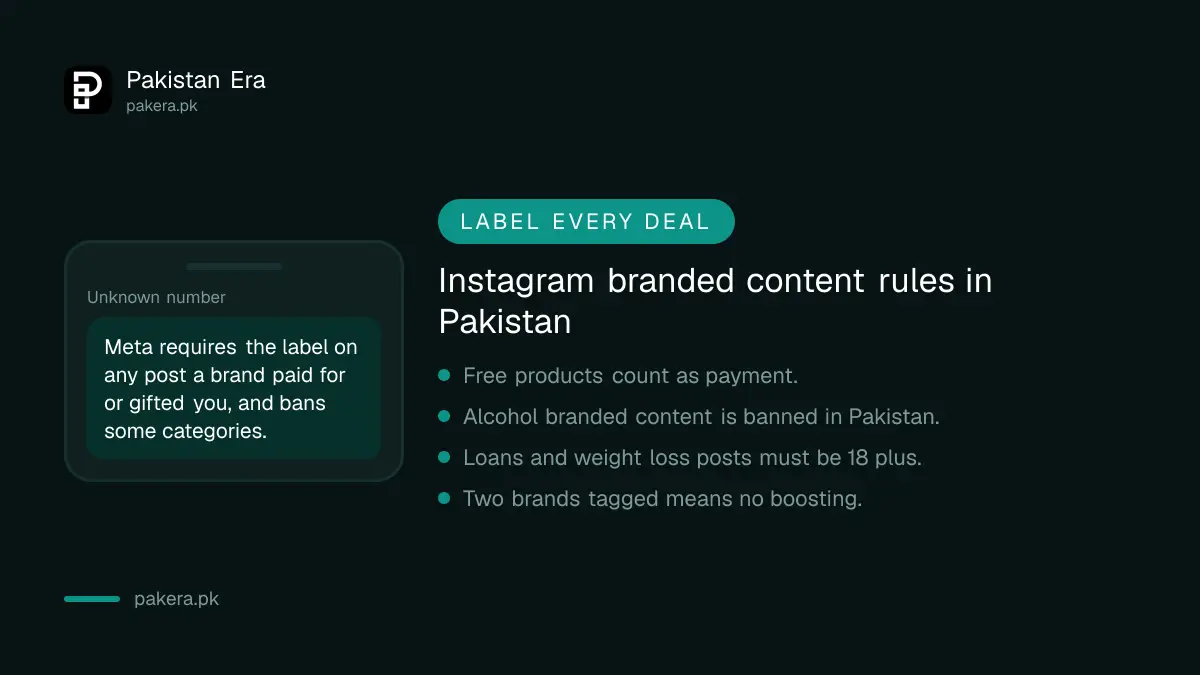
Meta's rule is wider than most Pakistani creators assume. Any post where a brand gave you money or something of value, including free products, counts as branded content and needs the label. A free lawn suit or a phone sent "for review" is enough.
| Step | Where in the app |
|---|---|
| Switch on branded content | Profile > Menu > Creator tools and controls > Branded content |
| Label a post | Next > More options > Partnership label and ads |
| Label a story | Tag icon at the top > Add paid partnership label |
| Label a reel | Next > More options > Add paid partnership label |
| Brands per post | Up to 2 |
Branded content means any post a brand paid or gifted you for
Meta defines branded content as a post for which a brand or business partner compensated the creator, with money or anything else of value, including free gifts. Its Branded Content Policies require you to tag that partner with the paid partnership label, every time you post such content.
The rule covers personal accounts too, not only creators. Meta says anyone on a professional or personal account must tag the business partner when there is an exchange of value. In practice you need a professional account to get the tool, so switching to an Instagram creator account comes first.
You can label partnerships in Feed posts, Stories, broadcast channels, Live, Reels and Instagram videos. The label reads "Paid partnership with" followed by the brand name once the brand approves you.
Switch on branded content tools in 5 steps
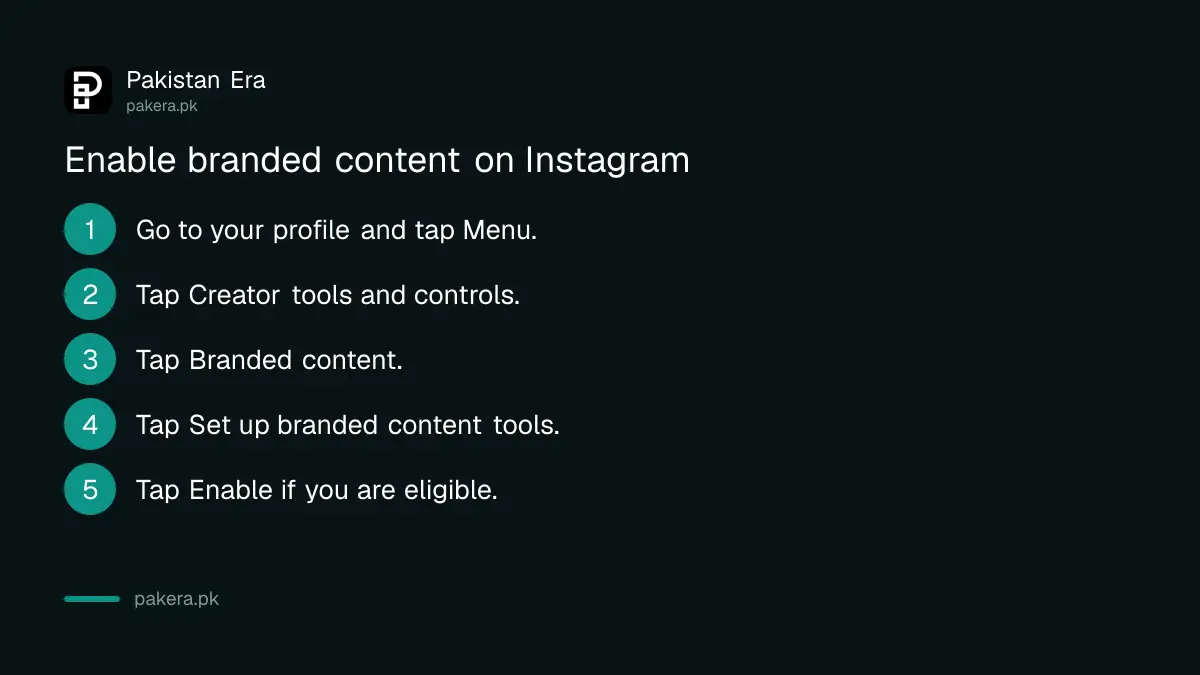
Before the label appears in your posting screens, you have to enable branded content tools once. Open your profile menu, go to your creator or business tools, choose Branded content and tap Enable. If Instagram says you are not eligible, you can request a review.
- In the Instagram app, go to your profile and tap Menu in the top right.
- Tap Creator tools and controls or Business tools and controls.
- Tap Branded content.
- Tap Set up branded content tools.
- If you are eligible, tap Enable.
Eligibility is about your account's standing. Meta asks for an authentic, established presence with a sufficient follower base, no Community Standards breaches, and no misinformation strikes. It does not publish a fixed follower number. Government departments, political parties, candidates and officials outside the United States cannot use the tool at all.
Add the paid partnership label to a post, story or reel
The label is added on the final screens before you share. For a post or reel, tap Next, then More options. For a story, tap the tag icon at the top. Turn on Add paid partnership label, search for the brand and add up to two partners.
On a feed post
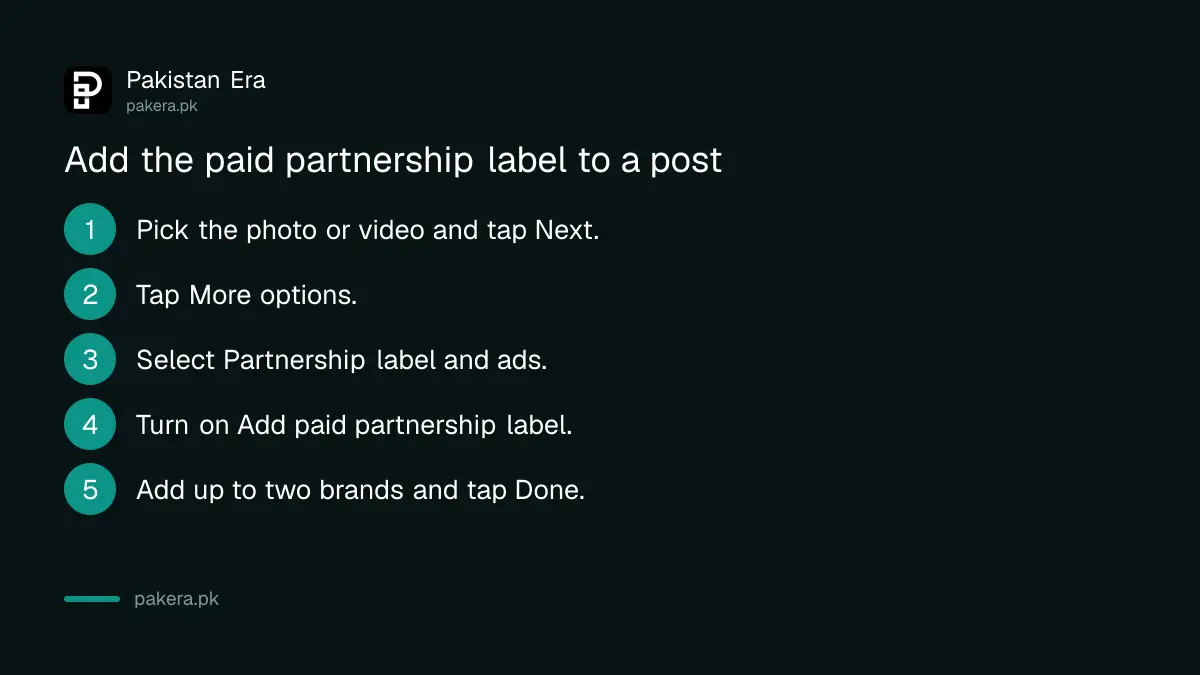
- Pick your photo or video, add the caption and filters, and tap Next.
- Tap More options.
- Under Ads and monetisation, select Partnership label and ads.
- Turn on Add paid partnership label.
- Tap Add brands manually and search for up to two brands.
- Tap Done and share the post.
On a story
After choosing your photo or video, tap the tag icon at the top of the screen, turn on Add paid partnership label, add the brand and tap Done.
On a reel
Tap Next, then More options, then Add paid partnership label, and turn the toggle on. Add the brand and tap its name. For a Live, tap Details before going live, then Add brand partner.
You can edit a post, story or reel after tagging. If you remove the brand later, Instagram notifies them and they lose access to that post's insights.
The brand must approve your first tag
The first time you tag a brand, Instagram sends it a request. Until the brand approves, your post shows "Paid partnership" without the brand's name. If the brand denies the request, Instagram removes the label from your content. The brand needs a professional Instagram account.
| Brand's response | What your post shows | What to do |
|---|---|---|
| Not answered yet | "Paid partnership" without a name | Ask your contact at the brand to approve it |
| Approved | "Paid partnership with" the brand | Nothing; future tags go straight through |
| Denied | Label removed | Check you tagged the right account, then contact the brand |
| Brand not found in search | Cannot be tagged | The brand needs a professional account |
Small Pakistani brands often run on a personal account. Ask them to switch to a business account before the campaign starts, or the tag simply will not work.
Let the brand boost your post, and what you cannot promote
Turning on Allow brand partner to boost lets the brand run your post as a partnership ad from its own ad account. Only one brand can boost: with two brands tagged, the post cannot be boosted. Some products cannot appear in branded content in Pakistan at all.
- Prohibited everywhere: tobacco and vapes, illegal drugs, unsafe supplements, weapons, adult products, payday loans, multi-level marketing, crypto coin offerings and state lotteries.
- Prohibited in Pakistan: branded content for alcohol. Meta lists Pakistan among the countries where it is banned outright.
- Restricted: loans, credit cards and insurance, cosmetic procedures, weight loss products and subscriptions must be set to adults 18 or over.
Pakistani law adds its own limits on what can be advertised, and Pakistan's advertising rules for banned and restricted products sets those out. Brand income is also taxable, so keep invoices for your tax return on social media income.
Common questions
Why can't I see the paid partnership option on Instagram?
Branded content tools are not switched on yet, or you are on a personal account. Switch to a professional account, then enable branded content in Creator tools and controls.
Do I need the label for a free product from a brand?
Yes. Meta counts gifted products and services as an exchange of value, so the post is branded content and needs the label.
How many brands can I tag in a paid partnership?
Up to two brands per post, story or reel. With two brands tagged, the post cannot be boosted by either brand.
Can I add the paid partnership label on a computer?
Not for posts. Meta says adding the label is only available in the Instagram app. A Live started on a computer can tag a brand.
What happens if a brand denies my paid partnership request?
Instagram removes the label from your post. Check you tagged the correct account and contact the brand to sort it out.
Is there a minimum follower count for branded content?
Meta gives no fixed number. It asks for an authentic, established presence with a sufficient follower base and a clean policy record.
How we verified this
What we checked and where we read it.
Last checked 24 November 2026. Steps come from the Instagram Help Centre articles How to use the paid partnership label and Enable branded content on Instagram. Definitions, prohibited categories and the Pakistan alcohol ban come from Meta's Branded Content Policies, and eligibility from Meta's eligibility requirements for partnership ads and branded content. Menu names are those in the help pages on that date.
Free on WhatsApp
Get last dates and rule changes on WhatsApp
We post new last dates, fee changes and fixes for common problems, a few short posts a day.
Follow Pakera on WhatsAppOther followers cannot see your number.
Pakera Solves It
Which online process wasted your time this week?
A portal that will not load, a form nobody explains, a complaint that went nowhere. Tell us. Every week we pick one, solve it step by step and publish the answer.
About the author

Technology Journalist & Multimedia Producer
Ahmad Ali is a technology journalist and multimedia producer at Pakistan Era, joining the team in October 2026. He covers consumer technology and digital life for Pakistani readers, combining research with hands-on product testing.